
1. Introduction
This manual provides instructions for the JOMAA Wireless Vertical Trackball Mouse, model D1186C9Z. This device features an ergonomic vertical design, multi-device connectivity via 2.4G wireless and Bluetooth, a precise trackball, and adjustable DPI settings. Please read this manual thoroughly before use to ensure proper operation and care.
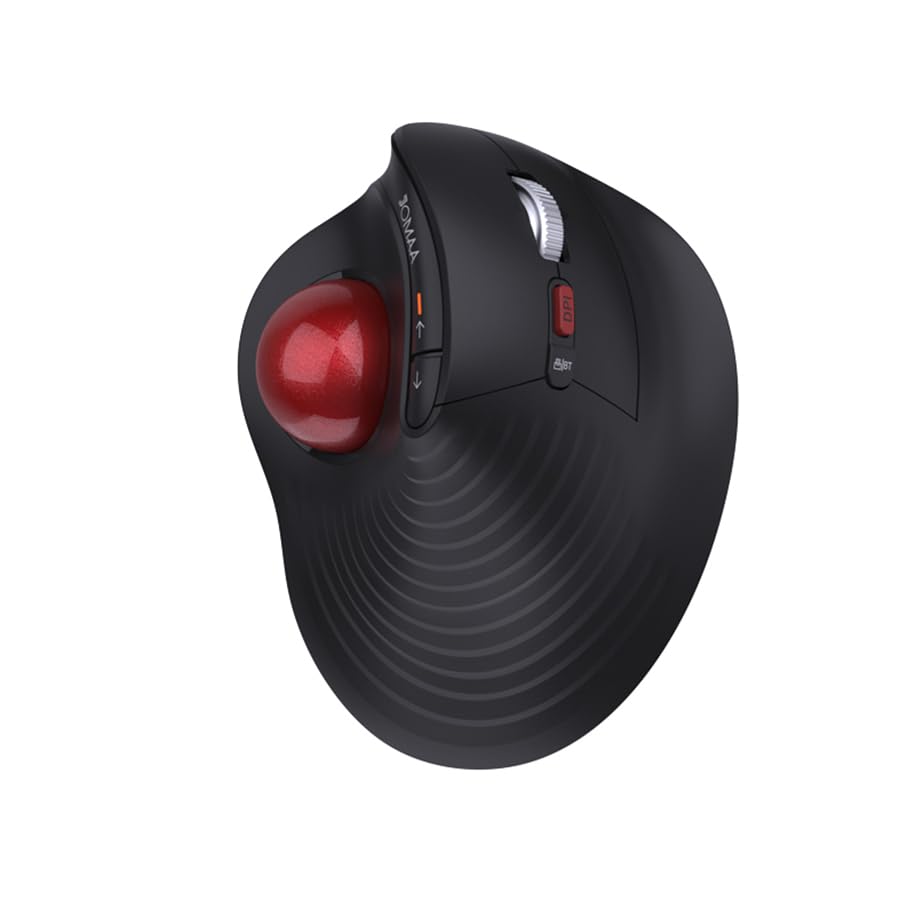
Figure 1: JOMAA Wireless Vertical Trackball Mouse (Red variant).
2. Setup
2.1 Charging the Mouse
The mouse is equipped with a built-in 500mAh lithium battery. Before first use, fully charge the mouse.
- Connect the included Type-C charging cable to the mouse and a power source.
- The low battery indicator will remind you when recharging is needed.
- Do not use a fast charger to charge the mouse.

Figure 2: Charging the JOMAA Wireless Vertical Trackball Mouse via Type-C cable. The mouse has a 500mAh lithium battery.
2.2 Connecting to Devices
The mouse supports three connection modes: 2.4G wireless and two Bluetooth channels (BT1/BT2). It can connect to up to three devices simultaneously.
2.2.1 2.4G Wireless Connection
- Insert the 2.4G USB receiver into an available USB port on your computer.
- Switch the mouse to 2.4G mode (refer to the mode switch button on the mouse).
- The mouse should automatically connect.
2.2.2 Bluetooth Connection (BT1/BT2)
- Switch the mouse to either BT1 or BT2 mode using the mode switch button.
- On your device (computer, smartphone, tablet), go to Bluetooth settings and enable Bluetooth.
- Search for available devices. The mouse should appear as "JOMAA Trackball" or similar.
- Select the mouse to pair.
- Repeat for a second Bluetooth device using the other Bluetooth channel (BT2).

Figure 3: The mouse supports 2.4G wireless and two Bluetooth connections (BT1, BT2) for multi-device use.
Video 1: Demonstration of multi-device support and smooth switching between devices using the JOMAA Vertical Trackball Mouse.
3. Operation
3.1 Ergonomic Design
The vertical design of this mouse is intended to promote a natural hand and wrist position, which can contribute to comfort during extended use.

Figure 4: The ergonomic design of the mouse supports a natural hand posture.

Figure 5: Comparison of wrist position with a traditional mouse versus the JOMAA trackball mouse.
3.2 Trackball Control
The trackball allows for cursor movement by rolling the ball with your thumb. It features a high-precision optical sensor.
- The trackball is 360° rotatable.
- The tilt scroll wheel enables horizontal scrolling.
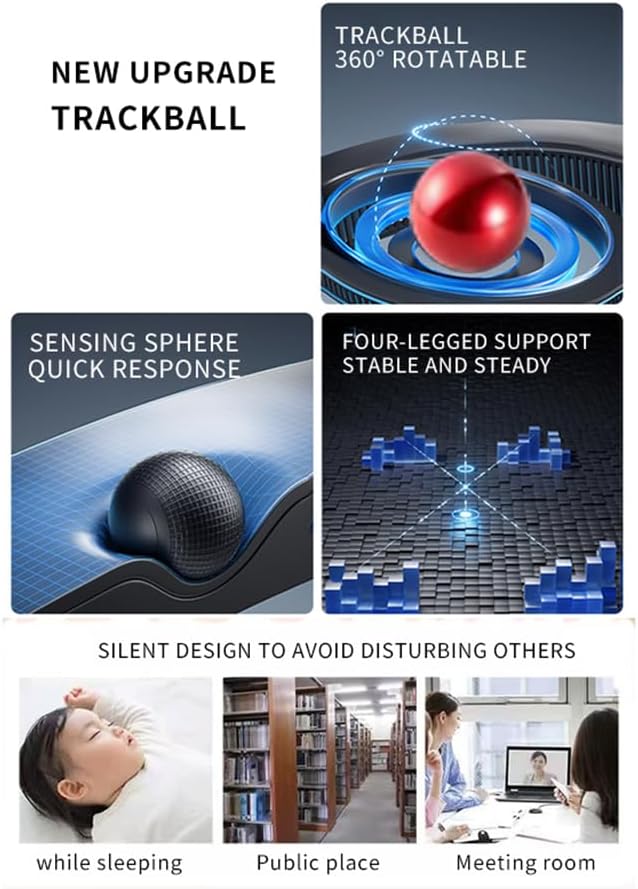
Figure 6: Features of the trackball, including 360° rotation and sensing sphere.
3.3 DPI Adjustment
The mouse has 3 adjustable DPI levels: 600, 800 (default), and 1000. Use the DPI button (usually located near the scroll wheel) to cycle through these settings to adjust cursor sensitivity.
3.4 Multi-Device Switching
To switch between connected devices (2.4G, BT1, BT2), press the mode switch button located on the mouse. The corresponding indicator light will illuminate.
4. Maintenance
4.1 Cleaning the Trackball
Over time, dust and debris may accumulate around the trackball, affecting its smoothness. The trackball is removable for cleaning.
- Gently push the trackball from the underside opening to remove it.
- Use a soft, lint-free cloth to clean the trackball and the inside of the trackball cavity.
- Reinsert the trackball into its socket.
4.2 Battery Care
- Avoid exposing the mouse to extreme temperatures.
- Charge the mouse regularly to maintain battery health.
- Do not attempt to replace the internal battery yourself.
5. Troubleshooting
| Problem | Solution |
|---|---|
| Mouse not responding |
|
| Trackball movement is not smooth |
|
| Cursor movement is too fast or too slow |
|
| Cannot switch between devices |
|
6. Specifications
| Feature | Detail |
|---|---|
| Model Number | D1186C9Z |
| Connectivity Technology | 2.4G Wireless, Bluetooth 5.0 (BT1, BT2) |
| Movement Detection | Trackball |
| DPI Levels | 600, 800 (default), 1000 |
| Battery | 500mAh Built-in Lithium Battery |
| Charging Port | Type-C |
| Number of Buttons | 5 |
| Hand Orientation | Right |
| Compatible Devices | Personal Computer, Smartphone, Tablet, Gaming Console |
| Operating System Compatibility | Windows 7/8/10, macOS, iOS, Android |
| Wireless Range | Up to 33 Feet (10 meters) |
| Item Weight | 0.17 Kilograms |
| Item Dimensions (L x W) | 12.5cm (4.92") L x 10.2cm (4.02") W |

Figure 7: Product dimensions of the JOMAA Wireless Vertical Trackball Mouse.
7. Warranty Information
This product comes with a half-year warranty from the date of purchase. Please retain your proof of purchase for warranty claims. The warranty covers manufacturing defects but does not cover damage caused by misuse, accidents, or unauthorized modifications.
8. Customer Support
For further assistance, technical support, or warranty inquiries, please contact JOMAA customer service through the retailer's platform or the official JOMAA website.
You can visit the JOMAA Store on Amazon for more information.


