
1. Setup
1.1 Unboxing and Package Contents
Carefully unpack all components from the box. Ensure all items listed below are present before proceeding with installation.
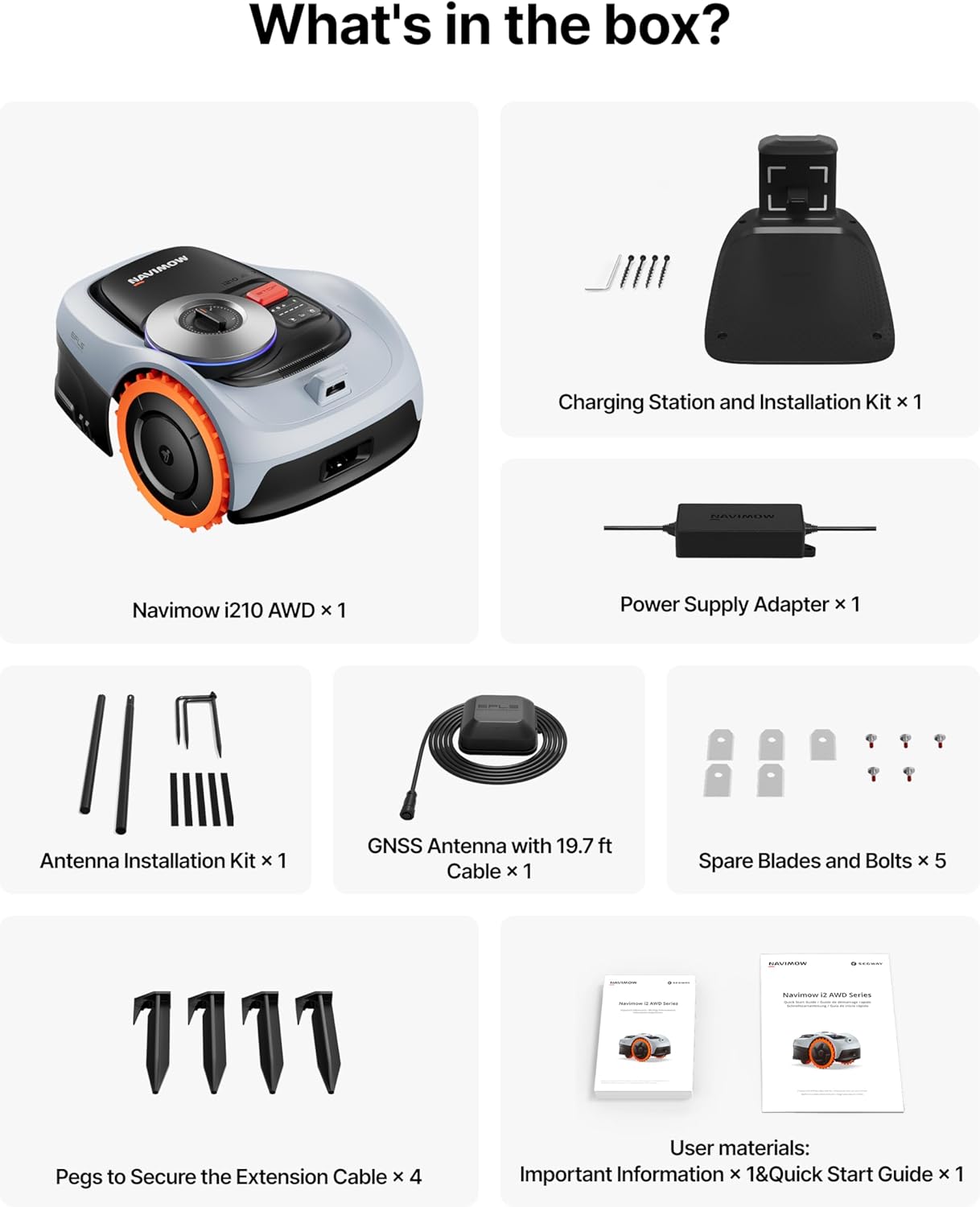
Image 1.1: The image displays the contents of the Segway Navimow i210 AWD box. It includes the Navimow i210 AWD unit, charging station and installation kit, power supply adapter, antenna installation kit, GNSS antenna with 19.7 ft cable, spare blades and bolts (x5), pegs to secure the extension cable (x4), and user materials (Important Information & Quick Start Guide).
1.2 Charging Station and Antenna Installation
Select a suitable location for the charging station. It should be on a soft, flat surface with an open sky view for optimal GPS signal reception. Ensure the antenna is installed at least 2 meters (6.6 ft) away from any obstacles like trees or roofs to maintain an unobstructed 110-degree sky view. The charging station should also be placed at least 2 meters (6.6 ft) away from the antenna.

Image 1.2: The robotic lawn mower is shown on a lawn with satellites overhead, illustrating the wire-free setup. This image highlights the ease of installation without physical boundary wires, relying on satellite navigation.
1.3 App Setup and Auto Mapping
Download the NAVIMOW app on your smartphone. Follow the in-app instructions to pair your device via Bluetooth and connect to your Wi-Fi network. The mower features one-tap auto mapping for centimeter-accurate positioning. You can define multiple mowing zones and no-go areas within the app.

Image 1.3: The Navimow i210 AWD is shown mapping a lawn area, with a smartphone displaying the mapping interface. This illustrates the one-tap auto mapping feature, allowing users to easily define mowing areas.
Video 1.1: This video demonstrates the mapping process of the Segway Navimow robot lawn mower. It shows how the user guides the mower to define the lawn boundaries and how the app visualizes the mapped area, highlighting the ease of setting up mowing zones.
2. Operating the Navimow i210 AWD
2.1 Mowing Modes and Navigation
The Navimow i210 AWD offers smart multi-zone control, allowing you to manage up to 20 zones. It navigates with optimized paths and automatically resumes mowing after charging. The NRTK + Vision system provides precise positioning, even in challenging areas like under tall trees or narrow pathways.
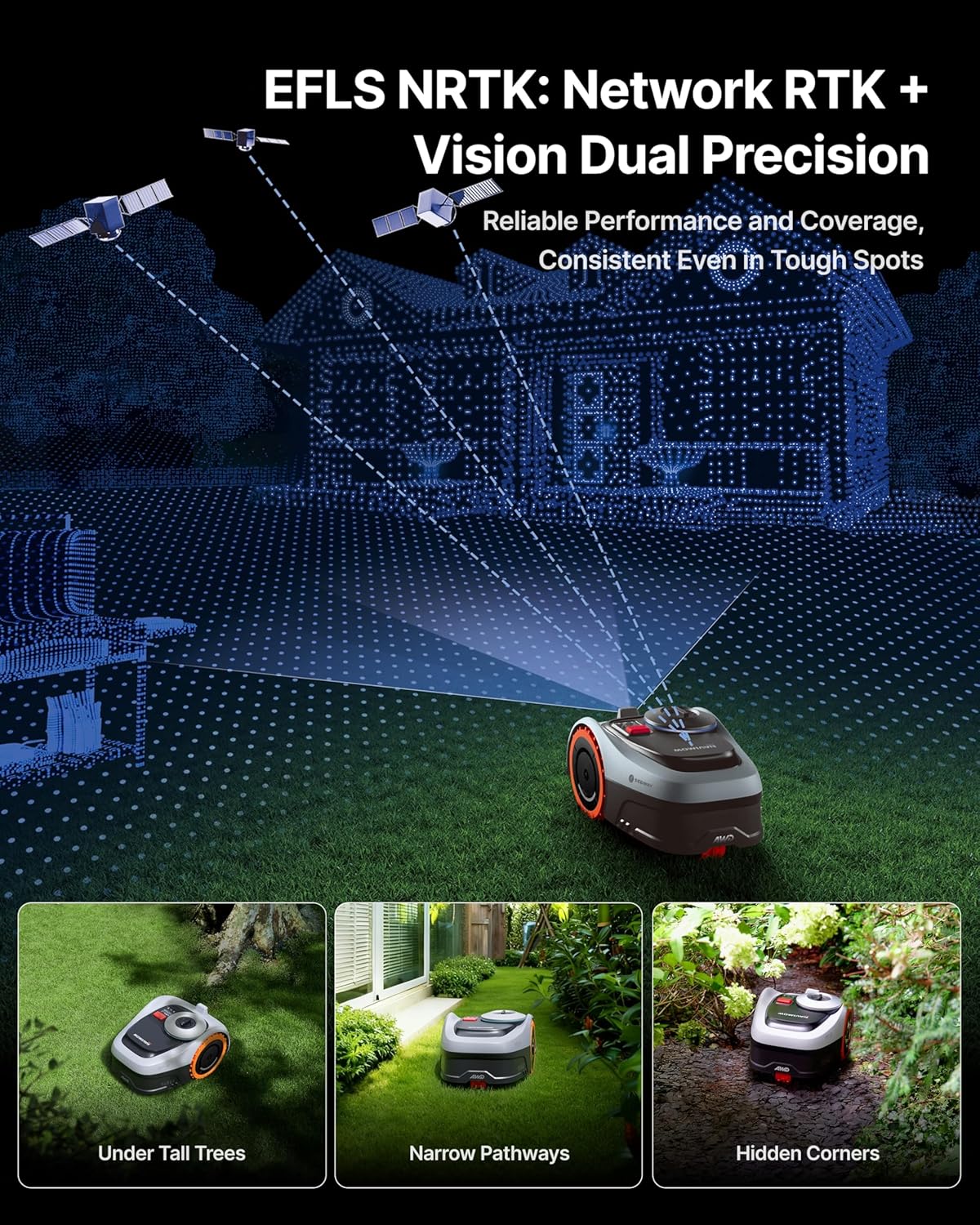
Image 2.1: The Navimow i210 AWD is depicted on a lawn with a visual representation of its NRTK + Vision dual precision system, showing satellites and vision technology working together for accurate positioning in various environments, including under trees and in narrow spaces.
2.2 Obstacle Avoidance (VisionFence)
Equipped with AI-powered VisionFence technology, the mower can detect and avoid over 150 types of obstacles, making split-second decisions to reroute its path. This ensures safety for pets, tools, and other items on your lawn.
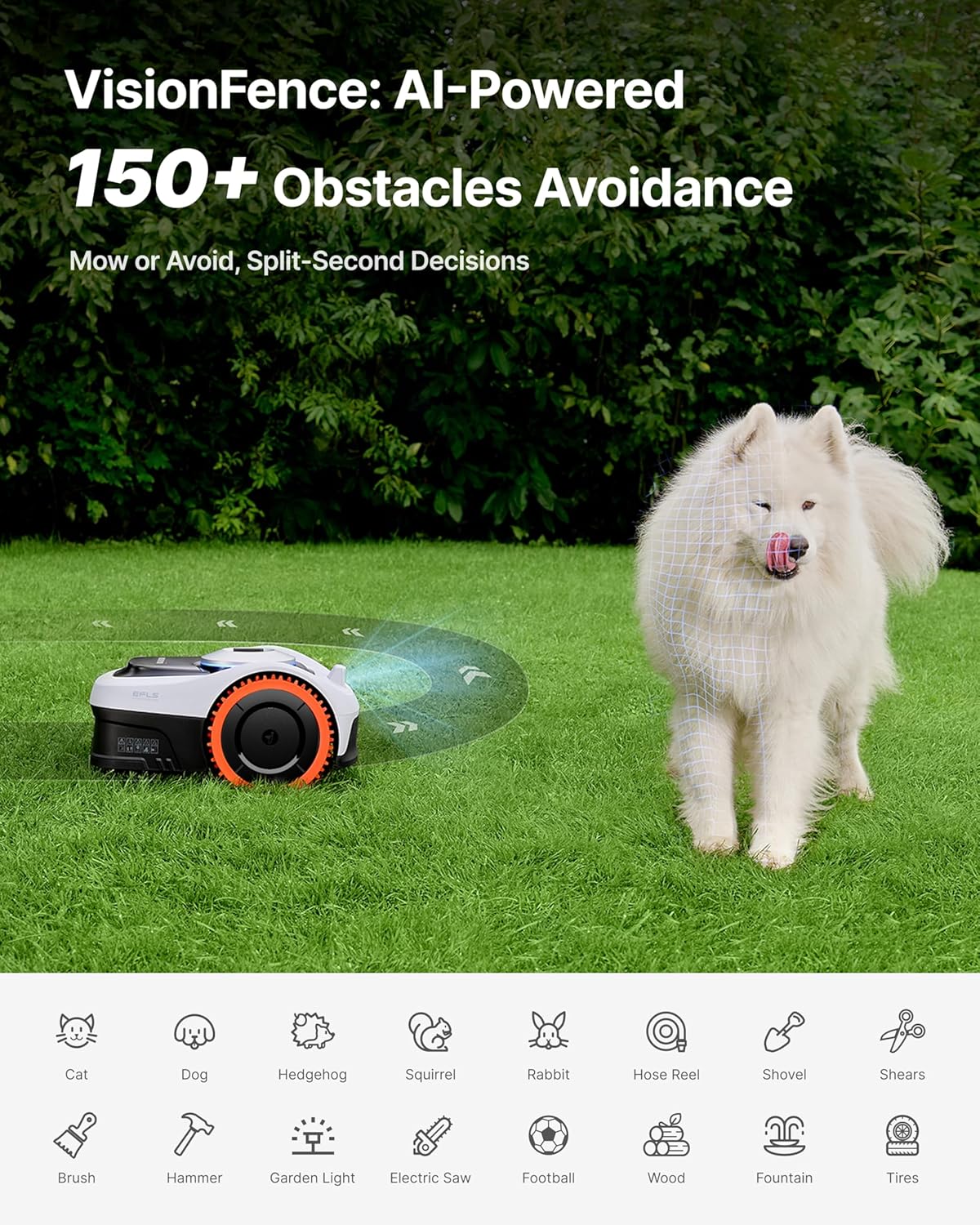
Image 2.2: The Navimow i210 AWD is shown on a lawn with a dog and a ball, illustrating its VisionFence AI-powered obstacle avoidance system. The mower detects and reroutes to avoid objects, ensuring safe operation.
2.3 Adjustable Cutting Height
The cutting height can be adjusted from 2 to 3.6 inches, allowing you to customize your lawn's appearance. The unique triple-wheel design ensures zero-turn steering, preventing grass scraping or tearing.

Image 2.3: The Navimow i210 AWD is shown performing a zero-turn maneuver on a lawn, emphasizing its ability to turn without tearing the grass. This highlights the precision and care the mower takes with your lawn.
2.4 All-Wheel Drive and Slope Handling
The all-wheel drive system with automotive-grade stability control allows the Navimow i210 AWD to handle challenging 45% (24°) slopes and various terrains, including root-covered areas and uneven paths. On-demand drive boosts torque only when needed, conserving energy.

Image 2.4: The Navimow i210 AWD is shown on a sloped lawn, illustrating its all-wheel drive and all-terrain mastery. Insets show it handling root-covered terrains, 1.57-inch vertical steps, and uneven stone paths, highlighting its versatility.
2.5 Quiet Operation and Weather Adaptive Mowing
The mower operates at a low noise level of 59 dB(A), ensuring quiet mowing without disturbing your family, pets, or neighbors. It also features weather-adaptive mowing, detecting rain, frost, snow, strong wind, or heat, and automatically returning to its charging station to ensure safe operation.
Video 2.1: This video provides an overview of the Navimow i Series, highlighting its features such as quiet operation, weather adaptability, and smart home integration. It showcases the mower's ability to handle various conditions and its user-friendly aspects.
3. Maintenance
3.1 Blade Replacement
Regularly inspect the cutting blades for wear and tear. Replace dull or damaged blades to ensure a clean and efficient cut. The i210 AWD features an upgraded 5-blade cutting disc design for smoother mowing. Refer to the Quick Start Guide for detailed instructions on blade replacement.

Image 3.1: This image displays a detailed diagram of the 5-blade cutting disc design of the Navimow i210 AWD, emphasizing its efficiency for smoother mowing. It visually explains the cutting mechanism.
3.2 Cleaning and Storage
Keep the mower clean by regularly removing grass clippings and debris from the chassis and wheels. The Navimow i210 AWD is IP66 rated, making it waterproof and dustproof for easy cleaning. Store the mower in a dry, protected area during off-season or extended periods of non-use.

Image 3.2: This image shows the Navimow i210 AWD being cleaned with a hose and stored under a protective cover, highlighting its IP66 waterproof rating and ease of maintenance. It emphasizes the durability and simple upkeep of the device.
3.3 Battery Care
The mower is powered by a 5.1Ah Lithium Ion battery. Ensure the battery is fully charged before each mowing session. For long-term storage, charge the battery to approximately 50% and store the mower in a cool, dry place.
4. Troubleshooting
4.1 Common Issues and Solutions
- Mower not starting: Check battery level and ensure it's properly docked. Verify the app shows the mower is ready to operate.
- Poor mowing performance: Inspect blades for sharpness and replace if dull. Ensure the cutting height is appropriate for your grass.
- Navigation issues: Check the GNSS antenna for obstructions. Ensure the mower has a clear sky view. Recalibrate the map if necessary.
- Mower getting stuck: Clear the mowing area of excessive debris or obstacles. Adjust VisionFence settings if needed.
- App connectivity problems: Ensure your smartphone's Bluetooth is on and the mower is within range. Verify Wi-Fi connection for remote control features.
5. Specifications
| Feature | Specification |
|---|---|
| Brand | NAVIMOW |
| Model | i210 AWD |
| Power Source | Battery Powered (1 Lithium Ion battery included) |
| Material | Plastic |
| Color | Black |
| Item Weight | 27.1 Pounds |
| Cutting Width | 7.1 Inches |
| Adjustable Cutting Height | 2 – 3.6 Inches |
| Product Dimensions | 21.4"D x 15.1"W x 11.2"H |
| Slope Capability | Up to 45% (24°) |
| Coverage Area | Up to 0.25 Acre (2,690 sq. ft. per charge) |
| Connectivity | Built-in 4G (first year service free), NRTK + Vision |
| Obstacle Avoidance | VisionFence (AI-powered, 150+ obstacles) |
| Noise Level | 59 dB(A) |
| Waterproof Rating | IP66 |
6. Warranty and Support
The Segway Navimow i210 AWD comes with up to 3-year support. For detailed warranty information, technical assistance, or to purchase replacement parts, please refer to the official NAVIMOW website or contact customer support directly. Keep your purchase receipt as proof of warranty.


