
Introduction
This manual provides essential information for the setup, operation, and maintenance of your Segway Navimow i206 AWD Robot Lawn Mower. Please read these instructions carefully before using the product to ensure safe and efficient operation.
The Navimow i206 AWD is an advanced robotic lawn mower featuring all-wheel drive for varied terrain, wire-free operation, and intelligent mapping capabilities. Key features include:
- All-Wheel Drive, All-Terrain Performance: Designed to handle uneven or sloped terrain, including slopes up to 45% (24°), with stable and smooth mowing.
- Zero-Turn Steering: Features a third-wheel design for precise turns without damaging grass. Adjustable cutting height from 2 to 3.6 inches and a 7.1-inch cutting width.
- On-Demand Drive: An adaptive drive system provides power only when necessary, optimizing energy use. Powered by a 2.5Ah battery, it covers up to 1,350 ft² per charge.
- Wire-Free Setup: Utilizes EFLS Network RTK with one-tap auto mapping for quick deployment. Tri-frequency RTK combined with Vision technology provides centimeter-level accuracy.
- Smart Multi-Zone Control & Security: Supports management of up to 20 zones with optimized mowing paths and automatic resumption after charging. Real-time GPS alerts notify users if the mower is moved or leaves designated areas.
1. Setup
Proper setup is crucial for the optimal performance of your Navimow i206 AWD. Follow these steps to prepare your mower for its first use.
1.1 Unboxing and Components
Verify that all components are present in the package. The standard package includes the Navimow i206 AWD unit, a charging station with an installation kit, a power supply adapter, an antenna installation kit, a GNSS antenna with a 19.7 ft cable, spare blades and bolts, and pegs to secure the extension cable.

Image: Contents of the Navimow i206 AWD package.
1.2 Charging Station Placement
Select a suitable location for the charging station. It should be placed on a flat surface with clear access for the mower and good satellite signal reception. Ensure there is at least 0.50m clear space on both sides and 2.00m in front of the charging station.
Video: A short clip demonstrating the placement of the charging station for the Navimow i206 AWD. This video shows a user placing the charging station near a pool and connecting the power cable.
1.3 Wire-Free Operation and Mapping
The Navimow i206 AWD operates without boundary wires, utilizing Network RTK technology for positioning. This simplifies installation significantly.

Image: The Navimow i206 AWD operating wire-free with satellite connectivity.
Use the companion app for one-tap auto mapping. The mower will automatically map your lawn, defining the mowing area and any exclusion zones.

Image: The Navimow app demonstrating one-tap auto mapping of a lawn.
2. Operating Instructions
Once set up, the Navimow i206 AWD is designed for autonomous operation. Understand its capabilities and features for effective lawn maintenance.
2.1 All-Wheel Drive and Terrain Handling
The all-wheel drive system allows the mower to navigate various terrains, including slopes up to 45% (24°). Its Electronic Stability Control (ESC) helps maintain stable movement on inclines.

Image: The Navimow i206 AWD demonstrating its all-wheel drive on a sloped lawn.
2.2 Zero-Turn Maneuverability
The mower's design allows for zero-turn maneuvers, preventing grass scraping and ensuring a clean cut even in tight corners.

Image: The Navimow i206 AWD performing a zero-turn on grass.
Video: This video highlights the Navimow i2 AWD's ability to handle rough terrain and perform careful turns, showcasing its agility and precision.
2.3 Precise Positioning and Obstacle Avoidance
EFLS Network RTK with Vision technology provides accurate positioning, allowing the mower to operate reliably even in challenging areas like under trees or in narrow pathways. The VisionFence system uses AI to detect and avoid over 150 types of obstacles, rerouting in less than 0.1 seconds to maintain a safe distance of over 3.3 feet.
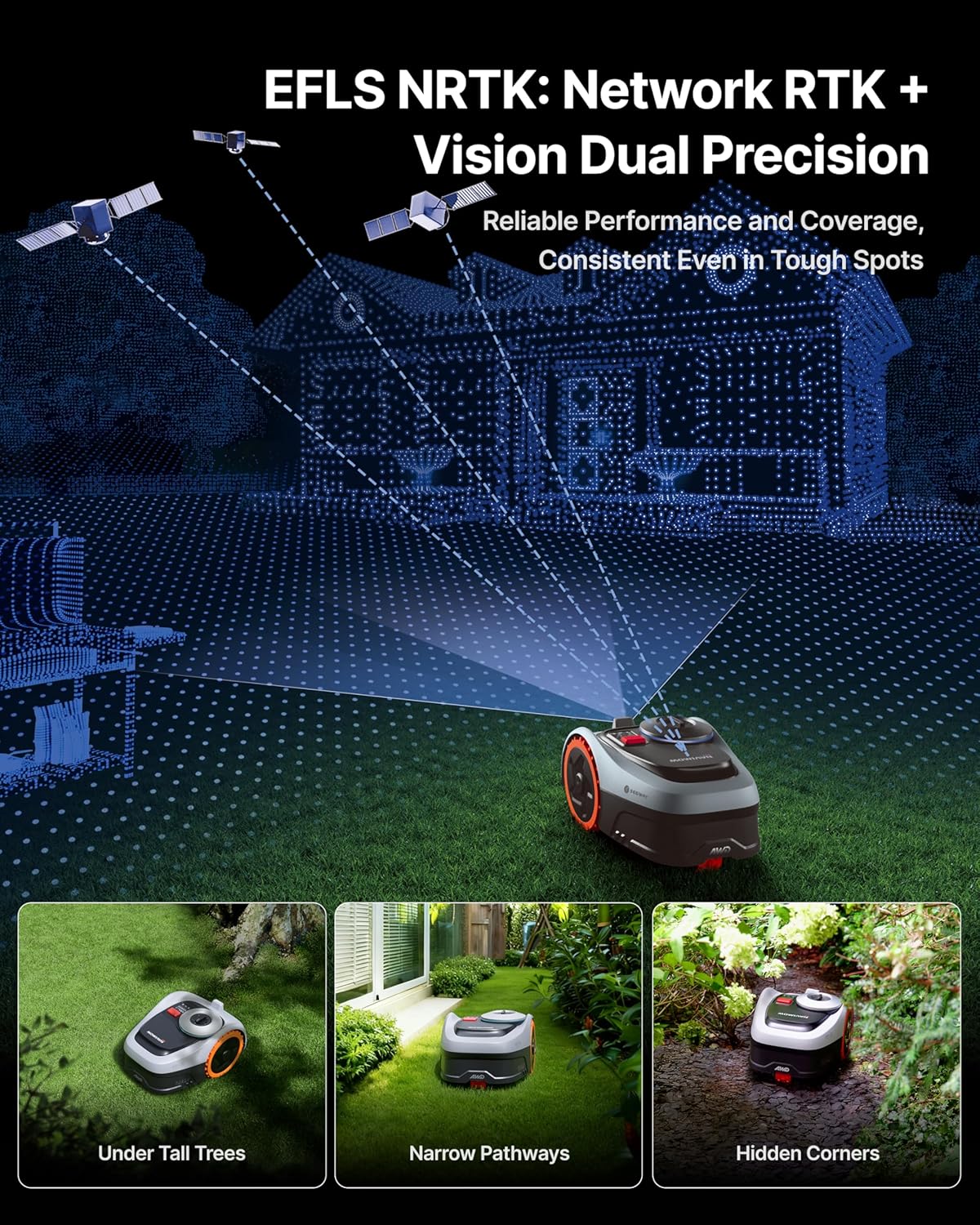
Image: The Navimow i206 AWD maintaining precise positioning in diverse environments.
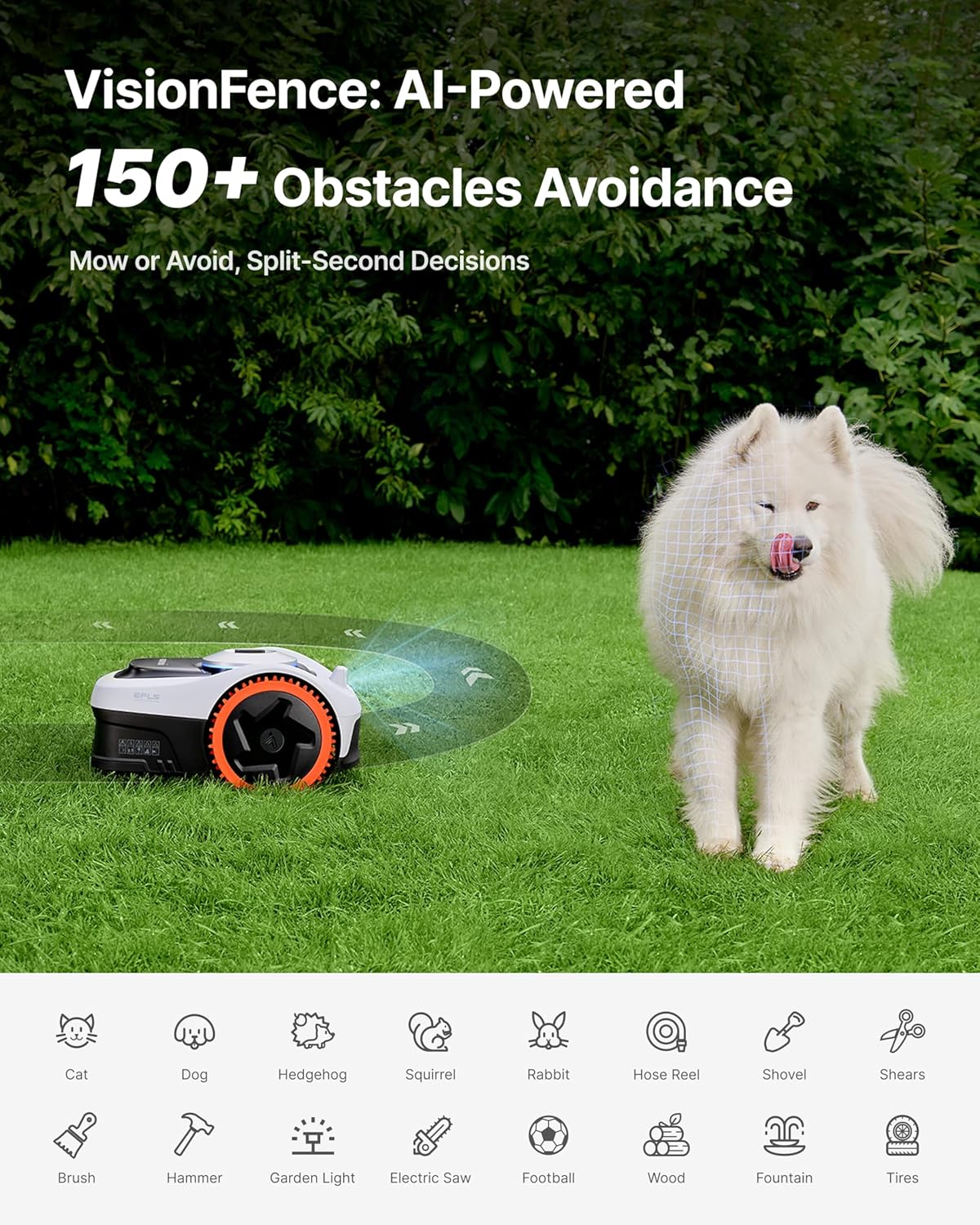
Image: The Navimow i206 AWD demonstrating AI-powered obstacle avoidance.
2.4 Multi-Zone Management and Weather Adaptability
The mower supports managing up to 20 distinct mowing zones within its coverage area. It also features weather-adaptive mowing, detecting rain, frost, snow, strong wind, or heat, and automatically returning to its charging station to ensure safe operation in various conditions.

Image: The Navimow i206 AWD demonstrating weather-adaptive mowing.
3. Maintenance
Regular maintenance ensures the longevity and performance of your Navimow i206 AWD.
3.1 Cleaning the Mower
Keep the mower clean, especially the cutting deck and wheels, to prevent grass buildup and ensure smooth operation. Use a brush or damp cloth for cleaning. Avoid using high-pressure water jets directly on electronic components.
Video: This video provides instructions on how to properly clean your Navimow robot lawn mower, focusing on the cutting deck and wheels.
3.2 Blade Replacement
The i206 AWD features a 5-blade cutting disc design. Regularly inspect the blades for wear and replace them as needed to maintain cutting quality. Always use genuine replacement blades.

Image: The 5-blade cutting disc design of the Navimow i206 AWD.
To replace blades:
- Power off the mower and ensure it is safely positioned.
- Carefully turn the mower over to access the cutting deck.
- Using a screwdriver, remove the screws securing the old blades.
- Attach new blades with new screws, ensuring they are securely fastened.
- Dispose of old blades responsibly.
4. Troubleshooting
If you encounter issues with your Navimow i206 AWD, refer to the following common troubleshooting tips.
4.1 Mower Not Starting or Charging
- Ensure the mower is correctly docked in the charging station.
- Check that the charging station is powered on and the power adapter is securely connected.
- Verify that the battery is not completely depleted. Allow some time for initial charging if the mower has been stored for a long period.
4.2 Signal Loss or Poor Navigation
- Ensure the GNSS antenna is installed correctly and has an unobstructed view of the sky.
- Check for any new obstructions (e.g., tall trees, buildings) that might interfere with satellite signals in the mowing area.
- If operating in areas with limited satellite visibility, the mower may experience temporary navigation issues.
- Verify your Wi-Fi connection for app communication and RTK network access.
4.3 Mapping Issues
- Ensure the mower has a strong and stable signal during the mapping process.
- If maps disappear or are inaccurate, try re-mapping the area in conditions with better signal reception.
- Confirm that the app is updated to the latest version.
4.4 Mower Stuck or Not Moving
- Check for physical obstructions (e.g., large branches, garden tools) in the mower's path.
- Inspect the wheels and cutting deck for debris or grass buildup that might impede movement.
- If the mower is on a very steep or slippery surface, its traction control might be engaged.
For persistent issues, refer to the official Navimow support resources or contact customer service.
5. Specifications
| Feature | Specification |
|---|---|
| Brand | NAVIMOW |
| Model Number | Segway Navimow Robot Lawn Mower |
| Style | i206 AWD: Mows up to 0.15 acre |
| Power Source | Battery Powered |
| Material | Plastic |
| Color | Gray |
| Cutting Width | 7.1 Inches |
| Operation Mode | Automatic |
| Product Dimensions (D x W x H) | 21.4"D x 15.1"W x 11.2"H |
| Smart Home Compatibility | Smart Home Compatible |
| Assembly Required | No |
| Unit Count | 1.0 Count |
6. Warranty and Support
Your Navimow i206 AWD Robot Lawn Mower comes with a manufacturer's warranty and dedicated support services.
6.1 Warranty Information
The product includes a 3-year warranty. For detailed terms and conditions, please refer to the warranty documentation provided with your product or contact support.

Image: Warranty information and support contact details.
6.2 Protection Plans
Additional protection plans are available for purchase to extend coverage beyond the standard warranty:
- 2-Year Protection Plan: One-time payment of $79.99.
- 3-Year Protection Plan: One-time payment of $99.99.
- Complete Protect: Monthly billing at $16.99, covering all eligible past and future purchases.
6.3 Customer Support
For technical assistance, warranty claims, or general inquiries, please contact Navimow support:
- Email: navimowsupport-us@rlm.segway.com
- Phone: +18339131131 (Monday - Friday, 09:00 - 18:00 ET)


