
1. Product Overview
The BrickSoul Light Up Kit is designed to enhance your Lego Castle 71043 Building Set by adding dynamic lighting and sound effects. This kit transforms your model into a vibrant display piece, making details stand out and creating an immersive visual experience. Please note: The Lego Castle 71043 model is not included with this lighting kit.
This kit features an upgraded remote control for convenient operation, allowing you to adjust lighting modes, brightness, and activate sound effects without direct interaction with the model. It is engineered for a clean installation with integrated cable-hiding technology.

Image 1.1: The BrickSoul Light Up Kit illuminating a Lego Castle 71043 model, showcasing various lit sections and overall effect.
2. Package Contents
Before beginning installation, please verify that all components listed below are present in your package. If any items are missing or damaged, please contact BrickSoul customer support.
- Light Control Button (Remote Control)
- Light Kits (various LED strips and individual lights)
- Digital Instructions Access (via QR code or website)
- Tweezers (for precise placement)
- Battery Box (requires AAA batteries, not included)
- USB Power Cable

Image 2.1: Overview of the BrickSoul Light Up Kit package contents, showing the main box, remote, light components, and tools.
3. Setup and Installation
The BrickSoul Light Up Kit is designed for a straightforward, beginner-friendly setup. Detailed step-by-step instructions are provided digitally via PDF guides and video tutorials. You will need to access these guides to ensure proper installation.
3.1 Accessing Digital Instructions
Scan the QR code provided in the package or visit the BrickSoul website and input your product model number (BS-71043-rc-sound) to access the comprehensive PDF and video installation guides. These guides will walk you through each step, including brick removal and light placement.

Image 3.1: Digital instructions are available online, accessible by scanning a code or entering the model number.
3.2 Installation Process
- Preparation: Ensure your Lego Castle 71043 model is fully assembled and stable.
- Follow Digital Guide: Refer to the step-by-step digital instructions. These guides will indicate which bricks to carefully remove to integrate the lighting components.
- Cable Management: The kit incorporates cable-hiding technology. Route wires neatly along existing brick lines and under plates to maintain the aesthetic integrity of your model. Use the provided tweezers for precise placement.
- Connect Power: Once all lights are installed, connect the USB power cable to the battery box (with AAA batteries installed) or a compatible USB power source (3-5V).
The kit is designed to integrate seamlessly without damaging or loosening your Lego model. It uses a safe 3-5V input.

Image 3.2: Example of integrated lighting within the model's interior, highlighting architectural details.
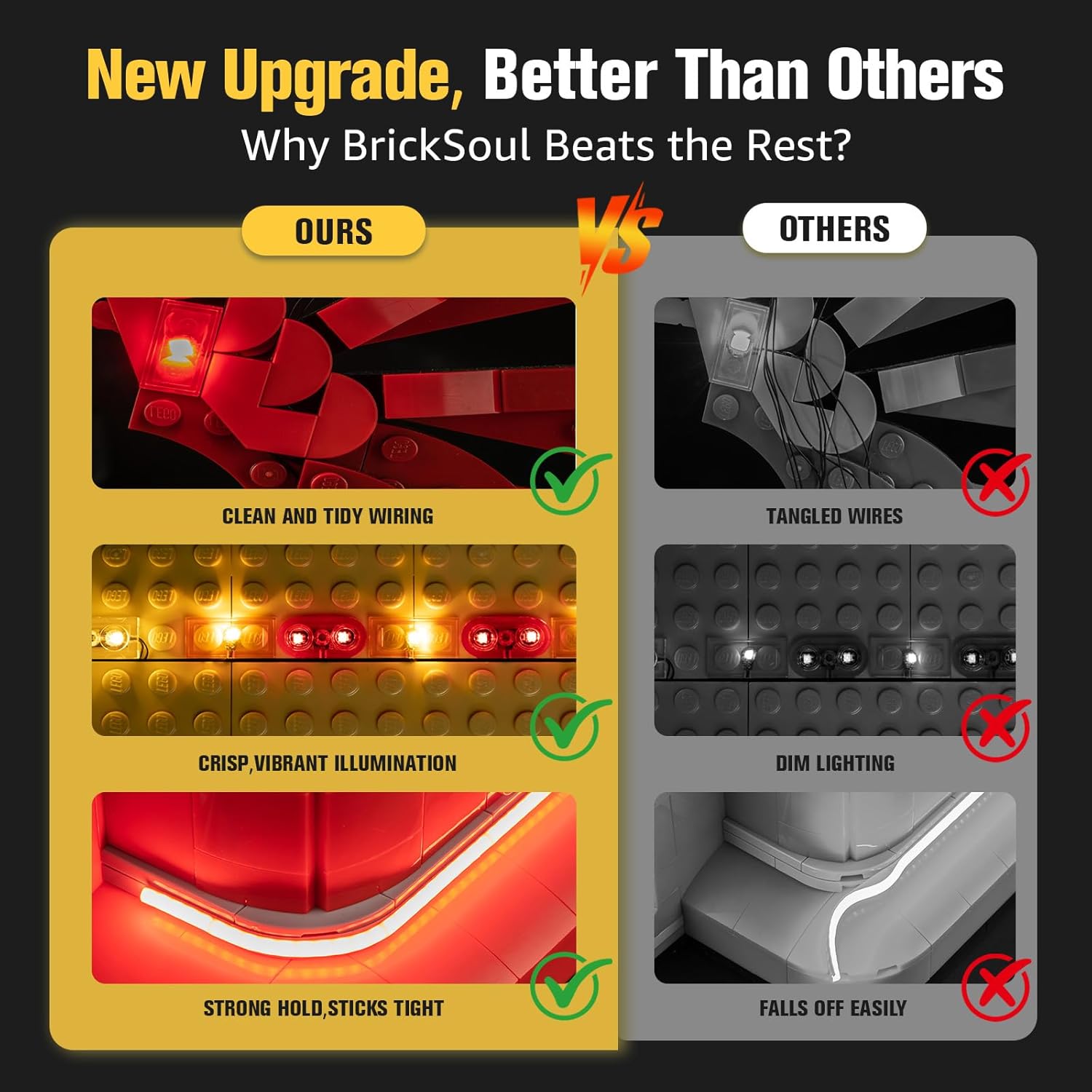
Image 3.3: Illustration of the kit's clean wiring and vibrant illumination compared to less optimized alternatives.
4. Operating Instructions
The BrickSoul Light Up Kit features an upgraded remote control for convenient management of your model's lighting and sound effects.
4.1 Remote Control Functions
The remote control allows you to:
- Power On/Off: Turn the entire lighting system on or off.
- Adjust Brightness: Increase or decrease the intensity of the lights.
- Switch Lighting Modes: Cycle through multiple flash modes or static lighting options.
- Activate Sound Effects: Engage original sound accessories integrated with the kit.

Image 4.1: The remote control interface, illustrating power, mode, and brightness adjustment capabilities.

Image 4.2: The remote control allows for easy power on/off and precise brightness adjustments.
5. Maintenance
To ensure the longevity and optimal performance of your BrickSoul Light Up Kit, follow these simple maintenance guidelines:
- Cleaning: Gently dust the lighting components and wires with a soft, dry cloth. Avoid using liquid cleaners directly on the electrical components.
- Connections: Periodically check all wire connections to ensure they are secure. Loose connections can lead to intermittent lighting.
- Power Source: If using the battery box, replace AAA batteries when lights dim or fail to operate. For USB power, ensure the power source is stable and within the recommended 3-5V range.
- Storage: If disassembling the kit for storage, carefully disconnect wires and store components in a dry, cool place to prevent damage.
6. Troubleshooting
If you encounter any issues with your BrickSoul Light Up Kit, refer to the following troubleshooting steps:
| Problem | Possible Cause | Solution |
|---|---|---|
| Lights do not turn on. |
|
|
| Lights are dim or flickering. |
|
|
| Remote control is unresponsive. |
|
|
| Sound effects are not working. |
|
|
If these steps do not resolve the issue, please contact BrickSoul customer support for further assistance.
7. Specifications
| Feature | Detail |
|---|---|
| Model Number | BS-71043-rc-sound |
| Compatibility | Lego Castle 71043 Building Set |
| Color | Color Changing |
| Material | Plastic (ABS) and Copper Wire |
| Light Source Type | Light Emitting Diode (LED) |
| Power Source | DC adapter (USB, 3-5V input) |
| Bulb Features | Remote Control Compatibility, Adjustable Lighting Modes, Sound Effects |
| Number of Light Sources | 10 |
| Batteries Included | No (AAA batteries required for battery box/remote) |
| Product Dimensions | 6.1 x 5.18 x 1.18 inches (packaging/kit components) |
| Item Weight | 4.8 ounces |
| Recommended Age | 14 years and up |
8. Warranty and Support
BrickSoul stands behind the quality of its products. Your Light Up Kit comes with a worry-free warranty.
- Accidental Damage: In case of bent connectors, broken wires, or other accidental damage, BrickSoul offers quick, hassle-free replacements.
- Customer Support: The BrickSoul support team is available to assist with any questions, installation challenges, or issues you may encounter. Please refer to the contact information provided in your digital instructions or on the official BrickSoul website for support.

Image 8.1: Certificates and awards representing BrickSoul's commitment to quality and customer service.
9. Safety Information
Please observe the following safety guidelines when using the BrickSoul Light Up Kit:
- Age Recommendation: This product is intended for use by individuals aged 14 years and older.
- Power Supply: Only use a compatible USB power source providing 3-5V DC input. Do not exceed the recommended voltage.
- Water Exposure: Keep the lighting kit and all electrical components away from water or excessive moisture.
- Handling: Handle wires and small components with care to avoid damage. Use the provided tweezers for delicate tasks.
- Disassembly: Do not attempt to modify or disassemble the LED components or control board, as this may void the warranty and pose a safety risk.