
Introduction
Thank you for choosing the TIMU Portable Bluetooth Speaker S11-2. This speaker is designed to deliver powerful, room-filling stereo sound with enhanced bass, Bluetooth 5.4 connectivity, and a durable, waterproof design. Enjoy up to 24 hours of playtime and vibrant RGB lighting for any occasion. This manual provides essential information for setting up, operating, and maintaining your speaker.
What's in the Box
- Bluetooth Speaker x1
- Power Cable x1
- AUX Cable x1
- User Manual x1
Product Overview
Familiarize yourself with the speaker's controls and ports.
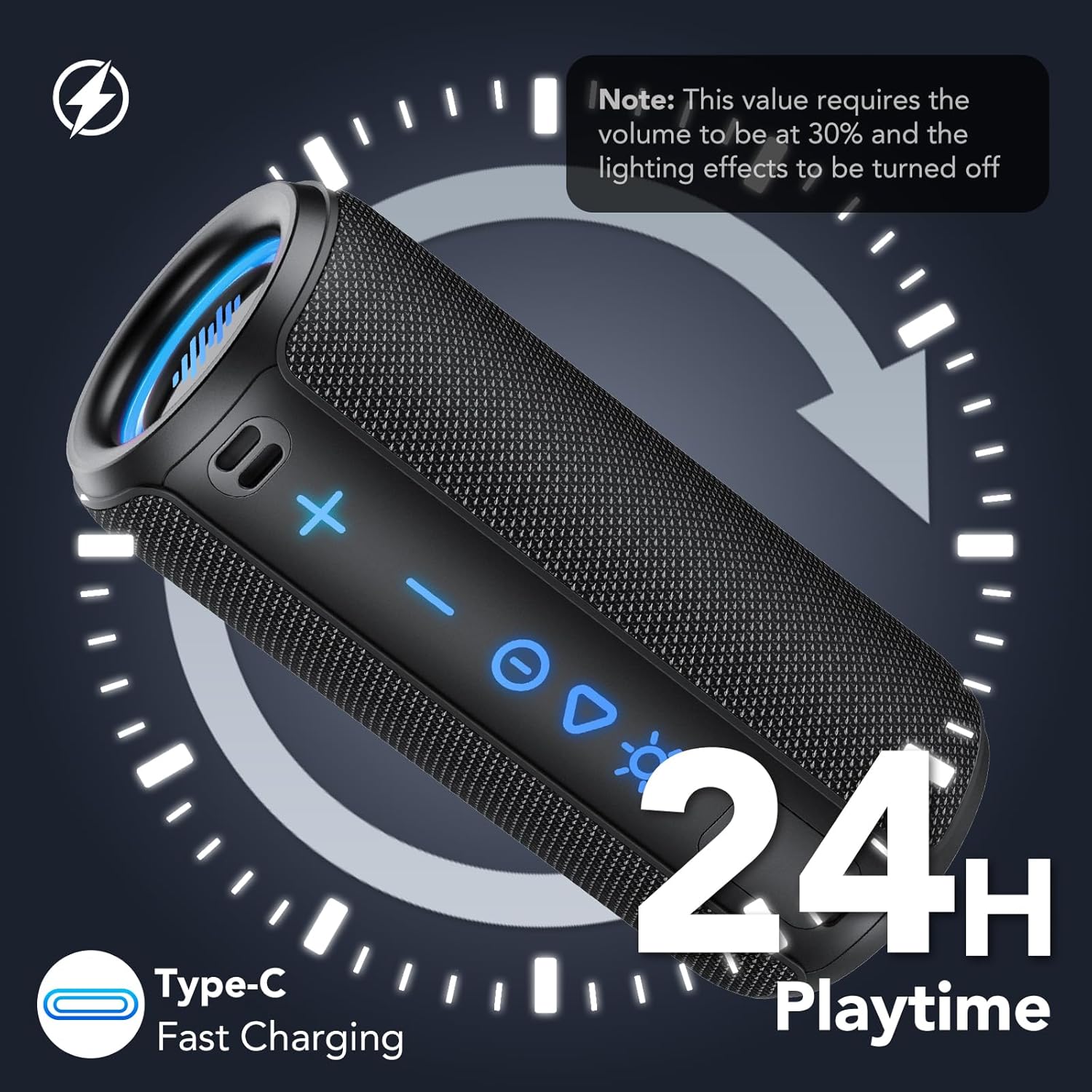
Image: TIMU S11-2 Speaker with control panel showing volume, power, play/pause, and light buttons.
Control Buttons
- + (Volume Up): Short press to increase volume. Long press to skip to the next track.
- - (Volume Down): Short press to decrease volume. Long press to go to the previous track.
- Power Button: Long press to power on/off. Short press to play/pause music.
- Triangle (Play/Pause): Short press to play or pause music.
- Sun/Light Button: Short press to cycle through 8 RGB light modes. Long press to turn off the lights.
Ports and Features

Image: TIMU S11-2 Speaker showing Type-C, AUX, and TF card ports under a protective flap.
- Type-C Charging Port: For charging the speaker.
- AUX Input: For wired audio connection using the provided AUX cable.
- TF Card Slot: For playing music directly from a TF (MicroSD) card.
- Wrist Strap: For easy portability and secure carrying.
Setup
Bluetooth Pairing
- Ensure the speaker is charged.
- Long press the Power Button to turn on the speaker. You will hear an audible prompt indicating it's in Bluetooth pairing mode.
- On your device (smartphone, tablet, laptop), enable Bluetooth and search for available devices.
- Select "S11-1" from the list of devices to connect. You will hear a confirmation tone once successfully paired.
TWS (True Wireless Stereo) Pairing
To achieve a stereo sound experience, you can pair two TIMU S11-2 speakers together.
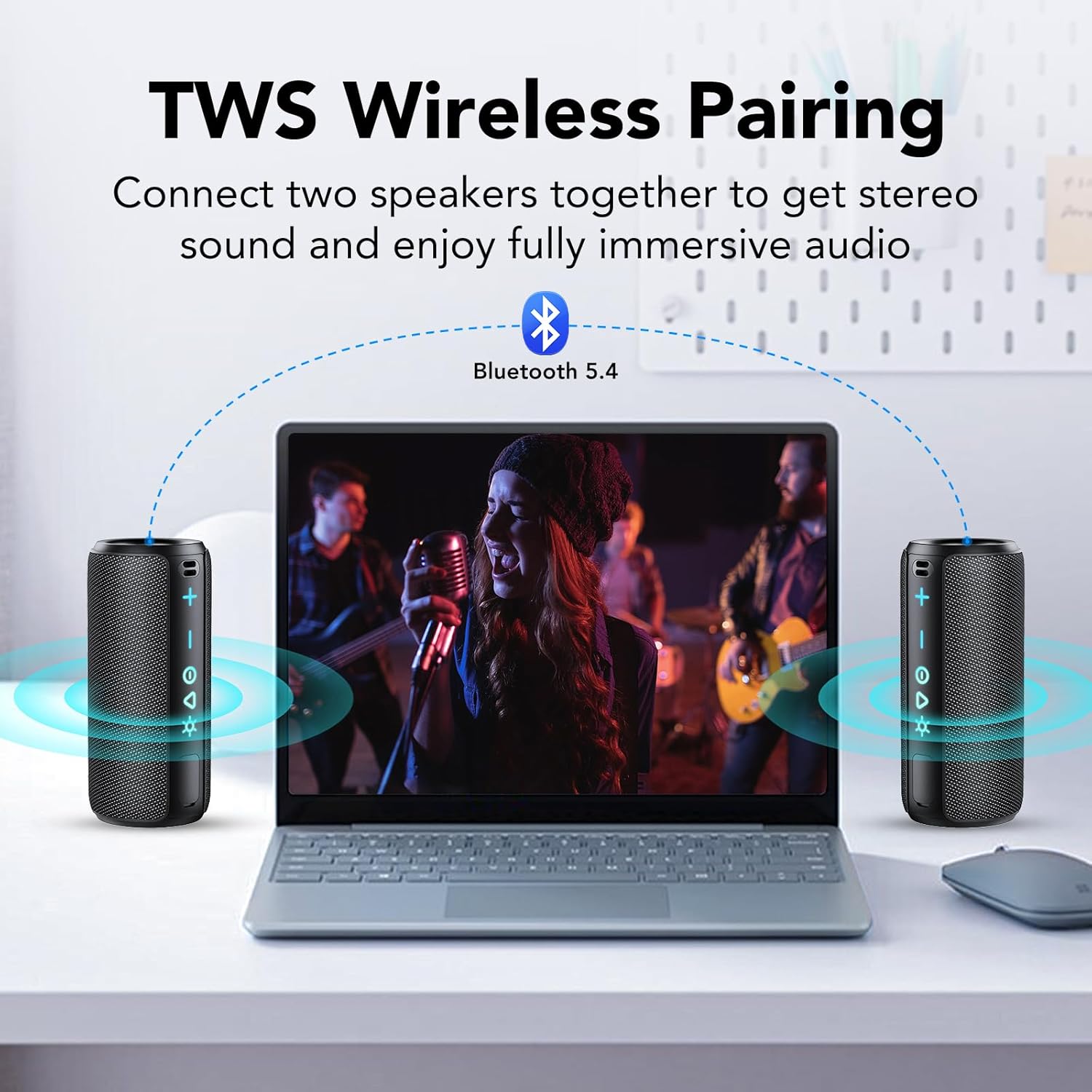
Image: Two TIMU S11-2 speakers wirelessly paired to a laptop for stereo sound.
- Ensure both speakers are powered on and not connected to any other Bluetooth device.
- On one speaker (this will be your primary speaker), double-press the Power Button. It will enter TWS pairing mode.
- The two speakers will automatically connect to each other. You will hear a confirmation tone once TWS pairing is successful.
- Now, connect your device via Bluetooth to the primary speaker (as described in Bluetooth Pairing). Audio will play in stereo through both speakers.
Operating Instructions
Power On/Off
- Long press the Power Button for approximately 3 seconds to turn the speaker on or off.
Volume Control
- Short press the + button to increase the volume.
- Short press the - button to decrease the volume.
Music Playback
- Short press the Power/Play/Pause button to play or pause the current track.
- Long press the + button to skip to the next track.
- Long press the - button to go to the previous track.
Light Modes
The speaker features 8 RGB light modes to enhance your listening experience.

Image: Group of people enjoying music with two TIMU S11-2 speakers displaying colorful RGB lights.
- Short press the Sun/Light Button to cycle through the available light modes.
- Long press the Sun/Light Button to turn off the RGB lights.
Charging
The TIMU S11-2 speaker is equipped with a 4000mAh rechargeable lithium battery.

Image: TIMU S11-2 speaker next to a soda can, indicating 4000mAh battery and 24H playtime.
- Connect the provided Type-C power cable to the charging port on the speaker and to a compatible USB power adapter (not included).
- A full charge takes approximately 3 hours.
- The speaker provides up to 24 hours of playtime at 30% volume with lights off.
Maintenance
To ensure the longevity and optimal performance of your TIMU S11-2 speaker:
- Keep the protective flap over the charging and AUX ports securely closed when not in use to maintain IPX7 waterproof rating.
- Clean the speaker with a soft, damp cloth. Do not use harsh chemicals or abrasive cleaners.
- Avoid exposing the speaker to extreme temperatures or direct sunlight for extended periods.
- Store the speaker in a cool, dry place when not in use.
Troubleshooting
| Problem | Possible Cause | Solution |
|---|---|---|
| Speaker does not power on | Low battery | Charge the speaker fully. |
| No sound | Volume too low; Device not connected; Incorrect input mode | Increase volume on speaker and device; Re-pair Bluetooth; Ensure correct input (BT, AUX, TF) is selected. |
| Cannot pair via Bluetooth | Speaker not in pairing mode; Device too far; Interference | Long press power button to enter pairing mode; Move device closer; Turn off other Bluetooth devices. |
| TWS pairing fails | Speakers already connected to other devices | Disconnect both speakers from any other Bluetooth devices before attempting TWS pairing. |
Specifications
- Brand: TIMU
- Model Number: S11-2
- Speaker Maximum Output Power: 30 Watts
- Connectivity Technology: Wireless (Bluetooth 5.4)
- Audio Output Mode: Stereo
- Battery Capacity: 4000 Milliamp Hours
- Battery Average Life: 24 Hours (at 30% volume with lights off)
- Battery Charge Time: 3 Hours
- Is Waterproof: IPX7
- Additional Features: Bass Boost, Built-In Microphone, Portable, Lightweight, LED Light (8 RGB Modes), Dustproof, Stereo Pairing
- Control Method: Touch
- Item Dimensions D x W x H: 2.6"D x 2.6"W x 6.3"H
Warranty and Support
This TIMU Portable Bluetooth Speaker S11-2 comes with a 2-year limited warranty.
For further assistance or support, please refer to the contact information provided with your purchase or visit the official TIMU store on Amazon: TIMU Store
Official Product Video
Video: An overview of the TIMU S11 Bluetooth Speaker, highlighting its features and design.