
1. Introduction
Product Overview
The Miracase 2026 Vacuum MagSafe Car Mount provides a secure and adjustable solution for holding your smartphone in your vehicle. It features a vacuum-lock system for strong adhesion and powerful N52 magnets for device stability. The mount offers multi-angle adjustment and broad compatibility with various smartphones.
Key Features
- Vacuum-Lock System: Ensures unshakeable stability on dashboards or windshields.
- Strong Magnetic Hold: Equipped with 20 N52 magnets for superior grip.
- 360° Adjustable: Offers 360° horizontal rotation and 180° vertical tilt for optimal viewing.
- Multi-Surface Versatility: Attaches securely to smooth dashboards, windshields, mirrors, and other flat surfaces.
- Wide Compatibility: Supports iPhone 12-17 series, MagSafe cases, and other smartphones with the included metal ring.
Package Contents
- 1 x Magnetic Car Phone Holder
- 1 x Metal Ring
- 1 x Knob Tool
- 1 x Cleaning Wipes
- 1 x User Manual
2. Setup Instructions
Surface Preparation
Ensure the installation surface is flat, smooth, and clean. This product is not suitable for suede, genuine leather, or surfaces with large particles, textures, or curves. Use the included cleaning wipes to prepare the surface.
Mount Installation
- Step 1: Remove the dust pad from the bottom of the mount, place the mount on the desired clean, flat surface, and press lightly.
- Step 2: Rotate the dial on the base clockwise to securely fasten the mount using its vacuum-lock system.
- Step 3: Adjust the mount to your preferred angle.

Image: Installation steps for the Miracase Vacuum MagSafe Car Mount.
Attaching Your Device
- For MagSafe Compatible Devices: Simply place your iPhone 12-17 series phone or MagSafe-compatible case onto the magnetic head of the mount. The strong N52 magnets will secure it in place.
- For Non-MagSafe Devices: Attach the included metal ring to the back of your phone or phone case. Ensure the ring is centered for optimal magnetic connection. Then, place your device onto the magnetic head of the mount. The metal ring does not interfere with wireless charging.

Image: Device compatibility and use of the metal ring for non-MagSafe phones.
3. Operating Instructions
Adjusting the Mount
The Miracase car mount offers dual-axis flexibility and 360° rotation. You can rotate your phone horizontally 360 degrees and tilt it vertically up to 180 degrees to achieve your ideal viewing angle. The reinforced hinge ensures stable positioning for navigation, calls, or media streaming.
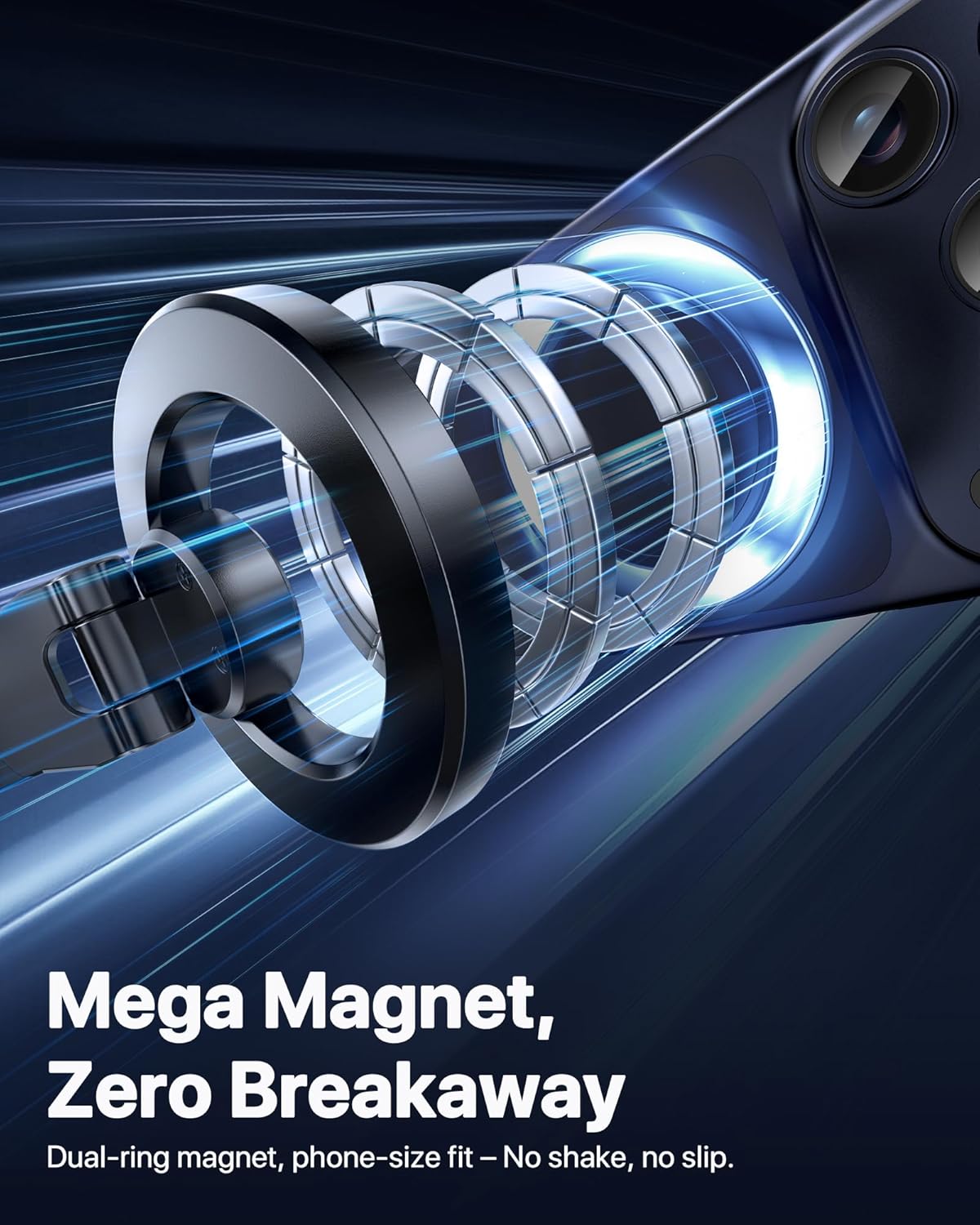
Image: Demonstrating the 360-degree rotation and tilt capabilities of the mount.
Magnetic Attachment
The mount features 20 high-performance N52 magnets, providing a strong and secure hold for your device. This magnetic array is engineered to ensure a powerful grip without interfering with your phone's signal, maintaining clear calls and uninterrupted navigation even on rough roads.

Image: Illustration of the strong magnetic hold provided by the mount.
Product Demonstration Video
Video: Official Miracase demonstration of the Vacuum MagSafe Car Mount, showcasing its features and stability.
4. Maintenance
Cleaning the Suction Cup
If the suction cup loses its adhesion or you need to reposition the mount, rinse the suction cup with water. Allow it to air dry completely; do not wipe it with paper towels or cloths, as this can leave fibers that reduce suction. Once dry, reattach the mount to a clean surface.
Tightening the Support Arm
Should the support arm become loose after prolonged use, use the included knob tool to tighten it. This will restore the arm's stability and ensure your device remains securely positioned.
5. Troubleshooting
Mount Not Sticking Securely
- Surface Type: Ensure the installation surface is flat and smooth. The mount will not adhere properly to suede, genuine leather, or surfaces with large particles, textures, or curves.
- Surface Cleanliness: Clean the surface thoroughly with the provided wipes or a damp cloth, then let it dry completely before installation.
- Suction Cup Cleanliness: If the suction cup is dirty, rinse it with water and allow it to air dry before reattaching.
- Vacuum Lock Engagement: Confirm that the dial on the base is rotated fully clockwise to engage the vacuum lock.
Phone Not Holding Magnetically
- MagSafe Compatibility: For non-MagSafe devices or cases, ensure the included metal ring is properly attached to the back of your phone or case and is centered over the magnetic area.
- Case Thickness: Very thick phone cases may reduce magnetic strength. Consider using a thinner case or attaching the metal ring to the outside of the case.
6. Specifications
| Brand | Miracase |
| Model Name | B0G7V1X8PL |
| Color | Black |
| Mounting Type | Vacuum MagSafe Suction Mount |
| Compatible Devices | All Mobile Phones & Most Cases (iPhone, Android, Samsung, Google, LG, Huawei, Sony, Motorola, Nexus, OnePlus, Asus, Blackberry, Microsoft, ZTE, HTC, Alcatel, Amazon, Lenovo, Xiaomi, Oppo, Vivo...) |
| Compatible Phone Models | iPhone 17, 17 Pro, 17 Pro Max, 17 Air, iPhone 16, 16 Pro, 16 Pro Max, 16 Plus, iPhone 15, 15 Pro, 15 Pro Max, 15 Plus, iPhone 14, 14 Pro, 14 Pro Max, 14 Plus, iPhone 13, 13 Pro, 13 Pro Max, 13 Mini, iPhone 12, 12 Pro, 12 Pro Max, 12 Mini and all MagSafe-compatible cases. (Note: For other phone models or non-MagSafe cases, the included metal ring is required.) |
| Weight Capacity Maximum | 2235 g |
| Enclosure Material | Acrylonitrile Butadiene Styrene, Alloy Steel, Metal, Polycarbonate, Silicone |
7. Warranty and Support
Warranty Information
This Miracase product comes with a 12-month refund and replacement support warranty. Please retain your proof of purchase for warranty claims.
Customer Support
For any questions, issues, or support needs regarding your Miracase 2026 Vacuum MagSafe Car Mount, please contact Miracase customer service through the retailer where you purchased the product or visit the official Miracase website for contact information.
