
1. Introduction
Thank you for choosing the Soundstream SPM.804 8-inch Midrange Pro Audio Speaker. This speaker is designed to deliver clear, high-energy sound for both car and professional audio systems. It features a durable construction for reliable performance and enhanced mid-frequency clarity.
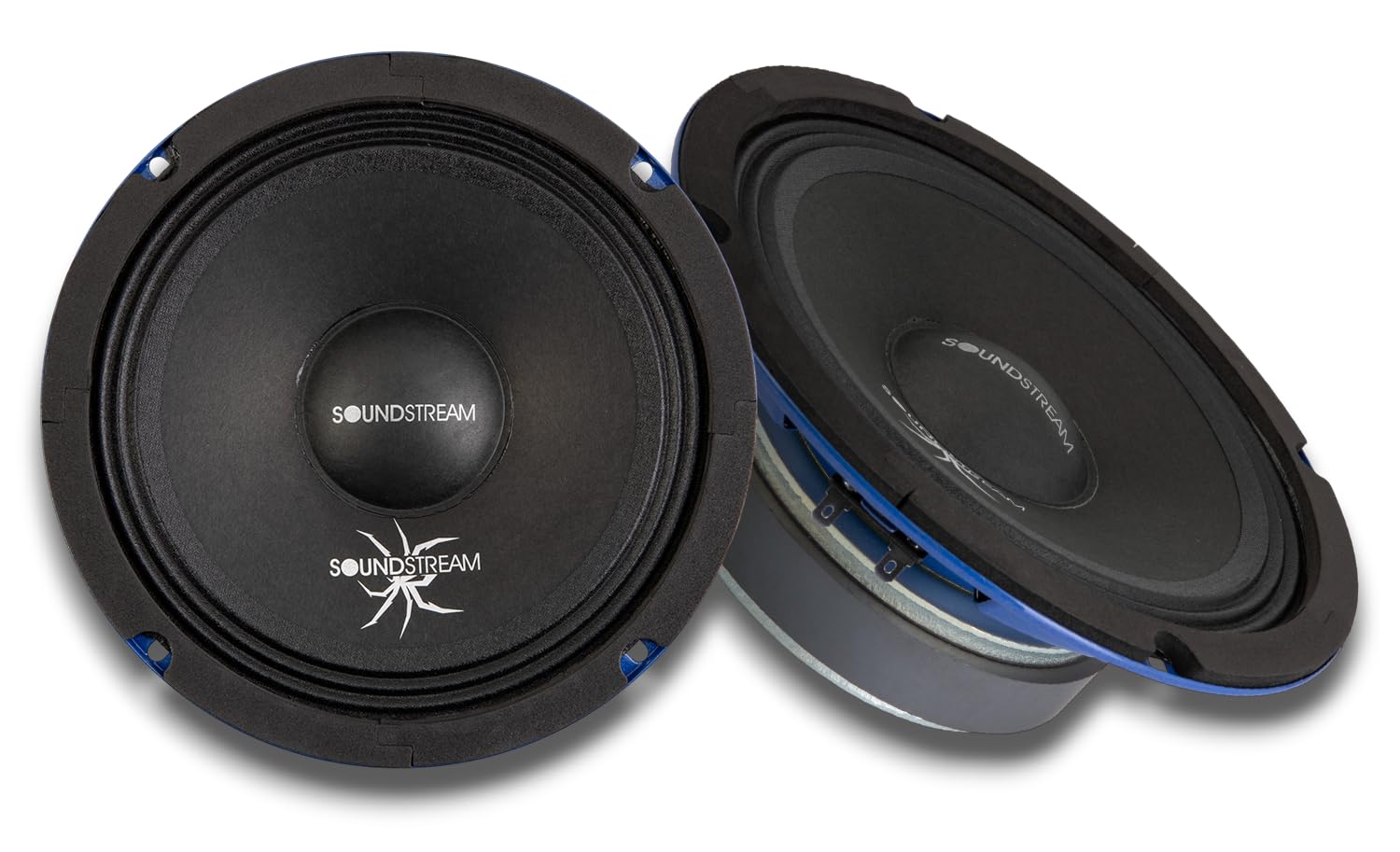
Figure 1: Front view of the Soundstream SPM.804 speaker.
This manual provides essential information for the proper installation, operation, and maintenance of your SPM.804 speakers. Please read it thoroughly before installation and keep it for future reference.
2. What's in the Box
- Soundstream SPM.804 8-inch Midrange Pro Audio Speaker (Pair)
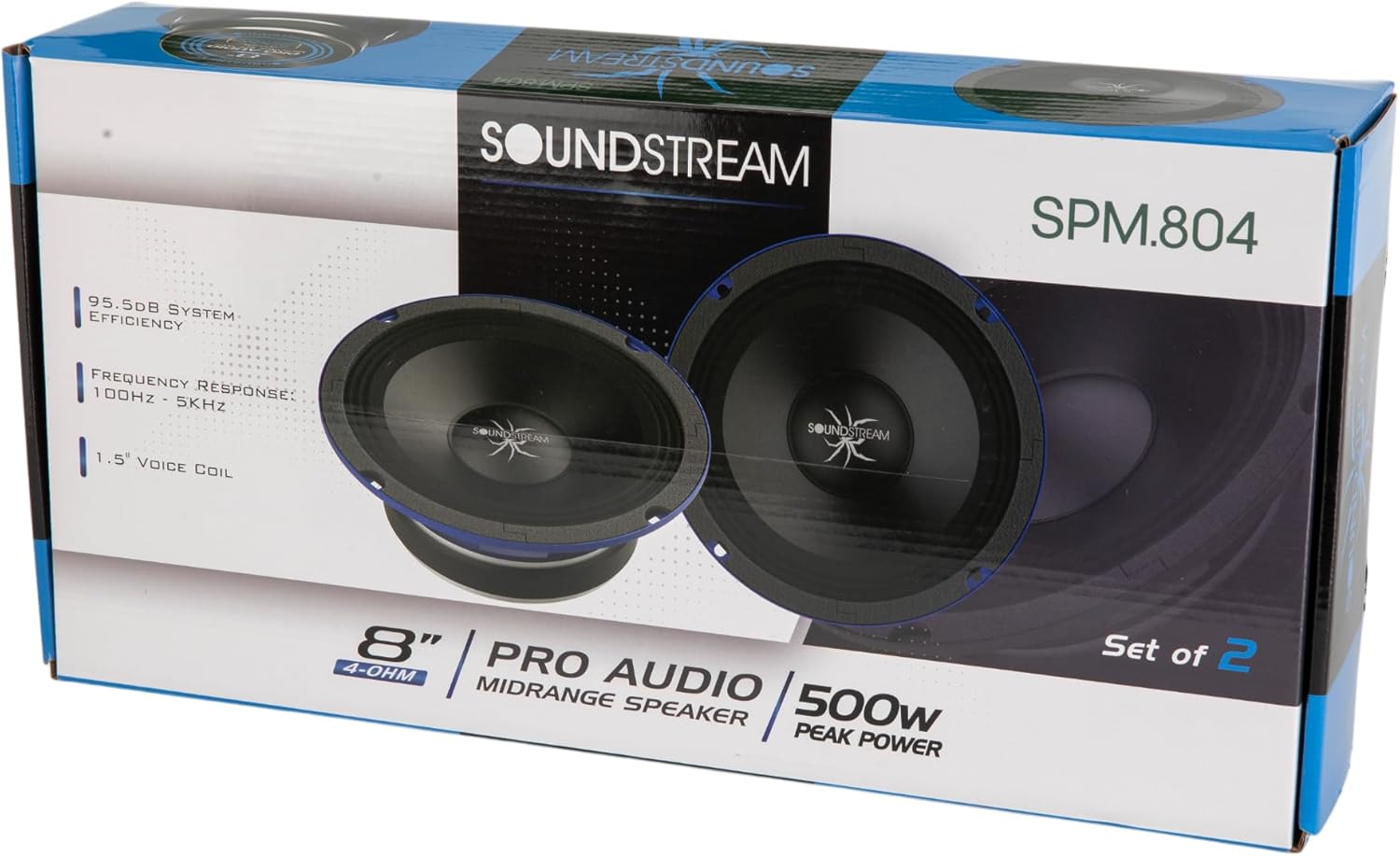
Figure 2: Product packaging showing the pair of Soundstream SPM.804 speakers.
3. Setup and Installation
3.1 Safety Precautions
- Disconnect the vehicle's battery before starting any electrical work.
- Ensure proper ventilation for the speakers to prevent overheating.
- Use appropriate tools and wear safety glasses during installation.
- Consult a professional installer if you are unsure about any steps.
3.2 Mounting
The SPM.804 speakers are designed for easy installation into various enclosures or door panels. Ensure the mounting surface is sturdy and free from obstructions.
- Mounting Depth: 2.79 inches (70.8 mm)
- Cut-out Diameter: 7.17 inches (182 mm)
- Carefully measure and mark the desired mounting location.
- Cut a circular opening with the specified cut-out diameter.
- Drill pilot holes for the mounting screws.
- Place the speaker into the opening, ensuring a snug fit.
- Secure the speaker with appropriate screws, tightening them evenly to prevent distortion of the speaker frame.

Figure 3: Angled view of the speaker, illustrating its profile for mounting.
3.3 Wiring
The SPM.804 speakers have a 4 Ohm impedance. Ensure your amplifier is stable at this impedance and can provide sufficient power.
- Identify the positive (+) and negative (-) terminals on the speaker and your amplifier. The speaker terminals are typically marked.
- Connect the positive (+) terminal of the speaker to the positive (+) output of your amplifier using high-quality speaker wire.
- Connect the negative (-) terminal of the speaker to the negative (-) output of your amplifier.
- Ensure all connections are secure and free from short circuits.

Figure 4: Rear view of the speaker, highlighting the wiring terminals.
4. Operating Instructions
4.1 Power Handling
The SPM.804 speakers are rated for 250W RMS and 500W Max power. It is crucial to match your amplifier's output to these specifications to prevent damage.
- Avoid overdriving the speakers with excessive power, which can lead to distortion and damage.
- Set your amplifier's gain settings correctly to prevent clipping.
4.2 Break-in Period
Allow a break-in period of approximately 10-20 hours of normal listening before operating the speakers at high volumes. This allows the speaker's suspension components to loosen and perform optimally.
4.3 Crossover Settings
For optimal performance and speaker longevity, it is recommended to use a high-pass filter (HPF) with your midrange speakers. A typical starting point for the crossover frequency is around 100-150 Hz, with a slope of 12dB/octave or 24dB/octave. Adjust this setting based on your system's overall frequency response and your listening preferences.
5. Maintenance
Your Soundstream SPM.804 speakers require minimal maintenance to ensure long-lasting performance.
- Keep the speakers free from dust and debris. Use a soft, dry cloth to gently wipe the cone and surround.
- Avoid exposing the speakers to extreme temperatures or moisture.
- Do not apply any liquids or cleaning agents directly to the speaker cone or surround.
- Regularly check wiring connections for tightness and corrosion.
6. Troubleshooting
If you experience issues with your SPM.804 speakers, refer to the following common problems and solutions:
| Problem | Possible Cause | Solution |
|---|---|---|
| No sound from speaker | Loose or incorrect wiring; Amplifier off or in protect mode; Blown fuse | Check all wiring connections; Verify amplifier status; Inspect and replace fuses if necessary |
| Distorted sound | Amplifier gain too high (clipping); Incorrect crossover settings; Damaged speaker | Reduce amplifier gain; Adjust crossover frequencies; Inspect speaker for physical damage |
| Weak or muffled sound | Incorrect polarity (speaker wired out of phase); Low power from amplifier | Verify speaker wire polarity (+ to + and - to -); Ensure amplifier is providing adequate power |
| Speaker cuts out intermittently | Loose connections; Overheating amplifier; Short circuit in wiring | Check all wiring; Ensure proper ventilation for amplifier; Inspect wiring for shorts |
If the problem persists after attempting these solutions, please contact Soundstream customer support or a qualified audio technician.
7. Specifications
Detailed technical specifications for the Soundstream SPM.804 speaker:
| Feature | Specification |
|---|---|
| Model Number | SPM.804 |
| Speaker Type | Midrange Pro Audio Speaker |
| Speaker Size | 8 Inches |
| Impedance | 4 Ohm |
| RMS Power | 250 Watts |
| Max Power | 500 Watts |
| Sensitivity | 95.5 dB |
| Frequency Response | 100 Hz - 5 kHz (typical for midrange) |
| Voice Coil | High-temp EISV |
| Magnet Material | Ferrite (44 oz) |
| Cone Material | Black Paper |
| Surround Material | Cloth |
| Basket Material | Black-coated Steel |
| Mounting Depth | 2.79 inches (70.8 mm) |
| Cut-out Diameter | 7.17 inches (182 mm) |
| Item Dimensions (D x W x H) | 3.3"D x 8"W x 8"H |
| Unit Count | 2.0 Count (Pair) |
| Connectivity Technology | Wired |
| Color | Black |
| UPC | 709483071797 |
8. Warranty Information
Soundstream provides a 1-Year Manufacturer Limited Warranty for the SPM.804 speakers. This warranty covers defects in materials and workmanship under normal use. Please retain your proof of purchase for warranty claims.
The warranty does not cover damage caused by improper installation, abuse, accident, neglect, unauthorized repair, or modification. For full warranty terms and conditions, please refer to the official Soundstream website or contact customer support.
9. Customer Support
For technical assistance, warranty inquiries, or additional product information, please visit the official Soundstream website or contact their customer service department.
- Soundstream Official Website: www.soundstream.com
- Refer to the website for contact information, FAQs, and additional resources.