
Introduction
This manual provides essential information for the safe and efficient operation, installation, and maintenance of your CrestWave 2 HP In/Above Ground Pool Pump. Please read all instructions carefully before installation and use. Proper installation and maintenance are crucial for optimal performance and longevity of the pump.
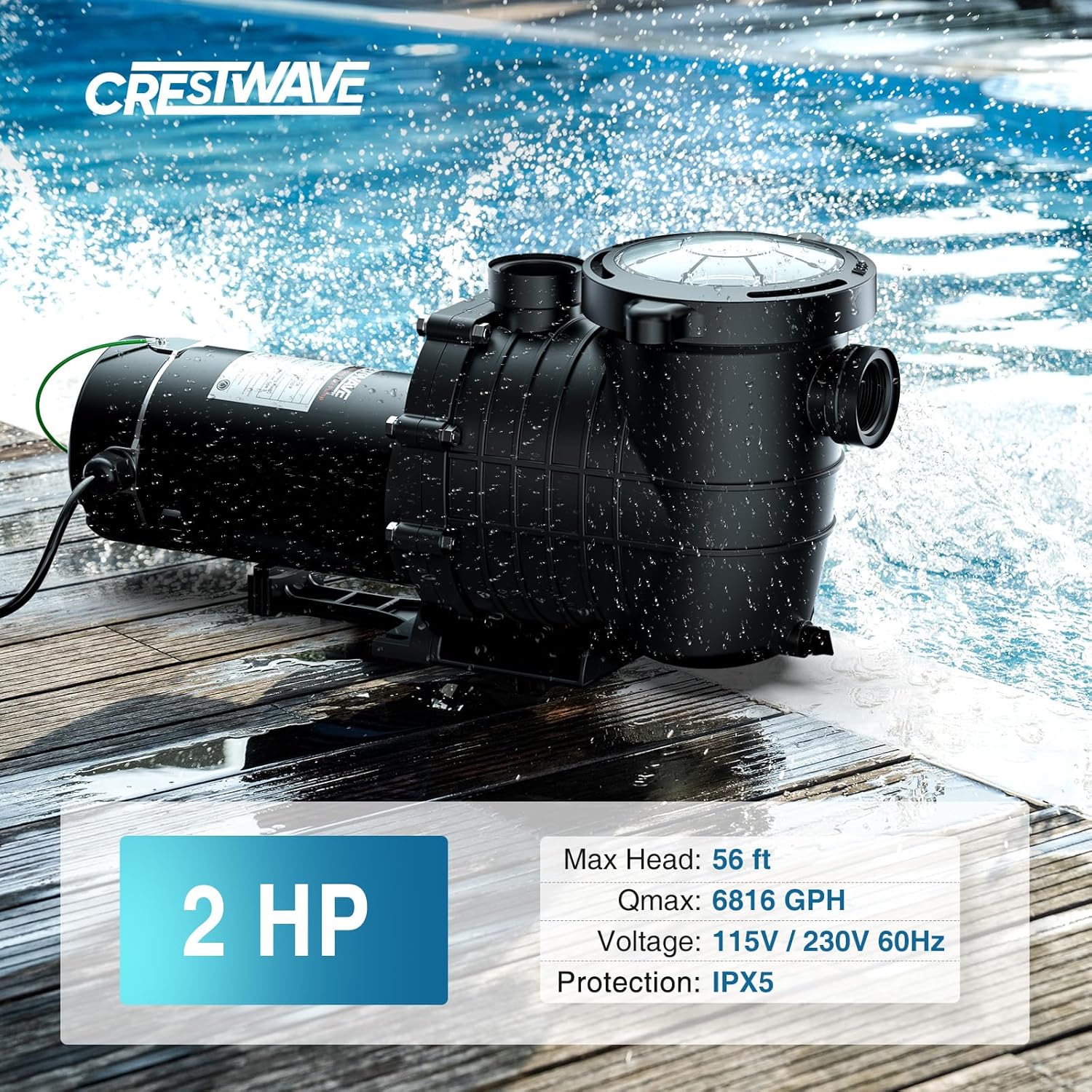
Image: CrestWave 2 HP Pool Pump. This image displays the pump unit with key specifications such as 2 HP, Max Head: 56 ft, Qmax: 6816 GPH, Voltage: 115V/230V 60Hz, and Protection: IPX5.
Important Safety Information
Always follow basic safety precautions to reduce the risk of fire, electric shock, and injury to persons, including the following:
- Electrical Safety: This pump operates on dual voltage (115V/230V). Ensure the correct voltage setting is selected and all electrical connections are made by a qualified electrician in accordance with local electrical codes. Always disconnect power before servicing.
- Grounding: The pump must be properly grounded to reduce the risk of electric shock.
- Water and Electricity: Never operate the pump if water is present around the motor or electrical connections. Avoid contact with electrical components when wet.
- Priming: ALWAYS PRIME THE PUMP BEFORE STARTUP. Operating the pump dry will cause severe damage and void the warranty. Ensure the pump is filled with water before turning it on.
- Moving Parts: Keep hands, hair, and loose clothing away from moving parts.
- Temperature: Do not operate the pump with water temperatures exceeding 35°C (95°F).
- Children: Keep children away from the pump and all pool equipment.
Product Overview
The CrestWave 2 HP Pool Pump is designed for efficient water circulation in in-ground and above-ground pools, spas, and irrigation systems. It features a powerful copper motor, a large strainer basket, and durable construction.
Key Components:

Image: Diagram illustrating the main components of the CrestWave pool pump, including the 2" ID Inlet, Drain Plug, Stable Base, Heat Dissipation Vent, Pump Body, Grounding Wire, Water Outlet, Filter Basket, and PVC Lid.
- Pump Body: Houses the motor and impeller.
- Motor: 2 HP pure copper motor, dual voltage 115V/230V.
- Strainer Basket: Large capacity basket to collect debris, accessible via a transparent lid.
- Inlet/Outlet Ports: Connections for plumbing.
- Drain Plug: For easy water drainage.
- Power Cord: 2.85ft UL-certified cord with grounding wire.
- Adapters: Includes 1.5", 2", and 1.25"-1.5" adapters for versatile connection.
Specifications
| Specification | Value |
|---|---|
| Brand | CRESTWAVE |
| Model Number | 2hp |
| Horsepower | 2 HP |
| Voltage | 115V / 230V (AC), 60Hz |
| Maximum Flow Rate | 114 Gallons Per Minute (6816 GPH) |
| Maximum Lifting Height | 56 Feet |
| Material | Polypropylene (PP), Stainless Steel |
| Product Dimensions (L x W x H) | 18.1" x 7.9" x 10.2" |
| Included Components | Pump Body, Adaptors (1.5'', 2'', 1.25''-1.5''), Sealing Tape |
| Protection Rating | IPX5 |

Image: Product size diagram showing the dimensions of the CrestWave pool pump and its included accessories like adapters and sealing tape.
Setup and Installation
Proper installation is critical for the pump's performance and safety. Ensure the pump is placed on a solid, level surface near the pool, spa, or irrigation system.
1. Electrical Connection:
- This pump is dual voltage (115V/230V). Verify the voltage setting on the pump matches your power supply before connecting.
- All electrical wiring must comply with local codes and be performed by a qualified electrician.
- Ensure the pump is properly grounded. The included 2.85ft UL-certified cord has a grounding wire.
- Do not use extension cords.

Image: Close-up of the dual voltage switch on the CrestWave pump, indicating settings for 110-120V (pre-installed wiring) and 220-240V. Always check local electrical codes before installation.
2. Plumbing Connections:
The pump includes 1.5", 2", and 1.25"-1.5" adapters for various plumbing setups.

Image: CrestWave pool pump shown with various connection adapters (1.25"-1.5", 1.5", 2") and the 2.85ft UL-certified power cord.

Image: Diagram illustrating two connection methods for the pool pump: Method 1 uses 1-1/2" or 2" Schedule 40 PVC pipe with PVC cement. Method 2 uses 1-1/2" or 2" Schedule 40 PVC pipe with a hose clamp for a PVC hose with integrated clamp.
- Connect the pump's inlet to the pool's skimmer or main drain line.
- Connect the pump's outlet to the filter system.
- Use appropriate adapters and sealing tape (included) to ensure watertight connections.
- For rigid PVC piping, use PVC cement. For flexible hoses, use hose clamps.
3. Priming the Pump:
Before starting the pump for the first time or after draining, it must be primed.
- Ensure all valves are open to allow water flow to the pump.
- Remove the transparent lid of the strainer basket.
- Fill the strainer basket and pump housing with water until it overflows.
- Replace the lid, ensuring it is securely tightened to prevent air leaks.
- Turn on the pump. If water does not flow within a few minutes, turn off the pump, re-prime, and check for air leaks in the suction line.
Operating Instructions
Once installed and primed, your CrestWave pump is ready for operation.
Starting the Pump:
- Ensure the pump is properly primed (see Setup section).
- Verify all valves are in the correct position for water circulation.
- Connect the power cord to a suitable electrical outlet.
- The pump will start circulating water. Monitor for proper flow and listen for unusual noises.
Performance:
The 2 HP motor delivers a maximum flow rate of 6816 GPH (114 GPM) and a maximum lifting height of 56 feet. Its advanced impeller design ensures powerful yet quiet operation.

Image: Graph illustrating the relationship between total manometric head (FT) and capacity (GPH) for 1HP, 1.5HP, and 2HP pumps, showing the 2HP model reaching a maximum head of 56 FT.
Maintenance
Regular maintenance ensures the longevity and efficiency of your pump.
Strainer Basket Cleaning:
The oversized filter basket collects debris such as leaves, branches, hair, and grit. Regular cleaning prevents clogs and maintains optimal flow.
- Turn off the pump and disconnect power.
- Rotate the transparent lid counter-clockwise to remove it.
- Lift out the strainer basket.
- Empty all collected debris and rinse the basket thoroughly with water.
- Inspect the basket for any damage.
- Place the clean basket back into the pump housing.
- Ensure the O-ring on the lid is clean and properly seated.
- Replace the transparent lid and tighten it securely by hand. Do not overtighten.
- Re-prime the pump if necessary before restarting.

Image: Close-up view of the extra-large filter basket, showing its capacity to capture debris like leaves, branches, hair, and grit, emphasizing easy monitoring and pump protection.

Image: Top-down view of the transparent lid of the strainer basket, showing debris visible inside, highlighting the easy maintenance and tool-free opening feature.
Draining the Pump:
For winterization or extended periods of non-use, drain the pump completely.
- Turn off the pump and disconnect power.
- Open the drain plug located at the bottom of the pump housing to allow all water to escape.
- Store the pump in a dry, protected area if removing it for winter.
Troubleshooting
If your pump is not operating correctly, refer to the following common issues and solutions:
| Problem | Possible Cause | Solution |
|---|---|---|
| Pump does not start |
|
|
| Pump runs but no water flows (or low flow) |
|
|
| Excessive noise or vibration |
|
|
| Water leaks |
|
|
Warranty and Support
Your CrestWave 2 HP In/Above Ground Pool Pump is covered by a 1-Year Manufacturer's Warranty from the date of purchase. This warranty covers defects in materials and workmanship under normal use.
The warranty does not cover damage resulting from improper installation, misuse, neglect, freezing, or unauthorized repairs.
Customer Support:
For technical assistance, warranty claims, or to order replacement parts, please contact CrestWave customer service. Have your model number and purchase date available when contacting support.
- Website: Visit the CRESTWAVE Store on Amazon
- Email: Refer to your product packaging or the official CrestWave website for current contact information.
- Phone: Refer to your product packaging or the official CrestWave website for current contact information.


