
1. Product Overview
The AIMAX Wireless Doorbell System N6 provides a reliable and convenient solution for your home or business. This system includes two transmitters (push buttons) and three plug-in receivers, offering extensive coverage and customizable alerts. It features a high-performance design with a wide operating range, multiple chime options, and durable, weather-resistant components.
Key features include:
- Ultra-wide wireless coverage up to 400 meters (1300 feet).
- 55 selectable ringtones and 5 adjustable volume levels (0-110 dB), including silent mode.
- IP55 waterproof and dustproof transmitter, suitable for various weather conditions (-30°C to 70°C).
- LED indicator and memory function for settings retention.
- Easy, tool-free installation.
2. Package Contents
Please verify that all items are present in your package:
- 3 x Plug-in Receivers
- 2 x Battery-powered Transmitters (12V 23A battery included in each)
- 2 x Mini Door Plates
- 4 x Screws
- 4 x Expansion Screws
- 1 x Mini Screwdriver
- 3 x Double-sided Adhesive Tapes
- 1 x User Manual

Image: Contents of the AIMAX Wireless Doorbell kit, showing two transmitters and three receivers.
3. Safety Information
Please read and understand all safety instructions before using this product. Failure to follow these instructions may result in electric shock, fire, or other hazards.
- Do not expose the receiver to water or high humidity.
- Do not disassemble or modify the device.
- Keep batteries out of reach of children. If swallowed, seek immediate medical attention.
- Ensure the power outlet for the receiver is easily accessible.
- Dispose of old batteries according to local regulations.
4. Setup and Installation
The AIMAX Wireless Doorbell System is designed for quick and easy installation.
4.1. Receiver Installation
- Plug the receiver into a standard electrical outlet (100-260V AC).
- The receiver will light up and emit a default chime, indicating it is powered on.

Image: A white doorbell receiver plugged into a wall outlet, emitting light and musical notes, illustrating its function.
4.2. Transmitter Installation
The transmitter can be installed using either adhesive tape or screws.
- Remove the insulating film from the battery compartment of the transmitter.
- Option 1: Adhesive Installation
- Clean the desired mounting surface thoroughly.
- Peel off one side of the double-sided adhesive tape and attach it to the back of the transmitter.
- Peel off the other side of the tape and firmly press the transmitter onto the wall for at least 30 seconds.
- Option 2: Screw Installation
- Open the back cover of the transmitter.
- Mark the desired drilling points on the wall using the transmitter's screw holes as a guide.
- Drill holes and insert the expansion screws.
- Secure the transmitter's back cover to the wall with the provided screws.
- Attach the front part of the transmitter to the secured back cover.
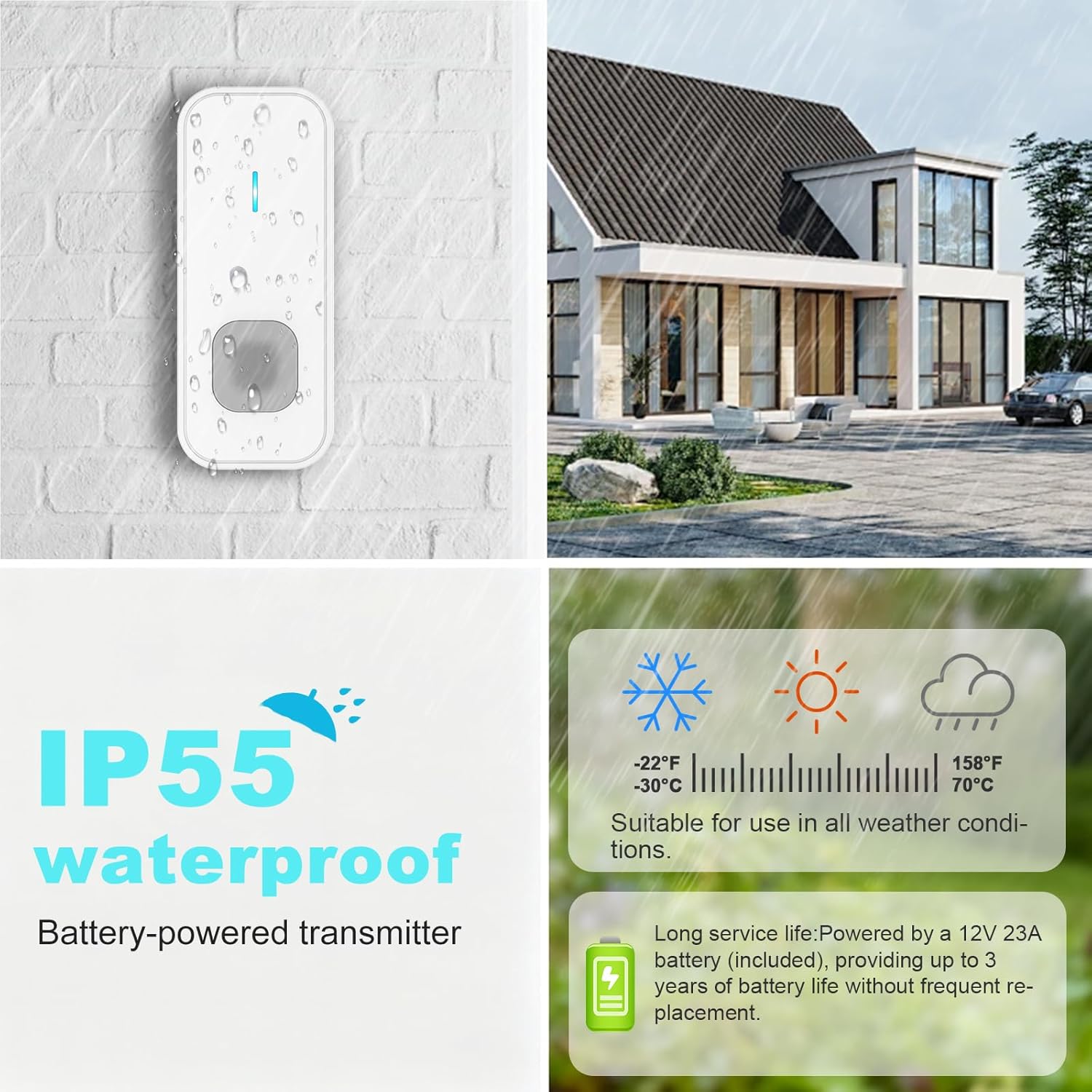
Image: A white doorbell transmitter mounted on a brick wall, with water droplets, highlighting its IP55 waterproof rating and long battery life.
The transmitter is IP55 rated, making it suitable for outdoor use in various weather conditions.
5. Operating Instructions
5.1. Changing Ringtones
- Press the "Music" button on the receiver to cycle through the 55 available ringtones.
- Once you hear your desired ringtone, stop pressing the button. The receiver will remember this selection.
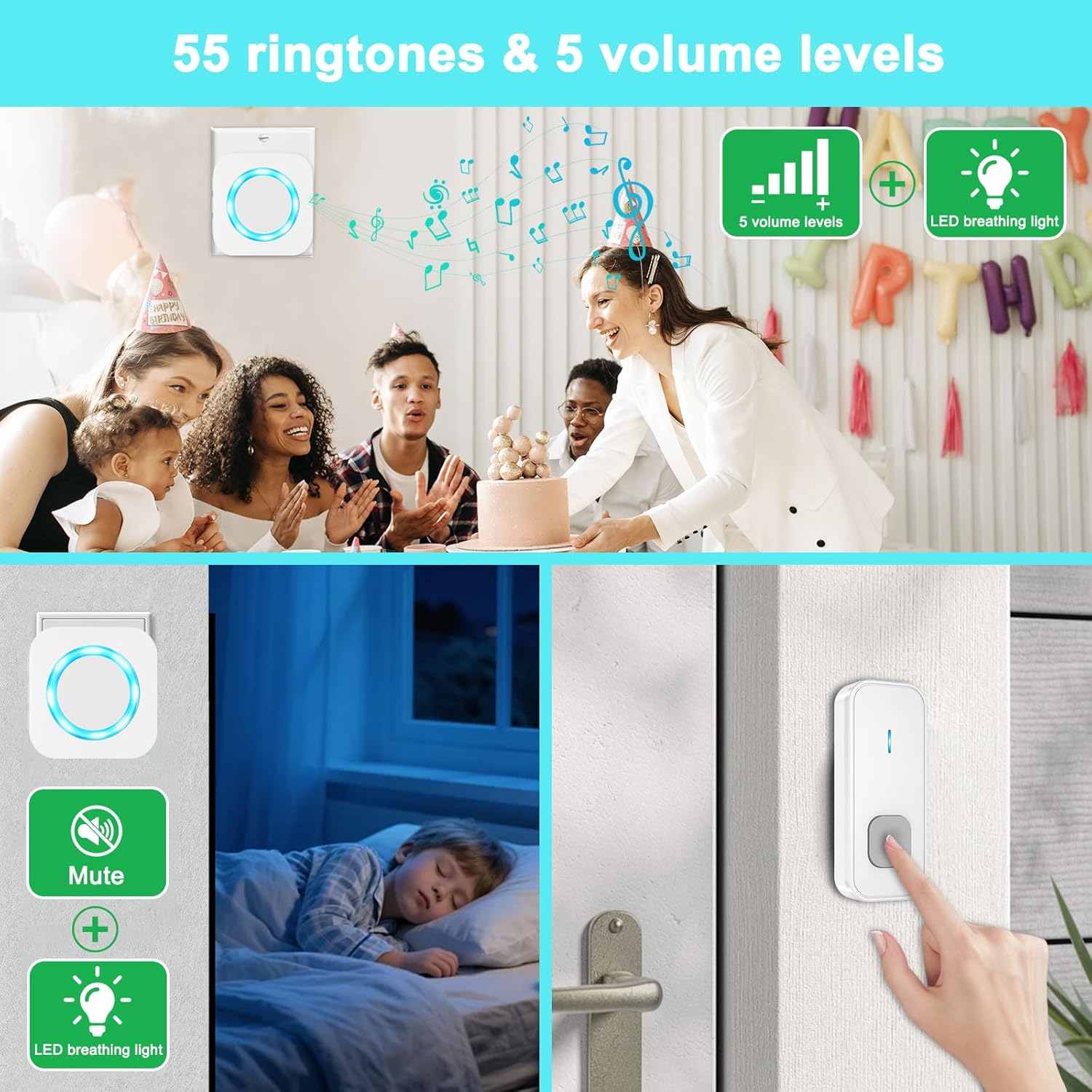
Image: A graphic illustrating the doorbell's features: 55 ringtones, 5 volume levels, and an LED breathing light, with a family celebrating a birthday in the background.
5.2. Adjusting Volume
- Press the "Volume" button on the receiver to cycle through the 5 volume levels (0-110 dB).
- The lowest setting is silent mode, indicated by a mute icon.

Image: A doorbell receiver displaying a mute icon, with a child sleeping peacefully in the background, demonstrating the silent mode feature.
5.3. Pairing Transmitters with Receivers (Learning Code)
The system comes pre-paired. If you need to re-pair or add new transmitters/receivers:
- Select your desired ringtone on the receiver (see 5.1).
- Press and hold the "Volume" button on the receiver for 3-5 seconds until the LED indicator flashes rapidly. This indicates pairing mode.
- Immediately press the transmitter button. The receiver will chime, confirming successful pairing.
- Repeat for each transmitter you wish to pair with this receiver.
- To pair a different ringtone to another transmitter, select a new ringtone on the receiver and repeat steps 2-4.

Image: An illustration demonstrating the doorbell's 400m ultra-long wireless coverage and strong signal penetration through various obstacles like doors and walls.
6. Maintenance
6.1. Cleaning
- Wipe the doorbell units with a soft, dry cloth.
- Do not use abrasive cleaners or solvents.
6.2. Battery Replacement (Transmitter)
The transmitter uses a 12V 23A alkaline battery, which typically lasts up to 3 years. Replace the battery when the transmitter's LED indicator no longer lights up or the signal becomes weak.
- Open the back cover of the transmitter using the mini screwdriver provided or a similar tool.
- Remove the old battery.
- Insert a new 12V 23A alkaline battery, ensuring correct polarity (+/-).
- Close the back cover securely.
7. Troubleshooting
| Problem | Possible Cause | Solution |
|---|---|---|
| Receiver does not chime. | No power to receiver; Transmitter battery is dead; Receiver and transmitter are not paired. | Ensure receiver is plugged into a live outlet; Replace transmitter battery; Re-pair transmitter and receiver (see 5.3). |
| Short operating range. | Obstructions (metal, thick walls); Low transmitter battery. | Relocate receiver or transmitter to minimize obstructions; Replace transmitter battery. |
| Doorbell rings randomly. | Interference from other wireless devices; Transmitter button stuck. | Change the pairing code (re-pair with a new ringtone); Check transmitter button for debris. |
| LED indicator on receiver flashes but no sound. | Receiver is in silent mode (volume level 0). | Adjust the volume level (see 5.2). |
8. Specifications
| Feature | Detail |
|---|---|
| Model Number | N6 |
| Wireless Range | Up to 400 meters (1300 feet) in open area |
| Ringtones | 55 selectable melodies |
| Volume Levels | 5 levels (0-110 dB), including silent mode |
| Transmitter Power Source | 1 x 12V 23A Alkaline Battery (included) |
| Transmitter Battery Life | Up to 3 years |
| Receiver Power Source | AC 100-260V |
| Waterproof Rating | IP55 (Transmitter) |
| Operating Temperature | -30°C to 70°C (-22°F to 158°F) |
| Product Dimensions (Transmitter) | 3.5 cm x 8.6 cm (1.4 in x 3.4 in) |
| Product Dimensions (Receiver) | 7 cm x 7 cm (2.8 in x 2.8 in) |
| Product Weight | 320 grams (total package) |
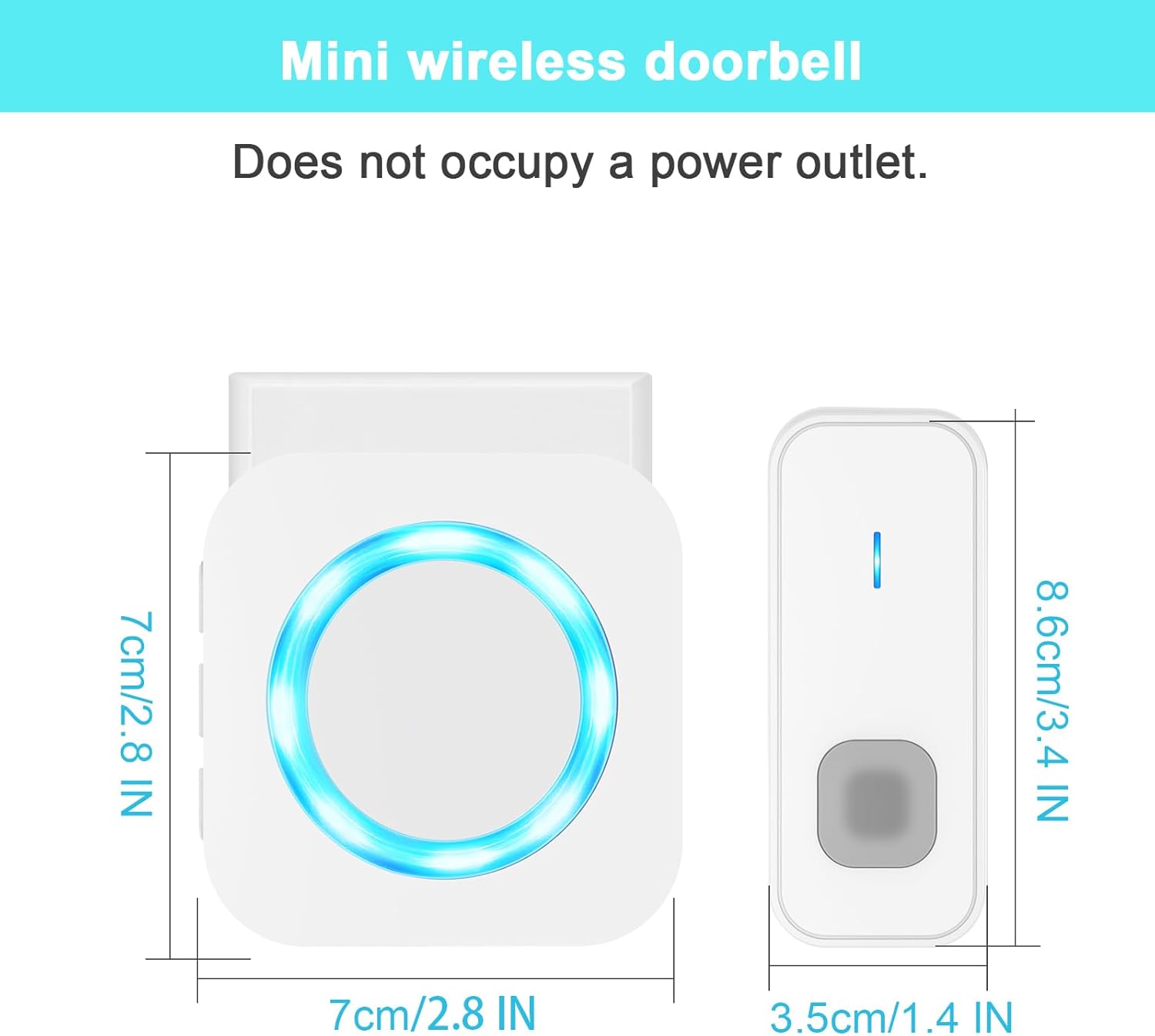
Image: Diagram showing the dimensions of the mini wireless doorbell receiver (7cm x 7cm) and transmitter (3.5cm x 8.6cm).
9. Warranty and Support
For any questions regarding this product, please do not hesitate to contact AIMAX customer service. We aim to respond within 24 hours.
Contact information may be found on the product packaging or the retailer's website.