
1. Introduction
Thank you for choosing the BOBLOV 4K A29 Wearable Body Camera. This compact and versatile device is designed for high-quality audio and video recording, featuring 4K resolution, night vision, and dual batteries for extended use. This manual will guide you through the setup, operation, and maintenance of your new body camera.
2. What's in the Box
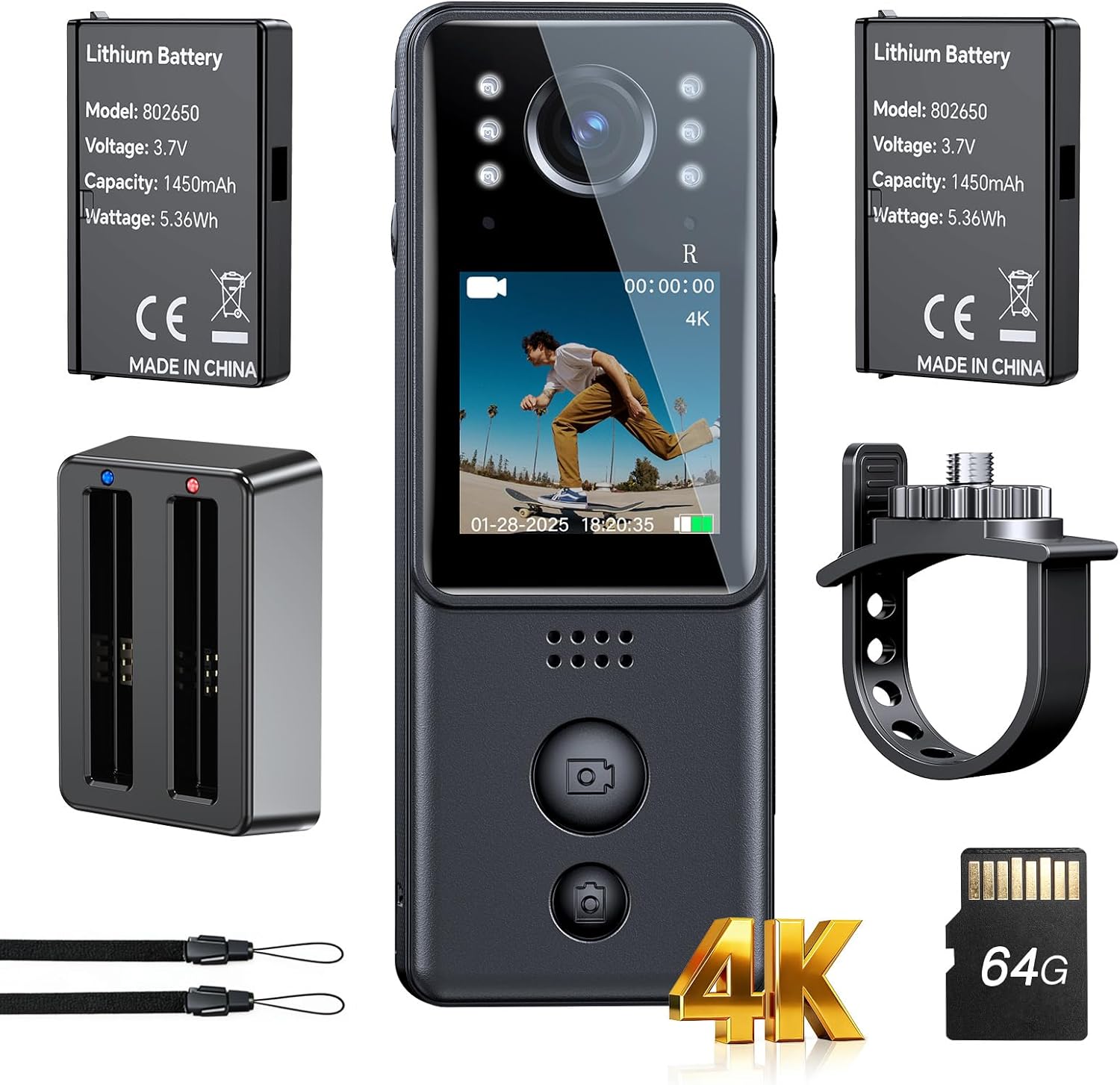
Your BOBLOV 4K A29 Wearable Body Camera package includes the following items:
- 1 x BOBLOV 4K A29 Mini Body Camera
- 2 x Rechargeable 1450mAh Batteries (one pre-installed in camera)
- 1 x Charging Dock
- 1 x Bike Mount
- 1 x Lanyard
- 1 x USB Cable

3. Product Features
- 4K Ultra Clarity: Capture sharper details and lifelike colors in every frame.
- Dual Batteries & Charging Dock: Two 1450mAh rechargeable batteries and a convenient charging dock provide up to 9 hours of recording at 1080P.
- Compact and Portable: Lightweight and slim design (86g) for comfortable daily wear and easy portability.
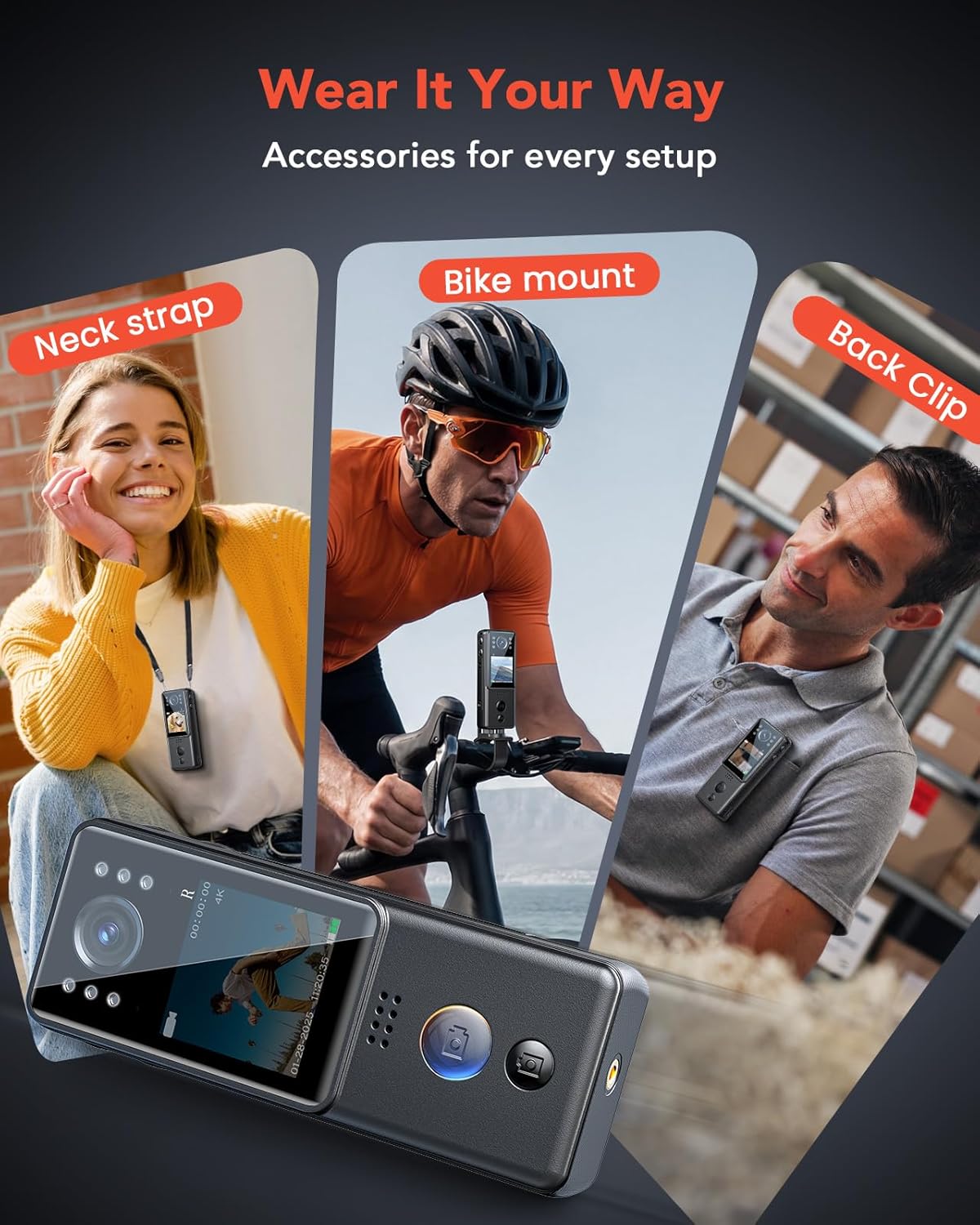
- Multiple Wearing Options: Includes bike mount, back clip, and lanyard for versatile attachment to clothing, bags, or handlebars.
- Reliable Night Vision: Equipped with 6 IR lights for clear recording in dark or low-light environments.
- Easy Operation: Large, easy-to-find buttons for quick video and photo capture.


4. Setup and Charging
4.1. Initial Charge
Before first use, fully charge both batteries using the provided charging dock and USB cable. The charging dock allows simultaneous charging of both batteries.
4.2. Inserting/Replacing Batteries
The camera comes with one battery pre-installed. To replace or insert a battery:
- Locate the battery compartment on the side of the camera.
- Press the release mechanism to open the compartment.
- Carefully remove the old battery or insert a new one, ensuring correct orientation.
- Close the compartment securely.

4.3. Attaching Accessories
Attach the desired accessory (bike mount, lanyard, or back clip) to the camera's mounting points based on your activity. The back clip is designed for secure attachment to clothing or straps.
5. Operating Instructions
5.1. Power On/Off
Locate the power button on the side of the camera. Press and hold to power the device on or off.
5.2. Video Recording
Press the dedicated video button (often marked with a movie camera icon) once to start recording. Press it again to stop recording.
5.3. Photo Capture
Press the dedicated photo button (often marked with a camera icon) once to take a still picture.
5.4. Audio Recording
Press the dedicated audio button (often marked with a microphone icon) once to start audio-only recording. Press it again to stop.
5.5. Night Vision
To activate night vision, long-press the light bulb icon button. The 6 IR lights will illuminate, enabling recording in low-light conditions.
5.6. Menu Navigation
Use the arrow buttons to navigate through the camera's menu options. The 'OK' button is used to select options, and the circular button (often a back/return icon) is used to exit menus or return to the previous screen.
6. Specifications
| Feature | Detail |
|---|---|
| Brand | BOBLOV |
| Model Number | A29 |
| Video Capture Resolution | 4K |
| Photo Sensor Technology | CMOS |
| Video Capture Format | MOV |
| Screen Size | 1.3 Inches |
| Special Feature | Night Vision |
| Flash Memory Type | Micro SD (64GB included) |
| Batteries | 2 x 1450mAh A batteries (included) |
| Parcel Dimensions | 14.81 x 10.21 x 7.19 cm; 340 g |
| Country of Origin | China |
7. Maintenance
- Keep the camera lens clean using a soft, lint-free cloth.
- Avoid exposing the camera to extreme temperatures or direct sunlight for prolonged periods.
- Store the camera and accessories in a dry, cool place when not in use.
- Ensure the charging port cover is securely closed to prevent dust and moisture ingress.
- Charge batteries fully at least once every month to maintain battery health if not used regularly.
8. Troubleshooting
- Camera not turning on: Ensure batteries are fully charged and correctly inserted.
- Recording issues: Check if the Micro SD card is properly inserted and has sufficient free space. Format the card if necessary (this will erase all data).
- Poor video quality: Ensure the lens is clean and check the selected video resolution in the settings.
- Night vision not working: Verify that the IR lights are activated.
- Device unresponsive: Use the reset button (if available, typically a small pinhole) to restart the camera.
9. Warranty and Support
For warranty information, technical support, or service inquiries, please contact BOBLOV customer support. Refer to the contact details provided in your product packaging or visit the official BOBLOV website.
Manufacturer: BOBLOV
Place of Business: support@boblov.com


