
Introduction
Thank you for choosing the Ortis Refrigerator Surge Protector. This device is designed to safeguard your refrigerator and other large appliances from voltage fluctuations and power surges, ensuring their longevity and protecting your food. This manual provides essential information for proper installation, operation, and maintenance of your surge protector.
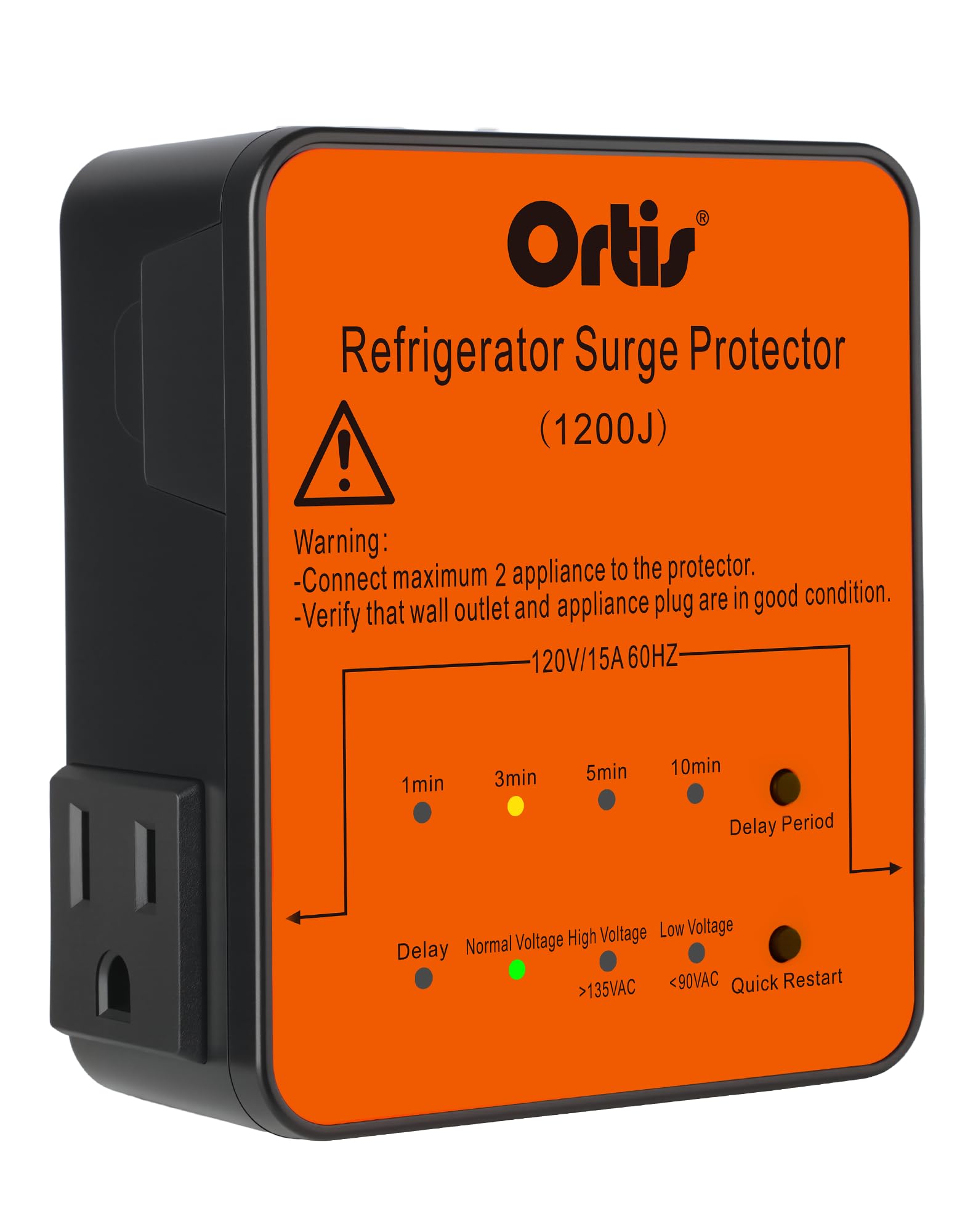
Image: Ortis Refrigerator Surge Protector, providing comprehensive protection for your appliances.
Setup
The Ortis Refrigerator Surge Protector is designed for easy, plug-and-play installation. No complex wiring or tools are required.
- Unpack: Carefully remove the surge protector from its packaging.
- Locate Outlet: Identify a standard 120V/15A wall outlet near your refrigerator or appliance.
- Plug In: Insert the surge protector directly into the wall outlet. Ensure it is firmly seated.
- Connect Appliance(s): Plug your refrigerator (or other appliance) into one of the two outlets on the surge protector. You can connect a second appliance if needed.
The compact, side-plug design allows your appliance to sit closer to the wall, optimizing space.

Image: The compact design with a side plug allows for a snug fit against the wall, saving space.
Operating Instructions
LED Indicator System
The surge protector features a five-color LED display that provides real-time status of your power conditions and device operation:
- Green LED: Indicates normal voltage (90V-135V). Your appliance is receiving stable power.
- Red LED (Low Voltage): Illuminates when voltage drops below 90V. Power to the appliance is cut off.
- Red LED (High Voltage): Illuminates when voltage exceeds 135V. Power to the appliance is cut off.
- Blue LED (Delay Period): Indicates that the device is in delay mode, waiting before restoring power to protect the compressor.
- Yellow LEDs (1min, 3min, 5min, 10min): Show the currently selected delay setting. The default delay is 3 minutes.
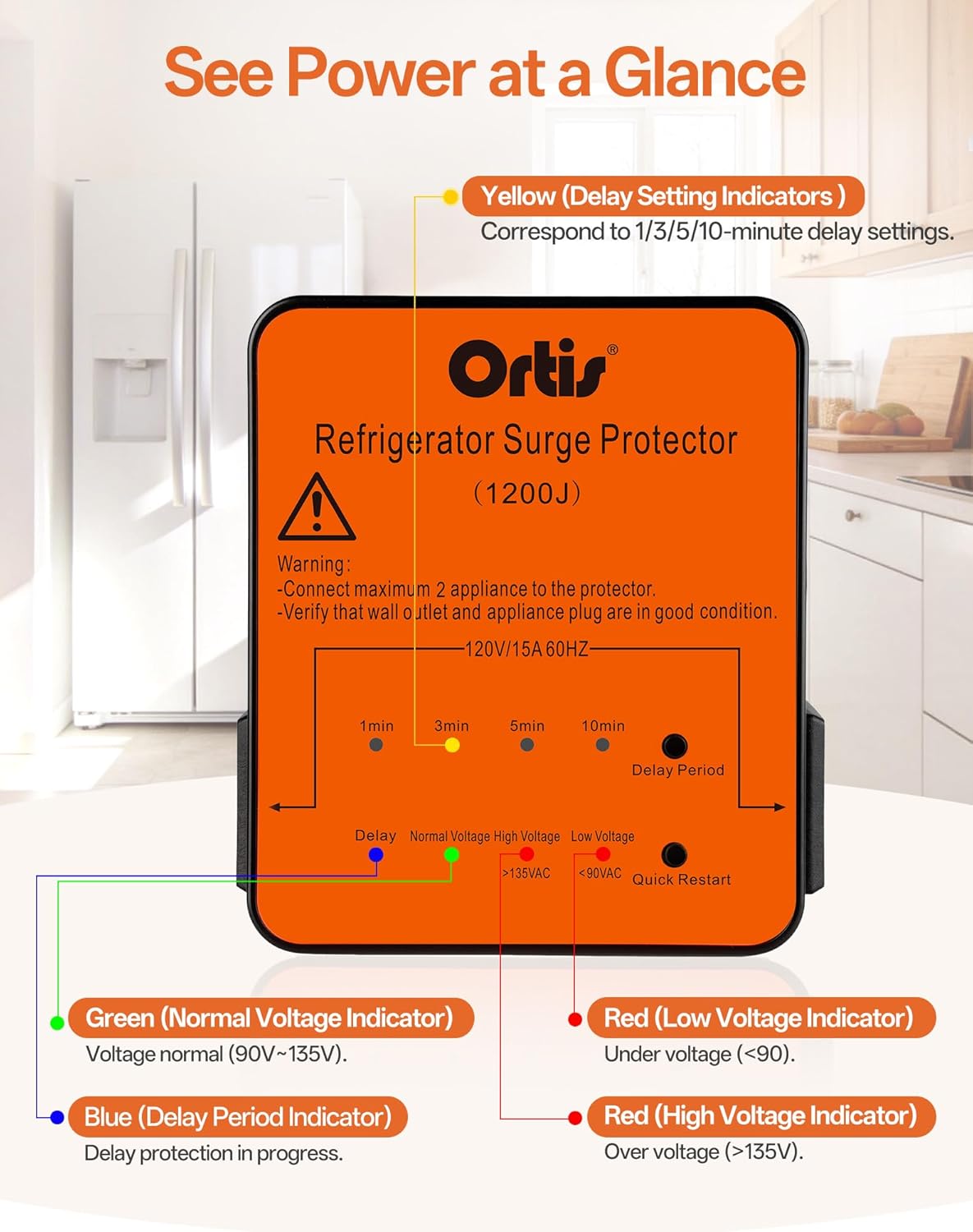
Image: A detailed view of the LED indicator system, explaining each light's function.
Delay Start and Quick Restart
To protect your appliance's compressor, especially during power restoration, the surge protector incorporates a delay start function.
- Automatic Delay: After a power outage or voltage fluctuation, the device will enter a delay period before restoring power. This prevents immediate restarts that can damage the compressor.
- Delay Options: You can select delay times of 1, 3, 5, or 10 minutes using the dedicated buttons. The factory default is 3 minutes.
- Quick Restart: In situations where an immediate restart is necessary (e.g., after a brief, controlled power interruption), press the 'Quick Restart' button to bypass the delay period.
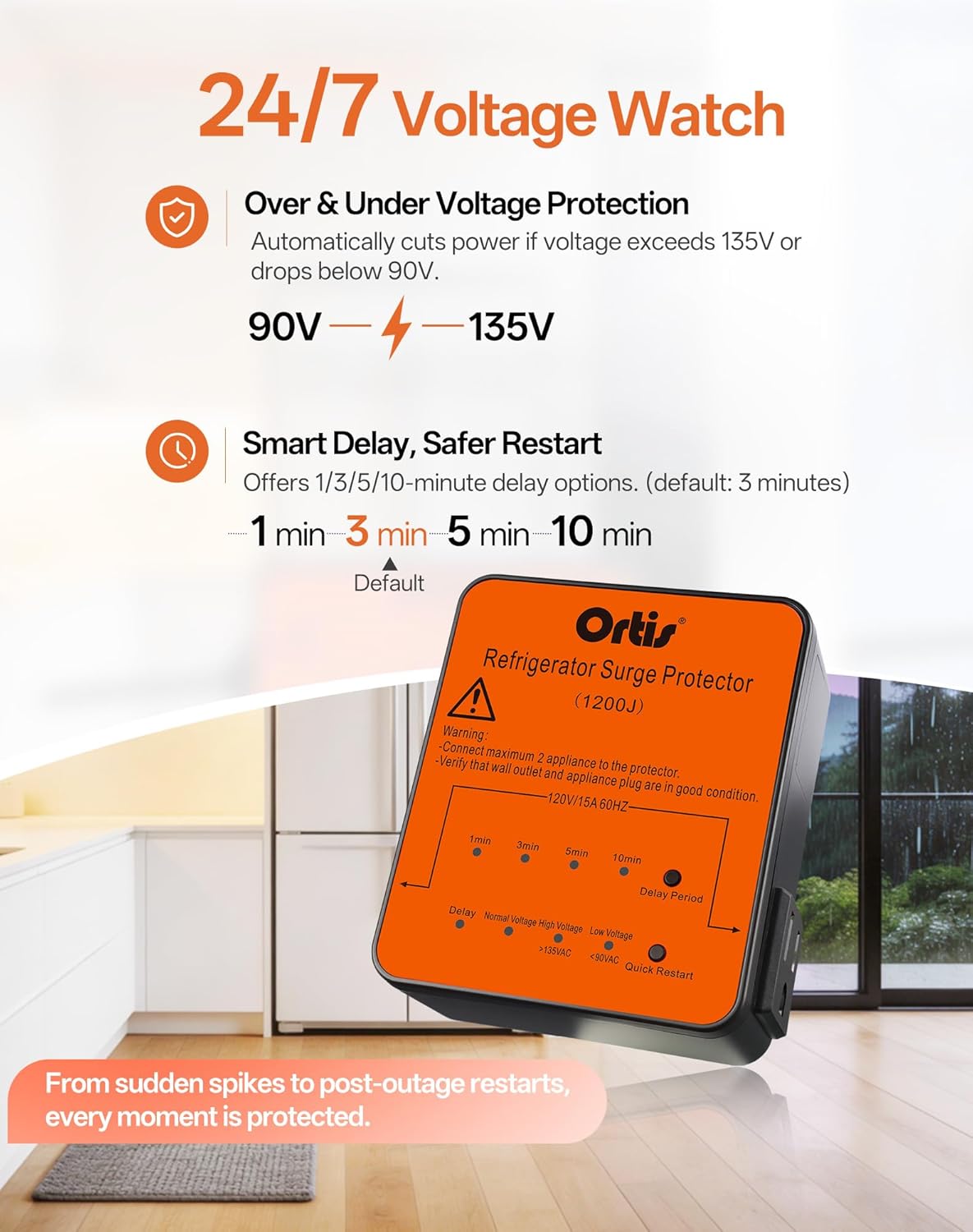
Image: The surge protector continuously monitors voltage and offers adjustable delay settings for safe appliance restart.
Key Features
Ultimate Surge Protection
The Ortis Refrigerator Surge Protector provides up to 1,200 joules of surge protection, effectively shielding your refrigerator from sudden voltage spikes caused by lightning, power grid fluctuations, or other electrical disturbances. This protection helps prevent compressor damage, reduces food spoilage, and avoids costly repairs.

Image: The device offers 1200J surge protection, ensuring your appliances are safe even during storms.
Dual Outlet Design
Equipped with two independent outlets, this protector allows for simultaneous voltage protection of two appliances. It is suitable for refrigerators, chest freezers, ice makers, and air conditioners, providing versatile protection for your home.

Image: The surge protector features two independent outlets for protecting multiple appliances simultaneously.
24/7 Voltage Monitoring
The device continuously monitors incoming voltage. It automatically cuts off power when the voltage exceeds 135V or drops below 90V, with a rapid response to protect connected appliances. Power is restored only after a safe delay period once voltage returns to normal operating range (90V-135V).
Video: An official video demonstrating the features and benefits of the Ortis Refrigerator Surge Protector.
Maintenance
The Ortis Refrigerator Surge Protector is designed for maintenance-free operation. To ensure optimal performance and safety:
- Keep Clean: Periodically wipe the exterior with a dry, soft cloth to remove dust. Do not use liquid cleaners.
- Avoid Obstruction: Ensure the device is not covered or obstructed, allowing for proper ventilation.
- Inspect Regularly: Occasionally check the device and its connections for any signs of damage or wear. If any damage is observed, discontinue use and replace the unit.
Troubleshooting
Refer to the LED indicators for quick diagnosis of common issues:
| Indicator Light | Problem | Solution |
|---|---|---|
| Red LED (Low Voltage) | Input voltage is below 90V. | The device has cut power to protect the appliance. Power will be restored automatically when voltage returns to normal range (90V-135V) after the set delay. |
| Red LED (High Voltage) | Input voltage is above 135V. | The device has cut power to protect the appliance. Power will be restored automatically when voltage returns to normal range (90V-135V) after the set delay. |
| Blue LED (Delay Period) | Device is in delay mode. | This is normal operation after a power interruption or voltage event. Wait for the delay period to complete, or press the 'Quick Restart' button if safe to do so. |
| No LEDs lit / Appliance not powering on | No power to the surge protector or internal fault. | Check the wall outlet with another device. Ensure the surge protector is firmly plugged in. If the issue persists, the unit may be faulty and require replacement. |
Product Specifications
| Feature | Detail |
|---|---|
| Model Number | KJ-115 |
| Brand | Ortis |
| Surge Protection | 1200 Joules |
| Voltage Range | 90V - 135V AC |
| Nominal Voltage | 120V |
| Frequency | 60Hz |
| Total Power Outlets | 2 |
| Delay Options | 1, 3, 5, 10 minutes (Default: 3 minutes) |
| Product Dimensions | 8L x 9.5W x 0.25H cm (3.15 x 3.74 x 1.49 inches) |
| Weight | 240 g |
| Enclosure Material | Plastic |
| Color | Orange |
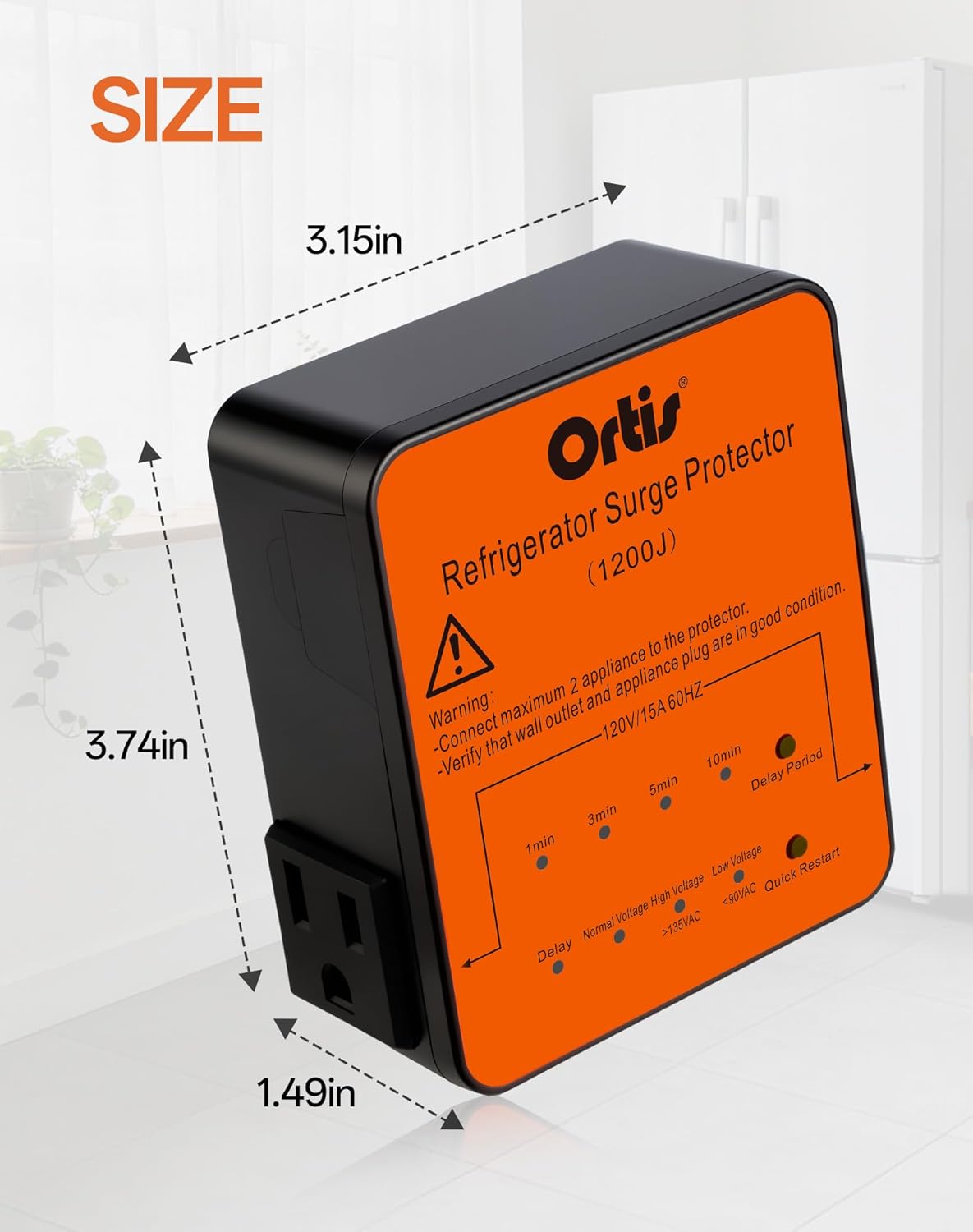
Image: Detailed dimensions of the Ortis Refrigerator Surge Protector.
Warranty and Support
For warranty information and customer support, please refer to the product packaging or contact the manufacturer directly. Keep your purchase receipt for warranty claims.
Manufacturer: FJKJ INC.