
Introduction
This manual provides essential instructions for the setup, operation, and maintenance of your TAG Heuer Connected Calibre E4 Oracle Red Bull Racing Edition 45MM Smartwatch. Please read this manual thoroughly before using your device to ensure proper function and longevity.
The TAG Heuer Connected Calibre E4 Oracle Red Bull Racing Edition is a sophisticated smartwatch combining luxury design with advanced technology, powered by Wear OS by Google. It features a 45mm black DLC-coated titanium case, a 1.39" AMOLED display, and is water-resistant to 50 meters.
What's in the Box
Upon unboxing, verify that all components are present:
- TAG Heuer Connected Calibre E4 Smartwatch (Model: Sbr8a80.eb0365)
- Blue/Red Rubber and Leather Strap (pre-attached)
- Alternate Black Rubber Strap
- Charging Cable
- Collector's Box
- Quick Start Guide (if applicable, not part of this manual)
Setup
1. Charging the Smartwatch
Before initial use, fully charge your smartwatch. A full charge takes approximately 1.5 hours.
- Connect the charging cable to a compatible USB power adapter (not included) and a power source.
- Place the smartwatch onto the charging dock. Ensure the charging pins align correctly.
- The watch display will indicate charging status.
2. Powering On/Off
- To Power On: Press and hold the crown (side button) until the TAG Heuer logo appears.
- To Power Off: Press and hold the crown, then select "Power Off" on the screen.
3. Pairing with Your Smartphone
The smartwatch requires pairing with a smartphone running Android 8.1+ (excluding Go Edition) or iOS 15.4+ for full functionality.
- Ensure your smartphone's Bluetooth is enabled.
- Download and install the "Wear OS by Google" app from your smartphone's app store.
- Open the Wear OS by Google app and follow the on-screen instructions to pair your smartwatch.
- Accept all necessary permissions on both your phone and watch.
Operating the Smartwatch
Display and Navigation
The smartwatch features a 1.39-inch AMOLED touchscreen display and a rotating crown for navigation.
- Touchscreen: Swipe, tap, and long-press to interact with apps and menus.
- Crown: Rotate to scroll through lists and notifications. Press to return to the watch face or open the app drawer.
- Side Buttons: Customizable for quick access to frequently used apps or functions.
Watch Faces
Customize your smartwatch with various watch faces, including exclusive Oracle Red Bull Racing Edition designs.

Image: Watch face featuring a Formula 1 car, displaying the time digitally. This is one of the exclusive Oracle Red Bull Racing Edition watch faces.
- Changing Watch Faces: Long-press the current watch face, then swipe left or right to browse available options. Tap to select.
- Customization: Some watch faces allow customization of complications (e.g., weather, steps, heart rate).
Key Features
- Heart Rate Monitoring: The smartwatch continuously monitors your heart rate. Access the heart rate app to view current, average, and range data.
- Activity Tracking: Track your daily steps, calories burned, and active time. The watch provides detailed insights into your activity levels, including peak, cardio, and fat burn zones.
- Notifications: Receive call, text, and app notifications directly on your wrist.
- NFC Payments: Utilize NFC for contactless payments where supported.
- GPS: Track your routes and distance during outdoor activities using the integrated GNSS connectivity.
- Oracle Red Bull Racing App: Access the dedicated app to follow the Oracle Red Bull Racing team's journey and receive updates.

Image: The smartwatch display showing heart rate information, including current BPM, average, and range, with a heart icon.

Image: The smartwatch display showing an activity in progress, indicating a duration of 21 minutes and 42 seconds.

Image: The smartwatch display showing a breakdown of active time, categorizing it into Peak, Cardio, and Fat burn with corresponding durations.
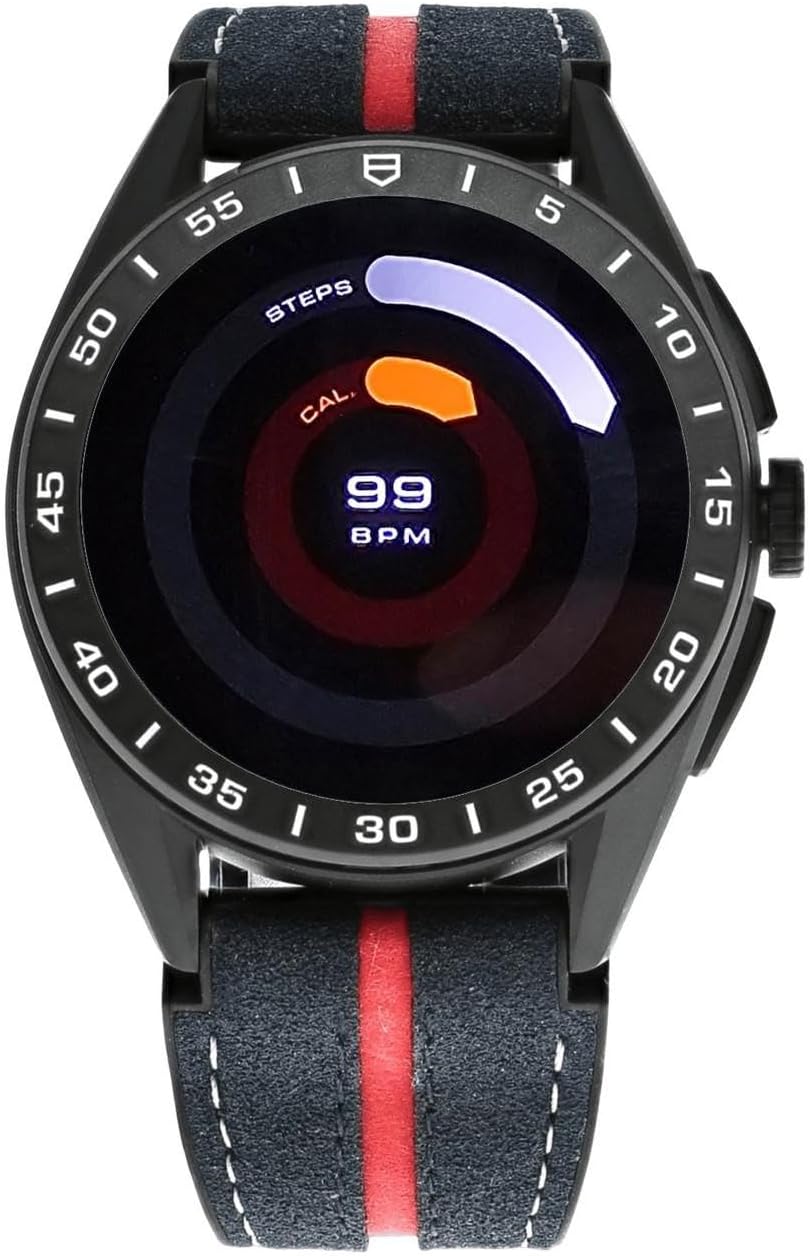
Image: The smartwatch display showing daily activity metrics including steps, calories, and heart rate (BPM) in a circular graphical format.
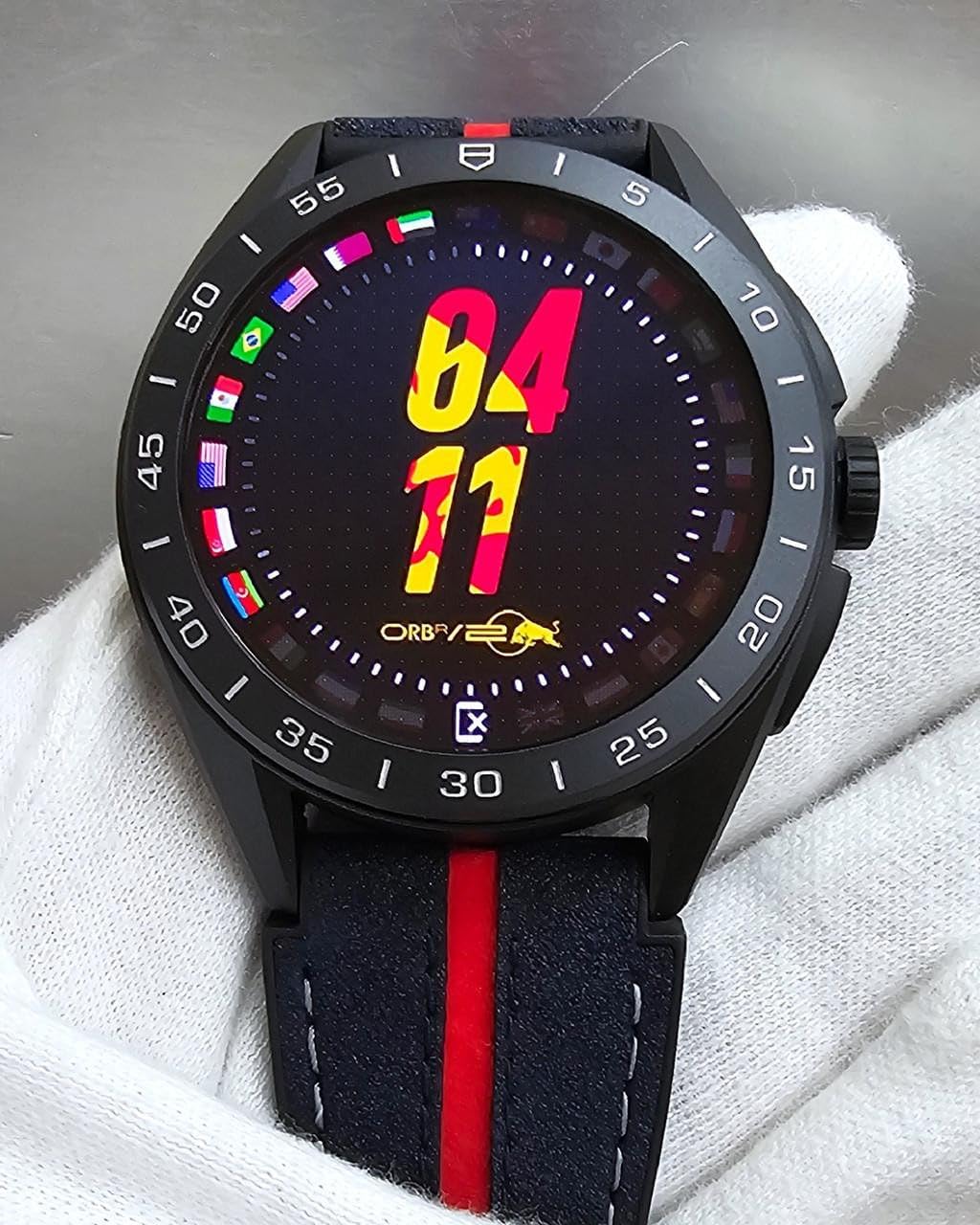
Image: A watch face on the TAG Heuer Connected Calibre E4, featuring racing-inspired graphics with various national flags and prominent numbers, likely related to racing statistics or events.
Maintenance
Cleaning Your Smartwatch
Regular cleaning helps maintain the appearance and functionality of your device.
- Wipe the screen and case with a soft, lint-free cloth.
- For stubborn dirt, slightly dampen the cloth with water. Avoid harsh chemicals or abrasive materials.
- Ensure the watch is dry before charging or prolonged use.
Strap Replacement
The smartwatch features an easy-swap strap mechanism, allowing you to change between the blue/red rubber and leather strap and the alternate black rubber strap.
- Locate the quick-release pins on the underside of the strap where it connects to the watch case.
- Slide the pin inwards to detach the strap.
- Align the new strap with the watch case and slide the pin back into place until it clicks securely.
Water Resistance
Your smartwatch is water-resistant up to 50 meters. This means it is suitable for shallow-water activities like swimming. It is not suitable for scuba diving, high-speed water sports, or prolonged submersion at depths beyond 50 meters.
- Avoid pressing buttons or operating the touchscreen underwater.
- Rinse the watch with fresh water after exposure to salt water or chlorinated water, then dry thoroughly.
Troubleshooting
If you encounter issues with your smartwatch, refer to the following common solutions:
- Watch not turning on: Ensure the watch is fully charged. Connect it to the charger for at least 30 minutes.
- Watch not pairing with phone:
- Ensure Bluetooth is enabled on your phone.
- Restart both your phone and the smartwatch.
- Check that the Wear OS by Google app is up to date.
- If previously paired, try unpairing and re-pairing the devices.
- Inaccurate heart rate or activity data: Ensure the watch is worn snugly on your wrist, not too tight or too loose. Clean the sensor on the back of the watch.
- Short battery life:
- Reduce screen brightness.
- Disable always-on display.
- Limit background app refresh.
- Ensure no apps are constantly running in the background.
- Software issues: Try restarting the smartwatch. If issues persist, a factory reset may be necessary (note: this will erase all data on the watch).
Specifications
| Feature | Detail |
|---|---|
| Model Name | Connected Calibre E4 X Oracle Red Bull Racing Edition |
| Model Number | Sbr8a80.eb0365 |
| Case Material | Black DLC-coated Titanium |
| Screen Size | 1.39 Inches |
| Display Type | AMOLED |
| Operating System | Wear OS by Google |
| Memory Storage Capacity | 8 GB |
| Battery Capacity | 440 Milliamp Hours |
| Battery Average Life | 32 Hours |
| Battery Charge Time | 1.5 Hours |
| Connectivity Technology | Bluetooth, GNSS, NFC, Wi-Fi |
| Water Resistance Depth | 50 Meters |
| Compatible Devices | Android 8.1+ (except Go Edition), iOS 15.4+ |
| Band Material Type | Rubber & Leather (main), Rubber (alternate) |
| Special Features | Custom Watch Faces, Easy-swap Straps, Limited Edition, Oracle Red Bull Racing App, Water Resistant |
Warranty and Support
Your TAG Heuer Connected Calibre E4 Smartwatch comes with a manufacturer's warranty.
- Warranty Period: 1 Year manufacturer warranty.
- Warranty Coverage: Covers defects in materials and workmanship under normal use. It does not cover damage caused by accidents, misuse, unauthorized modifications, or normal wear and tear.
- For Support: For technical assistance, warranty claims, or service, please contact TAG Heuer customer support through their official website or authorized service centers. Refer to the warranty card included in your collector's box for specific contact details and terms.
Note: Protection plans may be available for extended coverage. Please refer to your purchase documentation for details.

