
Introduction
This manual provides detailed instructions for the assembly, operation, and maintenance of your Mould King 17067 Heavy Duty Excavator Building Set. Please read this manual thoroughly before beginning assembly or operation to ensure correct usage and to maximize your experience with this engineering model.
The Mould King 17067 is a large-scale building set featuring 3567 pieces, designed to construct a heavy-duty excavator model with advanced app control capabilities. It includes 5 L motors, 3 M motors, one MK6.0 battery, and one MK4.0 battery for powered functions.
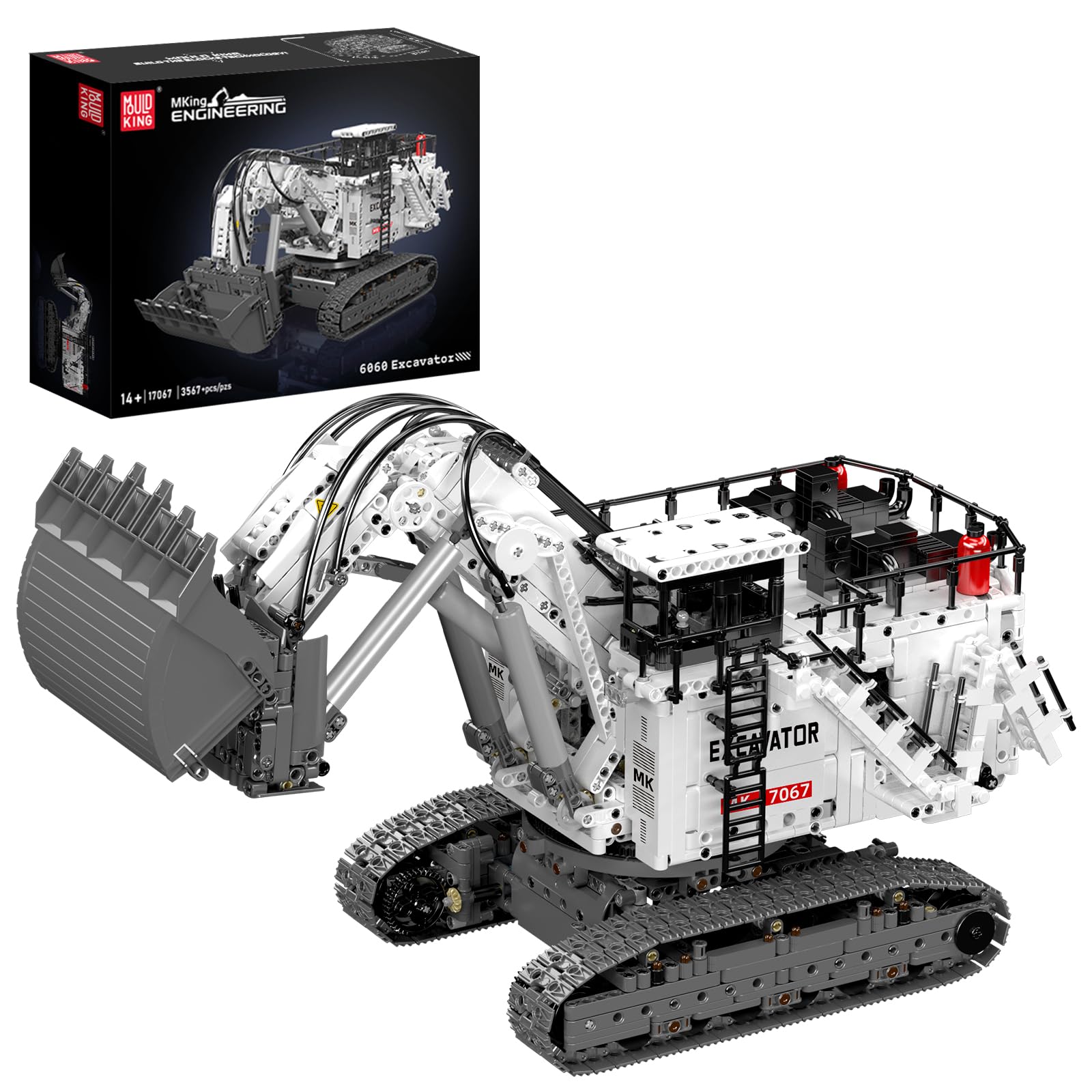
Image: The Mould King 17067 Heavy Duty Excavator model, showcasing its app control feature and engineering vehicle design. This image highlights the product's main features and overall appearance.
Package Contents
Before starting, verify that all components are present in your package:
- 3567 Building Bricks
- 5 x L Motors
- 3 x M Motors
- 1 x MK6.0 Battery Box
- 1 x MK4.0 Battery Box
- Instruction Manual (this document)
- All necessary connecting cables and components

Image: Various components of the Mould King 17067 building set laid out on a table, including structural pieces, motors, and cables. This illustrates the comprehensive nature of the kit.
Setup and Assembly
Follow the step-by-step guide provided in the included instruction manual to assemble your excavator model. Organize the bricks by type and size to facilitate the building process.
- Unpack Components: Carefully remove all building bricks, motors, battery boxes, and other parts from the packaging.
- Sort Bricks: For easier assembly, sort the 3567 bricks by color and type.
- Follow Manual: Refer to the dedicated assembly manual for detailed, illustrated instructions on connecting each piece.
- Install Motors and Batteries: Integrate the 5 L motors and 3 M motors as indicated in the assembly steps. Install the MK6.0 and MK4.0 battery boxes in their designated locations. Ensure batteries are charged before installation.
- Power Activation: Once the battery boxes are installed, locate the power switch. Rotate the designated blocks to access the battery compartment and press the switch to turn on the remote-controlled excavator.

Image: A multi-panel image showing key features of the excavator, including the 360-degree rotation, the foldable ladder, and the method to open the battery compartment and activate power. This visual guide assists in understanding the model's functionalities and power setup.
Operating Instructions
The Mould King 17067 Excavator is controlled via a dedicated smartphone application. Ensure your device is compatible and the app is installed.
- Download App: Download the official Mould King control app from your device's app store.
- Connect to Excavator: Turn on the excavator. Open the app and follow the on-screen instructions to connect your device to the excavator via Bluetooth.
- Basic Movement:
- Use the directional controls in the app to move the excavator forward, backward, left, and right. The heavy-duty tracks provide excellent grip on various surfaces.
- Excavator Arm Control:
- Utilize the app's interface to precisely control the excavator arm's movements, including lifting, lowering, extending, and retracting.
- The excavator's arm can be adjusted to various positions for digging and lifting operations.
- 360-Degree Rotation:
- The top cabin of the excavator can rotate 360 degrees, simulating the operation of a real vehicle. Use the corresponding control in the app for this function.

Image: A smartphone displaying the control interface for the Mould King 17067 Excavator, with the excavator model visible in the background. This demonstrates the app-controlled functionality of the engineering vehicle.
Video: This video demonstrates the Mould King 17067 Excavator in operation, showcasing its remote control capabilities via a smartphone app. It highlights the movement of the tracks and the functionality of the excavator arm.
Maintenance
Proper maintenance ensures the longevity and optimal performance of your Mould King 17067 Excavator.
- Cleaning: Regularly clean the model with a soft, dry cloth to remove dust and debris. Avoid using water or harsh chemicals, as these can damage the electronic components and plastic bricks.
- Battery Care:
- Ensure batteries are fully charged before each use for optimal performance.
- Remove batteries from the battery boxes if the model will not be used for an extended period to prevent leakage.
- Store batteries in a cool, dry place.
- Component Inspection: Periodically check all connections, especially those involving motors and cables, to ensure they are secure.
- Storage: Store the assembled model in a clean, dry environment away from direct sunlight and extreme temperatures.
Troubleshooting
If you encounter issues with your Mould King 17067 Excavator, refer to the following common solutions:
| Problem | Possible Cause | Solution |
|---|---|---|
| Excavator does not move or respond to app controls. |
|
|
| Excavator arm functions are erratic or weak. |
|
|
| App connection issues. |
|
|
Specifications
| Feature | Detail |
|---|---|
| Brand | Mould King |
| Model Name | Heavy Duty Excavator |
| Model Number | WX17067SZCA |
| Number of Pieces | 3567 |
| Motors Included | 5 x L Motors, 3 x M Motors |
| Battery Boxes | 1 x MK6.0, 1 x MK4.0 (Lithium Ion batteries included) |
| Control Method | Smart App Control |
| Material Type | ABS Plastic |
| Recommended Age | 14 years and up (Adult) |
| Item Dimensions (L x W x H) | 20.5 x 9.6 x 9.5 inches |
| Educational Objective | Construction Skills, STEM concepts |
| UPC | 705736387325 |

Image: The Mould King 17067 Excavator model displayed with its key dimensions (length, width, height) indicated, providing a clear understanding of its physical size.
Warranty and Support
Mould King is committed to product quality. Every set undergoes a quality check to ensure all parts are included and functional.
- Missing Parts: In the event of missing pieces, please contact Mould King customer support directly. Provide details of the missing components, and replacements will be arranged.
- Technical Assistance: For any operational issues or technical support not covered in the troubleshooting section, please refer to the official Mould King website or contact their customer service team.
- Return Policy: This product is subject to a 30-day refund/replacement return policy. Please refer to your retailer's specific return guidelines for more information.