
1. Product Overview
The HP OMEN 16L Gaming Desktop PC is engineered for high-performance computing, suitable for gaming, professional work, and creative applications. Its compact design allows for versatile placement in various environments. This system incorporates environmentally conscious materials, including up to 20% recycled metal and up to 55% post-consumer recycled plastic.
Key components include an AMD Ryzen 7 8700F processor, an NVIDIA GeForce RTX 5060 graphics card, 32 GB of DDR5-5200 MT/s RGB Heatsink RAM, and a 1 TB PCIe Gen4 NVMe M.2 Solid State Drive. The system operates on Microsoft Windows 11 Pro and features integrated Microsoft Copilot functionality.

Image: HP OMEN 16L Gaming Desktop PC, emphasizing its construction with recycled materials.
2. Initial Setup
2.1 Unpacking and Contents
Carefully remove all components from the packaging. Verify that the following items are included:
- OMEN 16L Gaming Desktop PC
- HP USB white wired keyboard
- HP USB white wired mouse
- Power supply (400 W 80 Plus Platinum certified)
- Setup instructions
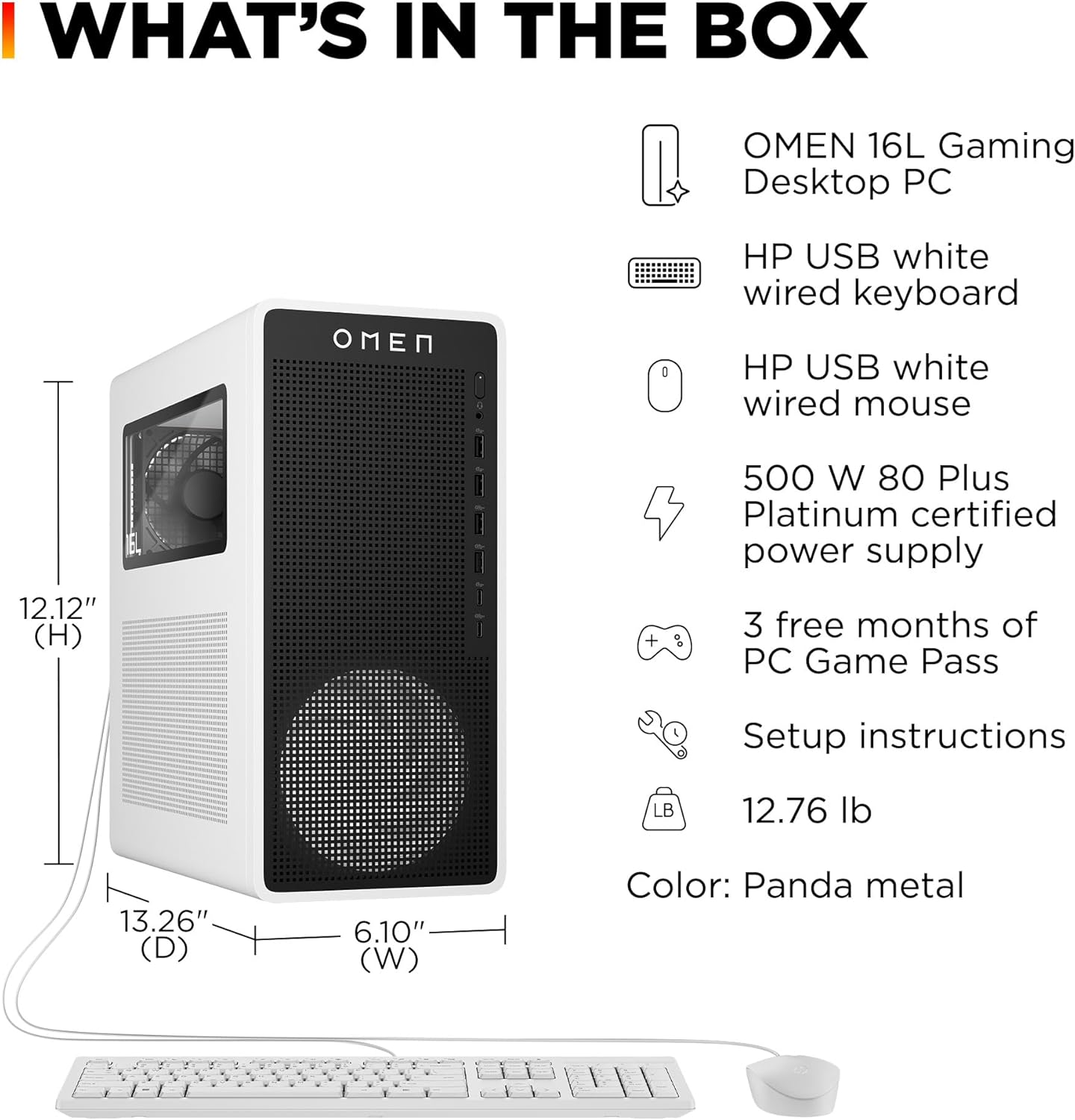
Image: Overview of items included in the HP OMEN 16L Gaming Desktop PC package.
2.2 Connecting Peripherals
Connect your monitor, keyboard, mouse, and other essential peripherals to the appropriate ports on the desktop PC. Refer to the port diagram below for guidance.

Image: Detailed diagram illustrating the various input/output ports on the HP OMEN 16L Gaming Desktop PC.
- Power: Connect the power supply cable to the PC and a wall outlet.
- Monitor: Connect your display using an HDMI or DisplayPort cable to the graphics card outputs.
- Keyboard & Mouse: Connect the HP USB wired keyboard and mouse to any available USB Type-A ports.
- Audio: Use the headphone/microphone combo jack on the front or the 3.5mm audio jacks on the rear for audio devices.
- Network: For a wired connection, connect an Ethernet cable to the RJ-45 port.
2.3 First Power On
Press the power button located on the top front of the PC. The system will initiate the Windows 11 Pro setup process. Follow the on-screen instructions to complete the operating system configuration, including language, region, network connection, and user account creation.
3. Operating Your PC
3.1 System Performance
The HP OMEN 16L is equipped with an AMD Ryzen 7 8700F 8-core processor, featuring AMD Ryzen AI with 16 NPU TOPS for enhanced efficiency and responsiveness. The NVIDIA GeForce RTX 5060 graphics card with 8 GB GDDR7 dedicated memory provides advanced rendering capabilities for gaming and creative applications. The 32 GB DDR5 RAM ensures smooth multitasking and high-speed data processing.
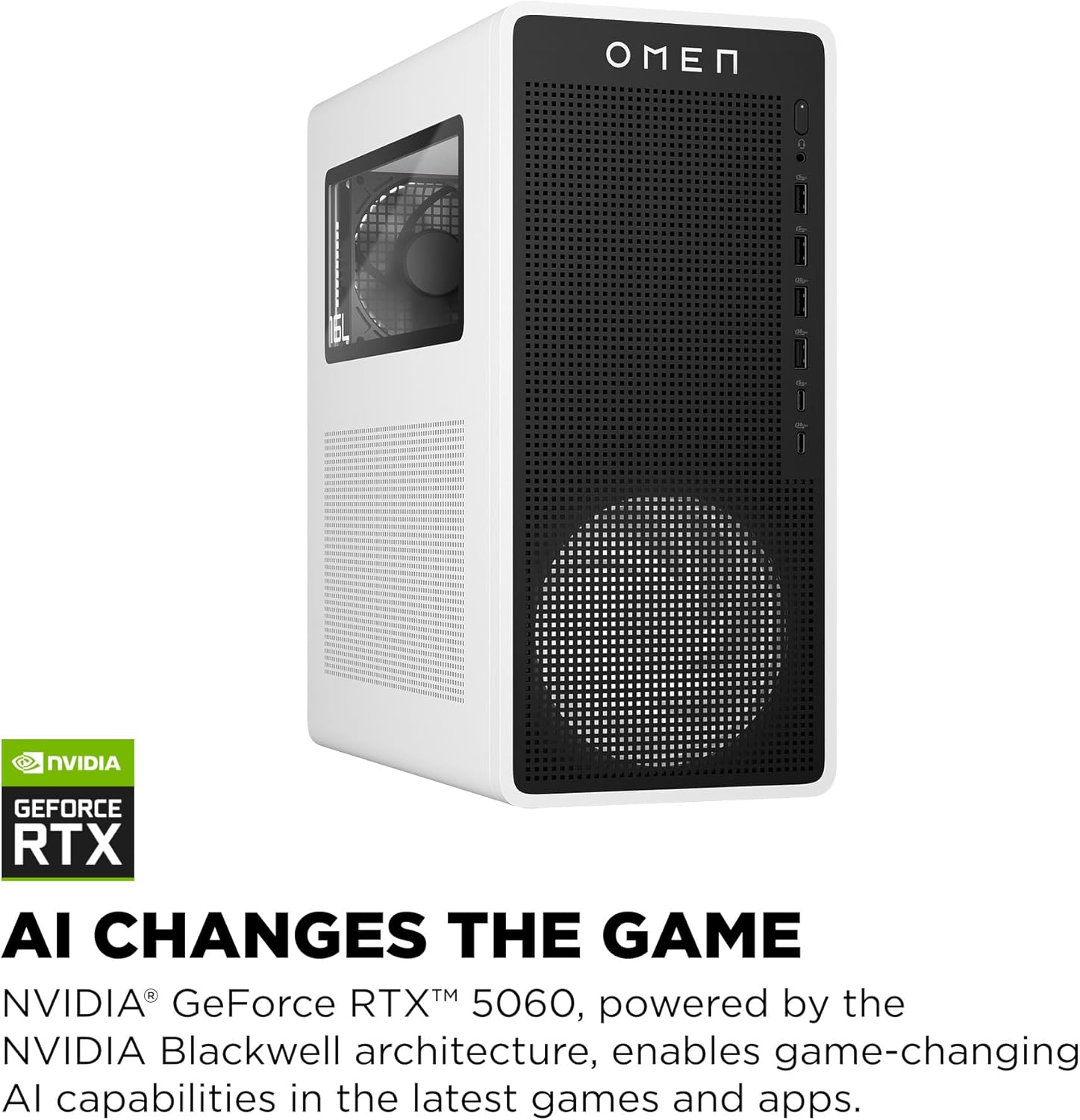
Image: HP OMEN 16L Gaming Desktop PC, highlighting its NVIDIA GeForce RTX 5060 graphics card and AI capabilities.
3.2 Microsoft Copilot Integration
The system includes a dedicated Microsoft Copilot key on the keyboard, providing direct access to AI assistance. Copilot offers intelligent answers, boosts productivity, and aids in creative tasks within Windows 11 Pro.
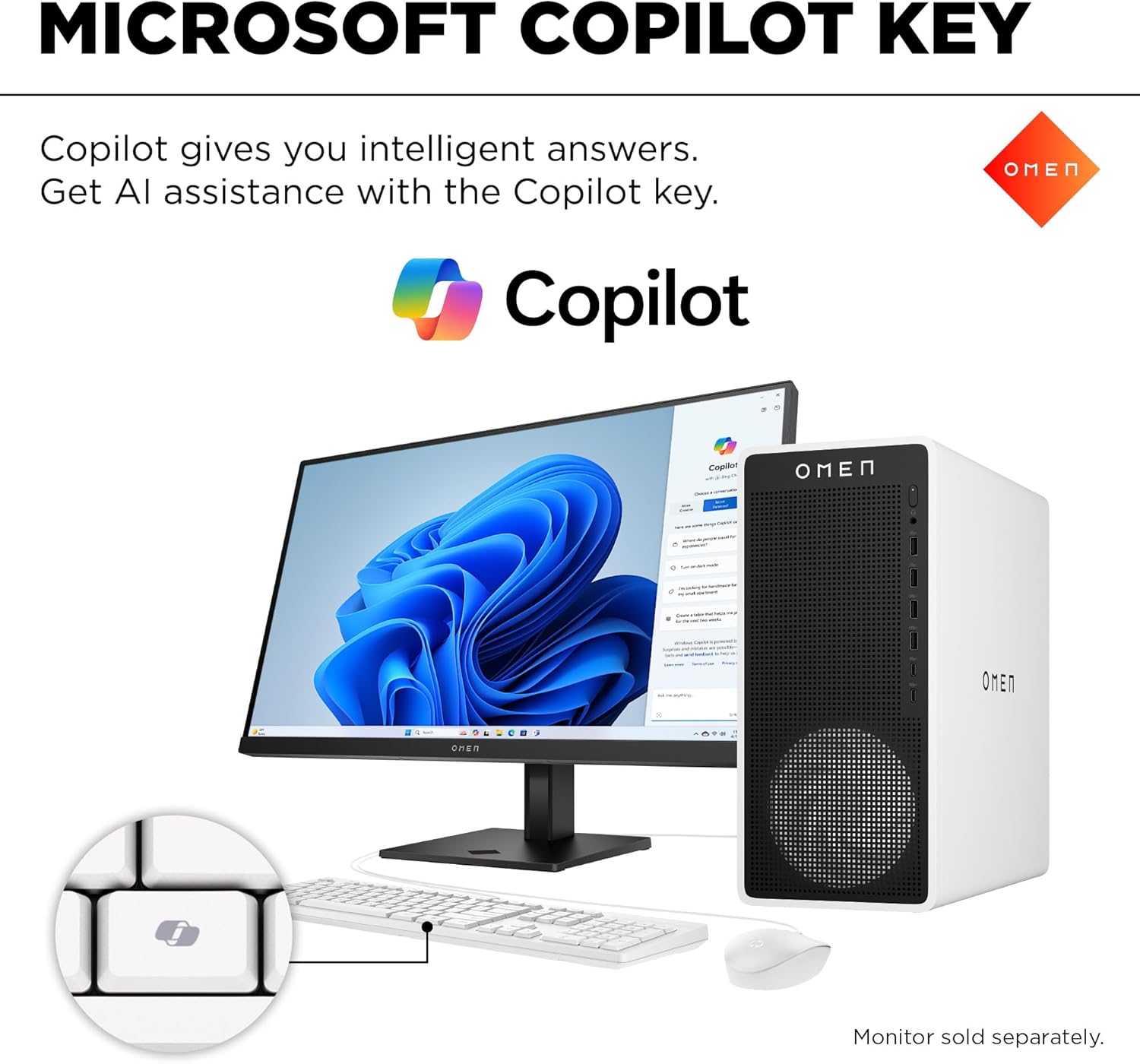
Image: HP OMEN 16L Gaming Desktop PC with a close-up of the Microsoft Copilot key on the keyboard.
3.3 Connectivity
The PC supports wireless connectivity via Wi-Fi 6 (2x2) and Bluetooth 5.4. For wired network connections, a Realtek 10/100/1000/2500 GbE NIC is integrated. Multiple display outputs (HDMI and DisplayPort) support NVIDIA Surround multi-display technology and Microsoft DirectX 12.
4. Maintenance and Care
4.1 Cleaning
To maintain optimal performance and longevity, regularly clean the exterior of the PC with a soft, dry cloth. Ensure ventilation grilles are free from dust and debris to prevent overheating. Avoid using liquid cleaners directly on components.
4.2 Software Updates
Keep your operating system (Windows 11 Pro) and device drivers updated. Regular updates enhance security, improve performance, and resolve potential software issues. Access Windows Update through the system settings.
4.3 Cooling System
The PC features a cooling system with one 120mm RGB front fan, one 90mm rear fan, and a 92mm 2-heatpipe RGB air cooler. Ensure adequate airflow around the desktop to allow the cooling system to operate effectively. Do not obstruct the ventilation openings.
5. Troubleshooting Common Issues
This section provides solutions for common operational problems. If an issue persists, consult the HP support website.
5.1 No Power
- Verify that the power cable is securely connected to both the PC and a functional wall outlet.
- Ensure the power button is fully pressed.
- Test the wall outlet with another device to confirm it has power.
5.2 No Display
- Check that the monitor is powered on and its input source is correctly selected.
- Ensure the video cable (HDMI or DisplayPort) is firmly connected to both the PC's graphics card and the monitor.
- If using multiple monitors, try connecting only one monitor to isolate the issue.
5.3 Peripheral Not Responding
- For USB devices (keyboard, mouse), try connecting them to a different USB port.
- Restart the PC.
- Ensure device drivers are up to date through Windows Device Manager.
6. Technical Specifications
- Brand:
- HP
- Model Name:
- OMEN 16L
- Operating System:
- Windows 11 Pro
- Processor:
- AMD Ryzen 7 8700F (8-core, 5 GHz max boost, 16 NPU TOPS)
- Graphics Card:
- NVIDIA GeForce RTX 5060 with 8 GB GDDR7 dedicated memory
- RAM:
- 32 GB DDR5-5200 MT/s RGB Heatsink RAM (2 x 16 GB), expandable to 32 GB unbuffered
- Storage:
- 1 TB PCIe Gen4 NVMe M.2 Solid State Drive
- Wireless Connectivity:
- Wi-Fi 6 (2x2), Bluetooth 5.4
- Ethernet:
- Realtek 10/100/1000/2500 GbE NIC
- Audio:
- 5.1 surround sound
- Front I/O Ports:
- 2 USB Type-A 5Gbps, 2 USB Type-A 10Gbps, 1 USB Type-C 5Gbps, 1 USB Type-C 10Gbps, Headphone/Microphone Combo
- Rear I/O Ports:
- 4 USB 2.0 Type-A, 3 3.5mm audio jacks (Line-in / Line-out / Mic), 1 RJ-45, HDMI, 3 DisplayPort
- Power Supply:
- 400 W 80 Plus Platinum certified
- Dimensions (L x W x H):
- 12.12" x 6.10" x 13.26"
- Weight:
- 12.76 lbs
- Cooling:
- 1 x 120mm RGB front fan, 1 x 90mm rear fan, 92mm 2-heatpipe RGB air cooler
- Included Peripherals:
- HP USB white wired keyboard and mouse combo
7. Support and Warranty
For technical assistance, product registration, and detailed warranty information, please visit the official HP support website. The product is covered by HP's standard warranty terms. Information regarding optional protection plans, such as the 3-Year Protection Plan or Complete Protect, may be available through your retailer at the time of purchase.


