
Introduction
Welcome to the user manual for your realme P4x 5G Smartphone. This guide provides essential information on setting up, operating, maintaining, and troubleshooting your device. The realme P4x 5G is designed for seamless multitasking and connectivity, featuring 8GB RAM, 128GB internal storage, and 5G capabilities. Please read this manual thoroughly to ensure optimal performance and longevity of your smartphone.
1. Setup
1.1 What's in the Box
Your realme P4x 5G package includes:
- realme P4x 5G Smartphone
- Other accessories (e.g., charger, USB cable, SIM ejector tool, protective case) may vary by region and are not explicitly listed in the provided data.
1.2 Inserting the SIM Card
The realme P4x 5G supports Dual Nano SIM cards. Follow these steps to insert your SIM card(s):
- Locate the SIM card tray on the side of your device.
- Insert the SIM ejector tool (if provided) into the small hole next to the tray and push gently until the tray pops out.
- Place your Nano SIM card(s) into the designated slots on the tray, ensuring the gold contacts face downwards.
- Carefully push the tray back into the phone until it clicks into place.
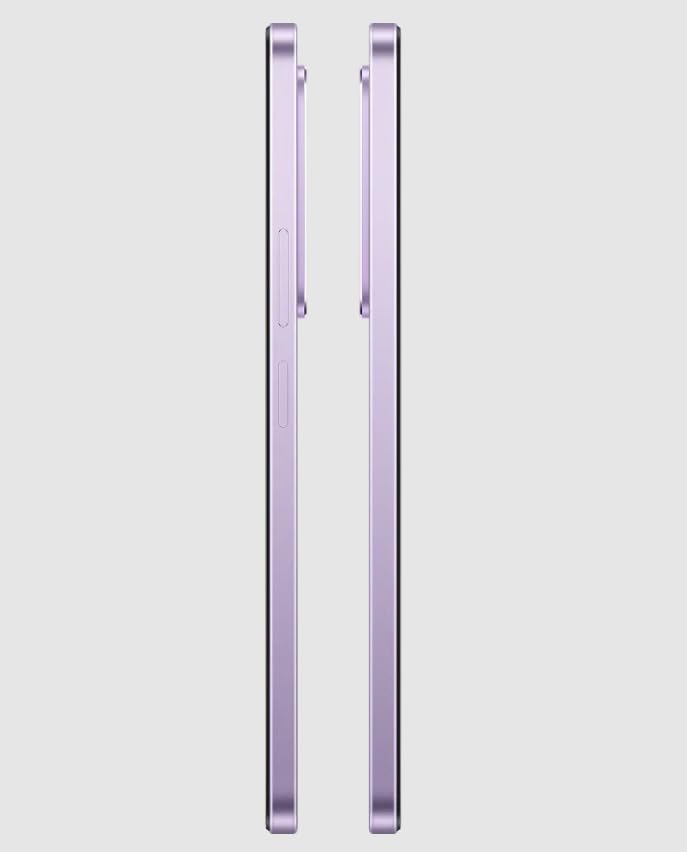
Image: Side view of the realme P4x 5G Smartphone, illustrating the location of the SIM card tray and power/volume buttons.
1.3 Initial Power On and Charging
To power on your device, press and hold the Power button located on the side until the realme logo appears. For initial charging, connect the USB Type-C cable to the phone's charging port and the other end to a compatible 33W fast charger. The device features a 5000mAh Li-ion battery and typically charges in approximately 120 minutes.
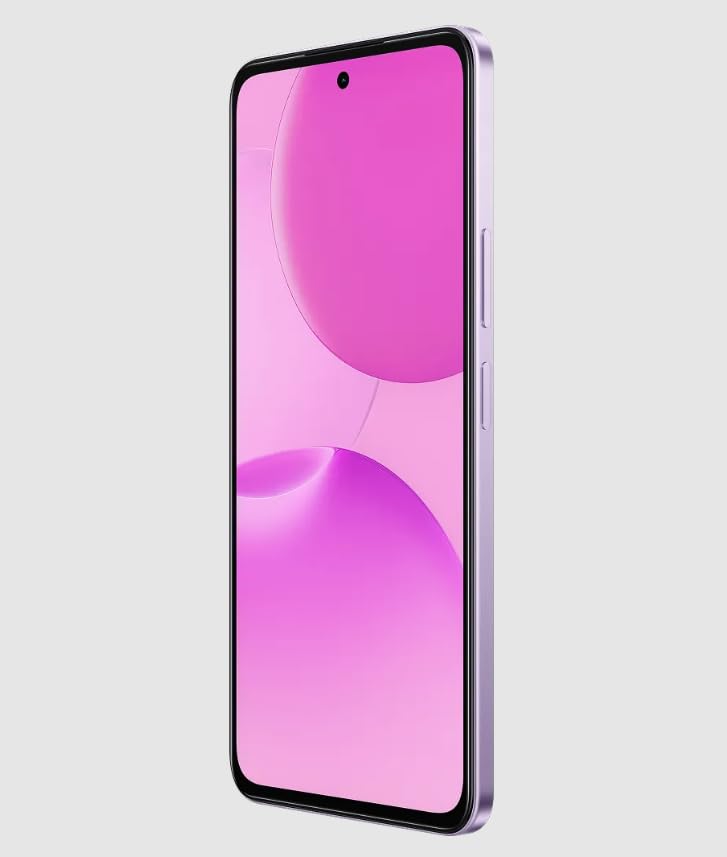
Image: Front view of the realme P4x 5G Smartphone with its display active, demonstrating the device powered on.
2. Operating Your Device
2.1 Display and Navigation
The realme P4x 5G features a 6.7-inch LCD display with a resolution of 2400 x 1080 pixels and a 90 Hz refresh rate. Navigate the Android operating system using touch gestures. The display offers a pixel density of 401 PPI for clear visuals.
2.2 Security Features
Unlock your device securely using the integrated Fingerprint Recognition biometric security feature.
2.3 Camera System
The device is equipped with a Triple Rear Camera setup, featuring a 64 MP optical sensor. It supports High Dynamic Range (HDR) shooting modes and includes an LED flash. Video capture resolution is 1080p at 30 Fps or 60 Fps. There is also a single front camera for selfies and video calls.
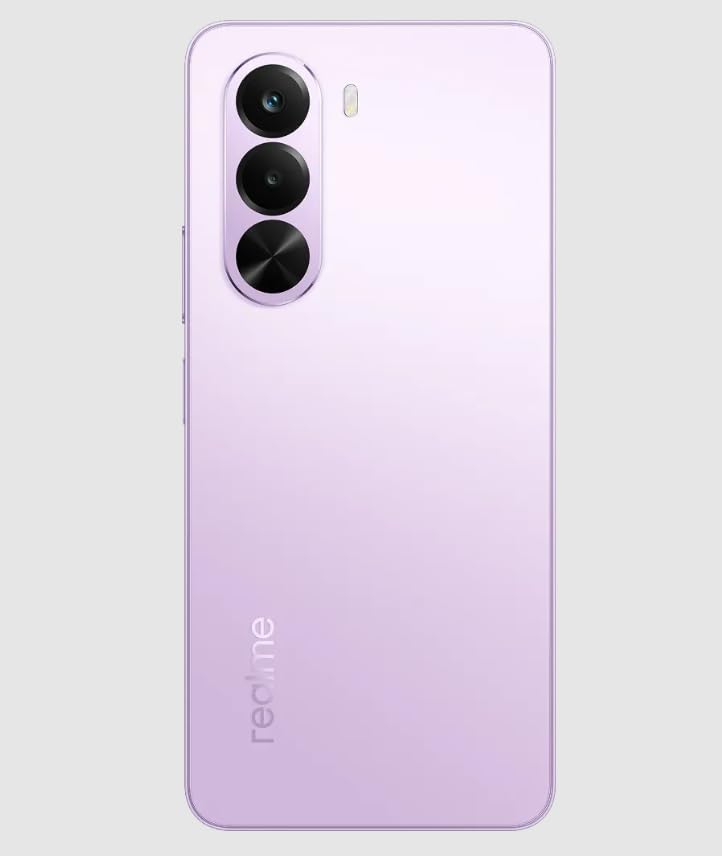
Image: Rear view of the realme P4x 5G Smartphone, highlighting the triple camera system and realme branding.
2.4 Connectivity
The realme P4x 5G supports 5G and LTE cellular technologies. It includes a USB Type-C connector for charging and data transfer, and a 3.5 Millimeter headphones jack for audio accessories.
3. Maintenance
3.1 Cleaning Your Device
Use a soft, lint-free cloth to clean the screen and body of your smartphone. Avoid using harsh chemicals or abrasive materials, as these can damage the display and finish. The device has a Water Repellent level of water resistance, but it is not fully waterproof; avoid submerging it in liquids.
3.2 Software Updates
Regularly check for and install software updates to ensure your device has the latest features, security patches, and performance improvements. You can usually find this option in the device's settings menu under "System" or "About phone."
3.3 Storage Management
Your device comes with 128 GB of internal memory. To manage storage, regularly clear unnecessary files, uninstall unused applications, and transfer large media files to cloud storage or an external device. The phone supports flash memory up to 1024 GB, indicating potential for expandable storage via a microSD card (check specific model for tray configuration).
4. Troubleshooting
If you encounter issues with your realme P4x 5G, consider the following common troubleshooting steps:
- Device Not Powering On: Ensure the battery is charged. Connect the charger and wait a few minutes before attempting to power on again.
- Charging Issues: Verify the USB Type-C cable and charger are securely connected and undamaged. Try a different charger or cable if available.
- Network Connectivity Problems: Check if Airplane Mode is off. Restart your device. Verify your SIM card is properly inserted and your mobile data plan is active.
- App Freezing/Crashing: Close and reopen the app. Clear the app's cache and data in settings. If the issue persists, uninstall and reinstall the app.
- Overheating: Avoid using the phone in direct sunlight or while charging for extended periods during heavy usage. Close background applications. If overheating persists, contact support.
- Fingerprint Sensor Not Working: Ensure your finger is clean and dry. Re-register your fingerprints in the security settings.
For more complex issues, refer to the official realme support website or contact customer service.
5. Specifications
Below are the detailed technical specifications for the realme P4x 5G Smartphone:
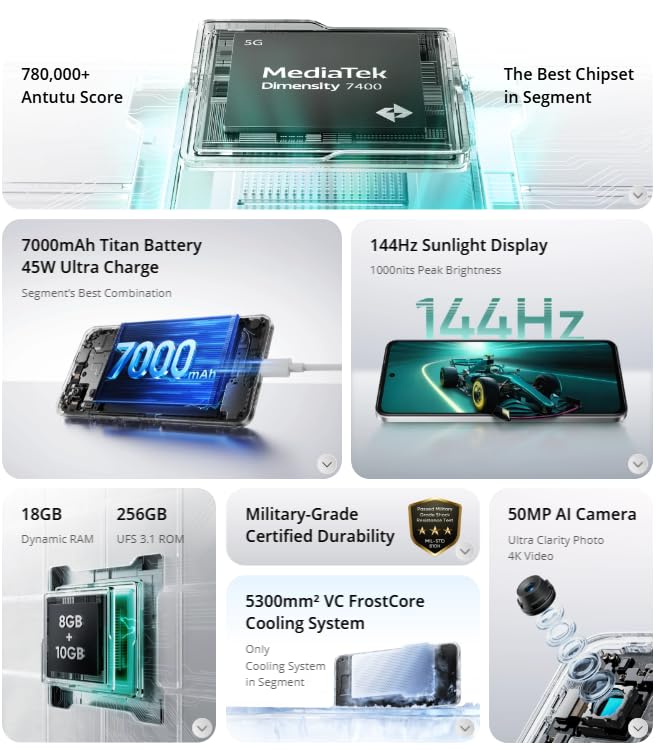
Image: Infographic showcasing key specifications and features of the realme P4x 5G Smartphone, including its MediaTek Dimensity 7400 processor, 5000mAh battery, 90Hz display, RAM, storage, and camera details.
| Feature | Detail |
|---|---|
| Brand | realme |
| Model | P4x 5G |
| Operating System | Android |
| RAM Memory Installed Size | 8 GB |
| Memory Storage Capacity | 128 GB |
| CPU Model | Mediatek Dimensity 7400 |
| CPU Speed | 2.6 GHz |
| Display Type | LCD |
| Screen Size | 6.7 Inches |
| Resolution | 2400 x 1080 Pixels |
| Refresh Rate | 90 Hz |
| Rear Camera Optical Sensor Resolution | 64 MP (Triple Rear Camera Setup) |
| Front Camera Count | 1 |
| Battery Description | 5000mAh Li-ion Battery With 33W Fast Charging |
| Battery Charge Time | 120 Minutes |
| Phone Talk Time | 24 Hours |
| Cellular Technology | 5G |
| SIM Card Slot Count | Dual SIM (Nano) |
| Connector Type | USB Type C |
| Headphones Jack | 3.5 Millimeter |
| Biometric Security Feature | Fingerprint Recognition |
| Water Resistance Level | Water Repellent |
| Item Weight | 188 Grams |
| Item Dimensions | 16.5 x 7.5 x 16 Centimeters |
Note: Specifications are subject to change without prior notice.
6. Warranty and Support
6.1 Warranty Information
Your realme P4x 5G Smartphone comes with a 1 Year Warranty from the date of purchase. This warranty covers manufacturing defects under normal use. Please retain your proof of purchase for warranty claims. For detailed terms and conditions, refer to the warranty card included with your product or visit the official realme website.
6.2 Customer Support
For technical assistance, service, or further inquiries, please contact realme customer support. You can find contact information on the official realme website or through the support section of your device's settings.
Manufacturer Contact Information:
REALME MOBILE TELECOMMUNICATIONS (INDIA) PRIVATE LIMITED
3rd Floor, Tower-B, Building No.8, DLF Cyber City, Gurugram-122002, Haryana, India


