
Important Safeguards
Before using your Gourmia Digital Air Fryer Toaster Oven, please read all instructions thoroughly. Failure to follow these instructions may result in property damage, personal injury, or death. Keep this manual for future reference.
- Always place the appliance on a stable, heat-resistant surface, away from walls and other appliances to ensure proper ventilation.
- Do not touch hot surfaces. Use handles or knobs. Always use oven mitts or protective gloves when handling hot materials.
- To protect against electrical shock, do not immerse cord, plugs, or the appliance in water or other liquid.
- Close supervision is necessary when any appliance is used by or near children.
- Unplug from outlet when not in use and before cleaning. Allow to cool before putting on or taking off parts, and before cleaning the appliance.
- Do not operate any appliance with a damaged cord or plug, or after the appliance malfunctions or has been damaged in any manner.
- Do not use attachments not recommended by the appliance manufacturer, as this may cause injuries.
- Do not place on or near a hot gas or electric burner, or in a heated oven.
- Extreme caution must be used when moving an appliance containing hot oil or other hot liquids.
- Do not use the appliance for other than intended use.
- Ensure the crumb tray is always in place during operation.
Getting Started
What's in the Box
Your Gourmia Digital Air Fryer Toaster Oven comes with several accessories to enhance your cooking experience. Please ensure all items are present upon unboxing.

Image: Components of the Gourmia Digital Air Fryer Toaster Oven, including the main unit, control panel, glass window, oven rack, air fry basket, baking pan, and crumb tray.
- Air Fryer Convection Oven Body
- Air Fry Basket
- Oven Rack
- Baking Pan
- Crumb Tray
Initial Setup
- Unpack: Carefully remove all packaging materials, including any temporary stickers or labels.
- Clean: Before first use, wash the air fry basket, oven rack, baking pan, and crumb tray with warm, soapy water. Wipe the interior and exterior of the oven with a damp cloth. Ensure all parts are completely dry before use.
- Placement: Place the oven on a flat, stable, heat-resistant surface. Ensure there is at least 4 inches (10 cm) of clearance on all sides of the oven for proper air circulation.
- Power: Plug the power cord into a grounded electrical outlet.
Product Overview
Control Panel
The digital control panel provides intuitive access to all cooking functions and settings.

Image: The digital control panel with icons for Air Fry, Roast, Bake, Toast, Bagel, Fries, Wings, Snacks, Dehydrate, Broil, Popcorn, and Keep Warm functions, along with temperature and time adjustments.
- Preset Icons: Select from 12 pre-programmed cooking functions.
- Temperature/Time Display: Shows current temperature and remaining cooking time.
- +/- Buttons: Adjust temperature and time settings.
- Convection Button: Activates or deactivates the convection fan for certain modes.
- Start/Stop Button: Initiates or pauses the cooking process.
Rack Positions
The oven features three rack positions to accommodate various food sizes and cooking methods.

Image: The interior of the oven demonstrating its capacity, capable of holding 4 slices of toast or a 9-inch pizza, utilizing different rack positions.
- Upper Position: Ideal for broiling, toasting, or cooking items that require closer proximity to the heating elements.
- Middle Position: Suitable for most baking, roasting, and air frying tasks.
- Lower Position: Best for larger items like whole chickens or for catching drips with the baking pan.
Operation
Basic Operation
- Select Function: Press the desired preset icon on the control panel.
- Adjust Settings: Use the +/- buttons to modify the temperature and time if needed.
- Start Cooking: Press the Start/Stop button to begin the cooking cycle.
- Monitor Progress: The large viewing window allows you to monitor food without opening the door.

Image: A simple three-step guide illustrating the ease of use: selecting a preset, placing food inside, and enjoying the cooked meal.
Preset Functions
The oven features 12 one-touch presets for common cooking tasks:

Image: The control panel displaying the 12 one-touch preset options, including Air Fry, Roast, Bake, Toast, Bagel, Fries, Wings, Snacks, Broil, Dehydrate, Popcorn, and Keep Warm.
- Air Fry: For crispy results with little to no oil.
- Bake: Standard oven baking for cakes, cookies, and casseroles.
- Roast: Ideal for meats and vegetables.
- Toast: Perfect for bread and pastries.
- Bagel: Toasts bagels to perfection.
- Fries: Optimized for frozen or fresh fries.
- Wings: For crispy chicken wings.
- Snacks: General setting for various snack items.
- Broil: For quick browning and searing.
- Dehydrate: For making fruit chips, veggie crisps, and jerky.
- Popcorn: Dedicated mode for popping corn kernels.
- Keep Warm: Maintains food temperature for up to 4 hours.
Convection Mode and FryForce 360° Technology
The Gourmia Digital Air Fryer Toaster Oven utilizes FryForce 360° Technology and a powerful convection fan to circulate hot air rapidly, ensuring even cooking and crispy results with minimal oil.

Image: The convection mode in action, showing a whole chicken cooking inside the oven, emphasizing crispy exteriors and tender interiors.
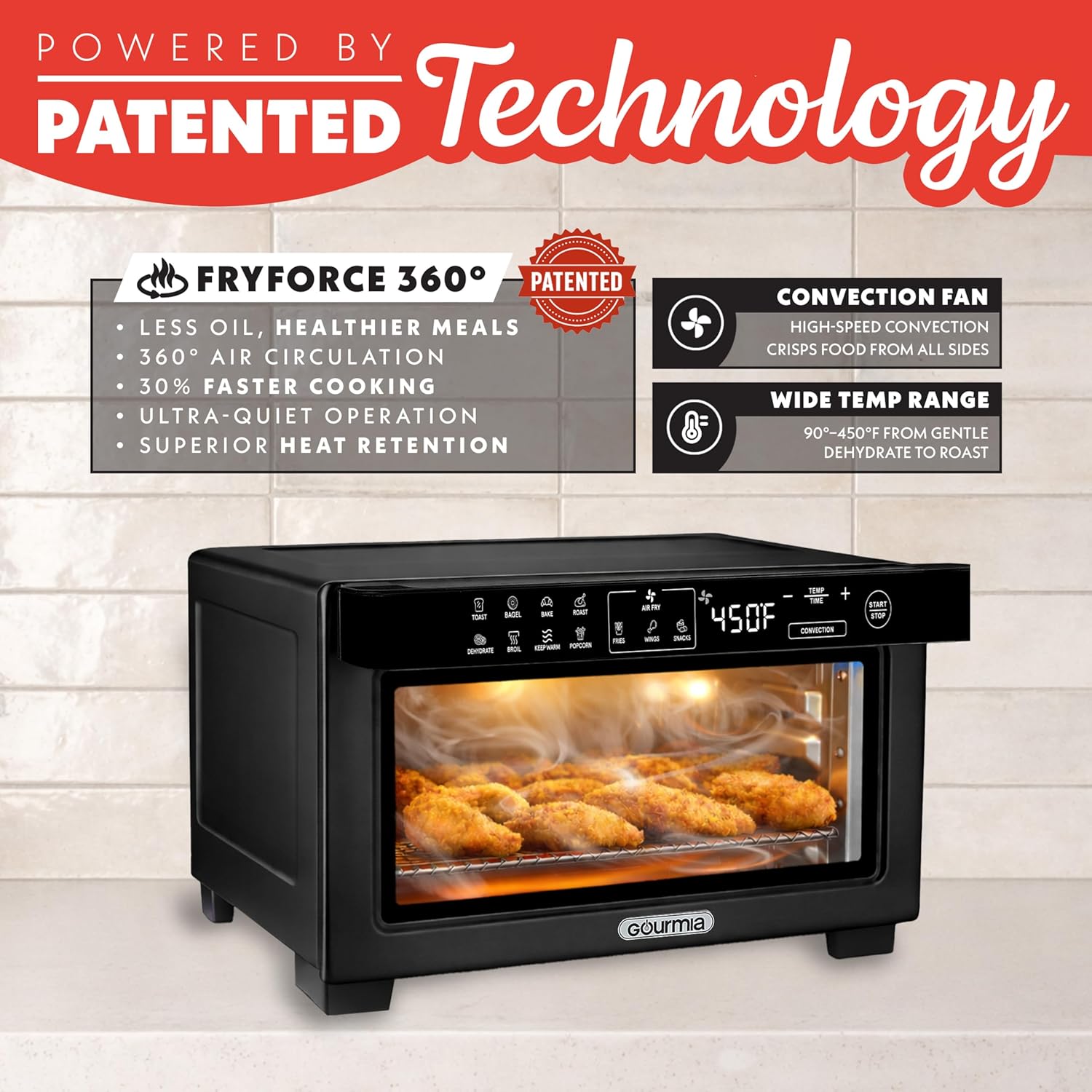
Image: An illustration detailing the benefits of FryForce 360° Technology, including reduced oil usage, comprehensive air circulation, and efficient cooking.
Specific Modes: Popcorn and Dehydrate
The oven includes specialized modes for unique cooking needs.

Image: A visual guide to using the Popcorn Mode, from preparing kernels to the final popped product, suitable for movie nights.
- Popcorn Mode: Designed to serve fresh, fluffy popcorn. For best results, spread kernels in a single layer on the baking pan.

Image: A visual representation of the Dehydrate Mode, showing the process of creating homemade fruit chips and other healthy snacks.
- Dehydrate Mode: Create homemade fruit chips, veggie crisps, and jerky. Ensure food is thinly sliced and evenly spaced on the air fry basket for optimal results.
Cleaning and Maintenance
Regular cleaning ensures optimal performance and extends the life of your appliance.
Cleaning the Interior and Exterior
- Always unplug the oven and allow it to cool completely before cleaning.
- Wipe the exterior with a damp cloth and mild detergent. Do not use abrasive cleaners or scouring pads.
- For the interior, wipe with a damp cloth. For stubborn stains, use a non-abrasive sponge with warm, soapy water.
Dishwasher Safe Parts
Many of the accessories are designed for easy cleaning.
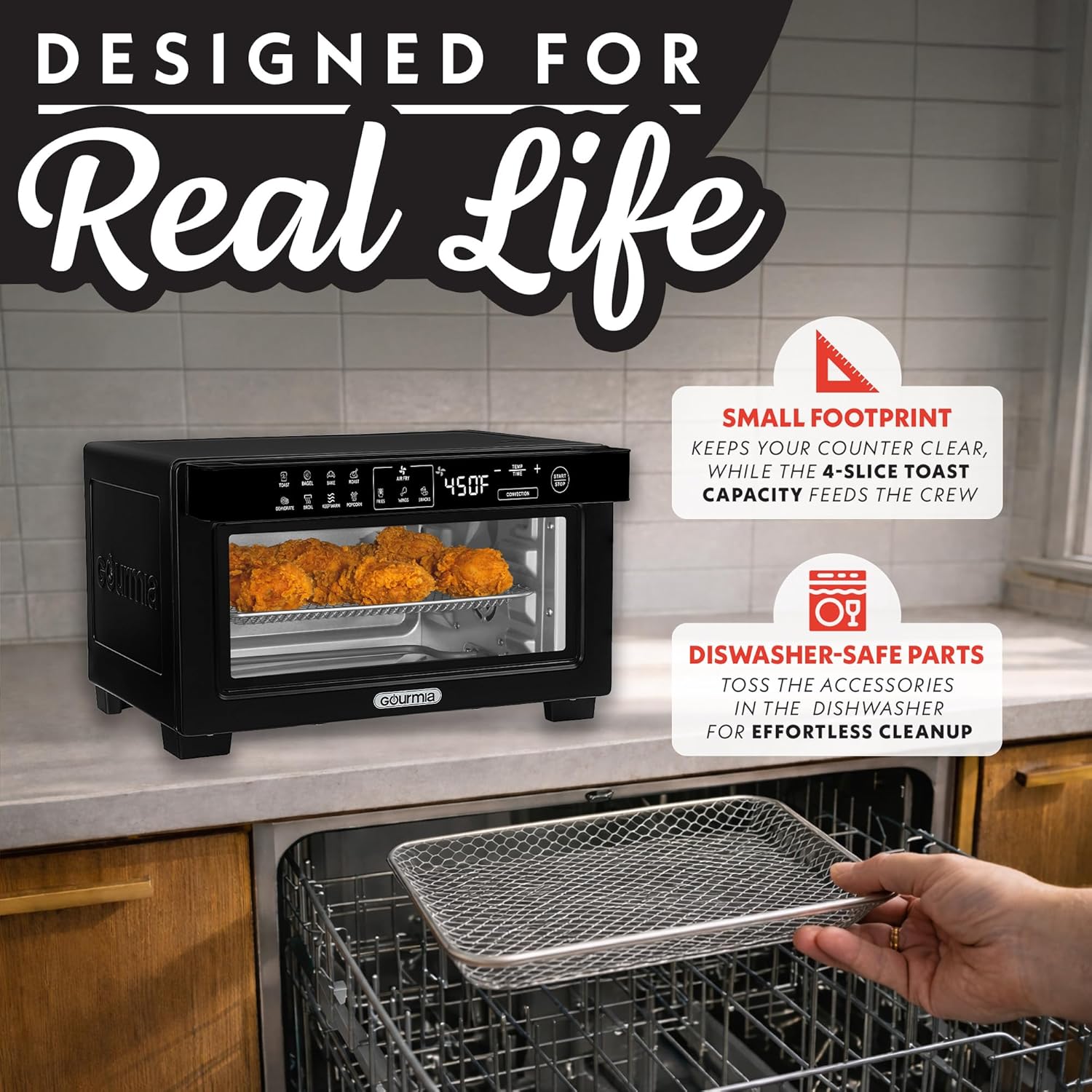
Image: The air fry basket being placed into a dishwasher, illustrating the convenience of dishwasher-safe parts for effortless cleaning.

Image: A visual guide to easy cleaning and storage, featuring removable trays for quick cleanup and the compact design for convenient storage.
- The air fry basket, oven rack, and baking pan are dishwasher safe.
- Alternatively, these parts can be hand washed with warm, soapy water.
Crumb Tray
- The crumb tray should be emptied and cleaned regularly to prevent grease buildup and maintain hygiene.
- Slide out the crumb tray from the bottom front of the oven, discard crumbs, and wash with warm, soapy water. Dry thoroughly before reinserting.
Troubleshooting
If you encounter any issues with your Gourmia Digital Air Fryer Toaster Oven, refer to the following common problems and solutions.
| Problem | Possible Cause | Solution |
|---|---|---|
| Oven does not turn on. | Not plugged in; power outage; faulty outlet. | Ensure the oven is securely plugged into a working outlet. Check your home's circuit breaker. |
| Food is not cooking evenly. | Overcrowding; incorrect rack position; uneven food placement. | Avoid overcrowding the basket/pan. Use the recommended rack position for the selected function. Ensure food is spread in a single layer for air frying. |
| Steam escaping from oven door. | Normal during cooking; potential door seal issue. | Some steam release is normal, especially with high-moisture foods. If excessive steam escapes from a specific spot, particularly the upper right side, and causes condensation on surrounding surfaces, this may indicate a manufacturing variation in the door seal. Ensure adequate ventilation around the oven and wipe down surfaces as needed. If concerned, contact customer support. |
| Popcorn kernels not fully popped or burnt. | Uneven kernel distribution; incorrect quantity. | Ensure kernels are spread in a single, even layer on the baking pan. Do not overload. Adjust quantity based on desired yield and oven performance. |
| Oven exterior becomes very hot. | Normal operation. | It is normal for the exterior surfaces of the oven to become hot during operation. Always use caution and avoid direct contact with hot surfaces. Ensure proper clearance from other objects. |
Specifications
Detailed technical specifications for the Gourmia GTF1188BA Digital Air Fryer Toaster Oven.

Image: The Gourmia Digital Air Fryer Toaster Oven with its external and internal dimensions clearly marked for reference.

Image: A visual representation of the oven's large capacity, demonstrating its ability to accommodate 4 slices of toast and a 9-inch pizza.
| Feature | Detail |
|---|---|
| Model Number | GTF1188BA |
| Product Dimensions (D x W x H) | 10.5"D x 15"W x 8.5"H |
| Interior Dimensions (D x W x H) | 8"D x 10.5"W x 6.5"H |
| Capacity | 10 Quarts (Fits 9" pizza, 4 slices of bread) |
| Color | Black |
| Material | Aluminum, Stainless Steel |
| Output Wattage | 1000 Watts |
| Voltage | 120 Volts |
| Max Temperature Setting | 400 Degrees Fahrenheit |
| Control Method | Push Button |
| Air Frying Technology | Rapid Air Circulation (FryForce 360°) |
| Dishwasher Safe Parts | Yes (Air Fry Basket, Oven Rack, Baking Pan) |
| Item Weight | 6.8 Pounds |
Warranty and Support
Gourmia products are manufactured to the highest standards. In the unlikely event of any issues, please refer to your product's warranty information provided at the time of purchase. For technical support, troubleshooting assistance, or to inquire about replacement parts, please visit the official Gourmia website or contact their customer service department directly. Keep your purchase receipt and model number (GTF1188BA) handy for faster service.


