
Introduction
This manual provides detailed instructions for the setup, operation, and maintenance of your BALDR Wireless Weather Station. This device offers accurate indoor and outdoor temperature and humidity readings, along with 1-hour and 12-hour weather forecasts. Its wireless design and rechargeable battery provide flexible placement options.
1. Setup
1.1 Unpacking
Carefully remove all components from the packaging. Ensure you have the main weather station unit, the outdoor sensor, and the USB charging cable.
1.2 Powering On the Main Unit
The main unit features an integrated 4500 mAh lithium battery. Before first use, fully charge the main unit using the provided USB cable. Connect the USB cable to the charging port on the back of the unit and to a standard USB power adapter (not included).

Image: The main weather station unit connected to a USB charging cable, highlighting the internal 4500mAh rechargeable battery.
1.3 Outdoor Sensor Setup
Install batteries (not included) into the outdoor sensor. Ensure correct polarity. The sensor will automatically begin transmitting data.
1.4 Initial Pairing
After powering on both the main unit and the outdoor sensor, the base station will automatically search for and connect to the individual outdoor sensor. This "Plug & Play" functionality means no complicated manual configuration is required. Data should appear on the display within seconds.
2. Operating Instructions
2.1 Display Overview
The HD color display provides a clear overview of all monitored data. It shows indoor and outdoor temperature and humidity, 1-hour and 12-hour weather forecasts, and various health indices.

Image: The weather station's display illustrating the 1-hour and 12-hour weather forecast sections with corresponding weather icons.

Image: A detailed view of the weather station's display, showing various monitoring features including temperature, humidity, forecasts, and min/max readings, along with product dimensions.
2.2 Reading Temperature and Humidity
The display shows current indoor and outdoor temperature and humidity. The temperature accuracy is ±1°C (±1.8°F) and humidity accuracy is ±5%.
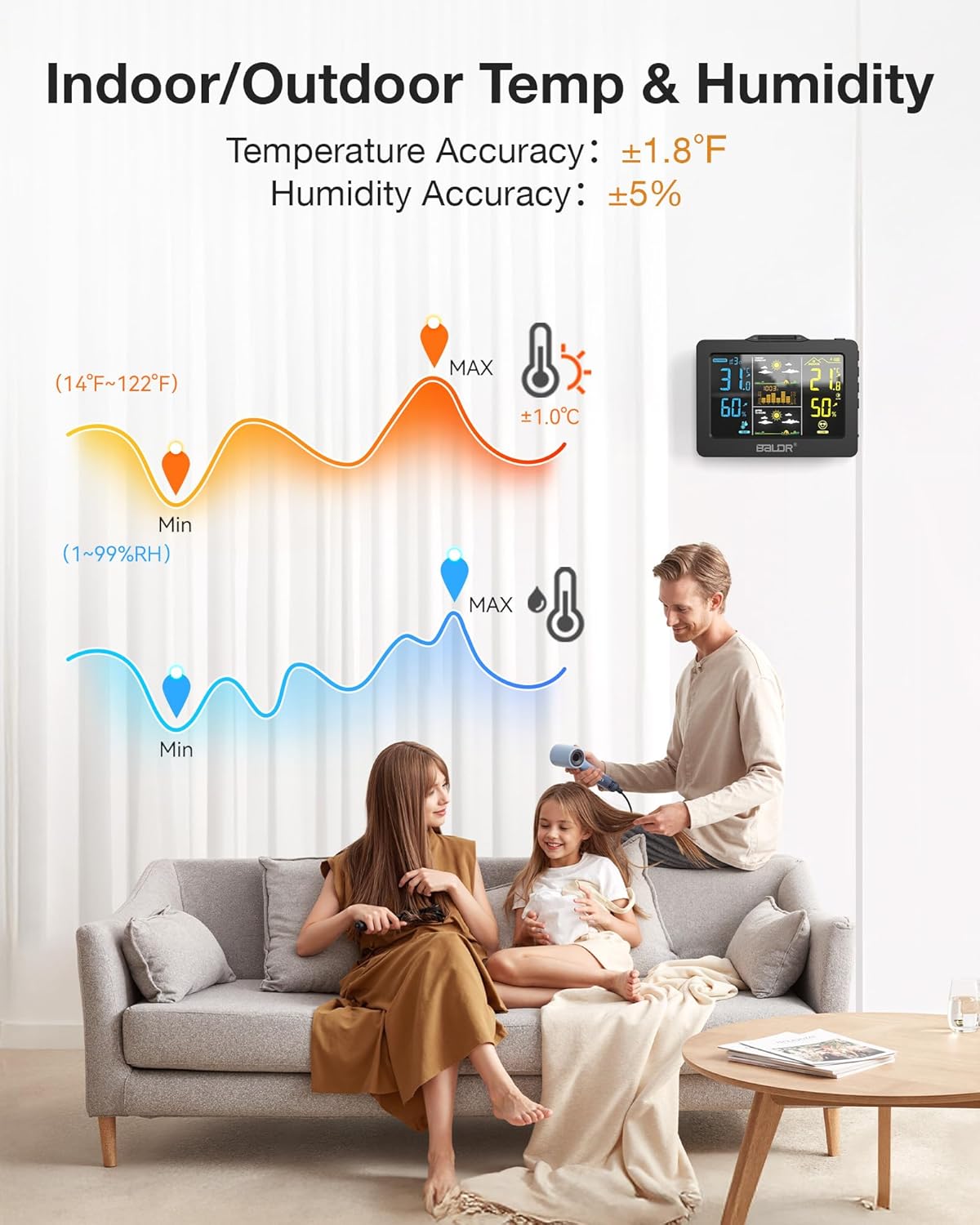
Image: Graphical representation of indoor and outdoor temperature and humidity accuracy, indicating ranges and typical usage.
2.3 Weather Forecasts
The station provides instant 1-hour weather alerts and detailed 12-hour forecasts, helping you plan your daily activities.
2.4 Health and Environmental Indices
The display includes special risk indices for cold, mold, heat, and frost, assisting in maintaining an optimal living climate. It also shows the atmospheric pressure trend over the last 12 hours.
2.5 Backlight Adjustment
The HD color display features a manually adjustable backlight. Additionally, smart backlight sensing automatically adjusts brightness for different ambient light conditions (bright days and soft nights) to save energy and extend battery life.

Image: The weather station's display demonstrating its smart backlight sensing feature, adjusting for bright daytime and soft nighttime conditions.
2.6 Sensor Placement and Range
The outdoor sensor has a transmission range of up to 100m/330ft in open air. For optimal performance, place the sensor in a shaded, dry location away from direct sunlight and precipitation. The system supports only one remote sensor.

Image: An illustration depicting the wireless transmission range of the outdoor sensor to the main unit, showing a range of 100m/330ft in open air within a home environment.
3. Maintenance
3.1 Cleaning
Wipe the main unit and outdoor sensor with a soft, damp cloth. Do not use abrasive cleaners or solvents, as these may damage the surfaces or electronic components.
3.2 Battery Care
The main unit's 4500 mAh rechargeable battery provides long-lasting power. Recharge the unit via USB when the battery indicator shows low power. For the outdoor sensor, replace batteries as needed, ensuring to use the correct type and polarity.
3.3 Sensor Protection
While the outdoor sensor is designed for outdoor use, prolonged exposure to extreme weather conditions (e.g., heavy rain, direct intense sunlight, extreme cold) may affect its lifespan. Consider placing it under a protective cover or in a sheltered location.
4. Troubleshooting
- No Display on Main Unit: Ensure the unit is charged. Connect it to a USB power source and allow it to charge for a few hours.
- No Outdoor Sensor Data:
- Check the batteries in the outdoor sensor and replace if necessary.
- Ensure the sensor is within the 100m/330ft transmission range of the main unit.
- Reduce obstacles between the sensor and the main unit.
- Restart both the main unit and the sensor.
- Inaccurate Readings:
- Ensure the outdoor sensor is not in direct sunlight or near heat sources, which can skew temperature readings.
- Verify that the main unit is placed in a location with stable indoor temperature and humidity.
5. Specifications
| Brand | Baldr |
| Model Number | B0094WT2H2P-BL |
| ASIN | B0G6JW9QGF |
| Product Dimensions (L x W x H) | 1.5 x 1.5 x 1.5 cm; 431 grams |
| Color | Black |
| Power Source | Battery operated, USB electric powered |
| Main Unit Battery | 1 Lithium-ion (4500 mAh) - included |
| Connectivity Technology | Radio Frequency |
| Display Type | LCD |
| Temperature Accuracy | ±1°C (±1.8°F) |
| Humidity Accuracy | ±5% |
| Special Features | Adjustable brightness, Wireless, 1-hour & 12-hour forecasts, Health indices |
| Included Components | User manual, outdoor sensor |
6. Warranty and Support
For warranty information and technical support, please refer to the documentation included with your purchase or contact BALDR customer service. Contact details are typically available on the manufacturer's official website or product packaging.


