
1. Introduction
This manual provides essential instructions for the setup, operation, maintenance, and troubleshooting of your ZEBRONICS Juke Bar 9010C 140W Soundbar. Please read this manual thoroughly before using the product to ensure proper functionality and safety. Keep this manual for future reference.
2. Safety Instructions
- Do not expose the unit to rain, moisture, or extreme temperatures.
- Ensure proper ventilation around the soundbar and subwoofer.
- Do not block any ventilation openings.
- Avoid placing the unit near heat sources such as radiators, heat registers, stoves, or other apparatus that produce heat.
- Protect the power cord from being walked on or pinched, particularly at plugs, convenience receptacles, and the point where they exit from the apparatus.
- Only use attachments/accessories specified by the manufacturer.
- Unplug this apparatus during lightning storms or when unused for long periods.
- Refer all servicing to qualified service personnel. Servicing is required when the apparatus has been damaged in any way, such as power-supply cord or plug is damaged, liquid has been spilled or objects have fallen into the apparatus, the apparatus has been exposed to rain or moisture, does not operate normally, or has been dropped.
3. Package Contents
Verify that all items listed below are included in your package:
- 1 x Soundbar Unit
- 1 x Subwoofer Unit
- 1 x Remote Control
- 1 x User Manual
- 1 x Power Adapter
- 1 x Audio Cable (e.g., AUX or Optical, may vary)
4. Product Overview
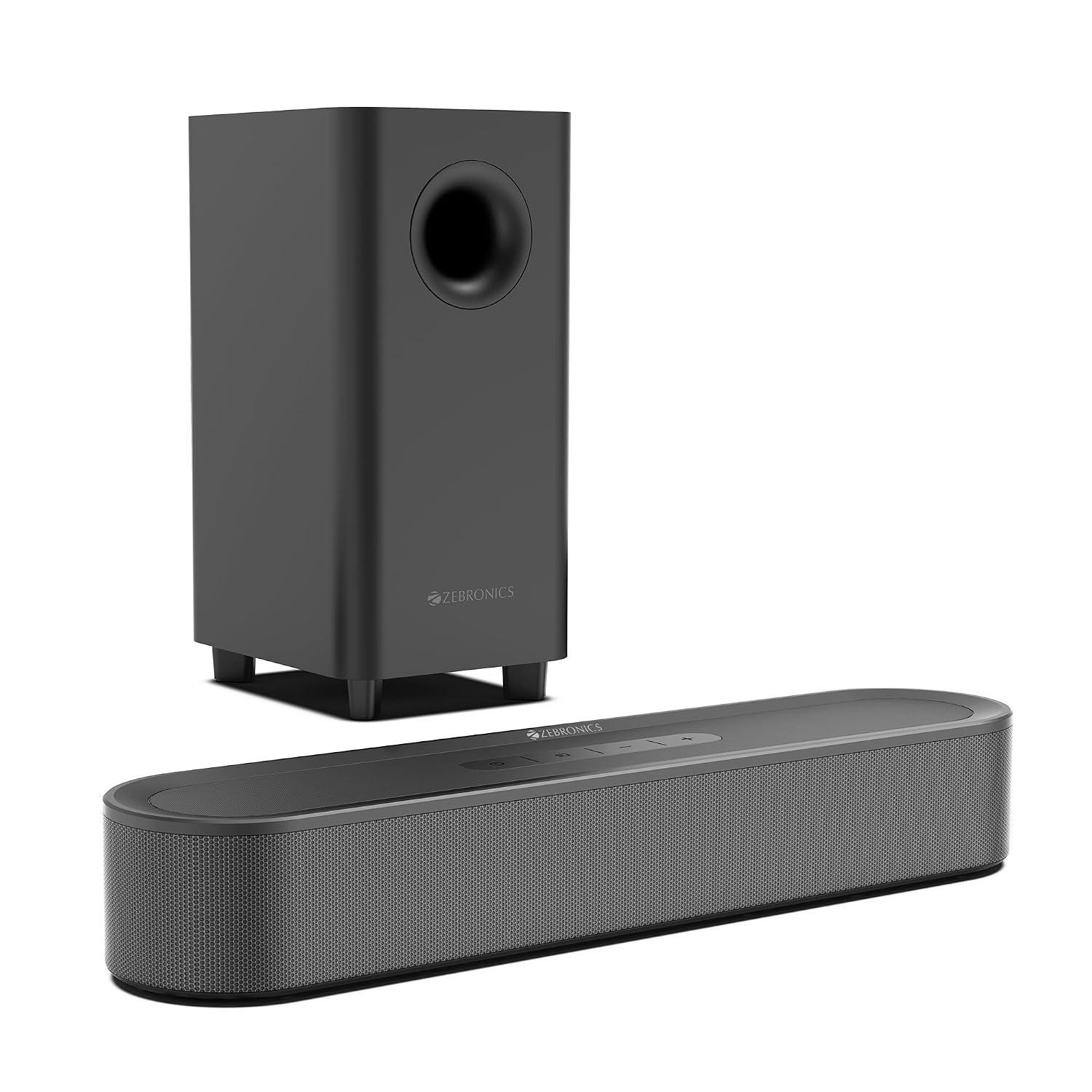
The ZEBRONICS Juke Bar 9010C is a 140W soundbar system designed to enhance your audio experience with Dolby Audio support and multiple connectivity options.

The ZEBRONICS Juke Bar 9010C Soundbar system, including the main soundbar unit and the external subwoofer.
4.1 Components
- Soundbar Unit: Houses dual drivers for clear audio output and an LED display.
- Subwoofer Unit: Features a 13.3 cm down-firing driver for deep bass.
- Remote Control: For convenient operation of all functions.

Detailed view showing the internal dual drivers of the soundbar and the 13.33cm subwoofer, highlighting their compact design and power output.
4.2 Controls and Indicators
- LED Display: Shows current input mode, volume level, and other settings.
- Onboard Controls: Power, Volume Up/Down, Mode selection buttons located on the soundbar.

Close-up of the soundbar's LED display for mode and setting indication, and the design of the down-firing subwoofer for enhanced bass.

Image displaying the physical volume and media control buttons on the soundbar, alongside the included remote control for convenient operation.
4.3 Connectivity Ports
- HDMI ARC: For connecting to compatible TVs.
- Optical IN: Digital audio input.
- USB: For media playback from USB drives.
- AUX: 3.5mm analog audio input.
- Bluetooth v5.4: Wireless audio streaming.
- SUB OUT / DC IN: Subwoofer connection and power input.

Rear view of the soundbar showing various connectivity options (Optical, USB, AUX, TV ARC) and the integrated wall-mounting points.
5. Setup Instructions
5.1 Placement
- Under TV: Place the soundbar on a flat surface directly below your television.
- Wall Mount: The soundbar can be wall-mounted using the integrated mounting points. Ensure the wall can support the weight of the unit and use appropriate hardware (not included).
The soundbar shown mounted on a wall, demonstrating its flexible placement options.
5.2 Connecting the Subwoofer
Connect the subwoofer to the soundbar using the provided cable. Ensure the connection is secure.

The rear panel of the soundbar showing the input ports and the subwoofer connection, illustrating how to connect the components.
5.3 Power Connection
Connect the power adapter to the DC IN port on the soundbar, then plug the adapter into a suitable power outlet.
5.4 Audio Connections
Choose one of the following methods to connect your audio source:
- HDMI ARC: Connect an HDMI cable from the soundbar's HDMI ARC port to your TV's HDMI ARC port. This allows audio to be sent from the TV to the soundbar and enables TV remote control of the soundbar's volume.
- Optical: Connect an optical cable from the soundbar's OPTICAL IN port to your TV's optical digital audio output.
- AUX: Connect a 3.5mm audio cable from the soundbar's AUX port to the audio output of your device (e.g., smartphone, MP3 player).
- USB: Insert a USB drive into the USB port for direct media playback.
- Bluetooth: See Section 6.3 for Bluetooth pairing instructions.
6. Operating Instructions
6.1 Power On/Off
Press the Power button on the soundbar or the remote control to turn the unit on or off.
6.2 Selecting Input Mode
Press the 'Mode' button on the soundbar or the remote control repeatedly to cycle through the available input modes: Bluetooth, HDMI ARC, Optical, USB, and AUX. The selected mode will be displayed on the LED screen.
6.3 Bluetooth Pairing
- Switch the soundbar to Bluetooth mode. The LED display will show 'BT' and flash, indicating it is in pairing mode.
- Enable Bluetooth on your mobile device or computer.
- Search for 'ZEB-JUKE BAR 9010C' in the list of available devices and select it to pair.
- Once paired, the LED display will stop flashing and remain solid 'BT'. You can now play audio from your device through the soundbar.
6.4 Volume Control
Use the Volume Up (+) and Volume Down (-) buttons on the soundbar or the remote control to adjust the audio volume.
6.5 Media Playback (USB Mode)
When in USB mode, the soundbar will automatically detect and play compatible audio files from the connected USB drive. Use the remote control for playback functions such as Play/Pause, Next Track, and Previous Track.
7. Maintenance
- Cleaning: Use a soft, dry cloth to clean the surfaces of the soundbar and subwoofer. Do not use liquid cleaners, aerosols, or abrasive materials.
- Storage: If storing the unit for an extended period, disconnect it from power and store it in a cool, dry place, away from direct sunlight and extreme temperatures.
8. Troubleshooting
| Problem | Possible Cause | Solution |
|---|---|---|
| No power | Power cable not connected or power outlet not active. | Ensure the power cable is securely connected to the soundbar and a working power outlet. |
| No sound | Incorrect input mode selected, volume too low, or audio cables not connected properly. | Select the correct input mode (e.g., HDMI ARC, Optical, Bluetooth). Increase the volume. Check all audio cable connections. |
| Bluetooth pairing fails | Soundbar not in pairing mode, device too far, or already paired with another device. | Ensure the soundbar is in Bluetooth pairing mode (LED flashes). Move your device closer. Disconnect from other Bluetooth devices. |
| Distorted sound | Source audio quality is poor, volume too high, or incorrect audio settings. | Check the audio source quality. Reduce the volume. Adjust audio settings on your TV or source device. |
| Remote control not working | Batteries are dead or remote is not pointed at the soundbar. | Replace the batteries in the remote control. Ensure there are no obstructions between the remote and the soundbar. |
9. Specifications
| Feature | Specification |
|---|---|
| Brand | ZEBRONICS |
| Model Number | ZEB- JUKE BAR (9010C) |
| Speaker Maximum Output Power | 140 Watts RMS |
| Frequency Response | 20 Hz - 20 kHz |
| Connectivity Technology | Auxiliary, Bluetooth v5.4, Optical IN, HDMI ARC, USB |
| Audio Output Mode | Surround |
| Mounting Type | Wall Mount |
| Speaker Type | Soundbar with Subwoofer |
| Colour | Black |
| Control Method | Remote, Onboard Buttons |
| Woofer Driver Diameter | 13.3 Centimetres |
| Number of Audio Channels | 5.1 (Virtual) |
| Impedance | 8 Ohms |
| Item Dimensions (D x W x H) | 9.8D x 40.6W x 6.4H Centimeters (Soundbar) |
| Item Weight | 7800 Grams (Total) |
| Compatible Devices | Home Theater, Televisions, Smartphones, Tablets |
10. Warranty and Support
10.1 Warranty Information
This product comes with a 1-year carry-in warranty to the service center from the date of purchase. Please retain your purchase receipt for warranty claims. The warranty covers manufacturing defects and does not cover damage caused by misuse, accidents, unauthorized modifications, or normal wear and tear.
10.2 Customer Support
For technical assistance, service, or warranty inquiries, please contact:
- Manufacturer: Zebronics India Private Limited
- Address: 13/7 Smith Road, Royapettah, Chennai, Tamil Nadu - 600 002, India
- Importer: Zebronics India Pvt Ltd., No.13/7, Smith Road, Royapettah, Chennai-600002, Tamil Nadu, India
Please visit the official ZEBRONICS website for the most up-to-date support information and contact details.
