
Introduction
The STRICH TV-G Triple Vibe is a versatile 3-in-1 multi-effects guitar pedal designed to integrate overdrive, reverb, and delay effects into a single unit. This pedal offers a wide range of tonal options suitable for various musical styles, featuring 9 overdrive types, 3 professional reverb modes with a freeze function, and 3 delay effects with tap tempo control. Its robust construction and portable design make it suitable for both practice and performance.
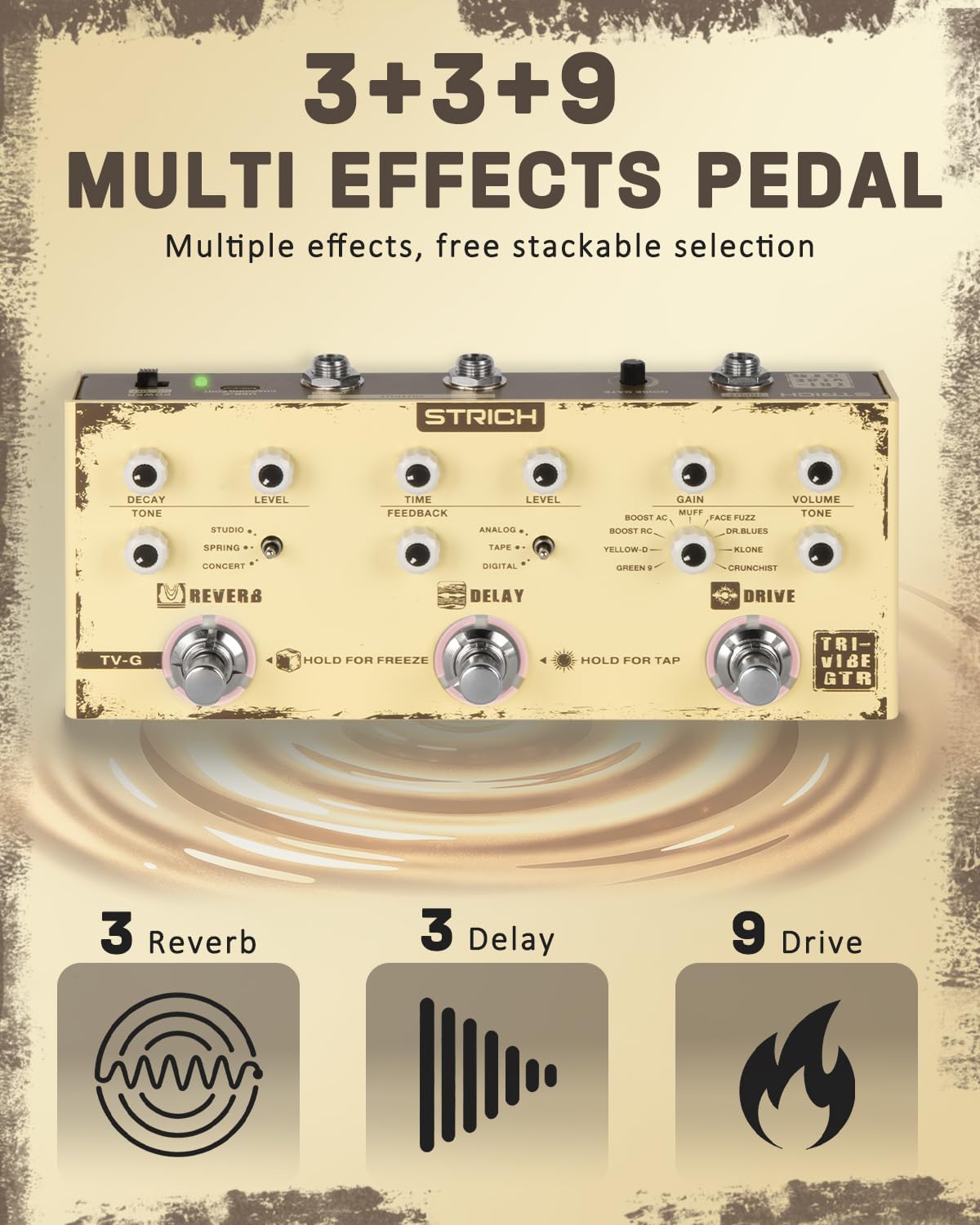
Figure 1: Overview of the STRICH TV-G Triple Vibe pedal, showcasing its three main effects sections: Reverb, Delay, and Drive.
Package Contents
- STRICH TV-G Multi Effects Guitar Pedal
- USB-C Charging Cable
- User Manual (this document)
Setup
Powering the Pedal
The TV-G pedal features a built-in rechargeable Li-Ion battery, providing up to 5 hours of operation on a full charge. It can also be powered via a USB-C connection (DC 5V).
- Connect the provided USB-C cable to the USB-C charging port on the rear panel of the pedal and to a compatible USB power adapter (not included) or a computer.
- Ensure the power switch on the rear panel is in the ON position to operate the pedal.

Figure 2: Pedal dimensions and location of the USB-C charging port and power switch on the rear panel.
Connecting Your Instrument and Amplifier
The TV-G pedal supports both mono and stereo output configurations.
- Connect your guitar or other instrument to the INPUT jack on the rear panel using a 1/4" TS mono cable.
- For mono output, connect a 1/4" TS mono cable from the R (MONO) OUTPUT jack to your amplifier or audio interface.
- For stereo output, connect 1/4" TS mono cables from both the L OUTPUT and R (MONO) OUTPUT jacks to two separate amplifiers or stereo audio inputs.

Figure 3: Rear panel connections: Instrument Input, Noise Gate, Stereo Outputs (L/R), USB-C Charging Port, and Power Switch.
Noise Gate Adjustment
The pedal includes a built-in noise gate to reduce unwanted hum and hiss. The noise gate threshold can be adjusted using the NOISE GATE knob on the rear panel.
- Turn the knob clockwise to increase the noise gate effect (higher threshold).
- Turn the knob fully counter-clockwise to disable the noise gate.

Figure 4: Detail of the Noise Gate adjustment knob.
Operating the Pedal
The STRICH TV-G pedal features three independent effects sections: Reverb, Delay, and Drive, each with its own controls and footswitch.
Reverb Section
The Reverb section provides three distinct reverb modes and a freeze function.
- DECAY/TONE Knob: Adjusts the decay time and brightness of the reverb.
- LEVEL Knob: Controls the overall wet/dry mix of the reverb effect.
- Toggle Switch: Selects one of three reverb types:
- STUDIO: A natural, room-like reverb.
- SPRING: Emulates a classic spring reverb tank.
- CONCERT: A large, spacious hall reverb.
- Reverb Footswitch:
- Press to turn the reverb effect ON/OFF (white LED indicates ON).
- Hold the footswitch for continuous reverb sustain (FREEZE mode, red LED indicates active). Release to exit freeze mode.

Figure 5: Reverb section controls and footswitch with Freeze function.
Delay Section
The Delay section offers three delay types and a tap tempo function.
- TIME Knob: Adjusts the delay time from 20ms to 1000ms.
- FEEDBACK Knob: Controls the number of delay repeats.
- LEVEL Knob: Sets the volume of the delay repeats.
- Toggle Switch: Selects one of three delay types:
- ANALOG: Warm, vintage-style delay repeats.
- TAPE: Emulates the characteristics of a tape echo, often with subtle modulation.
- DIGITAL: Clean, precise delay repeats.
- Delay Footswitch:
- Press to turn the delay effect ON/OFF (white LED indicates ON).
- Hold for 1.5 seconds to activate TAP TEMPO mode (red LED indicates active). In this mode, tap the footswitch 2-4 times at your desired tempo to set the delay time. The mode exits after 3 seconds of inactivity.
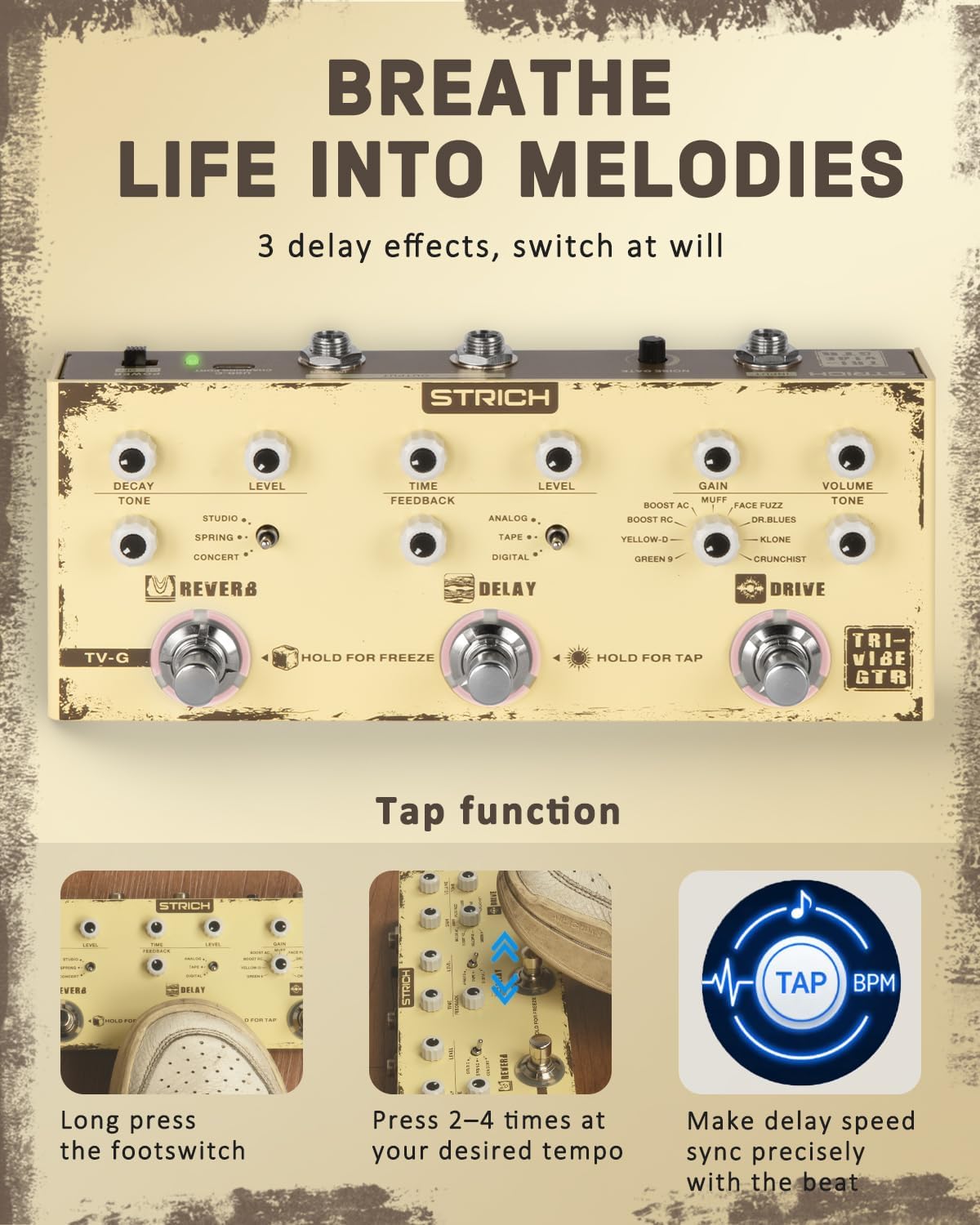
Figure 6: Delay section controls and footswitch with Tap Tempo function.
Drive Section
The Drive section provides 9 distinct overdrive and distortion types.
- GAIN Knob: Adjusts the amount of overdrive/distortion.
- VOLUME Knob: Controls the output level of the drive effect.
- TONE Knob: Adjusts the brightness or darkness of the drive sound.
- Rotary Switch: Selects one of nine drive types:
- BOOST AC: Acoustic guitar effects or clean boost.
- BOOST RC: Clean boost.
- MUFF: Classic fuzz sound.
- FACE FUZZ: Vintage fuzz sound.
- YELLOW-D: Ideal for blues.
- GREEN 9: Classic overdrive.
- DR. BLUES: Blues overdrive.
- KLONE: Warm overdrive.
- CRUNCHIST: Vintage crunch.
- Drive Footswitch: Press to turn the drive effect ON/OFF (white LED indicates ON).

Figure 7: Drive section controls and footswitch with 9 selectable drive types.
Maintenance
- Keep the pedal clean by wiping it with a soft, dry cloth. Avoid using abrasive cleaners or solvents.
- Protect the pedal from extreme temperatures, humidity, and direct sunlight.
- Avoid dropping the pedal or subjecting it to strong impacts.
- When not in use for extended periods, store the pedal in a dry, cool place.
- Ensure all cables are disconnected before cleaning or storing.
Troubleshooting
| Problem | Possible Cause | Solution |
|---|---|---|
| No sound or weak signal. |
|
|
| Unwanted noise or hum. |
|
|
| Effects not engaging. |
|
|
Specifications
| Model Number | TV-G |
| Effects Included | 9 Overdrive, 3 Reverb, 3 Delay |
| Delay Time Range | 20ms - 1000ms |
| Power Source | Built-in rechargeable battery (up to 5 hours), USB-C (DC 5V) |
| Input | 1/4" TS Mono Jack |
| Output | 1/4" TS Mono/Stereo Jacks (L/R) |
| Dimensions (L x W x H) | Approximately 20cm x 11.4cm x 7.9cm (based on parcel dimensions) |
| Weight | 671 g |
| Country of Origin | China |
Warranty
The STRICH TV-G Triple Vibe Multi Effects Guitar Pedal comes with a 1-year limited warranty from the date of purchase. This warranty covers manufacturing defects and malfunctions under normal use. It does not cover damage caused by misuse, accidents, unauthorized modifications, or normal wear and tear. Please retain your proof of purchase for warranty claims.
Customer Support
For any questions, technical assistance, or warranty inquiries, please contact STRICH customer support. We are committed to providing prompt responses and friendly service.
- Email Support: Expect a response to email chat inquiries within 24 hours.
- Service Period: Up to 12-month service is available.
- Returns: A 30-day free return policy is in effect.
For the most up-to-date contact information, please visit the official STRICH website or refer to your purchase documentation.