
1. About the Product
The Bikevee BKV600 is a versatile sensor designed to track both cadence and speed for cycling activities. It offers dual-mode functionality, allowing users to switch between speed and cadence tracking as needed. The sensor supports both Bluetooth and ANT+ connectivity, ensuring compatibility with a wide range of devices including smartphones, bike computers, and smart trainers. Its design prioritizes ease of use, featuring simple mode switching, quick app pairing, and an automatic sleep function to conserve battery life.

Image: Bikevee BKV600 2-in-1 Speed & Cadence Sensor highlighting ANT+, Bluetooth, IPX waterproof, geomagnetic sensor, 500 hours battery life, speed/cadence modes, and app compatibility.
Key Features:
- Dual Mode Flexibility: Operates in either Speed Mode or Cadence Mode for accurate RPM tracking.
- Seamless Bluetooth & ANT+ Connectivity: Easily pairs with phones, bike computers, or smart trainers. ANT+ allows multiple device connections simultaneously.
- Effortless Mode Switching: Simple mechanism to switch between speed and cadence modes.
- Quick & Simple App Pairing: Connects directly within cycling applications without complex phone settings.
- Smart Auto Sleep: Automatically enters sleep mode after 1 minute of inactivity and resumes instantly upon movement, optimizing battery usage.
2. What's in the Box
Upon unboxing your Bikevee BKV600 sensor, please verify that all the following components are included:
- Cadence Sensor × 1
- Rubber gasket × 1
- Binding straps × 2
- User Manual × 1
Video: This video demonstrates the unboxing process for the Cadence Sensor Single Pack, showing the contents of the package.
3. Setup & Installation
3.1. Initial Battery Activation & Mode Selection
Before first use, activate the sensor by removing the battery insulation sheet and selecting the desired mode.
- Slide the sensor battery cover lever to the middle position.
- Open the battery cover and remove the white plastic insulation sheet.
- To set to Speed Mode, close the battery cover and push the lever so that the mark points to SPD. The sensor will flash a blue indicator light.
- To set to Cadence Mode, close the battery cover and push the lever so that the mark points to CAD. The sensor will flash a green indicator light.

Image: Diagram illustrating the simple switching mode between Speed (SPD) and Cadence (CAD) by rotating the battery cover lever. It also warns against applying excessive force.
3.2. Installation for Speed Mode
For speed tracking, install the sensor on the front wheel hub.
- Ensure the sensor is set to Speed Mode (blue light).
- Secure the sensor to the front wheel hub of the bicycle using one of the provided rubber bands.
- Set the wheel diameter on your bicycle computer or the associated Link-S application.
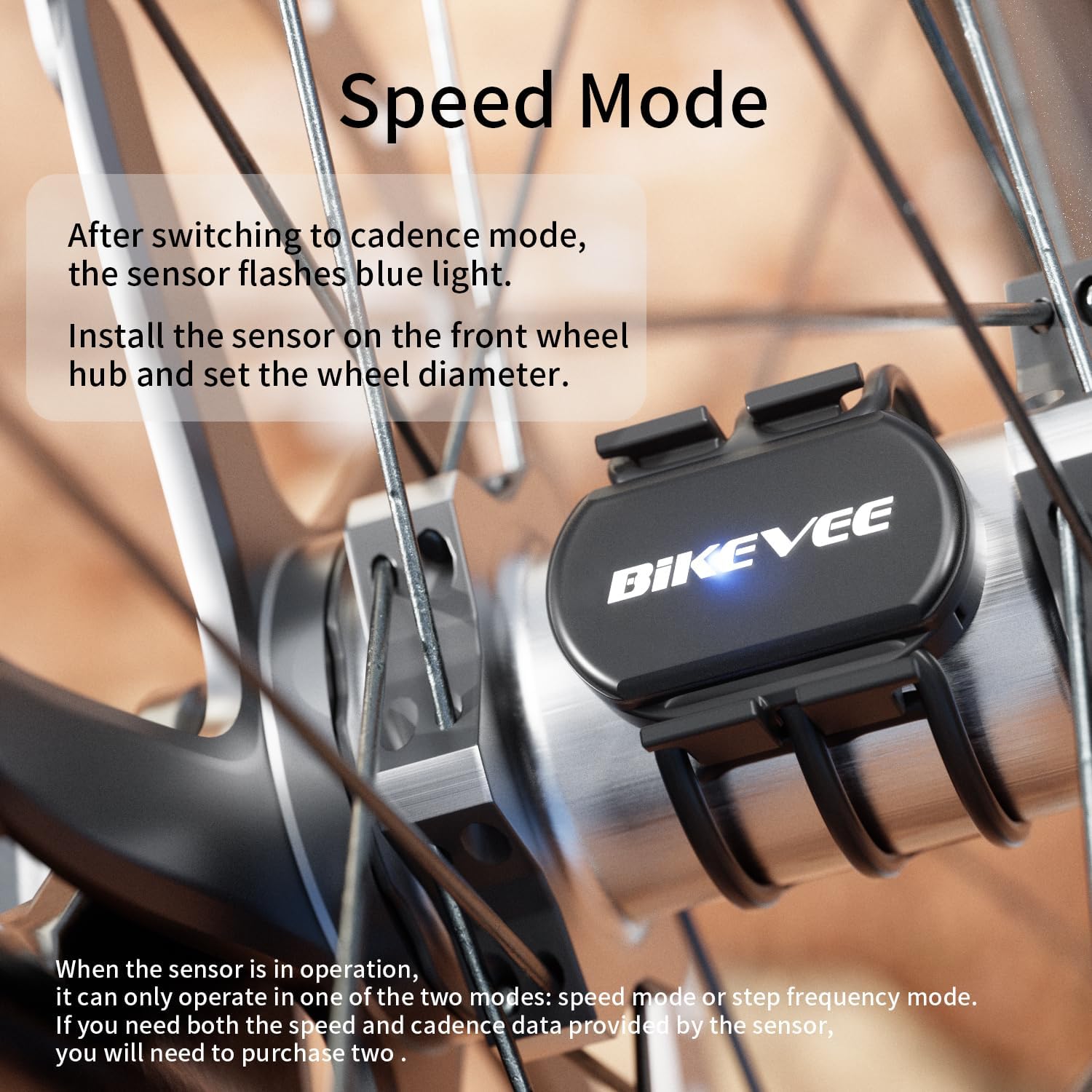
Image: Close-up of the Bikevee sensor installed on a bicycle's front wheel hub for Speed Mode, showing the blue indicator light.
Video: This video demonstrates the Speed Mode setup and connection process with a bicycle computer, including battery activation and sensor mounting.
3.3. Installation for Cadence Mode
For cadence tracking, install the sensor on the inner side of the left crank arm.
- Ensure the sensor is set to Cadence Mode (green light).
- Use the attached rubber band to fix the sensor on the inner side of the left crank arm of the bicycle.

Image: Close-up of the Bikevee sensor installed on a bicycle's left crank arm for Cadence Mode, showing the green indicator light.
Video: This video demonstrates the Cadence Mode setup and connection process with a bicycle computer, including battery activation and sensor mounting.
Note: The sensor can only operate in one mode at a time (speed or cadence). If you require both speed and cadence data simultaneously, you will need to purchase two sensors.
4. Operating Instructions
4.1. Connecting to a Bicycle Computer (ANT+)
The Bikevee BKV600 sensor is compatible with ANT+ enabled bicycle computers.
- Turn on your bicycle computer.
- Hold down the right button on the computer to enter the settings menu.
- Press the left button to navigate to the "ANT+ Sensor" page.
- Ensure the sensor is active (flashing blue for speed, green for cadence).
- The connection is successful when the bicycle computer screen shows '0' for the sensor and it no longer flickers.

Image: Diagram showing two Bikevee sensors (one for speed, one for cadence) connected via ANT+ to a Bikevee bicycle computer, displaying speed and cadence data.
4.2. Connecting to a Smartphone App (Bluetooth)
The sensor supports Bluetooth 4.0 (BLE) for connection to various sports tracking apps.
- Turn on Bluetooth on your smartphone.
- Activate the sensor by turning on its battery switch (as described in Section 3.1) and mount it to the hub or crank.
- Open your preferred mobile cycling software (e.g., Zwift, Wahoo Fitness, Endomondo, Ride with GPS).
- Within the app, search for and connect to the sensor. No additional phone settings are typically required.

Image: Visual guide demonstrating the steps for connecting the Bikevee sensor via Bluetooth to a smartphone, showing the sensor mounted on a crank, Bluetooth settings, and in-app connection screens (e.g., Zwift).

Image: Overview of Bikevee sensor compatibility with various ANT+ devices (bike computers, smartwatches) and Bluetooth 4.0 apps (e.g., Zwift, Wahoo, Endomondo, Ride with GPS).
5. Maintenance
5.1. Battery Replacement
The Bikevee BKV600 sensor uses a replaceable CR2032 button battery. The battery life is approximately 500 hours in cadence mode and 400 hours in speed mode, with a standby time of 300 days.
- Slide the battery cover lever to the middle position.
- Open the battery cover.
- Remove the old CR2032 battery.
- Insert a new CR2032 battery with the positive (+) side facing up.
- Close the battery cover and push the lever to the desired mode (SPD or CAD).

Image: Exploded view showing the Bikevee sensor with its battery cover removed and a CR2032 battery being inserted, illustrating the battery replacement process.
5.2. Waterproof Rating
The sensor has an IP67 international protection rating, meaning it is protected from dust and can withstand immersion in water up to 1 meter for 30 minutes. This makes it suitable for use in various weather conditions, preventing water splashing from affecting its operation during rides.

Image: Graphic illustrating the Bikevee sensor being splashed with water, emphasizing its IPX6 waterproof rating and light weight (6.3g/0.22oz).
6. Troubleshooting
If you encounter issues with your Bikevee BKV600 sensor, consider the following:
- No Connection: Ensure the sensor's battery is active and correctly installed. Check if the sensor is in the correct mode (Speed or Cadence) for your intended use.
- Intermittent Readings: Verify that the sensor is securely mounted and not obstructed. Ensure there are no strong electromagnetic interferences nearby.
- Incorrect Data: Confirm the sensor is in the correct mode. For speed mode, ensure the wheel diameter is accurately set on your bike computer or app.
- App Pairing Issues: Make sure Bluetooth is enabled on your phone and that the sensor is not already paired with another device. Try restarting both the sensor (by re-inserting the battery) and your phone/app.
- Battery Life: If battery life is shorter than expected, ensure the auto-sleep function is working correctly. Replace the CR2032 battery if necessary.
7. Specifications
| Brand | Bikevee |
| Model Name | BKV600 |
| Color | Black |
| Product Dimensions (LxWxH) | 1.5" x 1.18" x 0.54" (39mm x 30mm x 13.7mm) |
| Item Weight | 0.02 Pounds (approx. 9.3g including batteries) |
| Connectivity Technology | Bluetooth, ANT+ |
| Sensor Type | Cadence Sensor, Speed Sensor |
| Battery Type | CR2032 Lithium Manganese Dioxide |
| Battery Life | 500 Hours (Cadence Mode), 400 Hours (Speed Mode) |
| International Protection Rating | IP67 |
| Mounting Type | Bike Mount, Shoe Mount (using provided straps) |
| Material | Plastic |

Image: Detailed dimensions of the Bikevee sensor and its rubber gaskets, including length, width, height, and weight.
8. Warranty & Support
The Bikevee BKV600 Cadence & Speed Sensor comes with a two-year warranty from the date of purchase. This warranty covers manufacturing defects and ensures the product functions as intended under normal use.
For warranty claims, technical assistance, or any other inquiries, please contact Bikevee customer support through the retailer where the product was purchased or visit the official Bikevee website for contact information.
Please retain your proof of purchase for warranty validation.

