
1. Product Overview
The ORICO 75" Phone Tripod & Selfie Stick (Model SPM190) is a versatile accessory designed for capturing photos and videos with smartphones, cameras, and action cams. It functions as an extendable selfie stick, a stable tripod, and a camera grip, offering flexible shooting angles and portability.
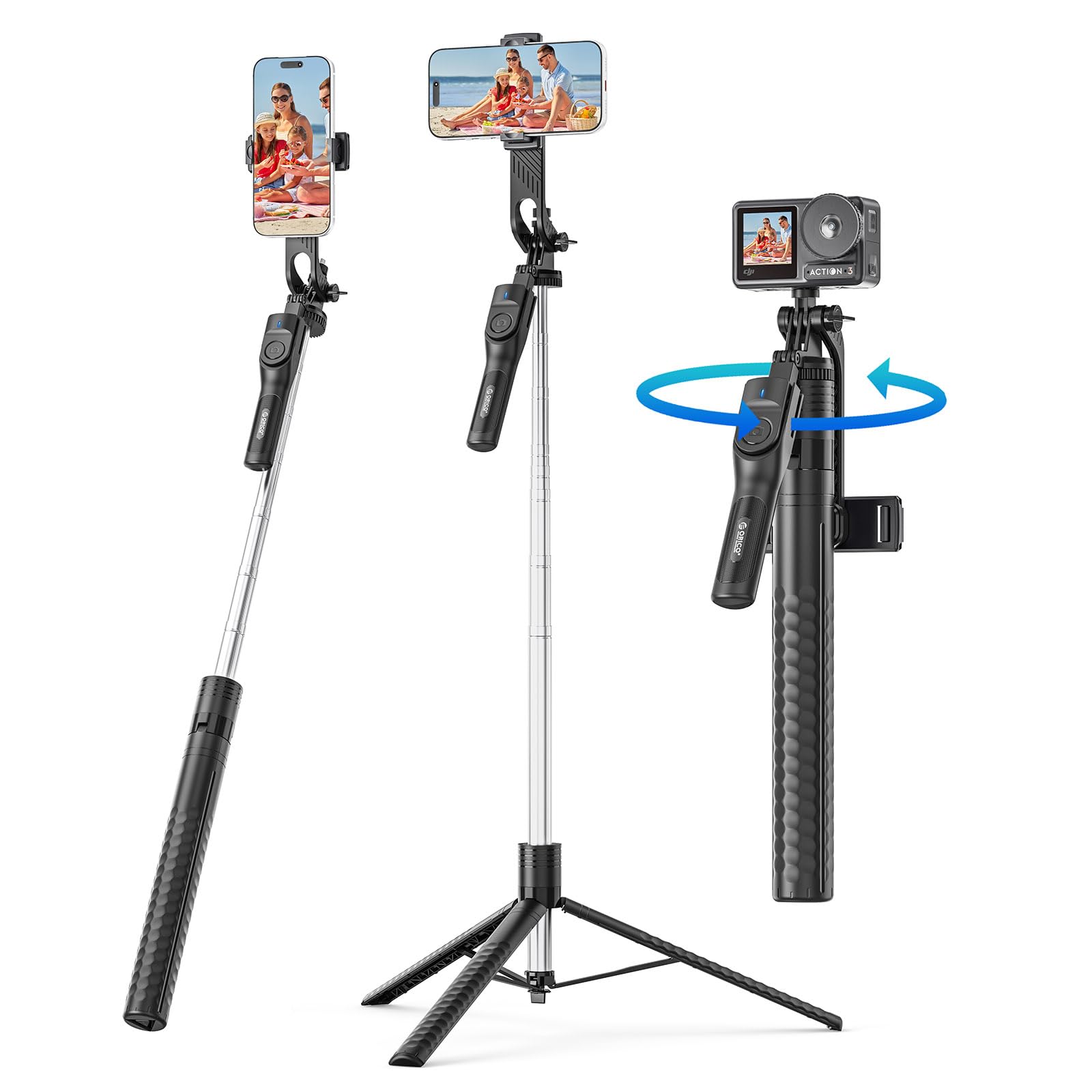
Image: The ORICO 75" Phone Tripod & Selfie Stick in various configurations, highlighting its dual functionality.
2. What's in the Box
- Selfie Stick / Tripod Unit
- Phone Holder
- Universal 1/4" Screw Adapter (integrated)
- Wireless Remote Control
3. Setup Instructions
3.1 Unfolding the Tripod/Selfie Stick
- Gently pull the handle downwards to release the tripod legs.
- Spread the three legs outwards until they are fully extended and stable.
- To use as a selfie stick, keep the legs folded and use the handle.

Image: Illustration of the tripod's stable base with non-slip mats and stainless steel pole.
3.2 Attaching Your Device
- For Smartphones: Extend the phone holder clamps and securely place your smartphone (compatible with devices 2.56–3.46 inches wide).
- For Cameras/Action Cams: The unit includes a universal 1/4" screw. Attach your camera or action cam directly to this screw mount.
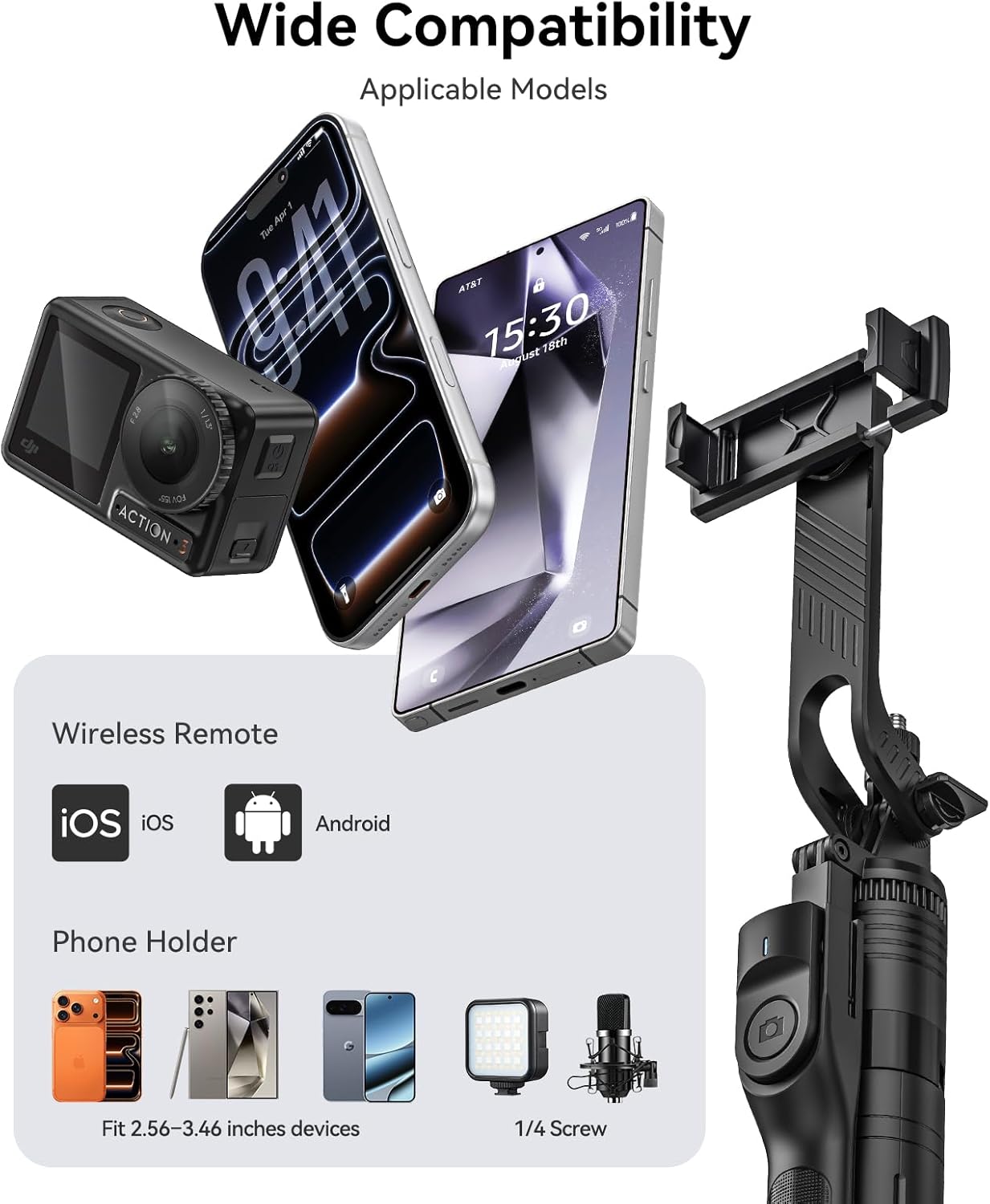
Image: Demonstrates wide compatibility with various devices including smartphones, action cameras, and external lights.
Video: A demonstration of attaching a phone to the ORICO 75" Phone Tripod & Selfie Stick.
Video: Instructions on how to use the ORICO 75" Phone Tripod & Selfie Stick for vlog recording, including device attachment.
3.3 Pairing the Wireless Remote
- Ensure the wireless remote is charged or has a working battery.
- Turn on the remote control (usually by pressing and holding a button). An indicator light will flash.
- On your smartphone, go to Bluetooth settings and search for new devices.
- Select "SelfieCom" (or similar name) from the list of available devices to pair.
- Once paired, the indicator light on the remote will stop flashing and remain solid.

Image: The detachable wireless remote control, illustrating its 10-meter range and compatibility with iOS and Android.
4. Operating Instructions
4.1 Extending the Pole
To extend the pole, simply pull the top section upwards. The pole extends smoothly up to 75 inches (190 cm) without the need for locking mechanisms. To retract, push the pole back down.
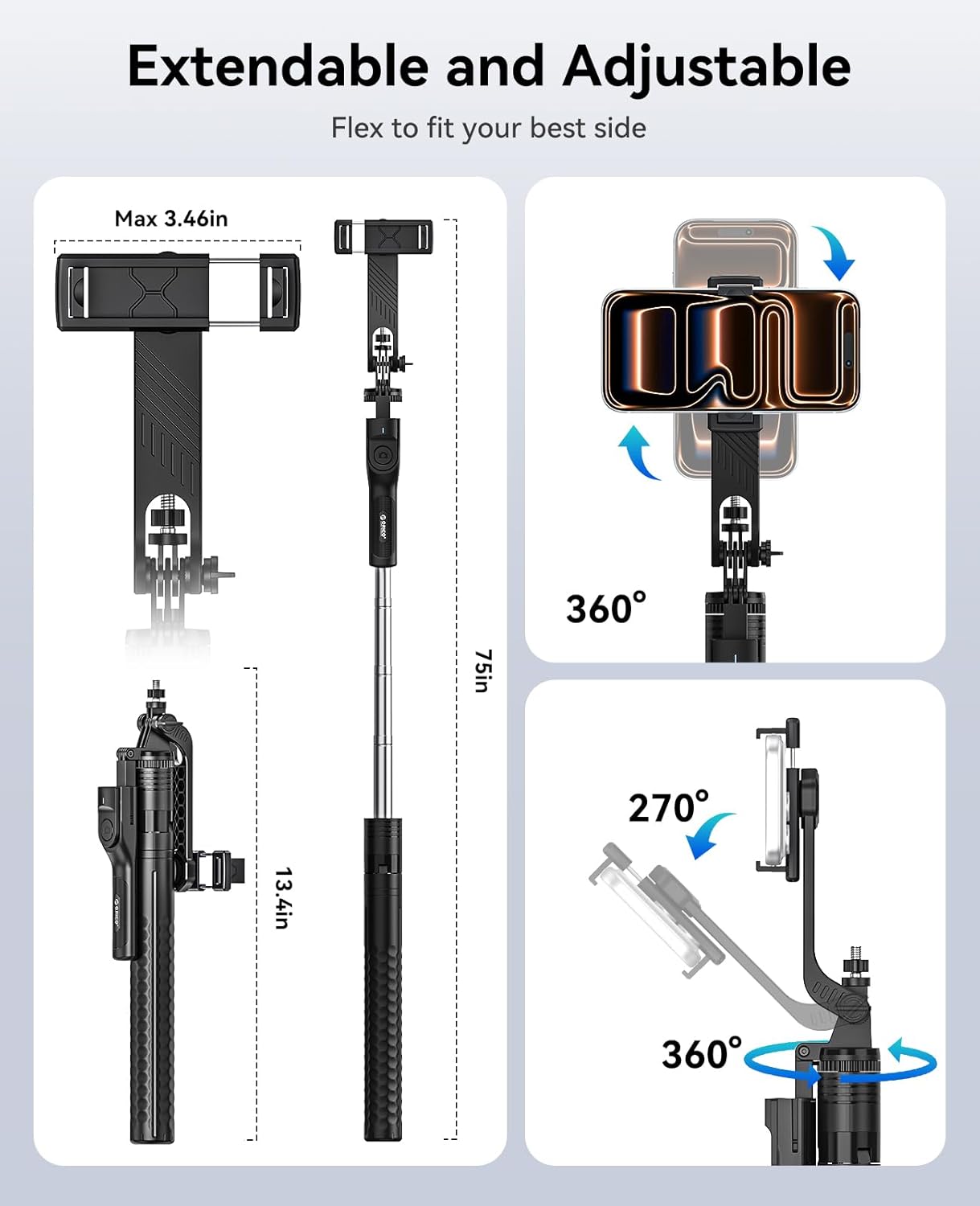
Image: Visual representation of the tripod's extendable length, from compact 13.4 inches to 75 inches.
4.2 Adjusting Angles and Rotation
The ORICO tripod features a 360° rotatable handle and a 270° tilt mechanism for flexible positioning. Unlock the rotation mechanism (if applicable) to adjust the angle, then secure it for stable shooting.
- 360° Horizontal Rotation: Allows for panoramic shots and easy switching between landscape and portrait modes.
- 270° Tilt: Adjust the vertical angle of your device for optimal framing.

Image: Detailed view of the 360° rotatable handle and 270° tilt for multi-angle shooting.
Video: A demonstration of the flexible angle adjustment and universal 1/4" screw for cameras.
4.3 Using the Wireless Remote
Once paired, use the wireless remote to trigger your device's camera shutter from up to 33 feet (10 meters) away. This allows for hands-free shooting, ideal for group photos, vlogging, or self-portraits.
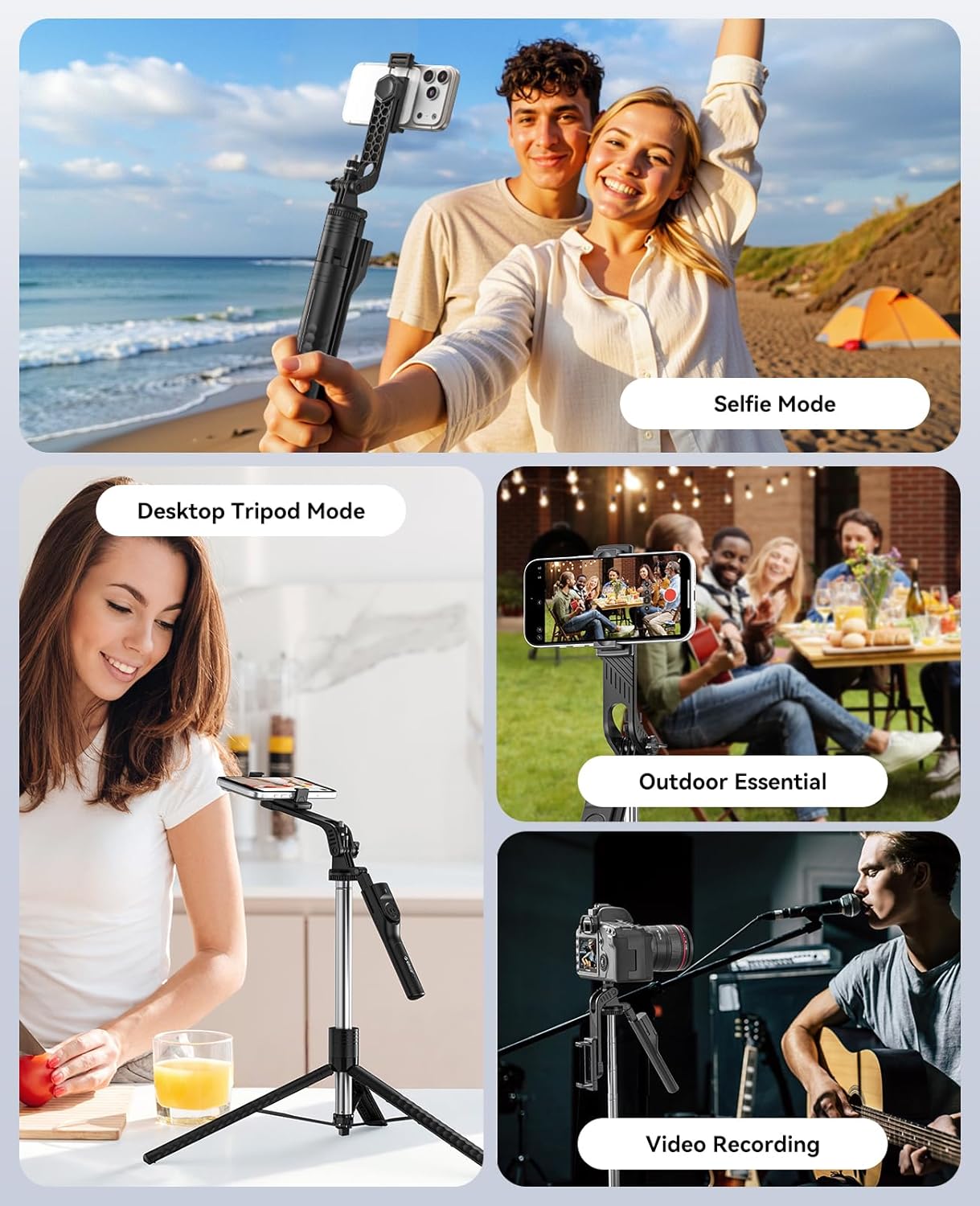
Image: Examples of usage modes: Selfie Mode, Desktop Tripod Mode, Outdoor Essential, and Video Recording.
5. Compatibility
The ORICO SPM190 is designed for broad compatibility:
- Smartphones: Fits devices with widths between 2.56 inches and 3.46 inches. Compatible with most iOS (5.1+) and Android (4.4+) smartphones.
- Cameras: Features a universal 1/4" screw mount for attaching DSLRs, mirrorless cameras, and action cameras.
- Wireless Remote: Compatible with iOS (5.1+) and Android (4.4+) operating systems.
6. Maintenance
To ensure the longevity and optimal performance of your ORICO Phone Tripod & Selfie Stick, follow these maintenance guidelines:
- Cleaning: Wipe the unit with a soft, dry cloth. Avoid using harsh chemicals or abrasive cleaners.
- Storage: Store the tripod in a cool, dry place away from direct sunlight and extreme temperatures. Ensure it is folded compactly to prevent damage.
- Inspection: Periodically check all moving parts, screws, and connections for any signs of wear or looseness. Tighten any loose screws if necessary.
- Avoid Overloading: Do not attach devices heavier than the recommended weight capacity to prevent damage to the tripod and your device.
7. Troubleshooting
If you encounter issues with your ORICO Phone Tripod & Selfie Stick, refer to the following common solutions:
- Remote Not Connecting:
- Ensure the remote control is powered on and has sufficient battery.
- Check your smartphone's Bluetooth settings to confirm Bluetooth is enabled and the remote is discoverable.
- Try unpairing and re-pairing the remote control in your phone's Bluetooth settings.
- Ensure the remote is within the 33 ft (10m) operating range.
- Device Wobbles on Tripod:
- Ensure the tripod legs are fully extended and placed on a flat, stable surface.
- Verify that your device is securely clamped in the phone holder or properly screwed onto the 1/4" mount.
- Avoid extending the pole to its maximum length in windy conditions or on uneven ground, as this can affect stability.
- Pole Not Extending/Retracting Smoothly:
- Check for any obstructions or debris in the telescoping sections.
- Ensure no parts are bent or damaged.
8. Specifications
| Brand | ORICO |
| Model Number | SPM190 |
| Material | Stainless Steel |
| Color | Black |
| Folded Size | 13.4 inches (34 cm) |
| Maximum Height | 75 inches (190 cm) |
| Item Weight | 0.97 lbs (440 Grams) |
| Phone Holder Width | 2.56 – 3.46 inches |
| Remote Control Range | Up to 33 ft (10 meters) |
| Compatible Devices | Smartphones, Cameras, Action Cams, Lights |
| Special Features | Adjustable, Lightweight, Portable, Remote Control, Telescopic, 360° Rotatable Handle, 270° Tilt |
9. Safety Information and Warnings
Please observe the following safety precautions to prevent damage to the product or injury:
- Stability Warning: DO NOT extend the selfie stick to its maximum 75'' (190cm) length in strong wind, or on uneven, soft, slippery, or sloped ground. A high center of gravity may cause tipping and wobbling, potentially damaging your device.
- Ensure all components are securely fastened before use.
- Keep out of reach of children.
- Do not expose the product to extreme temperatures or moisture.
10. Warranty and Support
This ORICO product comes with a 2-year warranty from the date of purchase. This warranty covers manufacturing defects and material faults under normal use.
For warranty claims, technical support, or any inquiries, please contact ORICO customer service through their official website or the retailer where the product was purchased. Please retain your proof of purchase for warranty validation.
ORICO Official Website: www.orico.com.cn