
1. Introduction
Thank you for choosing the ORICO SPV67 Aluminum Portable Selfie Stick Tripod. This device combines the functionality of an extendable selfie stick with a stable tripod, designed for capturing photos and videos with ease. It features a detachable wireless remote control and a 360° rotating phone holder, making it versatile for various content creation needs, travel, and everyday use.
2. What's in the Box
Please check the package contents to ensure all items are present:
- 1 x Selfie Stick (integrated with phone holder and remote)
- 1 x Instruction Manual

Image: Contents of the ORICO SPV67 package, including the selfie stick and instruction manual.
3. Product Features
- Extendable & Portable Design: The selfie stick extends up to 26.38 inches (67 cm) for wider shots and folds down to a compact 6.1 inches (15.5 cm), weighing only 0.3 lbs (139g), making it easy to carry.
- Durable Aluminum Alloy Pole: Constructed with lightweight yet strong aluminum alloy for smooth extension and stability.
- Adjustable Angle & Rotating Phone Mount: Features a 360° rotatable and 225° tiltable phone mount, allowing for optimal shooting angles. The silicone clamp protects your device.
- Detachable Wireless Remote Control: A Bluetooth remote control is stored securely in the tripod slot, offering hands-free operation up to 30 feet (10 meters) away. Compatible with iOS and Android devices.
- Wide Compatibility: The adjustable phone mount accommodates devices with a width between 2.56–3.46 inches, suitable for most smartphones and GoPros.

Image: The ORICO SPV67 Selfie Stick Tripod in its extended, handheld configuration.

Image: Detailed view of the phone mount's rotational and tilting capabilities, highlighting its adjustable axes.
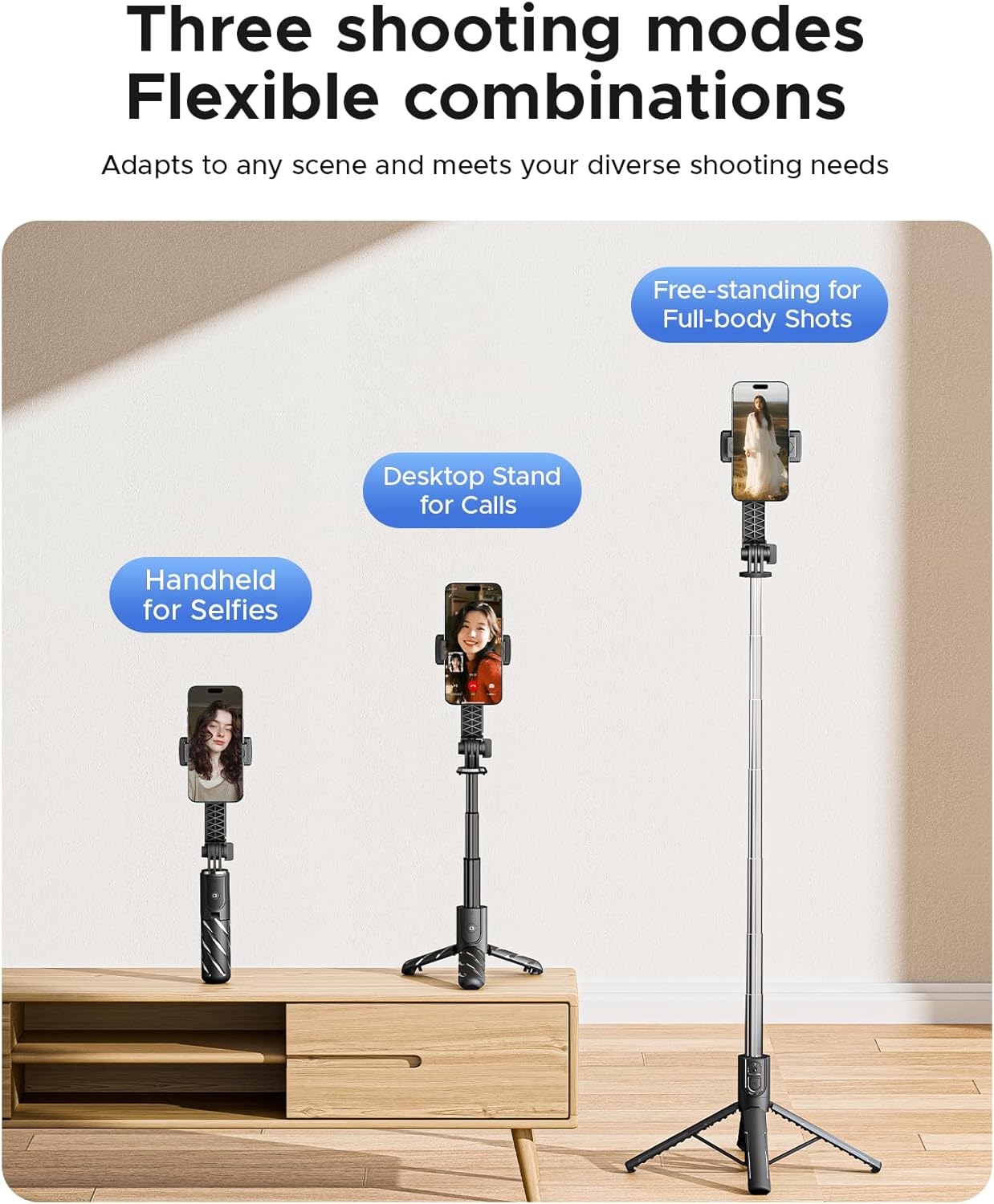
Image: Illustrations demonstrating the three primary usage modes: handheld, desktop tripod, and extended floor tripod.
4. Setup
- Unfold the Tripod Legs: Gently push the bottom part of the handle outwards to deploy the three tripod legs. Ensure they are fully spread for maximum stability.
- Extend the Telescoping Pole: Pull the top section of the selfie stick upwards to extend the aluminum pole to your desired length.
- Attach Your Smartphone: Open the phone clamp and carefully insert your smartphone. Ensure the phone is securely held by the silicone grips. The clamp supports phone widths from 2.56 to 3.46 inches.
- Adjust Phone Angle: Rotate the phone holder 360° and tilt it up to 225° to achieve the perfect viewing or shooting angle.
- Pair the Wireless Remote:
- Remove the remote control from its slot in the handle.
- Press and hold the button on the remote until the indicator light flashes, indicating it's in pairing mode.
- On your smartphone, go to Bluetooth settings and search for available devices. Select "ORICO Remote" or a similar name to pair.
- Once paired, the indicator light will stop flashing.
5. Operating Instructions
- Using as a Selfie Stick: Hold the handle firmly and extend the pole to your desired length. Adjust the phone angle for the best shot. Use the remote control to capture photos or start/stop video recording.
- Using as a Tripod: Deploy the tripod legs on a flat, stable surface. Extend the pole to the desired height. For increased stability, keep the pole shorter. Adjust the phone's orientation (portrait or landscape) and angle. Use the remote for hands-free operation.
- Capturing Photos/Videos: Once your phone is set up and the remote is paired, open your phone's camera application. Press the button on the remote control to take a photo or start/stop video recording.
- Storage: To store, retract the telescoping pole completely, fold the tripod legs back into the handle, and reinsert the wireless remote into its designated slot.
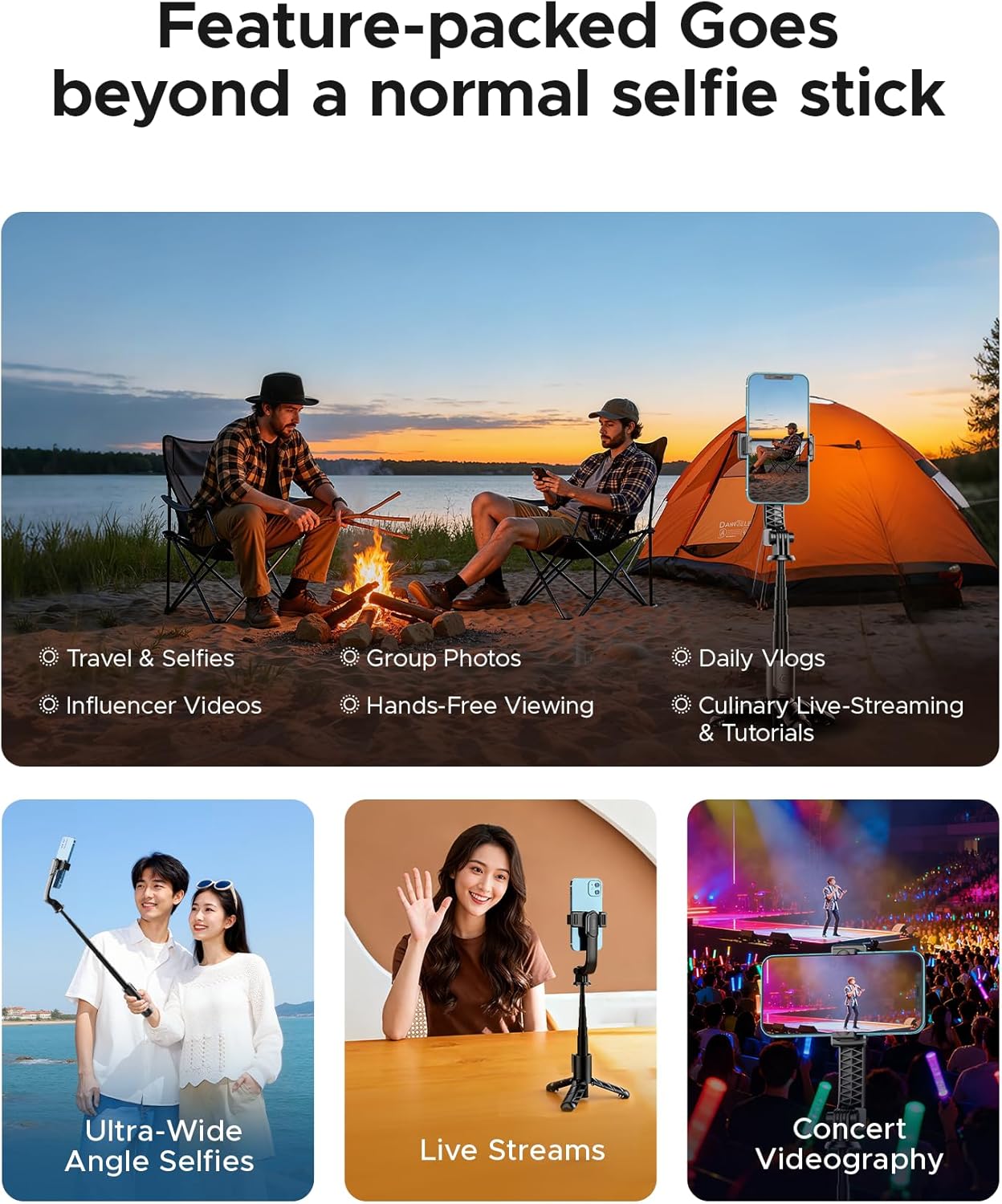
Image: Examples of the ORICO SPV67 in use for different activities such as travel, vlogging, and live streaming.
6. Maintenance
- Clean the device with a soft, dry cloth. Do not use harsh chemicals or abrasive cleaners.
- Avoid exposing the device to extreme temperatures, direct sunlight, or moisture.
- Ensure the telescoping pole is clean and free of debris to maintain smooth extension.
- When not in use, store the remote control in its slot to prevent loss.
7. Troubleshooting
- Remote Control Not Pairing:
- Ensure the remote control has power. The remote uses a 9V battery (included).
- Make sure Bluetooth is enabled on your smartphone.
- Try unpairing and re-pairing the remote control in your phone's Bluetooth settings.
- Ensure the remote is within the 30-foot (10-meter) operating range.
- Tripod Instability:
- Ensure the tripod legs are fully extended and locked into position.
- Place the tripod on a flat, level surface.
- For heavier phones or windy conditions, keep the telescoping pole at a shorter length for better stability.
- Phone Not Fitting in Clamp:
- Verify your phone's width is within the supported range of 2.56–3.46 inches.
- Remove any bulky phone cases that might prevent proper fitting.
8. Specifications
| Feature | Specification |
|---|---|
| Model Number | SPV67 |
| Material | Aluminum Alloy |
| Folded Size | 6.1 inches (15.5 cm) |
| Minimum Height | 6.1 inches (15.5 cm) |
| Maximum Height | 26.38 inches (67 cm) |
| Item Weight | 4.9 ounces (139 grams) |
| Number of Leg Sections | 3 |
| Phone Clamp Width | 2.56 – 3.46 inches |
| Remote Control Range | Up to 30 feet (10 meters) |
| Remote Control Battery | 1 x 9V battery (included) |
| Compatible Devices | Smartphones, Cameras (GoPro) |
9. Warranty and Support
ORICO products are designed for reliability and performance. For warranty information or technical support, please refer to the official ORICO website or contact your local distributor. Keep your purchase receipt as proof of purchase for any warranty claims.
For further assistance, please visit: ORICO Official Store on Amazon