
1. Introduction
This manual provides detailed instructions for the safe and effective use of your DOGLinsen 2-in-1 Bark and Shock Collar for Dogs, Model PD 523-TIO-1. Please read this manual thoroughly before operating the device to ensure proper functionality and the well-being of your pet. This collar is designed to assist in dog training and bark control through various modes including beep, vibration, and static shock.
Important Safety Information: Always prioritize your dog's safety and comfort. Do not use this collar on aggressive dogs or for prolonged periods. Ensure proper fit to prevent skin irritation. Consult a veterinarian or certified dog trainer if you have concerns about your dog's health or behavior.
2. Package Contents
Verify that all items listed below are included in your package:
- 1 x Remote Control
- 1 x Receiver
- 1 x Collar Strap
- 1 x Lanyard
- 1 x USB Charging Cable
- 1 x User Manual (this document)
- 1 x Box
- 4 x Metal Contact Points (Long)
- 4 x Black Rubber Sleeves (for contact points)
- 1 x Test Lamp

Figure 2.1: All components included in the package.
3. Product Overview
The DOGLinsen 2-in-1 Bark and Shock Collar system consists of a remote control and a receiver collar. The receiver can function independently as an automatic bark collar or be controlled via the remote for training purposes.
3.1 Key Features
- 3 Collar Modes: Bark Control Mode, Dog Training Mode, and All Modes.
- 2-in-1 Advanced Design: Functions as an automatic bark collar or a remote training collar.
- Automatic Bark Collar & Protection Mode: Automatically detects barking and pauses for 30 seconds after 7 consecutive triggers to prevent over-correction.
- 4 Effective Training Modes: Beep, Vibration (1-100 levels), Safety Shock (1-100 levels), and Automatic Mode with 5 adjustable sensitivity levels.
- Long Battery Life & Extended Range: Up to 30 days with remote use, 90 days for receiver only. Remote range up to 2800 feet.
- Universal Fit: Suitable for dogs with neck sizes from 8 to 27 inches and weights from 10 to 110 lbs.
- IP67 Waterproof Receiver: The receiver is waterproof for use in various weather conditions (remote is not waterproof).

Figure 3.1: Overview of the 3 collar modes.

Figure 3.2: The four effective training modes.
4. Setup
4.1 Charging the Device
Before first use, fully charge both the remote control and the receiver. Use the provided 2-in-1 USB-C charging cable. The indicator light on the devices will show charging status.

Figure 4.1: Charging the remote and receiver.
4.2 Attaching the Collar Strap and Contact Points
Thread the collar strap through the receiver. Select the appropriate length of metal contact points (long or short) based on your dog's fur length. For dogs with shorter fur, use the shorter contact points. For dogs with longer or thicker fur, use the longer contact points to ensure proper contact with the skin. Place the black rubber sleeves over the metal contact points for comfort and to prevent direct metal-to-skin contact, especially for static shock mode.
4.3 Fitting the Collar
Proper fit is crucial for the collar's effectiveness and your dog's comfort. The collar should be snug but not too tight. You should be able to fit two fingers comfortably between the collar and your dog's neck. Ensure the contact points touch your dog's skin. If the collar is too loose, the stimulation may not be consistent, and if it's too tight, it could cause skin irritation.

Figure 4.2: Collar adjustability for various dog sizes.
5. Operating Instructions
5.1 Pairing the Remote Control with the Receiver
Before using the remote control, ensure it is paired with the receiver. If the devices are not paired, follow these steps:
- Step 1: Hold down the power switch button on the receiver until the indicator light starts flashing.
- Step 2: Press and hold the power button of the remote for about 3 seconds to turn it on.
- Step 3: While the receiver's light is flashing, press the Vibration button on the remote. The receiver will beep once, indicating it has received the signal.
- Step 4: Press the Tone button on the remote. The receiver will beep again, confirming successful pairing.
Note: If pairing fails, repeat the steps. Ensure both devices are sufficiently charged.
Video Placeholder: A video demonstrating how to pair the remote control with the receiver would be embedded here if available. The video would show the steps of holding the receiver's power button until flashing, then pressing the remote's power button, followed by the vibration and tone buttons to confirm pairing.
5.2 Checking Receiver Battery Level
To check the battery level of the receiver:
- Step 1: Press the power button on the receiver twice in a row.
- Step 2: Listen for the number of beeps:
| Beep Times | Battery Charge |
|---|---|
| 5 Beeps | Above 80% |
| 4 Beeps | Above 60% |
| 3 Beeps | Above 40% |
| 2 Beeps | Above 20% |
| 1 Beep | Below 20% |
Video Placeholder: A video demonstrating how to test the power of the receiver by pressing the power button twice and interpreting the beeps would be embedded here if available.
5.3 Adjusting Automatic Mode Sensitivity
The automatic bark control mode has 5 levels of sensitivity. To adjust the sensitivity:
- Step 1: Ensure the receiver is powered on.
- Step 2: Press the power button on the receiver 3 times in a row.
- Step 3: Listen for the number of beeps to identify the current sensitivity level:
| Beep Times | Sensitivity Level |
|---|---|
| 5 Beeps | Level 5 (Highest) |
| 4 Beeps | Level 4 |
| 3 Beeps | Level 3 |
| 2 Beeps | Level 2 |
| 1 Beep | Level 1 (Lowest) |
The higher the sensitivity level, the easier the device can be triggered. Choose the appropriate sensitivity for your dog's barking habits.
Video Placeholder: A video demonstrating how to adjust the sensitivity of the auto mode by pressing the power button three times and interpreting the beeps would be embedded here if available.
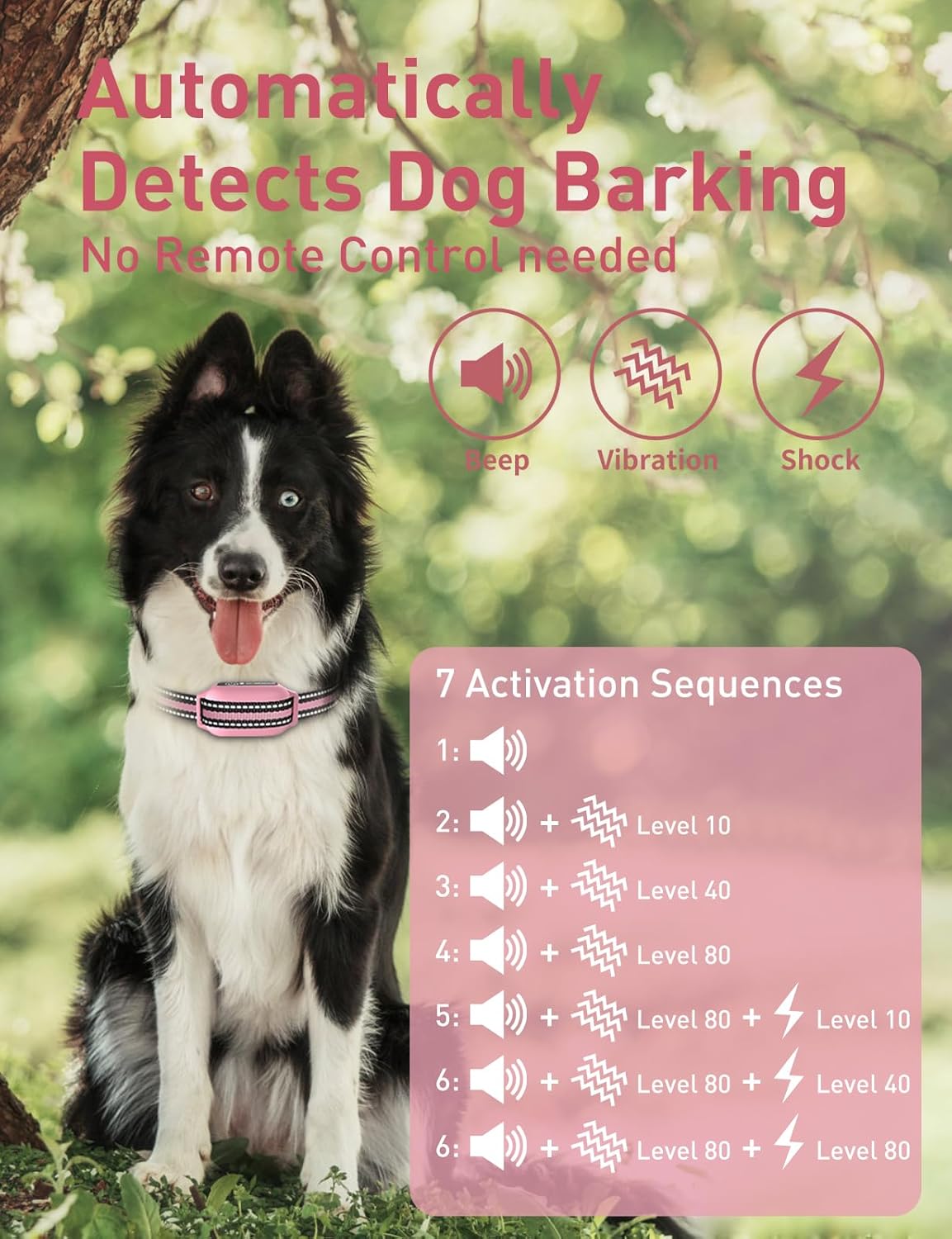
Figure 5.1: Automatic bark detection and activation sequence.
5.4 Turning Auto Mode On or Off
To turn the receiver's auto mode on or off:
- To Turn On: Press and hold the power button on the receiver for about 3 seconds. You will hear a single beep, indicating Auto Mode is active.
- To Turn Off: Press and hold the power button on the receiver for about 3 seconds again. You will hear two beeps, indicating Auto Mode is off.
Video Placeholder: A video demonstrating how to turn the auto mode on and off by pressing and holding the power button would be embedded here if available.
5.5 Using Remote Training Modes
The remote control offers three training functions: Beep, Vibration, and Static Shock. Each can be adjusted for intensity (Vibration and Shock from 1-100 levels).
- Beep Mode: Delivers an audible tone to your dog. Often used as a warning or for positive reinforcement.
- Vibration Mode: Delivers a non-harmful vibration. Levels 1-100.
- Static Shock Mode: Delivers a static correction. Levels 1-100. Use with caution and at the lowest effective level.
To switch between modes and adjust levels, refer to the remote control's display and buttons. The remote allows for precise control during training sessions.
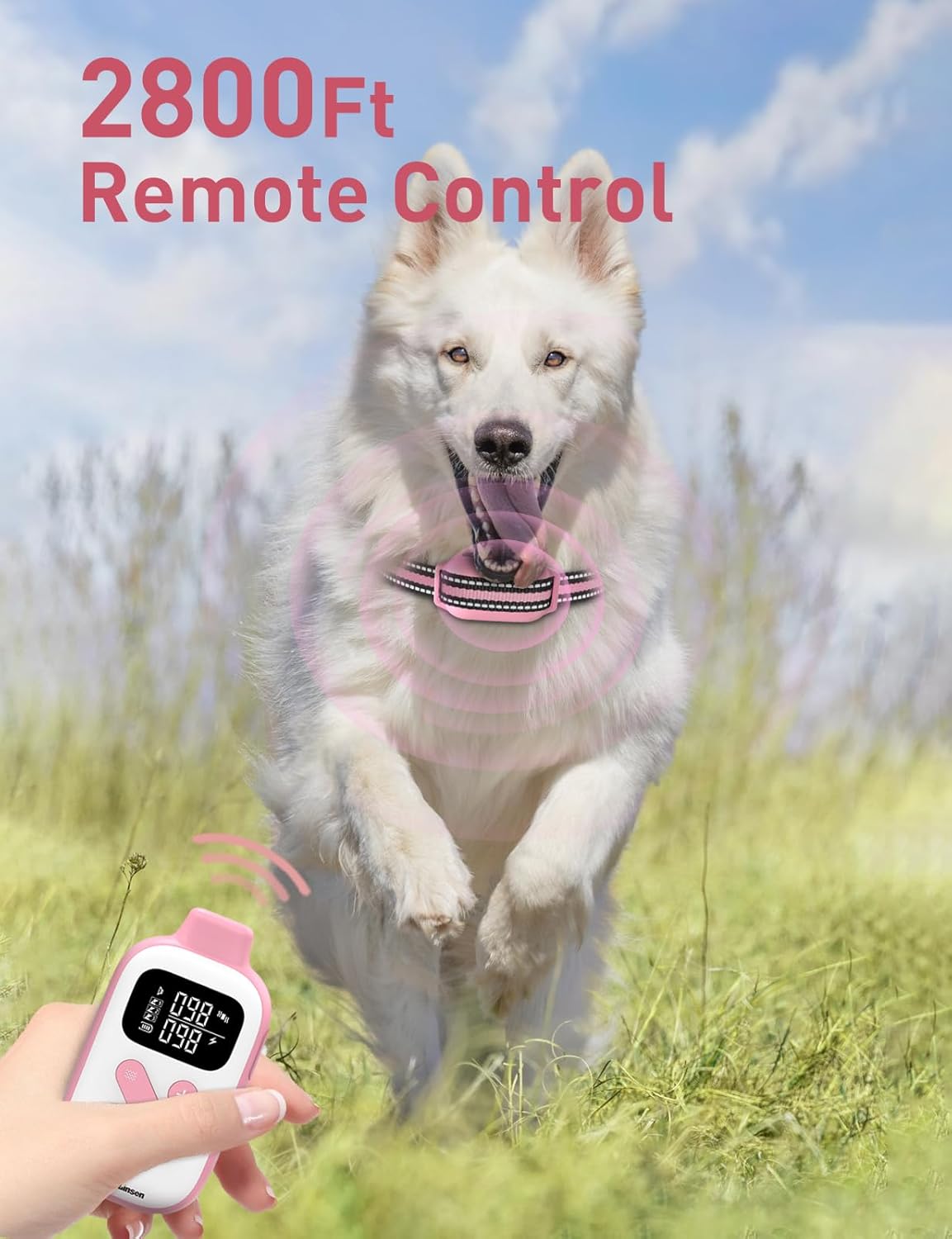
Figure 5.2: Remote control range for outdoor training.
6. Maintenance
6.1 Cleaning
Regularly clean the collar strap and receiver. The collar strap can be hand washed. Wipe the receiver with a damp cloth. Ensure the charging port cover is securely closed when not charging to maintain its IP67 waterproof rating.
6.2 Battery Care
To prolong battery life, avoid fully discharging the devices frequently. Charge them when the battery level is low. Store the devices in a cool, dry place when not in use for extended periods.

Figure 6.1: IP67 waterproof rating of the receiver.
7. Troubleshooting
- Device not turning on: Ensure the device is fully charged. Press and hold the power button for 3 seconds.
- No response from receiver: Check if the remote and receiver are paired correctly (refer to Section 5.1). Ensure the receiver is charged. Verify the contact points are touching the dog's skin.
- Inconsistent stimulation: Adjust the collar for a snug fit. Ensure contact points are making proper contact.
- Automatic bark mode not working: Check the sensitivity level (refer to Section 5.3). Ensure the auto mode is turned on (refer to Section 5.4).
- Remote not controlling receiver: Ensure both devices are charged and paired. Check the remote's battery level.
- Skin irritation: Remove the collar immediately. Clean the area and consult a veterinarian. Ensure the collar is not worn for more than 12 hours a day and is properly fitted.
8. Specifications
| Specification | Detail |
|---|---|
| Brand Name | DOGLinsen |
| Model Name | 2-in-1 Bark and Shock Collar for Dogs - PD 523-TIO-1 |
| Item Model Number | PD 523-TIO-1 |
| ASIN | B0G6BGS2PQ |
| Item Weight | 8.4 ounces |
| Item Package Dimensions L x W x H | 5.98 x 4.17 x 2.28 inches |
| Batteries | 2 Lithium Polymer batteries required (included) |
| Date First Available | January 11, 2026 |
| Color | Pink & White |
| Size | Adjustable (Neck sizes 8 - 27 inches, Weights 10 - 110 lbs) |
| Material | Nylon, Polyester |
| Care Instructions | Hand Wash |
| Closure Type | Buckle |
| Waterproof Rating | IP67 (Receiver) |
| Remote Range | Up to 2800Ft |
| Training Modes | Beep, Vibration (1-100 levels), Safety Shock (1-100 levels), Automatic Bark Control (5 sensitivity levels) |
| Specific Uses for Product | Dog behavior correction: chasing cars, running away, jumping on guests, barking wildly, follow commands, Indoor, outdoor |
9. Warranty and Support
This DOGLinsen product comes with a 2-Year Manufacturer Warranty. For warranty claims, technical support, or any questions regarding your product, please contact DOGLinsen customer service directly. Refer to the contact information provided in your product packaging or on the official DOGLinsen website.


