
Important Safety Instructions
Please read these instructions carefully before operating the unit and retain them for future reference. Adhere to all warnings and instructions provided.
- Water and Moisture: Do not use this apparatus near water.
- Cleaning: Clean only with a dry cloth.
- Ventilation: Do not block any ventilation openings. Install in accordance with the manufacturer's instructions.
- Heat: Do not install near any heat sources such as radiators, heat registers, stoves, or other apparatus (including amplifiers) that produce heat.
- Power Cord: Protect the power cord from being walked on or pinched, particularly at plugs, convenience receptacles, and the point where they exit from the apparatus.
- Attachments/Accessories: Use only attachments/accessories specified by the manufacturer.
- Servicing: Refer all servicing to qualified service personnel. Servicing is required when the apparatus has been damaged in any way, such as power-supply cord or plug is damaged, liquid has been spilled or objects have fallen into the apparatus, the apparatus has been exposed to rain or moisture, does not operate normally, or has been dropped.
Product Overview
The Supersonic SC-726BT is a portable audio system featuring a top-loading CD player, AM/FM radio, Bluetooth connectivity, and an auxiliary input. It is designed for versatile audio playback at home or on the go.
Key Features:
- Top-Loading CD Player (CD/CD-R/CD-RW compatible)
- AM/FM Radio Tuner
- Bluetooth Wireless Connectivity
- 3.5mm AUX Input
- LED Track Display
- Built-in Stereo Speakers
- Programmable Memory for CD Tracks
- Repeat Playback Modes
- Integrated Carry Handle
- AC/DC Power Options
Controls and Components:
Familiarize yourself with the various controls and ports on your unit.
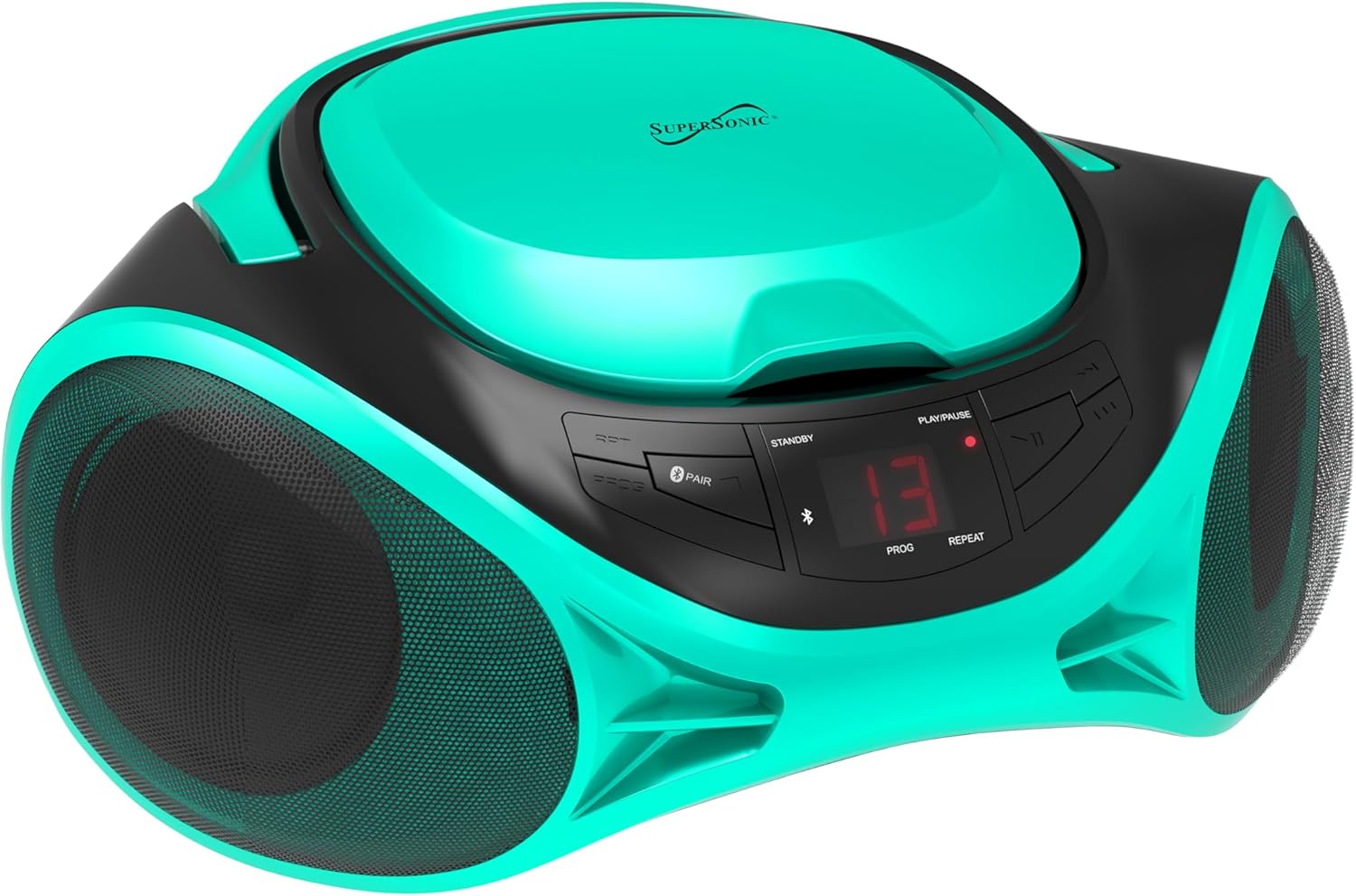
Image: Front view of the SC-726BT unit, highlighting the central control panel with buttons for playback, mode selection, and the LED display, flanked by two speaker grilles.
- Power Button: Turns the unit on or off.
- Mode Button: Switches between CD, AM/FM Radio, Bluetooth, and AUX modes.
- Play/Pause Button: Starts or pauses CD playback.
- Stop Button: Stops CD playback.
- Skip/Search Buttons (◀◀ / ▶▶): Skips tracks on CD or searches within a track.
- Program Button: Used to program CD playback order.
- Repeat Button: Cycles through repeat modes (e.g., repeat one, repeat all).
- Bluetooth Pair Button: Initiates Bluetooth pairing.
- Volume Knob: Adjusts the audio output level.
- Tuning Knob: Tunes radio frequencies in AM/FM mode.
- AM/FM Band Switch: Selects between AM and FM radio bands.
- Telescopic Antenna: For FM radio reception.
- AUX IN Jack: 3.5mm input for external audio devices.
- AC Power Input: Connects to the AC power cord.
- Battery Compartment: Holds C-size batteries for portable use.
Setup
Powering the Unit
The SC-726BT can be powered by either AC household current or DC batteries.
AC Power:
- Ensure the unit is turned off.
- Connect the supplied AC power cord to the AC power input jack on the back of the unit.
- Plug the other end of the AC power cord into a standard AC wall outlet (120V ~ 60Hz).
DC Battery Power:
For portable use, the unit requires 6 x 'C' size batteries (not included).
- Ensure the unit is turned off and disconnected from AC power.
- Open the battery compartment cover located on the bottom of the unit.
- Insert 6 'C' size batteries, observing the correct polarity (+/-) as indicated inside the compartment.
- Close the battery compartment cover securely.

Image: Rear view of the SC-726BT unit, displaying the AC power input port and the telescopic FM antenna in its retracted position.
Antenna Adjustment
For optimal radio reception:
- FM Reception: Fully extend the telescopic antenna. Adjust its position and angle for the best signal.
- AM Reception: The unit has a built-in AM antenna. Rotate the entire unit for the best AM reception.
Operating Instructions
General Operation
- Press the Power button to turn the unit on.
- Press the Mode button repeatedly to select your desired function: CD, AM/FM Radio, Bluetooth, or AUX.
- Adjust the Volume Knob to your preferred listening level.
- Press the Power button again to turn the unit off.
CD Playback
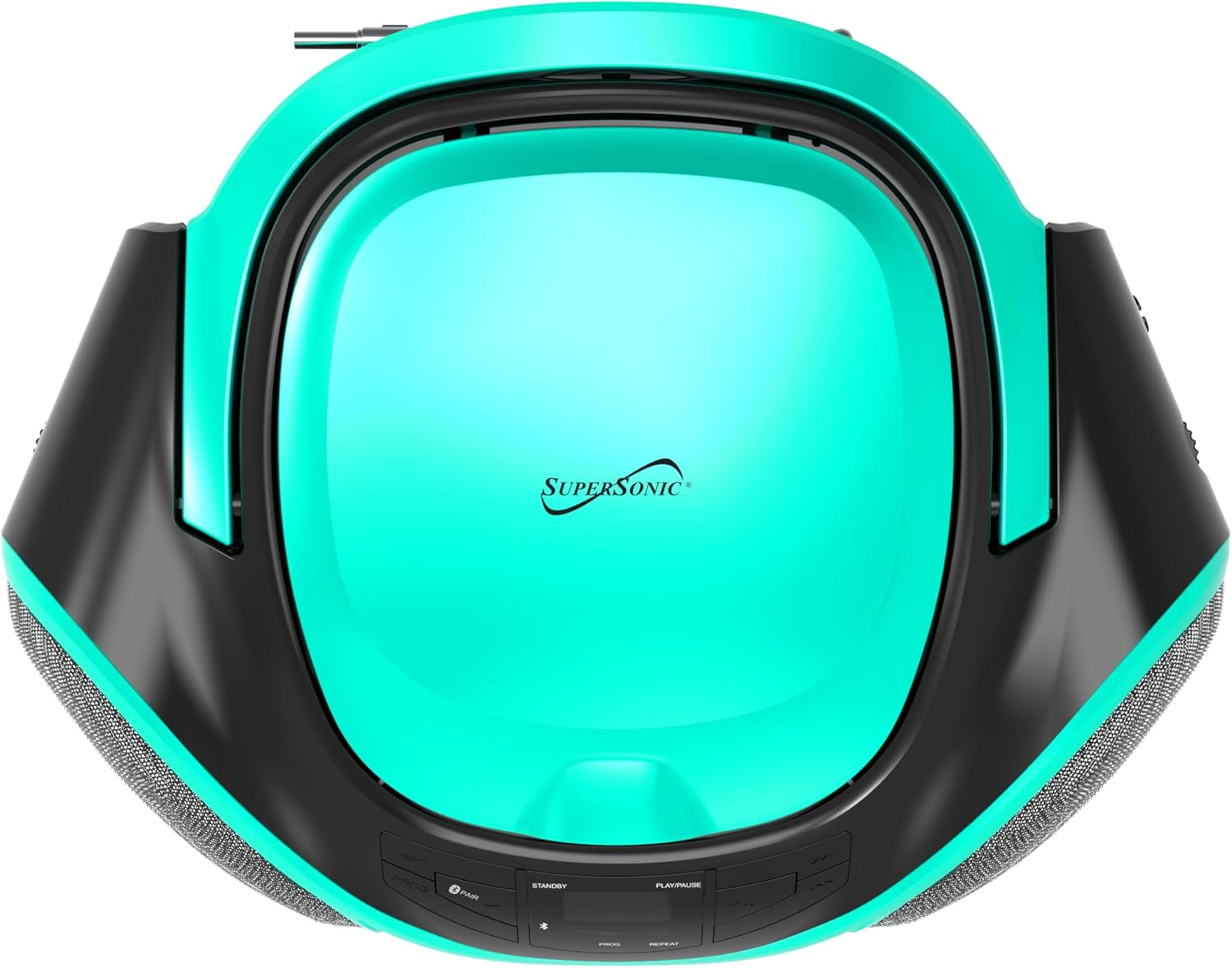
Image: Top-down view of the SC-726BT, showing the circular top-loading CD compartment with the Supersonic logo.
- Press the Mode button to select CD mode. The LED display will show "CD".
- Open the CD compartment cover by gently lifting it.
- Place a CD (CD/CD-R/CD-RW) onto the spindle with the label side facing up.
- Close the CD compartment cover firmly until it clicks.
- The unit will read the CD, and the total number of tracks will be displayed.
- Press the Play/Pause button (▶/██) to start playback. The current track number will be displayed.
- To pause playback, press the Play/Pause button. Press it again to resume.
- To stop playback, press the Stop button (■).
- To skip to the next track, press the Skip Forward button (▶▶).
- To skip to the previous track, press the Skip Backward button (◀◀).
- To search rapidly within a track, press and hold the Skip Forward or Skip Backward button during playback. Release to resume normal playback.
Program Play:
You can program up to 20 tracks to play in a specific order.
- In CD Stop mode, press the Program button. "P01" will flash on the display.
- Use the Skip Forward or Skip Backward buttons to select the desired track number for the first program slot.
- Press the Program button again to confirm the selection. "P02" will flash.
- Repeat steps 2 and 3 to program additional tracks.
- After programming all desired tracks, press the Play/Pause button to start programmed playback.
- To clear the program, press the Stop button twice.
Repeat Modes:
During CD playback, press the Repeat button to cycle through the following modes:
- Repeat One: Repeats the current track.
- Repeat All: Repeats all tracks on the CD.
- Repeat Off: Disables repeat function.
AM/FM Radio Operation
- Press the Mode button to select Radio mode.
- Slide the AM/FM Band Switch to select either AM or FM band.
- Extend the telescopic antenna for FM reception. For AM, rotate the unit for best reception.
- Rotate the Tuning Knob to select your desired radio station.
Bluetooth Operation
- Press the Mode button to select Bluetooth mode. The LED display will show "BT" and flash, indicating it is in pairing mode.
- Enable Bluetooth on your external device (e.g., smartphone, tablet).
- Search for Bluetooth devices and select "SC-726BT" from the list.
- Once paired, the "BT" indicator on the display will stop flashing and remain solid.
- You can now play audio from your Bluetooth device through the SC-726BT. Control playback (play/pause, skip) from your connected device.
AUX Input Operation
- Connect one end of a 3.5mm audio cable (not included) to the AUX IN jack on the SC-726BT.
- Connect the other end of the audio cable to the headphone jack or audio output of your external audio device (e.g., MP3 player, smartphone).
- Press the Mode button to select AUX mode. The LED display will show "AUX".
- Start playback on your external device. The audio will be played through the SC-726BT speakers.
- Adjust the volume using the Volume Knob on the SC-726BT and/or your external device.
Maintenance
Cleaning the Unit
- Always unplug the unit from the power source before cleaning.
- Use a soft, dry cloth to clean the exterior surfaces.
- Do not use abrasive cleaners, waxes, or solvents as they may damage the finish.
- For the CD lens, use a specialized CD lens cleaner disc (not included) or a soft, lint-free cloth specifically designed for optical lenses.
Storage
- If the unit will not be used for an extended period, remove the batteries to prevent leakage and corrosion.
- Store the unit in a cool, dry place, away from direct sunlight and extreme temperatures.
Troubleshooting
Review the following common issues and their solutions before seeking service.
| Problem | Possible Cause | Solution |
|---|---|---|
| No power | AC cord not connected; Batteries depleted or incorrectly inserted. | Ensure AC cord is securely plugged in. Replace batteries or check polarity. |
| No sound | Volume too low; Incorrect mode selected; AUX cable loose. | Increase volume. Press Mode button to select correct source. Reconnect AUX cable. |
| CD not playing | CD inserted incorrectly; CD is dirty or scratched; CD compartment not closed. | Insert CD with label side up. Clean CD with a soft cloth. Close compartment firmly. Try another CD. |
| Poor radio reception | Antenna not extended/adjusted; Unit position. | Extend and adjust FM telescopic antenna. Rotate unit for better AM reception. |
| Bluetooth not connecting | Unit not in pairing mode; Device Bluetooth off; Out of range. | Ensure unit is in Bluetooth mode and "BT" is flashing. Enable Bluetooth on your device. Move device closer to the unit. |
Specifications
| Brand | Supersonic |
| Model Name | SC-726BT |
| Connectivity Technology | Bluetooth, 3.5mm Jack (AUX) |
| Media Format Type | Audio CD (CD, CD-R, CD-RW) |
| Supported Audio Format | MP3 |
| Power Source | AC Power Cord (included), 6 x 'C' Batteries (not included) |
| Speakers | Built-in Stereo (2 x 1.5W RMS) |
| Item Weight | 3.1 pounds |
| Dimensions (Approx.) | Not specified in data, compact portable design |
Warranty Information
This Supersonic SC-726BT unit comes with a 90-day warranty from the date of purchase. This warranty covers manufacturing defects in materials and workmanship under normal use.
The warranty does not cover damage caused by misuse, accident, unauthorized modifications, or normal wear and tear. Please retain your proof of purchase for warranty claims.
Customer Support
If you encounter any issues not covered in the troubleshooting section or require further assistance, please contact Supersonic customer support. Refer to the product packaging or the official Supersonic website for the most current contact information.