
Introduction
The Snap Circuits Snap & Draw kit combines art and basic electronics to create an interactive experience. This kit allows users to color vibrant scenes and then bring them to life with sound by building a simple circuit. It is designed to introduce young creators to the fundamentals of electricity and engineering in a fun, hands-on manner.

Image: The Snap Circuits Snap & Draw kit packaging, illustrating the "Color, Build, Play" concept with a completed beach scene.
What's in the Box
Verify that all components listed below are present in your Snap & Draw kit:
- 1x 1-Snap Wire
- 1x B1B Battery Holder (requires 2 AA batteries, not included)
- 1x Base Grid
- 1x Blank Panel (for custom scenes)
- 1x Blue Jumper Wire
- 1x Cutouts Panel (for 3D pop-out elements)
- 1x Set of 4 Markers
- 1x Sound Module (U36 Sound IC)
- 1x Speaker (SP3)
- 1x Switch (S1)
- 3x 2-Snap Wire
- 4x Scene Panels (Beach, Savannah, Jungle, Farm)

Image: All components of the Snap & Draw kit, including the base grid, battery holder, sound module, speaker, switch, various snap wires, markers, and scene panels.
Setup Instructions
Follow these steps to set up your Snap & Draw activity kit:
- Step 1: Color a Scene
Select one of the four included scene panels (Beach, Savannah, Jungle, or Farm) or use the blank panel to create your own. Use the provided markers or your own coloring supplies to color the scene.
Image: The four included scene templates (Beach, Farm, Jungle, Savannah) before coloring.
- Step 2: Build the Sound Circuit
Assemble the sound circuit on the base grid. Insert two AA batteries (not included) into the B1B Battery Holder. Connect the Speaker (SP3), Sound Module (U36), Switch (S1), and Battery Holder using the appropriate snap wires as shown in the diagram below. Ensure all connections are secure.
Image: Detailed assembly steps for the Snap & Draw kit, illustrating how to color, build the circuit, fold the scene, add pop-ups, and turn on the sound.
- Step 3: Fold and Attach the Scene
Carefully fold your colored scene panel along the designated lines. Place the folded scene over the assembled circuit on the base grid, ensuring it aligns correctly. Tuck the first fold under the grid to secure it. - Step 4: Add 3D Pop-Out Elements
Punch out the 3D elements from the cutouts panel. Color these elements if desired. Insert them into the corresponding slots in your scene panel and secure them with the tabs on the underside.
Image: A sheet of uncolored 3D pop-up elements and an example of a completed scene with colored and inserted pop-ups.
Operating Instructions
Once your scene and circuit are assembled:
- Locate the green Switch (S1) on your circuit board.
- Slide the switch to the "ON" position.
- The sound module will activate, playing sounds specific to the scene you have chosen.
- To turn off the sound, slide the switch back to the "OFF" position.
You can experiment with different scenes and pop-out elements to create various interactive displays.
Video: An official product overview demonstrating the Snap & Draw kit in action, showing the assembly and activation of a scene with sound.
Maintenance
- Cleaning: Wipe the plastic components with a soft, dry cloth. Do not use harsh chemicals or abrasive cleaners.
- Battery Replacement: When sounds become faint or stop working, replace the two AA batteries in the B1B Battery Holder. Ensure correct polarity (+/-) when inserting new batteries.
- Storage: Store the kit components in a dry place away from direct sunlight and extreme temperatures. Keep small parts away from young children.
Troubleshooting
| Problem | Possible Cause | Solution |
|---|---|---|
| No sound when switch is ON. |
|
|
| Sound is faint or distorted. |
|
|
| Scene panel does not sit correctly. |
|
|
Specifications
- Model Number: SCSD1
- UPC: 756619014821
- Recommended Age: 4+ years
- Power Source: 2 AA Batteries (not included)
- Material: Metal, Paper, Plastic
- Item Dimensions: 8.5 x 2.5 x 0.1 inches
- Educational Objective: Cognitive Skill, Concentration, Creative Thinking, Imagination Development, Motor Skill, Sound Recognition
- Included Components: 1-Snap Wire, B1B Battery Holder, Base Grid, Blank Panel, Blue Jumper Wire, Cutouts Panel, Set of 4 Markers, Sound Module, Speaker, Switch, 2-Snap Wire (3x), Scene Panel (4x)
Safety Information
- Choking Hazard: Small parts. Not for children under 3 years. Adult supervision is recommended for all ages, especially during assembly and initial use.
- Battery Safety: Always insert batteries with correct polarity (+ and -). Do not mix old and new batteries. Do not mix alkaline, standard (carbon-zinc), or rechargeable (nickel-cadmium) batteries. Remove batteries if the product is not used for an extended period.
- CircuitSafe Technology: This product incorporates CircuitSafe Fuse Technology for enhanced safety during operation.
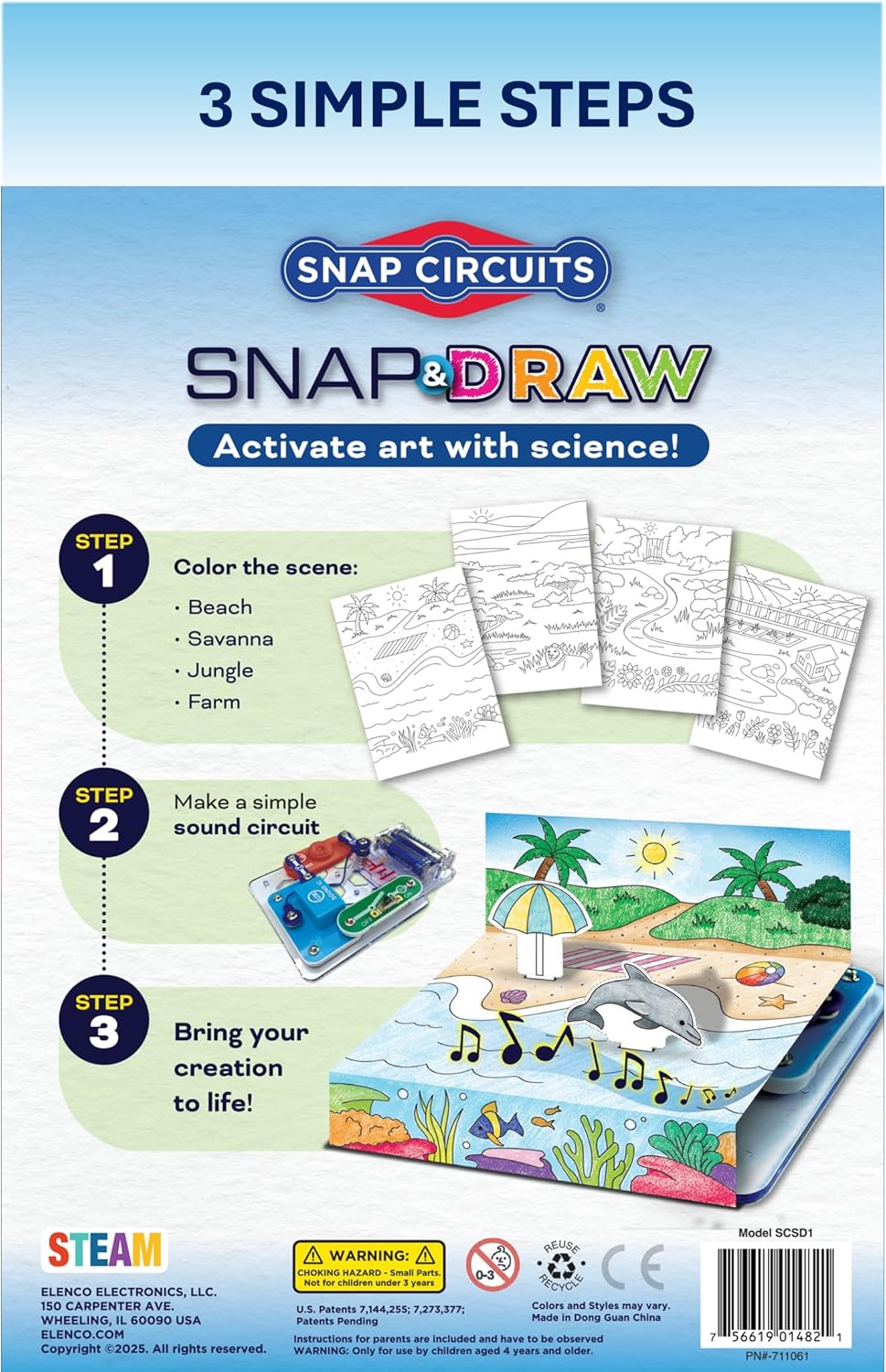
Image: The back of the product packaging, highlighting the "3 Simple Steps" and important safety warnings, including choking hazard and age recommendation.
Warranty and Support
For product support, missing parts, or warranty inquiries, please contact Elenco Electronics LLC, the manufacturer of Snap Circuits products. Refer to the product packaging for the most current contact information or visit their official website.
Note: Specific warranty details may vary. Please retain your proof of purchase.
