
Introduction
The OMIZN GT5 Watch Walkie Talkie is a 4G LTE wearable Push-to-Talk (PTT) two-way radio designed for reliable, long-range communication. It features VOX hands-free operation, AES256 encryption for secure conversations, and a durable IP65 dustproof and splash-resistant design. This manual provides essential information for setting up, operating, maintaining, and troubleshooting your device.
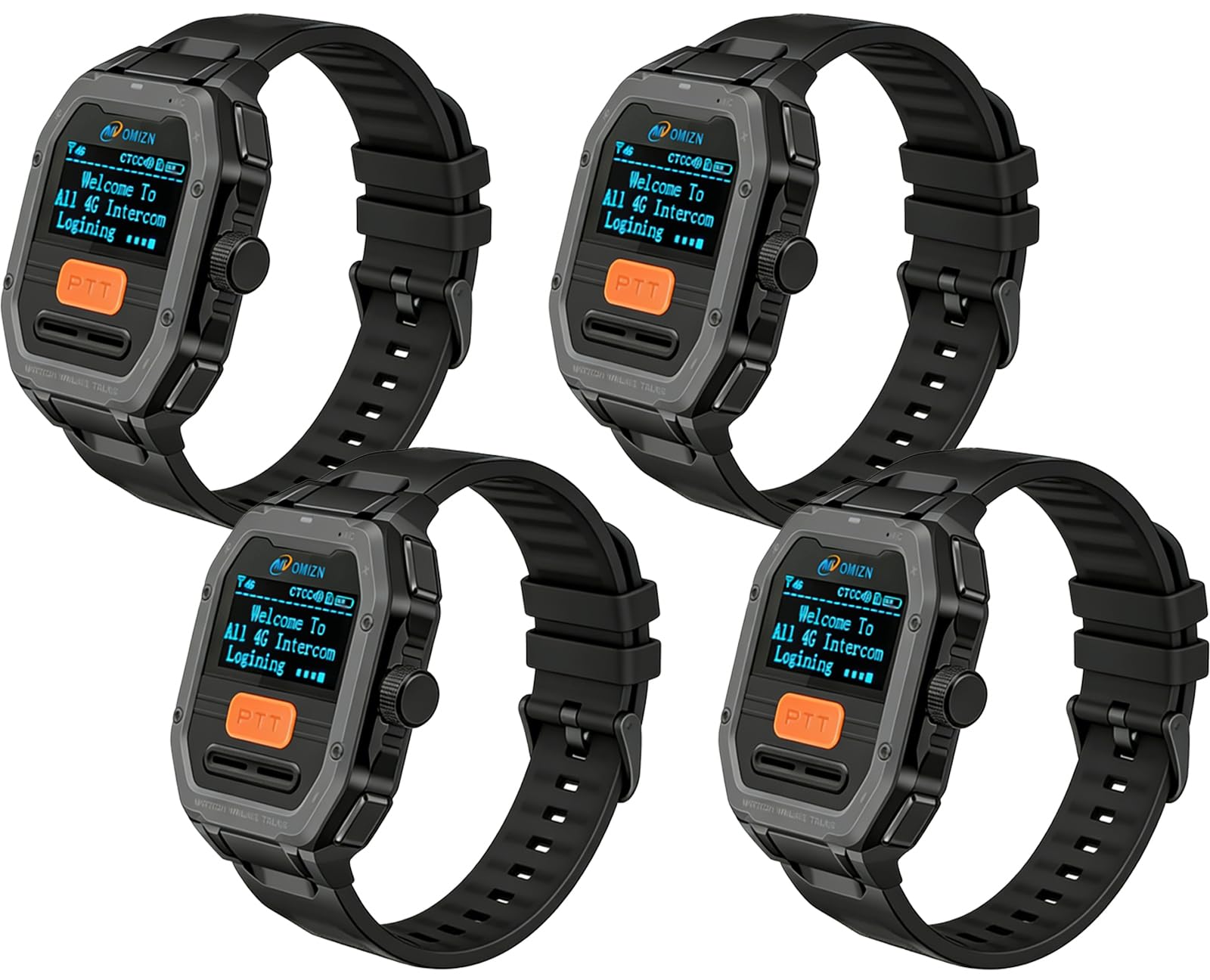
Image: The OMIZN GT5 Watch Walkie Talkie worn on a wrist, showcasing its 1.3-inch OLED screen with login information. The watch is compact and lightweight.

Image: An overview of the OMIZN GT5 Watch Walkie Talkie, highlighting its global unlimited-range intercom capability and 1.3-inch OLED screen.
What's in the Box
Your OMIZN GT5 package includes the following items:
- GT5 Watch Walkie Talkie Unit
- Earphone
- Finger PTT Switch Cable
- Data Line (USB Type-C)
- Power Adapter
- Bracelet (for wrist wear)
- Screwdriver (for assembly/disassembly)
- Back Clip (for alternative wearing)
- User Manual (this document)

Image: A visual representation of all items included in the OMIZN GT5 Watch Walkie Talkie package.
Setup
1. Initial Charging
Before first use, fully charge the GT5 device. Connect the provided USB Type-C data line to the watch and the power adapter, then plug the adapter into a wall outlet. The device supports Type-C charging and is compatible with power banks and car chargers. A full charge typically provides 2-3 days of standby time.
2. SIM Card Information
The GT5 Watch Walkie Talkie comes with a pre-installed SIM card. This SIM card supports use in 172 countries and regions without identity binding or monthly fees. For cross-border usage, it is recommended to contact OMIZN customer support in advance for any specific consultation or notes.
3. Powering On/Off
- To power on: Long press the designated power button (refer to the device overview image for button location).
- To power off: Long press the power button until the power-off prompt appears, then confirm.
4. Attaching Accessories
The GT5 offers multiple wearing methods and accessory options:
- Wrist Wear: Attach the provided bracelet to wear the device like a watch.
- Belt Clip: Use the back clip to attach the device to clothing, a belt, or a pocket.
- Lanyard: Secure a lanyard to the device for neck or shoulder wear.
- Finger PTT Button & Headset: Connect the finger PTT button and G-shape headset for quick, hands-free communication, especially useful in dynamic work environments.

Image: A detailed view of the GT5 device highlighting its buttons (VOX Switch, PTT Key, Volume +/-) and ports (Type-C), along with examples of various wearing methods.
Operating Instructions
1. Push-to-Talk (PTT) Communication
The GT5 utilizes a Push-to-Talk system for instant communication over the 4G LTE network. This allows for unlimited range communication across cities, regions, and multiple locations.
- To transmit: Press and hold the PTT button (located on the side or front of the device, or on the finger PTT accessory). Speak clearly into the microphone.
- To receive: Release the PTT button. The device will automatically receive incoming transmissions.
2. VOX Hands-Free Calling
The Voice Operated Exchange (VOX) function allows for hands-free communication. When VOX is enabled, the device automatically transmits when it detects your voice, eliminating the need to press the PTT button.
- To enable/disable VOX: Refer to the device's menu settings or the dedicated VOX switch if available (see device overview image).
- Adjust VOX sensitivity: If available, adjust the VOX sensitivity in the settings to prevent accidental transmissions or missed voice activations.

Image: An illustration demonstrating the VOX voice control intercom feature, allowing hands-free communication.
3. Volume Adjustment
Adjust the listening volume using the Volume Up (+) and Volume Down (-) buttons on the device. Refer to the device overview image for their locations.
4. Group and Private Calls
The GT5 supports both group and private one-to-one calls. Group conversations are heard by all members in the designated group, while private calls are heard only by the selected contact. Specific instructions for switching between call types or initiating private calls can be found in the device's on-screen menu.

Image: A close-up of the GT5 screen, indicating its user-friendly interface for communication.
5. Secure Communication (AES256 Encryption)
The GT5 utilizes AES256 digital encryption technology to protect your call content, ensuring privacy and preventing unauthorized eavesdropping or interference.

Image: An illustration highlighting the AES256 digital encryption feature, ensuring secure and private communications.
6. Noise Reduction
The built-in noise reduction feature filters out environmental background noise, ensuring clear call quality and accurate voice pickup even in noisy environments.

Image: A diagram illustrating the high-fidelity clear sound quality and AI noise reduction technology within the GT5 watch.
Maintenance
1. Cleaning
Wipe the device with a soft, damp cloth. Avoid using harsh chemicals or abrasive cleaners, as these can damage the device's surface or internal components.
2. Battery Care
To maximize battery life, avoid fully discharging the battery frequently. Charge the device regularly using the provided Type-C cable and power adapter. Store the device in a cool, dry place when not in use for extended periods.
3. Water Resistance
The GT5 has an IP65 protection rating, meaning it is dustproof and splash-resistant. It can withstand sweat and rain and is suitable for daily needs like hand washing. However, it is not suitable for prolonged water exposure, bathing, swimming, diving, or other activities where it stays underwater for a long time.

Image: The GT5 watch being exposed to water, illustrating its IP65 dustproof and splash-resistant capabilities, with a clear warning about submersion.

Image: This image highlights the GT5's built-in VOX, 1200mAh battery, and its operational temperature range from -20°C to 60°C, indicating durability in various environments.
Troubleshooting
If you encounter issues with your OMIZN GT5, please refer to the following common problems and solutions:
| Problem | Possible Solution |
|---|---|
| Device does not power on | Ensure the device is fully charged. Connect to the charger and wait a few minutes before attempting to power on again. |
| No signal or unable to communicate | Verify that you are within 4G LTE network coverage. Ensure the device is logged into the intercom system. If issues persist, contact customer support. |
| Poor audio quality or excessive background noise | Ensure the microphone is not obstructed. Check if the noise reduction feature is active. Adjust volume levels. |
| VOX not activating or activating too easily | Adjust the VOX sensitivity setting in the device menu. Increase sensitivity if not activating, decrease if activating unintentionally. |
If the problem persists after trying these solutions, please contact OMIZN customer support for further assistance.
Specifications
- Brand: OMIZN
- Model Number: GT5
- Number of Channels: 200
- Frequency Range: 4G LTE
- Talking Range Maximum: Unlimited (via 4G LTE network)
- Voltage: 3.4 Volts (DC)
- Water Resistance Level: IP65 (Dustproof, Splash-resistant)
- Product Dimensions: 0.94"D x 2.05"W x 2.44"H
- Item Weight: 0.17 Pounds
- Number of Batteries: 1 Nonstandard Battery (included)
- Temperature Range: -30℃ to 70℃ Degrees Celsius
- Special Features: Digital Display, Lightweight, Long Range, Noise Reduction, Voice Operated Transmission (VOX), AES256 Encryption
Warranty and Support
OMIZN provides a 2-year manufacturer warranty covering manufacturing defects. Additionally, a 14-day no-reason return and exchange service is offered, along with lifetime technical support.
For any issues or support inquiries, please contact OMIZN via Amazon. Our professional team will assist you as soon as possible. If an immediate reply is not possible, please allow for a patient response.
Official Product Videos
OMIZN GT5 Watch Walkie Talkie Overview
Video: An official overview of the OMIZN GT5 Watch Walkie Talkie, demonstrating its features and design.
GT5 Watch Global Walkie Talkie Unlimited Range with VOX
Video: This video showcases the global unlimited range communication and VOX hands-free capabilities of the GT5 Watch Walkie Talkie.
