
UGREEN FT207
UGREEN FineTrack Mini Duo 2 Tracker User Manual
Model: FT207
1. Introduction
The UGREEN FineTrack Mini Duo 2 is a versatile item tracker designed for both Apple and Android ecosystems. It is certified for use with both Apple Find My and Google Find My Device networks, allowing you to locate your belongings with ease. This tracker features a loud 110dB alarm, a reflective design for visibility in low light, and IP68 water and dust resistance for durability.
Important Note:
Due to system limitations, this device cannot be used simultaneously with both Apple Find My and Google Find My Device. You must choose one system for pairing.

Image: UGREEN FineTrack Mini Duo 2 Tracker certified by Apple Find My and Google Find Hub, showing compatibility with iOS and Android devices.
2. What's in the Box
Your UGREEN FineTrack Mini Duo 2 package includes:
- UGREEN FineTrack Mini Duo 2 Trackers (4 units)
- Protective cases (4 units)
- Key straps (4 units)

Image: Contents of the UGREEN FineTrack Mini Duo 2 package, showing four trackers, protective cases, and key straps.
3. Specifications
| Feature | Detail |
|---|---|
| Brand | UGREEN |
| Model Number | FT207 |
| Manufacturer Part Number | 85677P |
| Product Dimensions | 36L x 36B x 11D Millimeters |
| Compatible Devices | Smartphone, Tablet |
| Control Type | App |
| Battery Type | Built-in Lithium-Ion (non-rechargeable, non-replaceable) |
| Battery Life | 5-7 years (depending on usage) |
| Alarm Volume | Up to 110 dB |
| Water & Dust Resistance | IP68 (1 hour in 1 meter water depth) |
| Compatibility | iOS 14.5+ (Apple Find My), Android 9.0+ (Google Find My Device) |
4. Setup and Pairing
The UGREEN FineTrack Mini Duo 2 Tracker can be paired with either Apple Find My or Google Find My Device. Choose the appropriate instructions for your device.
4.1. Pairing with iOS (Apple Find My)
- Press and hold the symbol on the tracker for 2 seconds to power it on.
- Open the "Find My" app on your iPhone, enable Bluetooth, and hold the product near your iPhone.
- For first-time pairing: Select "Items" > "Add Item" > "Other Supported Item" > "Connect" and name the item.
- For already connected users: Tap the "+" symbol on the "Items" page, select "Other Item," and the system will display the device's pairing information.

Image: Step-by-step instructions for pairing the UGREEN FineTrack Mini Duo 2 Tracker with an iOS device using the Apple Find My app.
4.2. Pairing with Android (Google Find My Device)
- Press and hold the symbol on the tracker for 2 seconds to power it on.
- Open the Find Hub app and hold the product near your smartphone.
- A pop-up window will automatically appear on your smartphone. Tap "Connect" > "Accept and Continue" > "Open App" > "Allow access to devices nearby."

Image: Step-by-step instructions for pairing the UGREEN FineTrack Mini Duo 2 Tracker with an Android device using the Google Find Hub app.
5. Operating Instructions
5.1. Locating Your Item
Once paired, you can locate your item using the respective app:
- Play Sound: The built-in speaker emits an alarm up to 110 dB, making it audible even in noisy environments or when hidden in bags or under clothing.
- Map Tracking: View the tracker's last known location on a map within the app. The tracker anonymously updates its encrypted location via the vast network of Apple or Android devices worldwide.
- Loss Mode: Activate loss mode to display your contact information to anyone who finds your item.
- Reflective Design: The tracker features a fluorescent surface that makes it immediately noticeable when light hits it, aiding visual location in dark conditions.
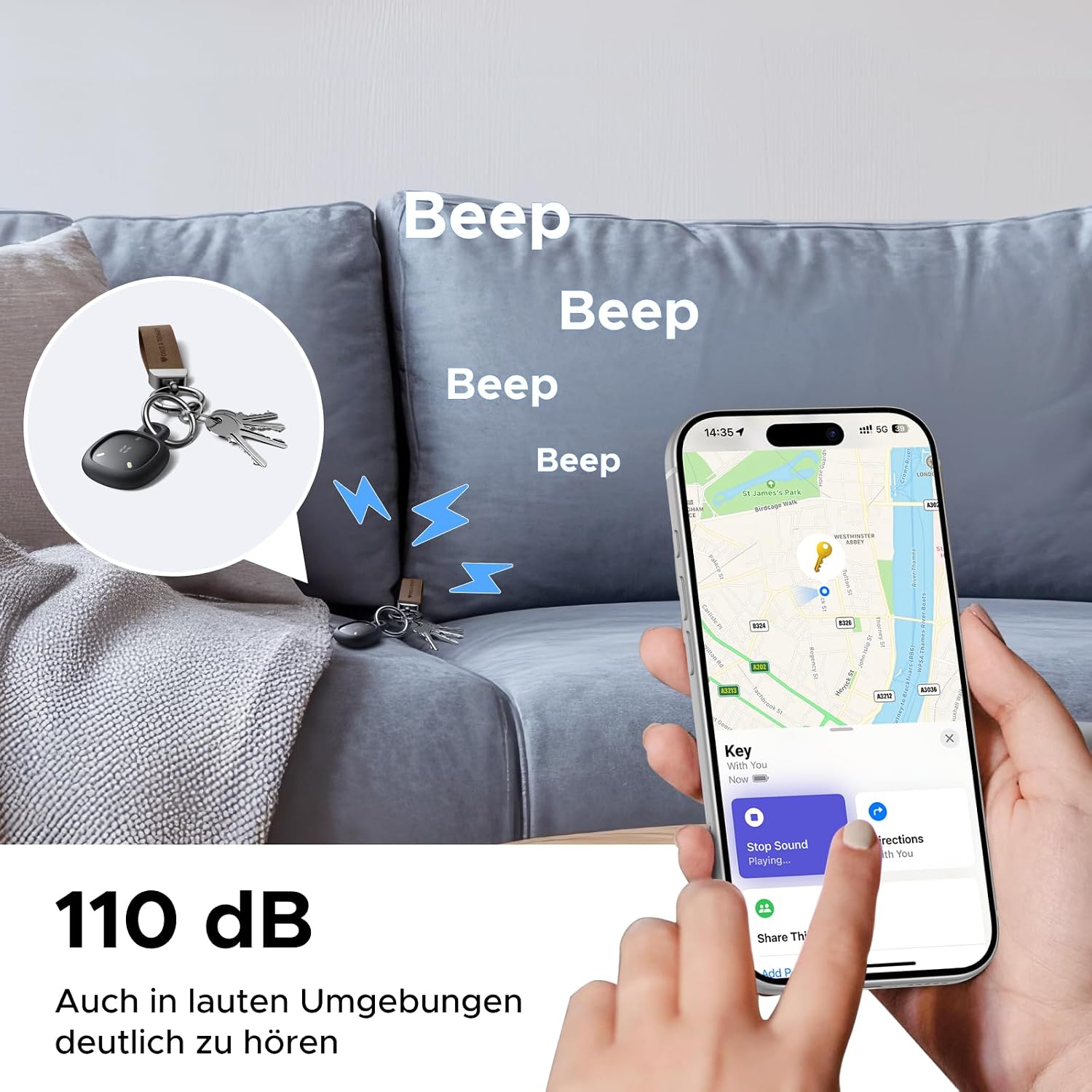
Image: A UGREEN FineTrack Mini Duo 2 Tracker attached to keys, emitting a loud 'Beep' sound, with a smartphone displaying its location on a map.

Image: A person using a flashlight to find keys with a UGREEN FineTrack Mini Duo 2 Tracker in a dark room, highlighting the tracker's reflective design.
5.2. Smart Notifications
- For Apple Users: The "Left Behind" function automatically warns you with a push notification if you move away from your item, allowing you to retrieve it before it's lost.
- For Google Users: The app displays the last known location and connection duration, enabling you to check if you have all your items with you.
5.3. Location Sharing
You can share the tracker's location with family members or friends:
- Up to 5 users for Apple Find My.
- Up to 4 users for Google Find My Device.
6. Maintenance
6.1. Battery Life
The UGREEN FineTrack Mini Duo 2 features a built-in 600mAh battery designed for long-term use. Based on laboratory tests (one alarm sound per day), the average power consumption is 0.2 mAh per day, resulting in an expected battery life of 5 to 7 years, depending on usage patterns.
Important:
The battery is neither rechargeable nor replaceable. The current battery level can be checked within the app.
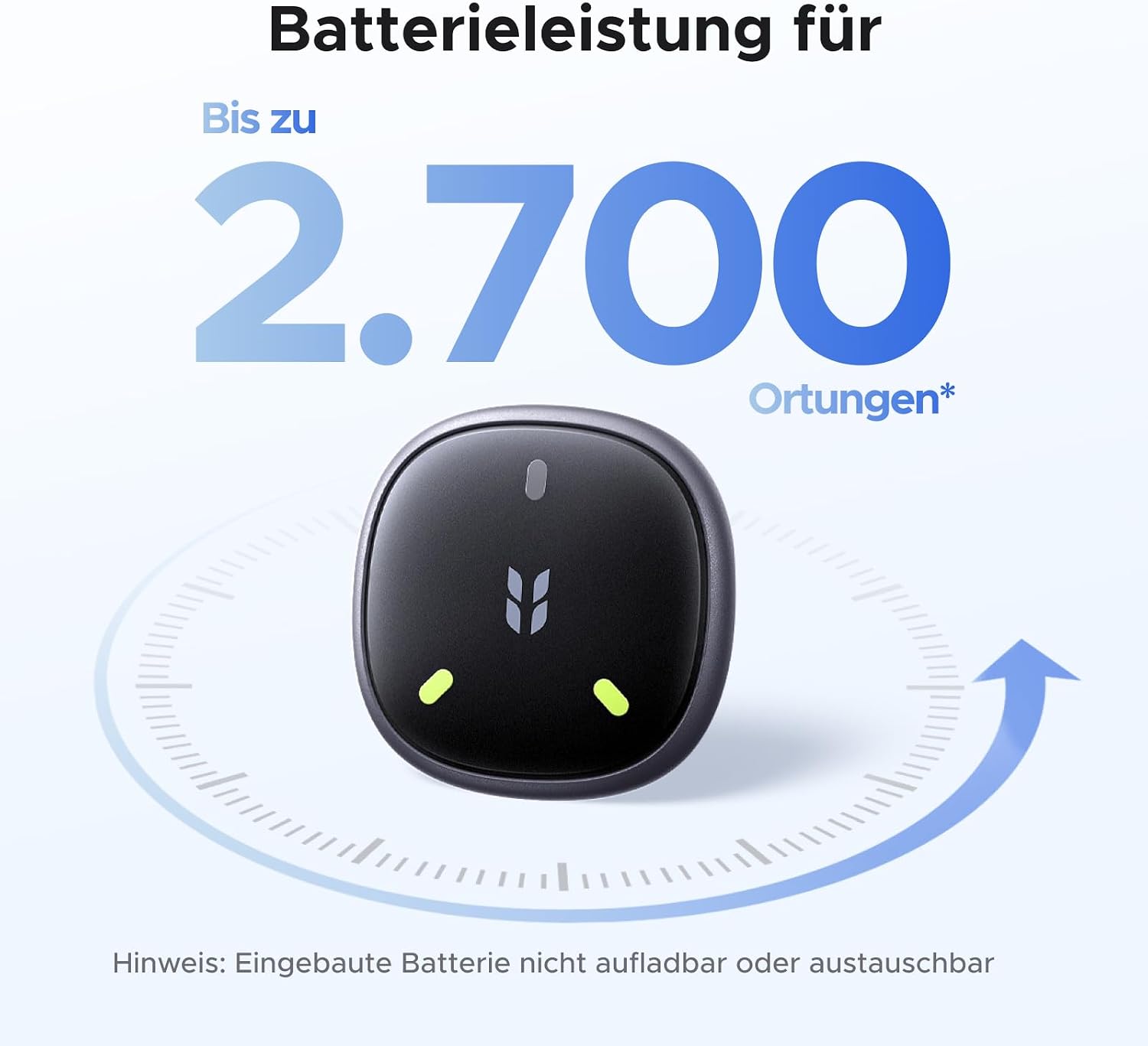
Image: Graphic illustrating the UGREEN FineTrack Mini Duo 2 Tracker's battery performance, indicating up to 2,700 localizations and a note that the built-in battery is not rechargeable or replaceable.
6.2. Water and Dust Resistance
This tracker is IP68 certified according to IEC 60529. This means it can withstand immersion in 1 meter of water for one hour. You can use the tracker without concern in rain or humid environments, and it is protected against splashes, mud, and brief submersion without damage.
7. Troubleshooting and FAQ
7.1. Common Questions
- How do I check the battery status?
After connecting the product to the "Find My" or "Find Hub" app, navigate to the home screen. The remaining battery status will be displayed under the device name. Please note that the battery status updates gradually; this is normal app behavior.
- Does the product support precise UWB positioning?
This product supports global positioning but not precise UWB positioning. Location is determined in meters with map-based deviations. While searching, a circular area is displayed, but no directional arrow. Use the "Play Sound" function when you are near the target to pinpoint its exact location.
- Is the battery rechargeable?
No, the product battery is neither replaceable nor rechargeable.

Image: FAQ section with questions about battery status, UWB positioning, and battery rechargeability for the UGREEN FineTrack Mini Duo 2 Tracker.
8. Warranty Information
The UGREEN FineTrack Mini Duo 2 Tracker comes with a 2-year manufacturer's warranty. Please retain your proof of purchase for warranty claims. For detailed terms and conditions, refer to the official UGREEN website or contact customer support.
9. Customer Support
If you encounter any issues or have questions not covered in this manual, please contact UGREEN customer support through their official website or the retailer where you purchased the product. Provide your model number (FT207) and a detailed description of your issue for efficient assistance.
You can visit the UGREEN store on Amazon for more information: UGREEN Store
Related documentsFT207


Ask a question about this manual
Ask about setup, troubleshooting, compatibility, parts, safety, or missing instructions. Manuals+ will review the question and use this page’s manual context to help answer it.