
1. Introduction
The Amaran Ray 660c is a high-output, full-color COB LED video light designed for professional studio and location shoots. It features an integrated AC power supply, IP54 weather resistance, and the OmniColor Engine for precise color reproduction. This manual provides essential information for the safe and effective operation of your Amaran Ray 660c.
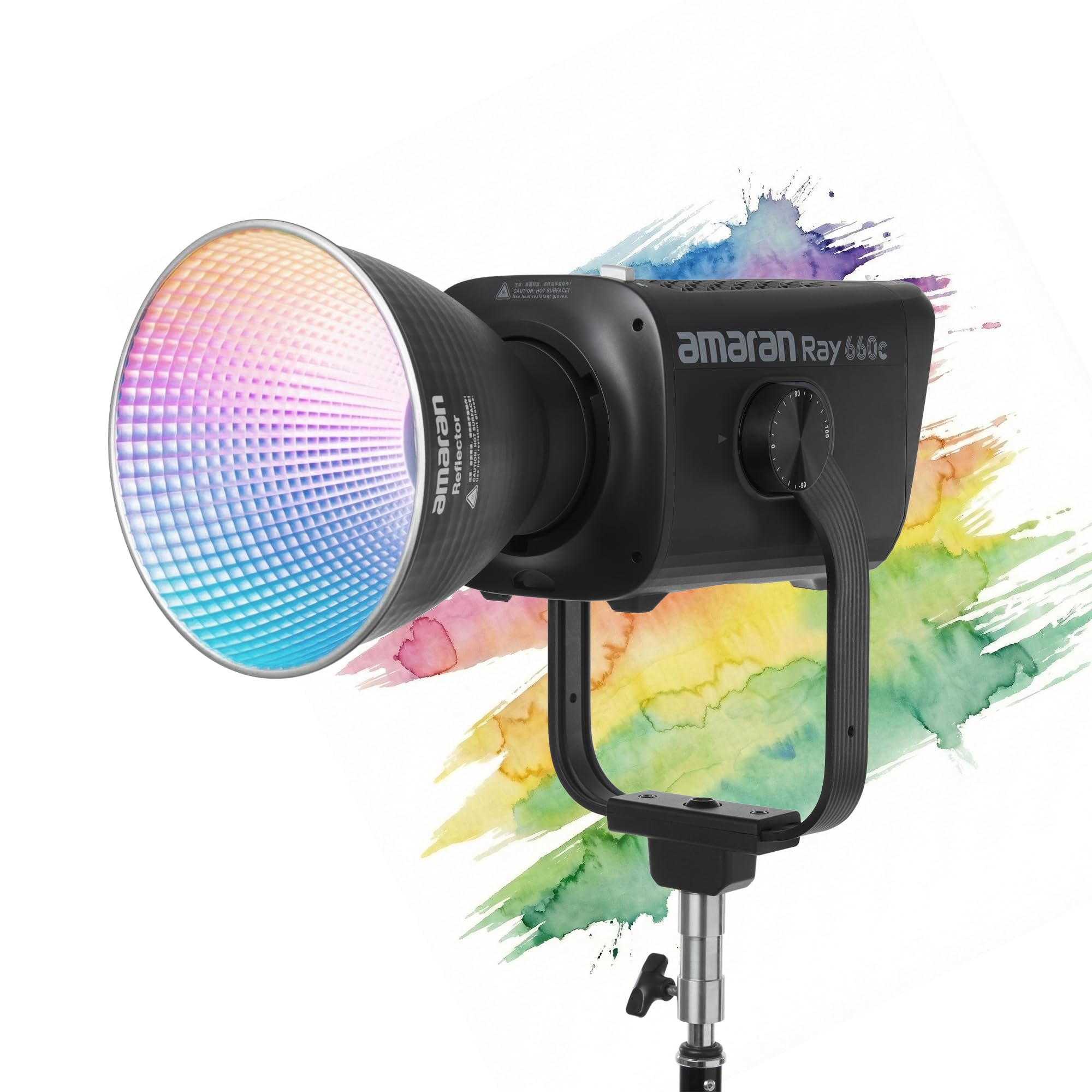
Image 1.1: The Amaran Ray 660c light unit with its standard reflector attached.
Video 1.1: An overview of the Amaran Ray Series, demonstrating various features and applications of the lights, including the Ray 660c.
2. Safety Information
- Do not look directly into the light source when it is active.
- Ensure proper ventilation to prevent overheating.
- Use only the provided AC power cable.
- Keep the device away from water and flammable liquids.
- Do not attempt to disassemble or modify the unit. Refer all servicing to qualified personnel.
- Operate within the specified temperature and humidity ranges.
3. What's in the Box
Verify that all items are present upon unpacking:
- 1x Amaran Ray 660c Light Unit
- 1x Amaran Reflector
- 1x Amaran AC Power Cable (5m)
- 1x Amaran Blue Bowens Mount Protection Cover
- 1x Amaran Ray 660c EPP Carrying Case

Image 3.1: All components included in the Amaran Ray 660c package.
4. Setup
- Mounting the Light: Attach the Amaran Ray 660c to a light stand using its integrated yoke and stand mount. Ensure it is securely fastened.
- Attaching the Reflector: Align the Amaran Reflector with the Bowens Mount on the front of the light. Twist clockwise until it locks into place.
- Power Connection: Connect the provided AC power cable to the power input on the light unit. Plug the other end into a suitable power outlet. The Ray 660c features an integrated power supply, eliminating the need for an external power brick.
5. Operation
5.1 Powering On/Off
Locate the power switch on the unit and toggle it to the 'ON' position to power on the light. Toggle to 'OFF' to power down.
5.2 Adjusting Color Temperature (CCT) and Intensity
Use the FlowTurn knob and selection buttons on the control panel to navigate through settings. Rotate the knob to adjust the Correlated Color Temperature (CCT) from 2,300K to 10,000K. The intensity (brightness) can also be adjusted from 0-100% using the same knob after selecting the intensity parameter.

Image 5.1: The user-friendly control panel of the Amaran Ray 660c, highlighting the FlowTurn knob for precise adjustments.
5.3 Adjusting Hue, Saturation, and Intensity (HSI/RGB)
The Amaran Ray 660c features a full-color OmniColor Engine. Switch to HSI or RGB mode via the control panel to access 360° hue, saturation, and intensity adjustments for a wide range of creative colors.

Image 5.2: The Amaran Ray 660c's color performance metrics, including CRI, TLCI, and SSI, demonstrating its color accuracy.
5.4 NFC Pairing and App Control
The light supports instant NFC pairing with the Amaran App for seamless wireless control. Simply tap your NFC-enabled smartphone to the NFC area on the light to connect. The app allows for comprehensive control over all light settings and built-in effects.

Image 5.3: Demonstrating NFC pairing by tapping a smartphone to the Amaran Ray 660c for app control.
5.5 DMX Control
For advanced lighting setups, the Amaran Ray 660c supports DMX control. Connect the light to a DMX console using a DMX cable to integrate it into professional lighting workflows.
5.6 Special Effects
The Ray 660c includes 12 built-in lighting effects such as Paparazzi, Lightning, Fireworks, Strobe, Faulty Bulb, TV, Pulsing, Explosion, Fire, Welding, Cop Car, and Party. These effects can be accessed and adjusted via the control panel or the Amaran App.
6. Weather Resistance
The Amaran Ray 660c features an IP54 weather-resistant design, providing protection against dust and light splashes. This makes it suitable for use in various outdoor shooting conditions, including wind and light rain. Ensure all ports are properly sealed when operating in adverse weather.

Image 6.1: The Amaran Ray 660c light unit being used outdoors in light rain, showcasing its IP54 weather resistance.
7. Maintenance
- Clean the light unit with a soft, dry cloth. Do not use harsh chemicals or abrasive materials.
- Regularly check cables for damage and ensure secure connections.
- Store the light in its EPP carrying case in a dry, cool environment when not in use.
- Ensure the fan vents are clear of obstructions to maintain optimal cooling.
8. Troubleshooting
- Light not powering on: Check the AC power cable connection to both the light and the power outlet. Ensure the power switch is in the 'ON' position.
- No light output: Verify that the intensity setting is not at 0%.
- App connection issues: Ensure Bluetooth is enabled on your device and the Amaran App is updated. Re-attempt NFC pairing.
- Overheating warning: Check for blocked fan vents. Ensure the light is operating in a well-ventilated area. Power off the unit and allow it to cool down before resuming operation.
9. Specifications
| Feature | Specification |
|---|---|
| Brand | Amaran |
| Model Name | Amaran Ray 660c |
| Power Output | 660W |
| Illuminance (Bare @ 1m) | Up to 38,500 lux |
| Color Temperature (CCT) | 2,300K - 10,000K (extendable to 1,800K-20,000K with CCT+ Mode) |
| Color Accuracy | CRI 95+, TLCI 95+, SSI D56: 80, SSI Tungsten: 87 |
| Color Control | 360° HSI/RGB, Green-Magenta Adjustment |
| Control Methods | On-board, Amaran App (NFC), DMX |
| Weather Resistance | IP54 |
| Mount Type | Bowens Mount |
| Power Supply | Integrated AC Power |

Image 9.1: Visual representation of the Amaran Ray 660c's high power output and illuminance.
10. Warranty and Support
The Amaran Ray 660c comes with a 12-month warranty from the date of purchase. For technical support, warranty claims, or service inquiries, please contact Amaran customer service or visit the official Amaran website. Keep your proof of purchase for warranty validation.
Manufacturer: Aputure Imaging Industries Co., Ltd


