
OTTOCAST CP88
OTTOCAST Mini Cube 3.0 Wireless CarPlay & Android Auto Adapter
Instruction Manual
Introduction
The OTTOCAST Mini Cube 3.0 is designed to convert your vehicle's wired CarPlay or Android Auto system into a wireless connection. This device offers a compact solution for integrating your smartphone's features directly into your car's infotainment system without the need for cables. This manual provides instructions for setup, operation, maintenance, and troubleshooting.
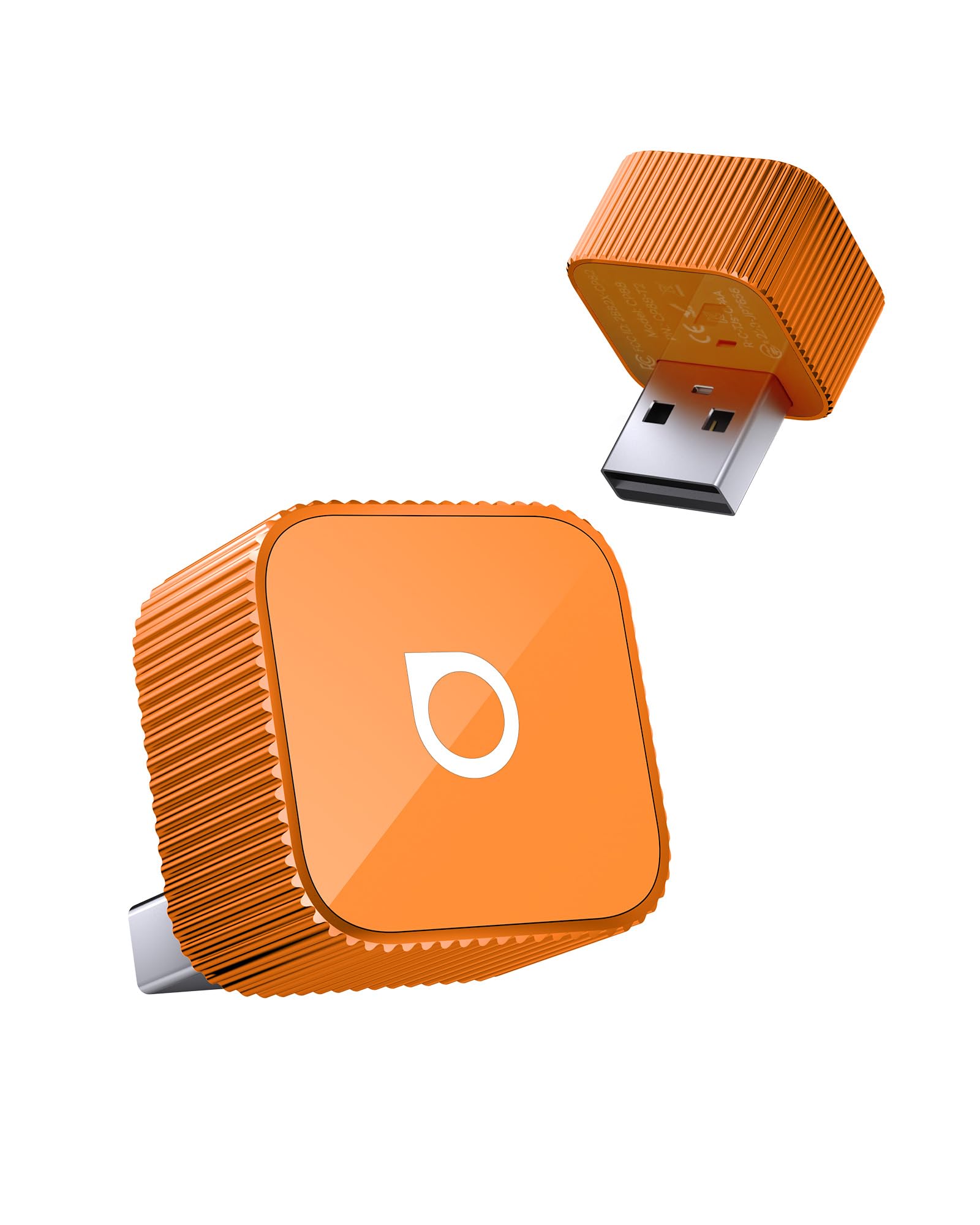
Image: The OTTOCAST Mini Cube 3.0 adapter.
Package Contents
Verify that all items are present in the package:
- 1 x OTTOCAST Mini Slim adapter
- 1 x USB male adapter (Type-A to C)
- 1 x User Manual
- 1 x Product Packaging

Image: Diagram showing the OTTOCAST Mini Slim adapter, USB male adapter, user manual, and product packaging.
Setup Instructions
Follow these steps to set up your OTTOCAST Mini Cube 3.0:
- Plug into Car: Connect the OTTOCAST Mini Cube 3.0 adapter into your car's USB port. Use the provided USB-A to USB-C adapter if your car has a USB-C port.
- Enable Bluetooth/Wi-Fi: On your smartphone, ensure both Bluetooth and Wi-Fi are enabled.
- Pair Your Phone: On your car's infotainment screen, select the OTTOCAST device (usually named 'CAR2-XXXX' or similar) from the Bluetooth device list. Confirm the pairing request on your phone.
- Start CarPlay/Android Auto: Once paired, your car's screen should automatically display the CarPlay or Android Auto interface.

Image: Visual guide showing the three steps for simple plug and play setup: plugging into the car, enabling Bluetooth/Wi-Fi, and using CarPlay/Android Auto.
After the initial successful connection, the OTTOCAST Mini Cube 3.0 will automatically connect to your car when you start the vehicle, eliminating the need for manual connection each time.

Image: A man entering his car, demonstrating the automatic connection feature of the OTTOCAST Mini Slim adapter upon vehicle startup.
Operating Instructions
Once connected, the OTTOCAST Mini Cube 3.0 provides a seamless wireless experience for both Apple CarPlay and Android Auto. You can access your phone's navigation, music, calls, and messages directly on your car's display.
- Wireless Connectivity: Enjoy all CarPlay and Android Auto features without physical cable connections.
- Fast Auto-Reconnect: The device is designed for quick re-connection, typically within 5 seconds of starting your car.
- Original Car Controls: Maintain full functionality of your car's original controls, including steering wheel buttons, OEM knob controls, touch screen, and voice commands (Siri/Google Voice Control).

Image: Two car dashboards showing the seamless integration of wireless CarPlay and Android Auto interfaces.

Image: Illustrations of how the OTTOCAST Mini Cube 3.0 retains original car functions like OEM knob control, touch screen control, steering wheel control, and Siri/Google Voice Control.
Maintenance
To ensure optimal performance and longevity of your OTTOCAST Mini Cube 3.0, consider the following:
- Thermal Management: The device is designed with advanced electronic components and may become warm during operation. This is normal and within safe operating limits. For optimal performance, ensure proper ventilation and avoid enclosing the device during use.
- Durability: The adapter is rigorously tested for over 50,000 plug cycles, indicating robust construction for daily use.
- Cleaning: Use a soft, dry cloth to clean the device. Avoid liquid cleaners.

Image: Diagram illustrating the internal components and smart thermal management system of the OTTOCAST Mini Cube 3.0, featuring an A9 chip, Bluetooth 4.2, and Wi-Fi 5.
Troubleshooting
If you encounter issues with your OTTOCAST Mini Cube 3.0, refer to the following common solutions:
- No Connection: Ensure the adapter is securely plugged into the USB port. Verify that Bluetooth and Wi-Fi are active on your phone and that the correct device is selected on your car's infotainment system.
- Intermittent Connection: Check for any obstructions around the adapter that might interfere with the wireless signal. Ensure your phone's software and your car's firmware are up to date.
- Compatibility Issues: The device is compatible with over 98% of vehicles equipped with wired CarPlay or wired Android Auto. However, it is not compatible with BMW or Tesla vehicles. For a detailed compatibility check, visit the official compatibility page: https://check.adaptermanual.com/AMZ/.

Image: Visual representation of various compatible vehicle brands and a note about non-compatibility with BMW/Tesla, along with a QR code for checking compatibility.
Specifications
| Model Number | CP88 |
| Compatible Devices | Android 11+, Car, iOS 10+, iPhone 17 |
| Connector Type | Auxiliary, USB Type A |
| Color | Orange |
| Item Dimensions (L x W x H) | 0.98 x 0.98 x 0.98 inches |
| Item Weight | 6.4 Grams |
| Input Voltage | 5 Volts |
| Current Rating | 5 Amps |

Image: A close-up showing the compact dimensions of the OTTOCAST Mini Cube 3.0 adapter.

Image: Details of the OTTOCAST Mini Cube 3.0's quality USB port, LED indicator for connection status, and the included USB-A to Type-C adapter.
Warranty
The OTTOCAST Mini Cube 3.0 comes with a 2-year warranty. Please retain your proof of purchase for warranty claims.
Support
For further assistance, technical support, or warranty inquiries, please contact OTTOCAST customer service through their official channels. Refer to the product packaging or the official OTTOCAST website for contact information.
Related documentsCP88


Ask a question about this manual
Ask about setup, troubleshooting, compatibility, parts, safety, or missing instructions. Manuals+ will review the question and use this page’s manual context to help answer it.