
Introduction
Thank you for purchasing the advwin 75L Automatic Pet Dryer Box. This manual provides essential information for the safe and efficient operation of your new pet dryer. Please read all instructions carefully before use and retain this manual for future reference.
Safety Information
To reduce the risk of fire, electric shock, or injury, always follow basic safety precautions when using electrical appliances. This appliance is for pet drying only. Do not use for any other purpose.
- Read all instructions before using the appliance.
- Do not operate any appliance with a damaged cord or plug, or after the appliance malfunctions or has been dropped or damaged in any manner.
- Do not use outdoors or operate where aerosol (spray) products are being used or where oxygen is being administered.
- Unplug from outlet when not in use and before cleaning.
- Do not allow children to operate this appliance. Close supervision is necessary when any appliance is used by or near children.
- Ensure the pet is comfortable and not distressed during operation. Never leave a pet unattended in the dryer box.
- Do not block air openings or place on a soft surface where openings may be blocked. Keep air openings free of lint, hair, and the like.
- Do not immerse the appliance in water or other liquids.
- Always place the dryer box on a stable, level surface.
Package Contents
Verify that all items are present in the package:
- 1 x advwin 75L Automatic Pet Dryer Box
- 1 x Instruction Manual (this document)
Product Overview
Familiarize yourself with the components of your advwin Pet Dryer Box.
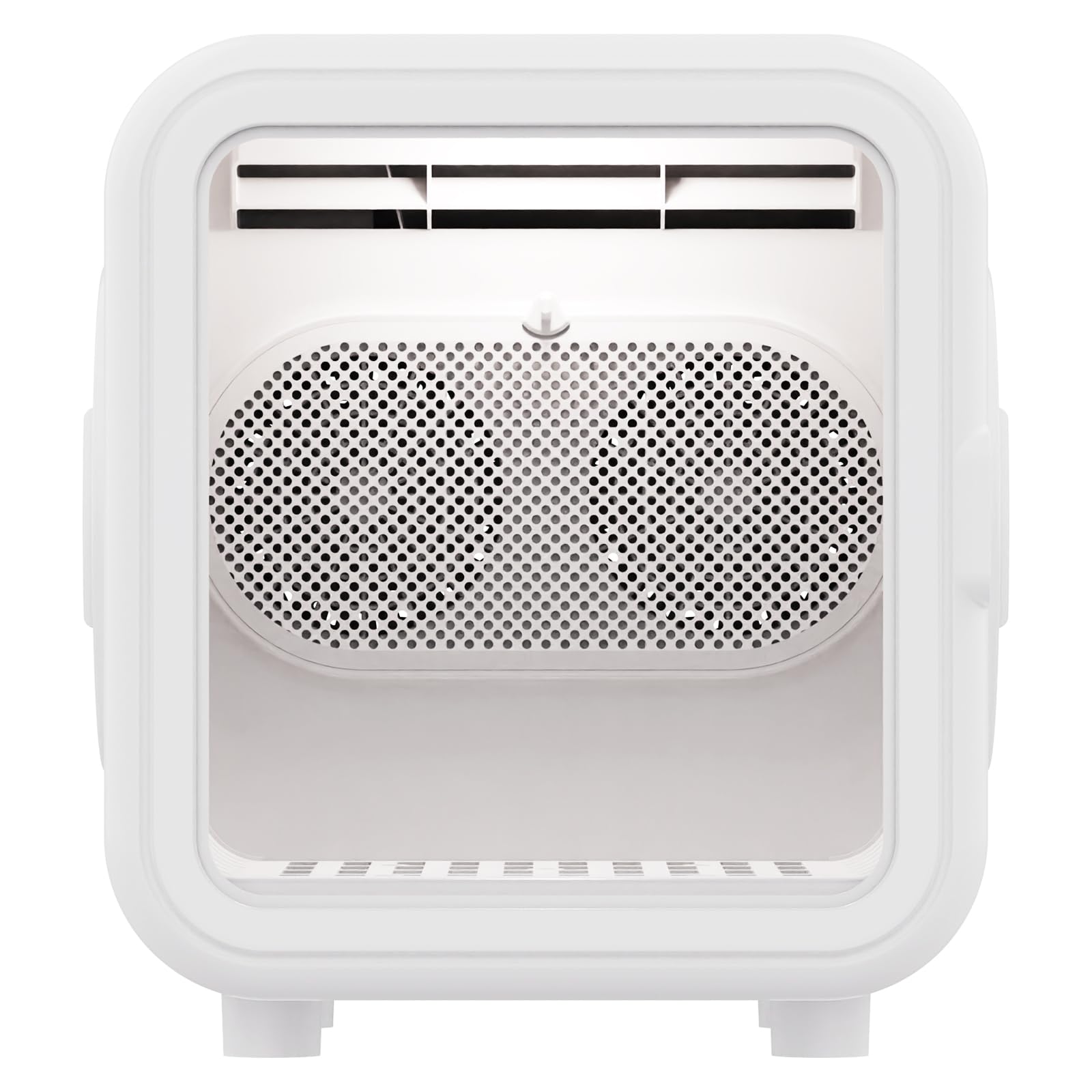
Figure 1: Overall view of the advwin 75L Automatic Pet Dryer Box with the front door open, showing the interior drying space.
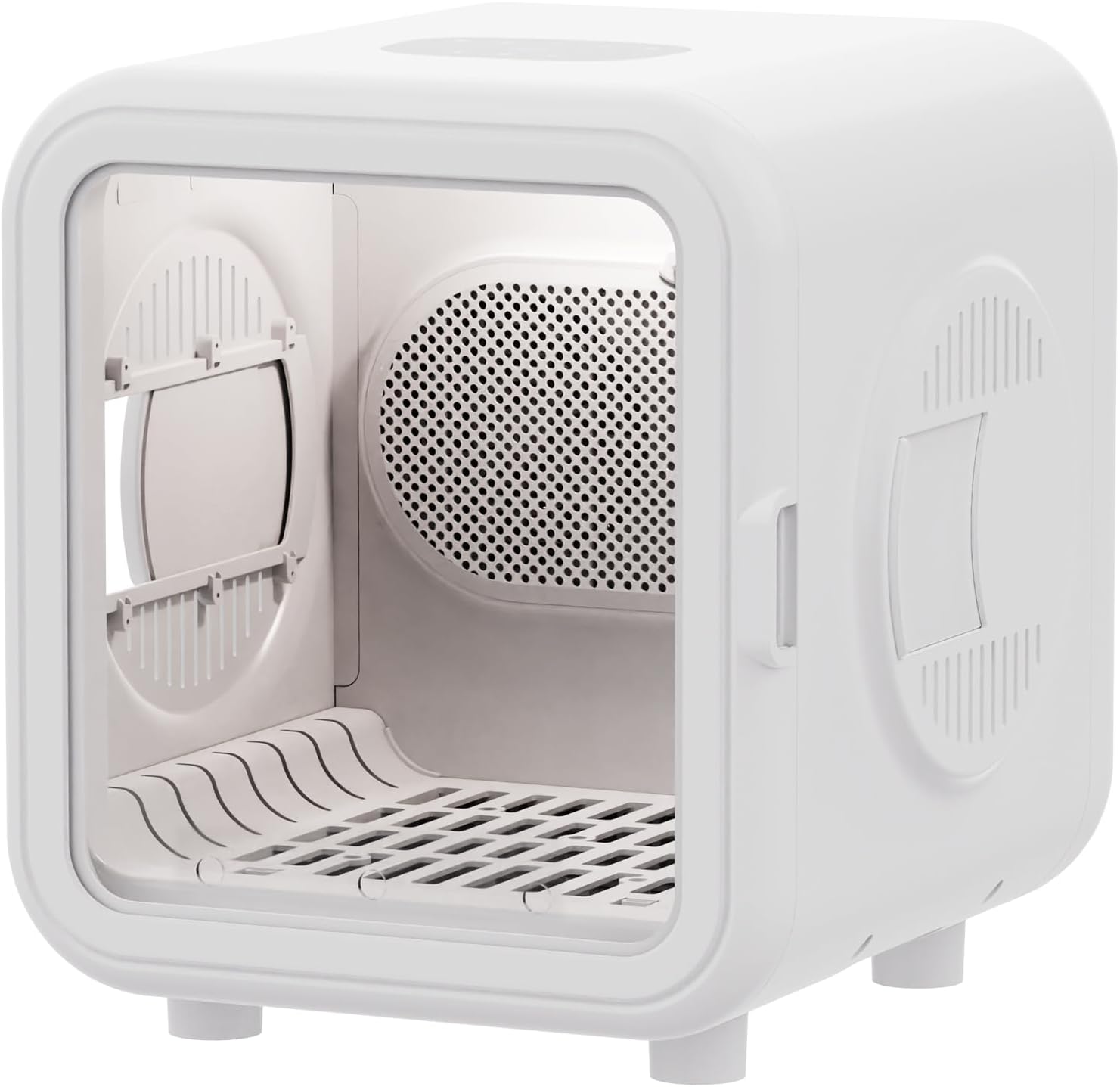
Figure 2: Interior view of the dryer box, highlighting the internal fan and heating element for 360° efficient drying.
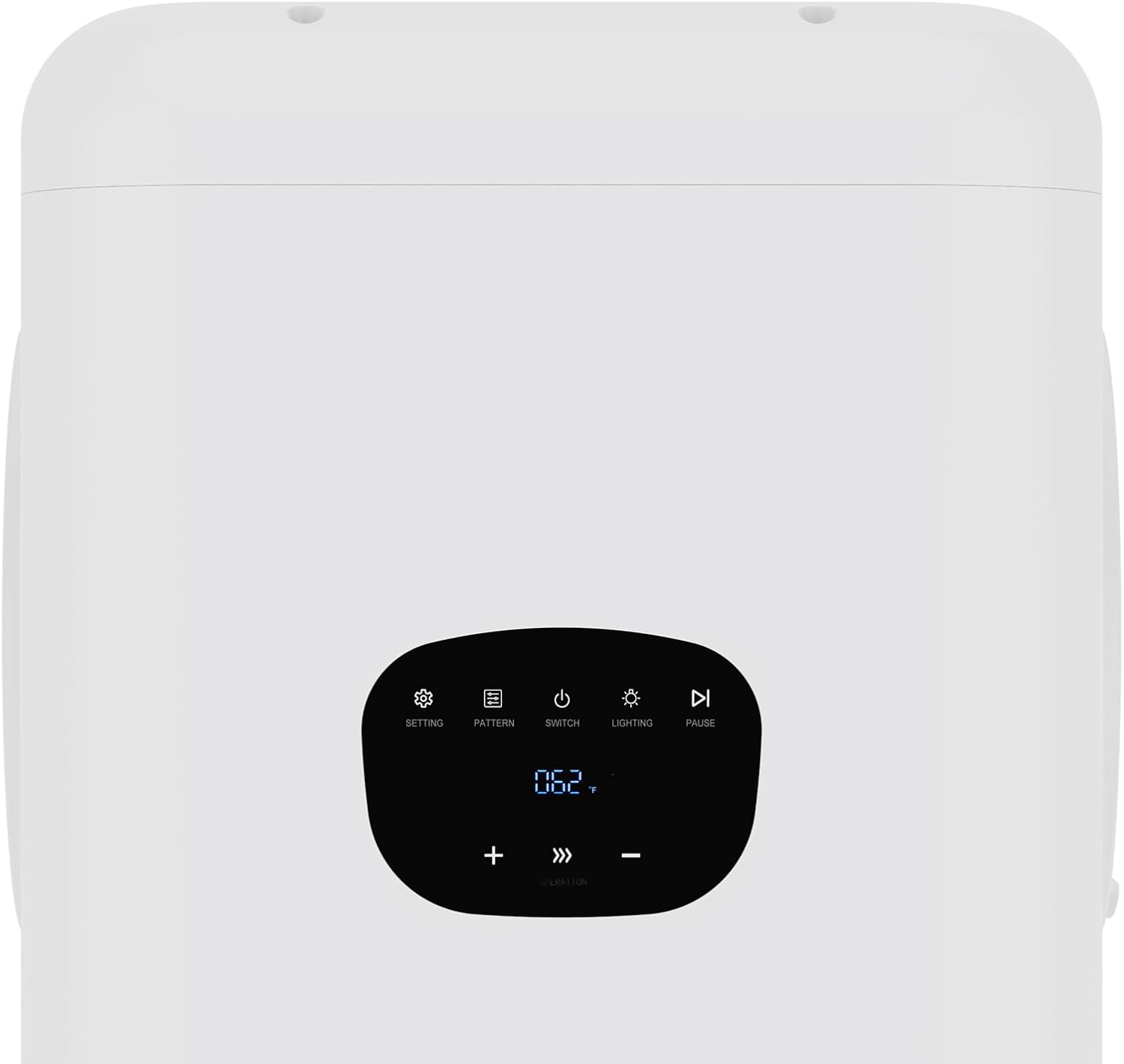
Figure 3: Detailed view of the control panel, featuring buttons for settings, pattern, switch, lighting, and pause, along with temperature display and adjustment controls.
Setup
- Unpacking: Carefully remove all components from the packaging. Inspect the dryer box for any signs of damage.
- Placement: Place the dryer box on a firm, level, and dry surface. Ensure there is adequate space around the unit for proper ventilation. Avoid placing it near water sources or in direct sunlight.
- Power Connection: Plug the power cord into a standard electrical outlet. Ensure the outlet voltage matches the specifications of the dryer box.
- Initial Cleaning: Before first use, wipe the interior of the dryer box with a damp cloth to remove any dust or manufacturing residues. Ensure it is completely dry before operation.
Operating Instructions
Follow these steps to operate your advwin Pet Dryer Box:
1. Power On/Off
- Press the "SWITCH" button on the control panel to turn the unit on or off. The display will illuminate when powered on.
2. Placing Your Pet
- Gently place your pet inside the dryer box. Ensure the pet is calm and comfortable.
- Close the door securely. The door features a secure latch to prevent accidental opening.
3. Mode Selection (5 Modes)
- Press the "PATTERN" button to cycle through the available drying modes. The display will indicate the selected mode. Refer to the table below for mode descriptions.
| Mode | Description | Typical Use |
|---|---|---|
| Mode 1: Gentle Dry | Low heat, low fan speed. Ideal for sensitive pets or initial drying. | Small pets, short hair, or pets sensitive to noise/heat. |
| Mode 2: Standard Dry | Medium heat, medium fan speed. Balanced drying for most pets. | General drying after bathing. |
| Mode 3: Fast Dry | Higher heat, higher fan speed. For quicker drying of thicker coats. | Pets with thick or long hair, when faster drying is needed. |
| Mode 4: Cool Air | No heat, high fan speed. Circulates cool air. | Cooling down pets, or for light air drying without heat. |
| Mode 5: Smart Temperature | Automatically adjusts heat and fan speed based on internal temperature sensors to maintain optimal comfort. | Automated drying for optimal pet comfort and safety. |
4. Temperature Control
- When not in "Smart Temperature" mode, use the "+" and "-" buttons to adjust the desired temperature. The current temperature will be displayed.
- Always monitor your pet for signs of discomfort or overheating.
5. Timer Setting
- Press the "SETTING" button to enter timer adjustment mode.
- Use the "+" and "-" buttons to set the desired drying duration. The dryer will automatically shut off after the set time.
- Recommended drying times vary by pet size, coat type, and wetness. Start with shorter durations and extend if necessary.
6. Lighting
- Press the "LIGHTING" button to turn the interior light on or off, allowing you to monitor your pet.
7. Pause Function
- Press the "PAUSE" button to temporarily stop the drying cycle. Press again to resume.
Important: Always ensure your pet has access to fresh water before and after drying. Monitor your pet closely throughout the drying process for any signs of distress or overheating. If your pet shows signs of discomfort, immediately stop the dryer and remove your pet.
Maintenance
Regular maintenance ensures optimal performance and longevity of your pet dryer box.
- Cleaning the Interior: After each use, unplug the unit and allow it to cool. Wipe the interior surfaces with a soft, damp cloth. For stubborn stains, use a mild pet-safe cleaner. Ensure the interior is completely dry before next use.
- Cleaning the Air Filter: The dryer box is equipped with an air filter to prevent pet hair from entering the motor. Locate the filter (usually at the air intake vent). Remove and clean it regularly by brushing off accumulated hair and dust. Wash with water if necessary and ensure it is completely dry before reinserting.
- Exterior Cleaning: Wipe the exterior with a soft, dry or slightly damp cloth. Do not use abrasive cleaners or solvents.
- Storage: When not in use for extended periods, unplug the dryer box and store it in a clean, dry place away from direct sunlight and extreme temperatures.
Troubleshooting
Refer to this section for common issues and their solutions.
| Problem | Possible Cause | Solution |
|---|---|---|
| Dryer does not turn on. | No power supply. Power cord not properly connected. | Check if the power outlet is working. Ensure the power cord is securely plugged into both the unit and the wall outlet. |
| No heat or insufficient heat. | Incorrect mode selected. Air filter is blocked. | Select a drying mode that includes heat (e.g., Standard Dry, Fast Dry, Smart Temperature). Clean the air filter to ensure proper airflow. |
| Weak airflow. | Air filter is blocked. Air intake/exhaust vents are obstructed. | Clean the air filter. Ensure no objects are blocking the vents on the dryer box. |
| Pet appears distressed. | Temperature too high. Pet is not accustomed to the dryer. | Immediately pause the dryer and remove your pet. Adjust temperature or mode. Introduce your pet to the dryer gradually with short, supervised sessions. |
If the problem persists after attempting these solutions, please contact customer support.
Specifications
| Brand Name | advwin |
| Model Name | Pet Dryer Box |
| Item Model Number | Cat Dryer Box 10 |
| Size | 75L |
| Color | White |
| Product Dimensions (L x W x H) | 19.29 x 18.11 x 19.69 inches (49 x 46 x 50 cm) |
| Item Weight | 19.4 pounds (8.8 kg) |
| Specific Uses | Hair Dryer, Pet Cool House, Pet Warm House |
| Target Audience | Cats, Small Dogs |

Figure 4: Dimensions of the advwin 75L Automatic Pet Dryer Box, showing approximate measurements in inches and centimeters.
Warranty Information
The advwin 75L Automatic Pet Dryer Box comes with a 1-year warranty from the date of purchase. This warranty covers manufacturing defects and malfunctions under normal use. It does not cover damage caused by misuse, accident, unauthorized modification, or improper maintenance.
Please retain your proof of purchase for warranty claims.
Customer Support
If you have any questions, require assistance, or encounter issues not covered in this manual, please contact advwin customer support. For the most up-to-date contact information, please visit the official advwin website or refer to your purchase documentation.
When contacting support, please be prepared to provide your product model number (Cat Dryer Box 10) and proof of purchase.