
1. Introduction
This manual provides essential information for the safe and efficient operation of your EFFORTWAY 4000W Modified Sine Wave Power Inverter. Please read all instructions carefully before use to ensure proper installation and to prevent damage to the inverter or connected devices.

Figure 1: EFFORTWAY 4000W Modified Sine Wave Power Inverter. This image shows the main unit of the power inverter, highlighting its design and branding.
2. Safety Information
Always observe the following safety precautions to reduce the risk of electric shock, fire, or injury:
- Ventilation: Ensure adequate ventilation around the inverter. Do not block ventilation openings.
- Environment: Do not expose the inverter to rain, moisture, or extreme temperatures. Operate in a dry, well-ventilated area.
- Connections: Ensure all DC input and AC output connections are secure and correctly polarized. Loose connections can cause overheating.
- Grounding: The inverter must be properly grounded.
- Load Capacity: Do not exceed the inverter's continuous power rating (4000W) or peak power rating (8000W). Overloading can cause damage.
- Children: Keep the inverter out of reach of children.
- Internal Components: Do not attempt to open or modify the inverter. There are no user-serviceable parts inside.
- Battery Safety: Work in a well-ventilated area when connecting to batteries. Batteries can produce explosive gases.
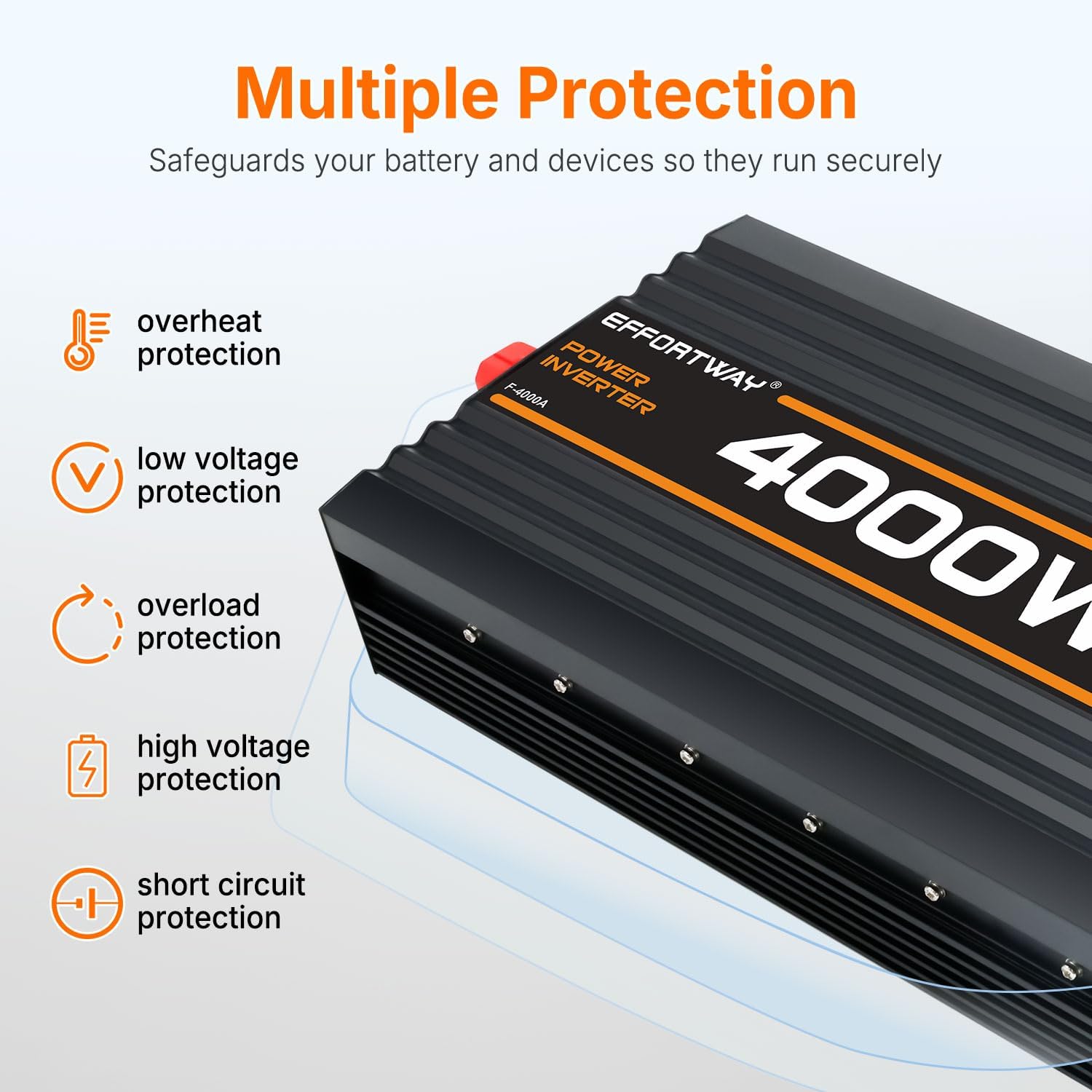
Figure 2: Multiple Protection Features. This image illustrates the inverter's built-in safety mechanisms, including overheat, low voltage, overload, high voltage, and short circuit protection.
3. Package Contents
Verify that all items are present in the package:
- EFFORTWAY 4000W Power Inverter
- DC Input Cables (Red and Black)
- Wired Remote Control (with cable)
- Instruction Manual (this document)

Figure 3: Inverter Components and Accessories. This image labels the key parts of the inverter, including terminals, cooling fan, power switch, USB port, remote control terminal, LCD display, AC outlets, and the included cables and remote control.
4. Product Features
The EFFORTWAY 4000W Power Inverter offers the following key features:
- Powerful Output: Provides continuous 4000W power with an 8000W peak, converting 12V DC to 110V/120V AC.
- LCD Display: A clear screen displays real-time information including input voltage, battery level, output voltage, and frequency.
- Wired Remote Control: Allows convenient operation from up to 16.4 feet (5 meters) away, useful for installations where the inverter is not easily accessible.
- Comprehensive Safety: Integrated protection against overload, short circuit, over/under voltage, and high temperature.
- Versatile Power Hub: Equipped with 3 AC outlets and a 5V/2.1A USB port for charging various devices.

Figure 4: Inverter Features Overview. This image highlights the key features of the inverter, including USB port, US sockets, Modified Sine Wave output, wired remote control, and cooling fan.
5. Setup
5.1 Connecting the Inverter to a Battery
- Ensure the inverter's power switch is in the OFF position.
- Connect the red DC input cable to the positive (+) terminal of the inverter and the positive (+) terminal of your 12V battery.
- Connect the black DC input cable to the negative (-) terminal of the inverter and the negative (-) terminal of your 12V battery.
- Ensure all connections are tight and secure to prevent voltage drops and overheating.
- For optimal performance and safety, use appropriate gauge cables for your power requirements.
5.2 Wiring Tips to Minimize Sparking
It is common to observe small sparks when connecting the inverter to the battery due to the inverter's capacitors drawing current rapidly during initial charging. To minimize this:
- You can pre-charge the inverter's capacitor using a pencil sharpened at both ends, a 12V car headlight, or a standard incandescent bulb.
- When using a car headlight, connect it briefly between the positive battery terminal and the inverter's positive input terminal. When the light stops emitting, it indicates the inverter's capacitor has completed charging, and you can then make the final connection.

Figure 5: Wiring Tips. This image illustrates a method to pre-charge the inverter's capacitors using a 12V car headlight or a pencil to reduce sparking during initial battery connection.
5.3 Connecting the Wired Remote Control
Plug the remote control cable into the designated remote control terminal on the inverter. The remote allows you to power the inverter on/off and monitor its status from a distance.
6. Operating Instructions
6.1 Powering On/Off
- After connecting the inverter to the battery, press the power switch on the inverter or the ON button on the wired remote control to turn it on.
- The LCD display will illuminate, showing current operating parameters.
- To turn off, press the power switch or the OFF button on the remote control.
6.2 Using AC Outlets and USB Port
Once the inverter is powered on, you can plug your 110V/120V AC appliances into the three AC outlets and USB-powered devices into the 5V/2.1A USB port.

Figure 6: Powering Multiple Appliances. This image demonstrates the inverter's capability to power various devices simultaneously using its AC outlets and USB port.
6.3 Understanding the LCD Display
The LCD display provides real-time feedback on the inverter's status:
- Battery Allowance: Indicates the remaining battery charge.
- Input Voltage: Shows the DC voltage from the battery (e.g., 12.0V).
- Output Voltage: Displays the AC output voltage (e.g., 110V).
- Frequency: Shows the output frequency (e.g., 60Hz).
- Load: Indicates the current power draw from connected devices.

Figure 7: LCD Display Information. This image details the information presented on the inverter's LCD screen, including battery level, input/output voltage, frequency, and load.
6.4 Using the Wired Remote Control
The wired remote control allows you to manage the inverter's power status without direct access to the unit. It also displays fault codes and power indicators.

Figure 8: Remote Control Operation. This image shows the inverter being controlled by its wired remote from a distance, emphasizing the convenience of remote operation.
Video 1: EFFORTWAY 4000W Modified Sine Wave Inverter Overview. This official product video from ZHIFENG GLOBAL DIRECT demonstrates the features and operation of the EFFORTWAY 4000W Modified Sine Wave Inverter, including its LCD display and remote control functionality.
7. Maintenance
- Cleaning: Periodically clean the exterior of the inverter with a dry, soft cloth. Do not use liquids or abrasive cleaners.
- Ventilation: Ensure the cooling fan and ventilation openings are free from dust and debris to maintain proper airflow.
- Connections: Regularly check all electrical connections (DC input, AC output) to ensure they remain tight and free from corrosion.
- Storage: If storing the inverter for an extended period, disconnect it from the battery and store it in a cool, dry place.
8. Troubleshooting
The inverter is equipped with various protection features that may cause it to shut down or display a fault code. Refer to the remote control display for specific fault codes if available.
| Problem | Possible Cause | Solution |
|---|---|---|
| Inverter not turning on | Loose battery connections, low battery voltage, faulty fuse. | Check battery connections, charge battery, inspect fuses. |
| No AC output | Overload, short circuit, high/low input voltage, overheat. | Reduce load, check for short circuits, verify battery voltage, allow inverter to cool. |
| Overload shutdown | Connected appliance exceeds inverter's capacity. | Disconnect excessive load, restart inverter. |
| Overheat shutdown | Poor ventilation, high ambient temperature, excessive load. | Ensure proper ventilation, reduce load, allow inverter to cool. |
| Low/High Voltage shutdown | Battery voltage is outside the acceptable operating range. | Charge battery (low voltage) or check charging system (high voltage). |

Figure 9: Inverter Protection Mechanisms. This image visually represents the various protection features of the inverter, including overheat, over voltage, under voltage, overload, short circuit, and over current protection.
9. Specifications
| Specification | Value |
|---|---|
| Brand | EFFORTWAY |
| Model Number | F-4000A |
| Continuous Output Power | 4000 Watts |
| Peak Output Power | 8000 Watts |
| Input Voltage | 12V DC |
| Output Voltage | 110V / 120V AC |
| Output Waveform | Modified Sine Wave |
| Frequency | 60 Hz |
| USB Output | 5V / 2.1A |
| Display Type | LCD |
| Item Dimensions (L x W x H) | 17" x 7" x 2.7" |
| Item Weight | 3.7 kg |

Figure 10: Modified Sine Wave Output. This image illustrates the waveform of a modified sine wave, indicating its suitability for resistive appliances and certain lighting fixtures.
10. Warranty and Support
For warranty information and technical support, please refer to the contact details provided with your purchase or visit the official EFFORTWAY brand store: