
Introduction
This manual provides detailed instructions for the BIEGEDY B29 Android Tablet. It covers essential information regarding product setup, operation, maintenance, and troubleshooting to ensure optimal performance and user experience. The B29 tablet features a 10-inch display, runs on Android 14, and is powered by an Octa-Core 2.0 GHz processor, offering a smooth and responsive experience for various tasks.
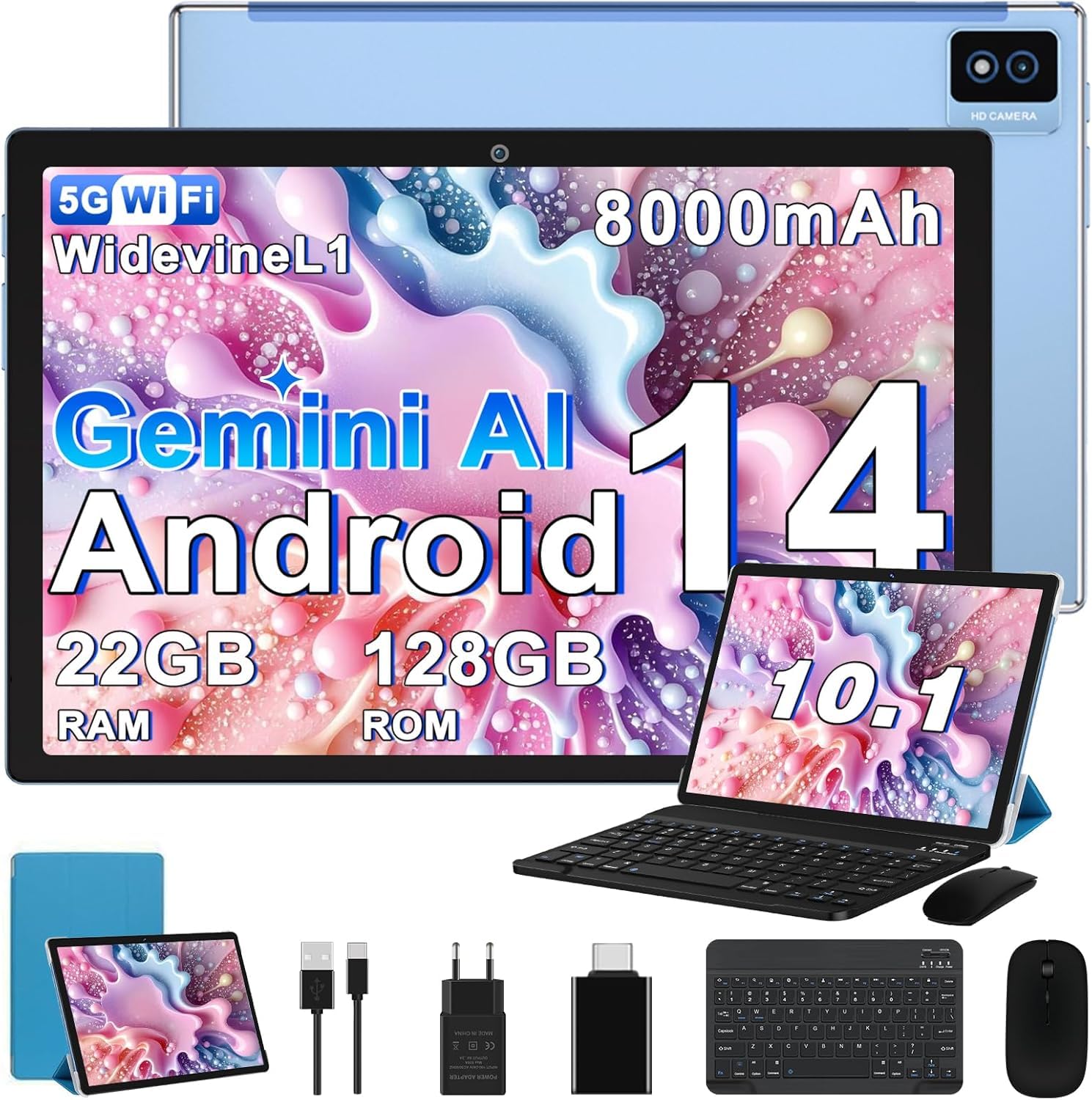
Image: The BIEGEDY B29 Android Tablet shown with its included keyboard and mouse, highlighting its versatility.
What's in the Box
Upon unboxing your BIEGEDY B29 Tablet, please verify that all the following items are included:
- 1 x B29 Tablet PC
- 1 x Mouse
- 1 x Keyboard
- 1 x Charger
- 1 x Type-C Cable
- 1 x Protective Case
- 1 x Screen Protector Film
- 1 x User Manual (this document)
- 1 x Card Ejection Pin
Product Overview
The BIEGEDY B29 Tablet is designed for a comprehensive user experience, integrating advanced features and robust hardware.
Key Features:
- Operating System: Android 14 for enhanced privacy, personalization, and system responsiveness.
- Processor: Octa-Core 2.0 GHz for smooth multitasking and application performance.
- Memory & Storage: 22GB RAM (6GB + 16GB expandable) and 128GB internal storage, expandable up to 1TB via microSD/TF card.
- Display: 10.1-inch IPS screen with 1280x800 resolution, supporting Widevine L1 for high-definition streaming.
- Connectivity: Dual-band 5G+2.4G WiFi 6, Bluetooth 5.0, and GPS for reliable connections and navigation.
- Cameras: 8MP rear camera and 5MP front camera for photos, video calls, and recording.
- Battery: 8000mAh large capacity battery for extended usage.
- Audio: Dual stereo speakers for clear sound.
- Security: Facial recognition technology.
- Ports: USB Type-C charging port, 3.5mm headphone jack.
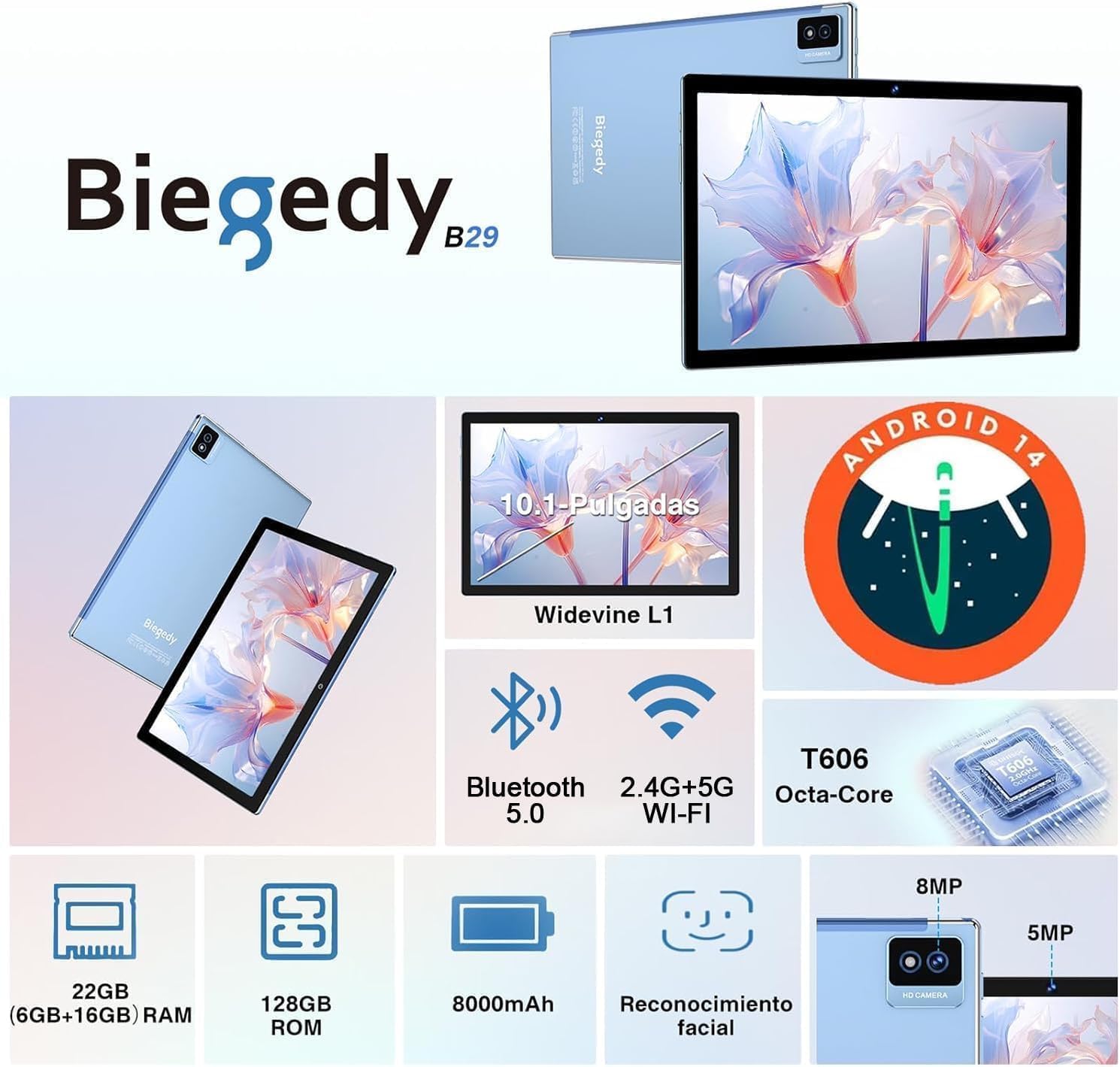
Image: An overview of the BIEGEDY B29 Tablet's key features, including RAM, ROM, battery, facial recognition, and cameras.
Setup
1. Initial Charging
Before first use, it is recommended to charge the tablet for at least 6-8 hours. This helps to optimize the battery's performance and longevity. Connect the provided Type-C cable to the tablet's charging port and the charger to a power outlet.

Image: The BIEGEDY B29 Tablet connected to a Type-C charger, illustrating its 8000mAh battery capacity and estimated usage times for music, games, phone, web, and standby.
2. Powering On/Off
- To Power On: Press and hold the power button located on the side of the tablet until the screen lights up.
- To Power Off: Press and hold the power button, then select "Power off" from the options that appear on the screen.
- To Restart: Press and hold the power button, then select "Restart" from the options.
3. Initial Configuration
Upon first power-on, the tablet will guide you through the initial setup process:
- Select your preferred language.
- Connect to a Wi-Fi network. The tablet supports 5G+2.4G WiFi 6 for fast and stable connections.
- Sign in with your Google account or create a new one. This is necessary to access the Google Play Store and other Google services.
- Review and accept the terms and conditions.
- Set up screen lock (PIN, pattern, password, or facial recognition).
4. Connecting Accessories
The B29 tablet comes with a keyboard and mouse. These can be connected via Bluetooth.
- Bluetooth Keyboard/Mouse:
- Ensure the keyboard/mouse is charged and in pairing mode.
- On your tablet, go to Settings > Connected devices > Bluetooth.
- Turn on Bluetooth and scan for available devices.
- Select the keyboard or mouse from the list and follow the on-screen prompts to pair.
Operating Instructions
1. Android 14 Features
Your tablet runs on Android 14, offering enhanced features:
- Privacy Protection: Advanced controls for app permissions and data encryption.
- Personalization: More options to customize your tablet's interface.
- Google Play Store: Access millions of applications. Ensure you are signed in with a Google account.

Image: Visual representation of Android 14 features like privacy protection and personalization, alongside the T606 Octa-Core 2.0GHz processor.
2. Network and Connectivity
- Wi-Fi 6: Connect to 2.4G or 5G Wi-Fi networks for high-speed internet access. Go to Settings > Network & internet > Wi-Fi.
- Bluetooth 5.0: For connecting wireless headphones, speakers, or other Bluetooth devices. Go to Settings > Connected devices > Bluetooth.
- GPS: The tablet includes GPS for high-precision positioning and real-time location information. This is useful for navigation apps.

Image: Demonstrates the tablet's 2.4G+5G WiFi and Bluetooth 5.0 connectivity, facial recognition, and GPS navigation capabilities.
3. Display and Media
- 10.1-inch FHD Display: Enjoy vibrant colors and clear image quality with the 1280x800 resolution screen.
- Widevine L1 Support: Stream high-definition content from platforms like Netflix with the highest security level, ensuring optimal visual quality.
- Eye Protection Mode: Activate this mode in display settings to reduce harmful blue light emissions and protect your eyes during prolonged use.

Image: Highlights the 10.1-inch IPS display, 1280x800 resolution, Widevine L1 support, 22GB RAM, 128GB ROM, and 1TB expandable storage.
4. Camera Usage
The tablet features dual cameras:
- 8MP Rear Camera: Capture detailed photos and videos. Suitable for daily photography and recording moments.
- 5MP Front Camera: Ideal for selfies and video calls, providing clear images and audio.

Image: Shows the 5MP front camera in use for video calls and the 8MP rear camera for capturing photos.
5. Storage Expansion
You can expand the tablet's storage up to 1TB using a microSD/TF card. Insert the card into the designated slot using the provided card ejection pin if necessary. This allows for ample space for apps, games, and media.
Maintenance
- Cleaning: Use a soft, lint-free cloth to clean the screen and body of the tablet. Avoid abrasive materials or harsh chemicals.
- Battery Care: To prolong battery life, avoid fully discharging the tablet frequently. Charge it regularly and avoid exposing it to extreme temperatures.
- Software Updates: Keep your tablet's software updated to ensure optimal performance, security, and access to the latest features. Go to Settings > System > System update to check for updates.
- Protective Case and Screen Protector: Utilize the included protective case and screen protector to guard against scratches and minor impacts.
Troubleshooting
If you encounter issues with your BIEGEDY B29 Tablet, try the following solutions:
- Tablet not turning on: Ensure the tablet is sufficiently charged. Connect it to the charger and wait a few minutes before attempting to power it on again.
- Apps crashing or freezing: Close background applications. If the issue persists, restart the tablet. Ensure apps are updated to their latest versions.
- Wi-Fi connection issues: Check if your Wi-Fi router is working correctly. Restart the tablet and the router. Forget the network and reconnect.
- Bluetooth pairing problems: Ensure both devices are in pairing mode and within range. Restart Bluetooth on both devices.
- Slow performance: Close unnecessary apps, clear cache, and ensure you have sufficient free storage space.
- Screen unresponsive: Restart the tablet. If the issue continues, perform a factory reset (note: this will erase all data).
Specifications
| Feature | Specification |
|---|---|
| Model Number | B29 |
| Operating System | Android 14 |
| Processor | Octa-Core 2.0 GHz (MediaTek) |
| RAM | 22GB (6GB + 16GB expandable) |
| Internal Storage | 128GB |
| Expandable Storage | Up to 1TB via microSD/TF card |
| Display Size | 10.1 Inches |
| Display Resolution | 1280x800 (IPS LCD) |
| Aspect Ratio | 16:10 |
| Rear Camera | 8 MP |
| Front Camera | 5 MP |
| Video Recording Resolution | HD 720p |
| Wi-Fi | 5G+2.4G Dual Band WiFi 6 (802.11ac/b/g/n) |
| Bluetooth | Bluetooth 5.0 |
| GPS | Integrated GPS |
| Battery Capacity | 8000 mAh (Lithium Ion) |
| Charging Port | USB Type-C |
| Audio Jack | 3.5 mm |
| Dimensions (L x W x T) | 24.5 cm x 16.8 cm x 0.7 cm |
| Special Features | Widevine L1, Facial Recognition, Includes Keyboard and Mouse |
Warranty and Support
The BIEGEDY B29 Tablet comes with a manufacturer's warranty. For specific warranty terms and conditions, please refer to the documentation provided with your purchase or contact BIEGEDY customer support. For technical assistance or further inquiries, please reach out to the manufacturer's support channels.
