
Introduction
This manual provides detailed instructions for the safe and effective use of your COREBOX 20-Amp 12V/24V Smart Trickle Battery Charger. This intelligent charging device is designed for a wide range of 12V and 24V batteries, including traditional lead-acid (Flooded, AGM, GEL, EFB) and LiFePO4 lithium batteries. Please read this manual thoroughly before operation and retain it for future reference.
Safety Information
Always prioritize safety when operating battery charging equipment. Failure to follow these instructions may result in electric shock, fire, or serious injury.
- Read Manual First: Always read and understand the entire instruction manual before using the charger.
- Ventilation: Charge batteries in a well-ventilated, dry area away from children.
- Compatible Batteries: Use only with compatible 12V or 24V batteries as specified in this manual.
- Connection Sequence: Always unplug the charger from the mains power before connecting or disconnecting battery clamps.
- Unattended Operation: Do not leave the charger unattended during operation. Regularly inspect for any signs of damage or overheating.
- Reverse Polarity Protection: The charger includes reverse polarity protection, but always ensure correct connection (red to positive, black to negative) to prevent potential issues.
- Overheating: The charger features physical protections against heat. If the unit becomes excessively hot, it may automatically shut off.

Image: The COREBOX 20-Amp charger features a 10-point protection system, including safeguards against short-circuit, over-current, over-voltage, power-off, overheat, and reverse polarity.
Product Overview
The COREBOX 20ED is a versatile and efficient smart battery charger designed for various automotive and recreational vehicles. Its compact design and integrated cable management enhance portability and ease of use.
Key Features:
- 20-Amp Rapid Charging: Charges 10 times faster than standard 2A chargers.
- Auto-Detecting Voltage: Automatically identifies 12V or 24V systems.
- Universal Compatibility: Supports Lead-Acid (Flooded, AGM, GEL, EFB) and LiFePO4 lithium batteries. Suitable for cars, trucks, RVs, boats, ATVs, UTVs, tractors, snowmobiles, golf carts, and lawnmowers.
- 7 Specialized Modes: Offers targeted charging, desulfation, and long-term trickle charging.
- Comprehensive Protection: Integrates electrical safeguards (short-circuit, over-current/voltage/power) with physical protections (fire, shock, heat, reverse polarity).
- Diagnostic LCD Screen: Displays real-time data (voltage, current, power, charging mode, battery type, charging progress) and alerts for connection issues.
- Recovery Technology: Slow-pulse technology can revive up to 80% of sulfated batteries. 'Forced Output' mode recovers deeply drained batteries (cannot revive fully depleted 0V batteries).
- All-Climate Performance: Dynamic temperature compensation (T-comp) adjusts output for optimal charging in extreme conditions (-40°C to 50°C).
- Portable Design: Compact (7.1" x 6.6" x 3.3") with a built-in handle and 106-inch cable storage.
What's in the Box:
- COREBOX 20-Amp 12V/24V Smart Trickle Battery Charger (Model 20ED)
- 9-Foot / 270 cm Charging Cable with Smart Jumper Clamps
- User Manual

Image: The COREBOX 20-Amp Battery Charger, 9-foot charging cable with smart jumper clamps, and user manual are included in the package.
Setup
Follow these steps for initial setup and connection of your COREBOX battery charger.
- Prepare: Pull the clamps and cable from the charger's rear storage compartment.
- Connect to Battery: Connect the red clamp to the positive (+) battery terminal and the black clamp to the negative (-) battery terminal.
- Power On: Plug the charger into a power outlet. The LCD screen will illuminate.
- Select Mode: Choose the correct charging mode for your battery type (e.g., LiFePO4, AGM) using the mode switch button.

Image: A visual guide to the quick start process, illustrating how to prepare, connect to the battery, power on, and select the appropriate charging mode.
Operating Modes
The COREBOX 20ED offers seven specialized charging modes to optimize battery performance and longevity. The charger automatically detects 12V or 24V systems.
- Standard Mode: For common lead-acid batteries (flooded, SLA).
- Lithium Iron Phosphate (LiFePO4): Specifically for Lithium Iron Phosphate batteries.
- Start-Stop (AGM/GEL/EFB): For AGM, GEL, or EFB batteries found in modern vehicles.
- Motorcycle Mode: For motorcycles, ATVs, and small batteries.
- Trickle Mode: For long-term maintenance charging.
- Repair Mode: Uses pulse technology to desulfate and recover old 12V batteries.
- 12V Power Supply / Forced Charging: Provides a stable 12V DC power source.
Temperature Compensation:
The charger features dynamic temperature compensation (T-comp) technology. It automatically detects ambient temperature and fine-tunes its output for optimal charging, preventing cold undercharging in winter (below 10°C) and protecting against heat overcharge in summer (above 27°C).

Image: The mode switch button allows selection between various charging modes for different battery types, including standard, LiFePO4, AGM/GEL/EFB, motorcycle, trickle, and repair modes.

Image: The smart temperature compensation feature ensures efficient charging across a wide temperature range, with specific icons for winter and summer conditions.
Operation
Once connected and powered on, the charger will begin its charging process. The LCD display provides real-time feedback.
Monitoring the Charging Process:
The LCD screen clearly displays:
- Real-time voltage
- Real-time current
- Charging mode
- Battery type
- Charging progress (battery icon)
- Temperature (in Celsius)
When the screen shows "FUL," charging is completed. It is recommended to continue charging for 1-2 hours until it displays "OFF" for optimal battery maintenance.
Disconnecting Safely:
Once charging is complete and the display shows "OFF," first unplug the charger from the power outlet, then remove the battery clamps (black negative first, then red positive).
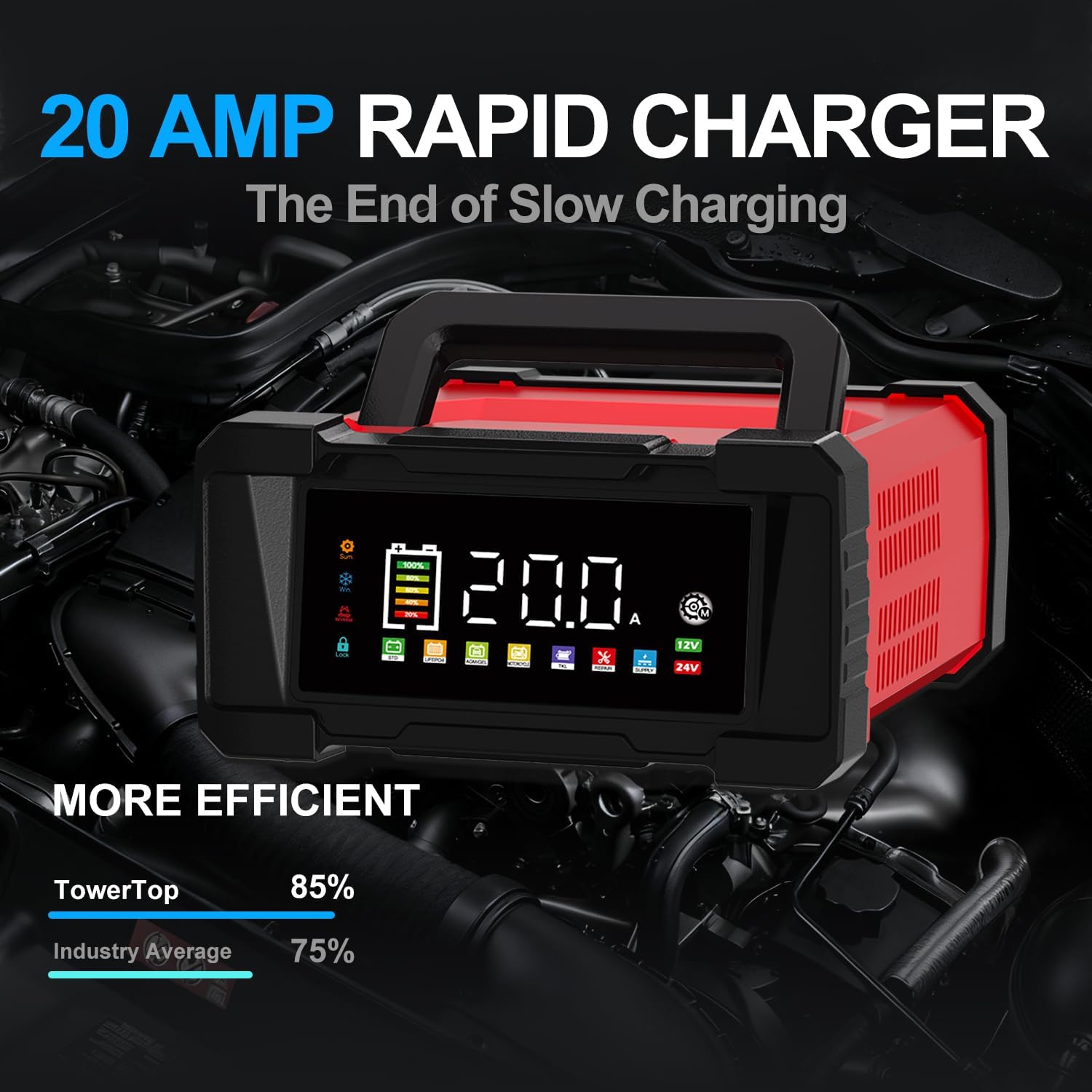
Image: The charger's display indicates rapid charging, showing battery level and other relevant charging metrics.
Maintenance
Proper maintenance ensures the longevity of your batteries and the charger itself.
Battery Desulfation and Recovery:
The charger's 'Repair Mode' utilizes slow-pulse technology to help desulfate and restore up to 80% of sulfated 12V batteries. The 'Forced Output' mode can recover deeply drained batteries, with a safety override before switching to automatic maintenance charging. Note: This feature cannot revive fully depleted (0V) batteries.
Long-Term Storage:
For batteries stored for extended periods, use the 'Trickle Mode' to maintain optimal charge levels and prevent self-discharge.
Charger Care:
Keep the charger clean and dry. The built-in organizer and foldable carrying handle allow for neat storage of cables and easy portability.
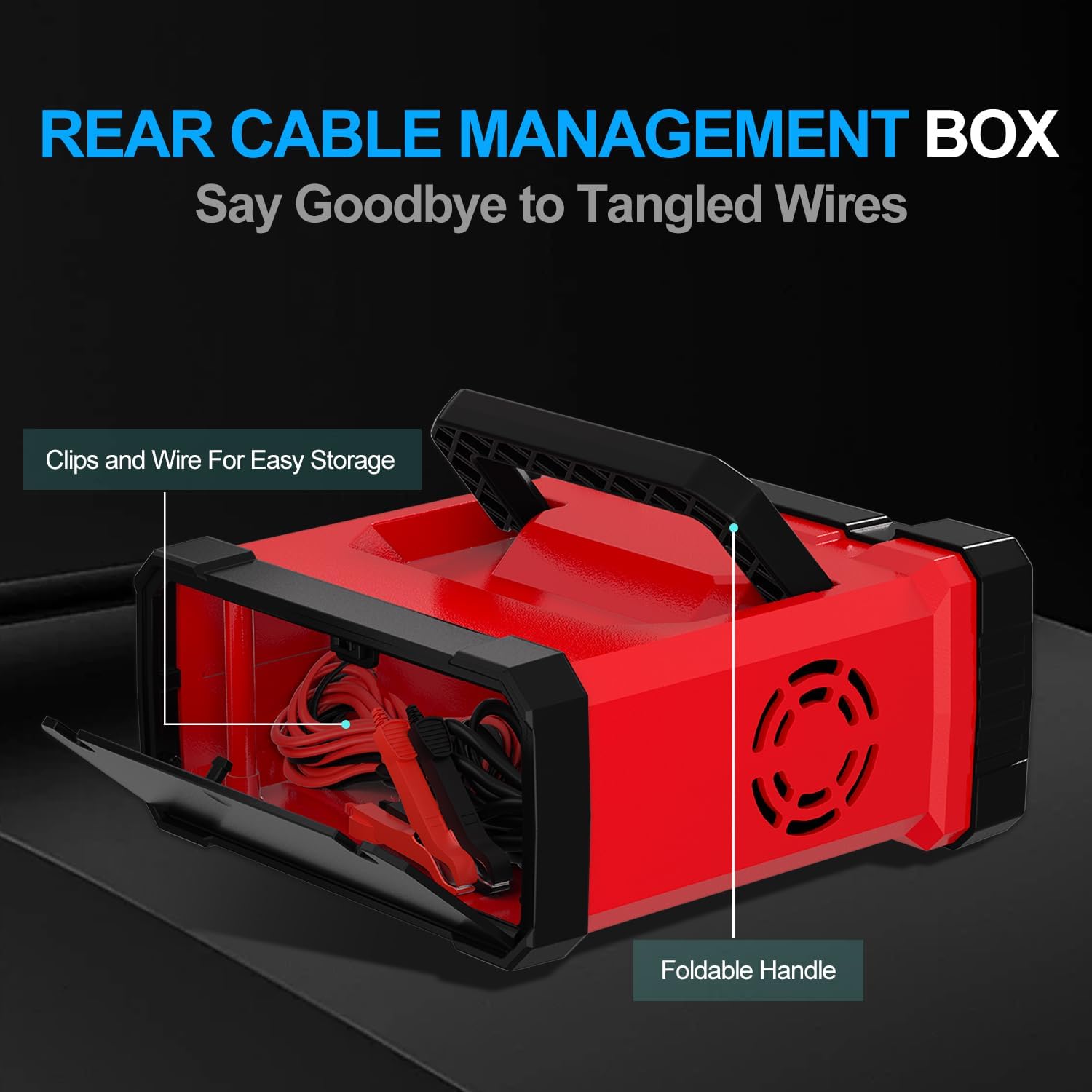
Image: The rear cable management box provides convenient storage for the charging clamps and power cord, keeping them tidy and protected. The foldable handle enhances portability.
Troubleshooting
Refer to the following common issues and solutions:
| Issue | Cause | Solution |
|---|---|---|
| Display shows "FUL" shortly after start, but battery is low. | Battery is deeply discharged, sulfated, or has high internal resistance, causing a false full-voltage reading. | Press the 'Mode' button four times to enter 'Repair Mode' and attempt to recover the battery. |
| Battery voltage is shown, but no charging starts. | The charger is not receiving AC power. | Check the power outlet and cable connection. Try a different outlet. |
| Issue: Battery is connected to AC power, but charger does not recognize it. | The battery voltage is too low for the charger to recognize. | Try jump-starting the battery or use a parallel charging method. Note: In Repair Mode, the charger will auto-stop after 8 hours. Switch modes to continue normal charging. |
| Battery won't reach full charge over a long time. | Battery may be sulfated, deeply discharged, or have low electrolyte levels, causing it to heat up. | If the battery becomes hot, stop charging immediately. For flooded batteries, check and refill electrolyte levels if low. |

Image: The LCD display provides diagnostic information such as real-time temperature, desulfation stage, voltage, pulse repair status, current, charging completion, and abnormality warnings.
Specifications
Detailed technical specifications for the COREBOX 20-Amp Smart Trickle Battery Charger (Model 20ED).
| Specification | Value |
|---|---|
| Model Number | 20ED |
| Product Dimensions | 7.1"D x 6.6"W x 3.3"H (180mm x 168mm x 85mm) |
| Item Weight | 2.14 pounds (913g / 2 lb 0.2 oz) |
| Output Voltage | 12 Volts, 24 Volts |
| Input Voltage | 12 Volts |
| Cable with Clamps Length | 90 cm / 35.4" |
| Cable with Plug Length | 180 cm / 70.9" |
| Operating Temperature | -40°C to 50°C (-40°F to 122°F) |

Image: Detailed product dimensions and cable lengths for the COREBOX 20-Amp Smart Charger.
Warranty and Support
For warranty information and customer support, please refer to the documentation included with your product or contact COREBOX directly. Keep your purchase receipt as proof of purchase.


