
1. Introduction
The Tiksounds S12 is a portable Bluetooth speaker designed for versatile audio playback. It features Bluetooth 5.4 connectivity, 15W audio output, IPX7 waterproofing, True Wireless Stereo (TWS) pairing, and integrated LED lighting. This manual provides instructions for the proper setup, operation, and maintenance of your S12 speaker.
2. Package Contents
- Tiksounds S12 Portable Bluetooth Speaker
- Power Cable
- User Manual (this document)
3. Product Features
- 15W Audio Output: Delivers clear sound for an enhanced listening experience.
- Bluetooth 5.4 Connectivity: Provides a fast and stable wireless connection with compatible devices.
- IPX7 Waterproof Rating: Protects the speaker from water immersion up to 1 meter for 30 minutes, suitable for outdoor use.
- True Wireless Stereo (TWS): Allows two S12 speakers to be paired together for 360° stereo sound.
- Integrated LED Lights: Features colorful LED lights that can pulse with music, enhancing the atmosphere.
- Long Playback Time: Up to 12 hours of music playback on a single charge (at 50% volume).
- Portable Design: Compact and lightweight (approximately 382g) for easy transport.
4. Controls and Indicators
The speaker features intuitive controls and LED indicators for easy operation.

Image: Speaker button layout and functions. This diagram illustrates the various buttons on the speaker and their corresponding actions, including single presses and long presses for power, volume, track control, light modes, and TWS pairing.
| Button | Action | Function |
|---|---|---|
| Power Button (◯) | Press and Hold (2s) | Power On/Off |
| Power Button (◯) | Single Press | Play/Pause Music, Answer/End Call |
| Power Button (◯) | Press and Hold (1.5s) | Reject Call |
| Volume Up (+) | Single Press | Increase Volume |
| Volume Up (+) | Press and Hold (2s) | Next Track |
| Volume Down (-) | Single Press | Decrease Volume |
| Volume Down (-) | Press and Hold (2s) | Previous Track |
| Light Mode Button (☀) | Single Press | Change Light Mode |
| Light Mode Button (☀) | Press and Hold (3s) | Turn Lights On/Off |
| TWS Button (TWS) | Double Press | Initiate TWS Pairing |
5. Setup
5.1. Charging the Speaker
Before first use, fully charge the speaker. Use the provided power cable to connect the speaker to a compatible USB power source. The charging indicator will show the charging status. A full charge typically takes 3-4 hours.

Image: Speaker dimensions and battery specifications. This image highlights the compact size of the speaker (8cm x 11.3cm) and its 1800mAh battery, which charges in 3-4 hours.
5.2. Power On/Off
- To power on, press and hold the Power Button (◯) for 2 seconds.
- To power off, press and hold the Power Button (◯) for 2 seconds again.
5.3. Bluetooth Pairing
- Ensure the speaker is powered on and in Bluetooth pairing mode (indicated by a flashing LED).
- On your device (smartphone, tablet, laptop), enable Bluetooth.
- Search for available Bluetooth devices and select "S12" from the list.
- Once connected, the speaker will indicate a successful pairing, and the LED will stop flashing.

Image: Multiple connection options. This image demonstrates the speaker's compatibility with various devices such as pads, PCs, and TVs, highlighting its versatile connectivity.
5.4. True Wireless Stereo (TWS) Pairing
To achieve 360° stereo sound, you can pair two Tiksounds S12 speakers together.
- Ensure both S12 speakers are powered on and not connected to any other Bluetooth device.
- On one of the speakers, double-press the TWS Button. The speaker will enter TWS pairing mode.
- The two speakers will automatically search for and connect to each other. A successful connection will be indicated by an audible prompt.
- Once TWS paired, connect your device to one of the speakers via Bluetooth as described in section 5.3. Both speakers will now play audio in stereo.

Image: True Wireless Stereo (TWS) setup. This image illustrates two S12 speakers connected wirelessly to a laptop, demonstrating the TWS feature for a 360-degree audio experience.
6. Operating Instructions
6.1. Music Playback
- Play/Pause: Single press the Power Button (◯).
- Volume Up: Single press the Volume Up (+) button.
- Volume Down: Single press the Volume Down (-) button.
- Next Track: Press and hold the Volume Up (+) button for 2 seconds.
- Previous Track: Press and hold the Volume Down (-) button for 2 seconds.
6.2. Call Management
- Answer/End Call: Single press the Power Button (◯).
- Reject Call: Press and hold the Power Button (◯) for 1.5 seconds.
6.3. LED Light Modes
The speaker features multiple LED light modes.
- Change Light Mode: Single press the Light Mode Button (☀).
- Turn Lights On/Off: Press and hold the Light Mode Button (☀) for 3 seconds.
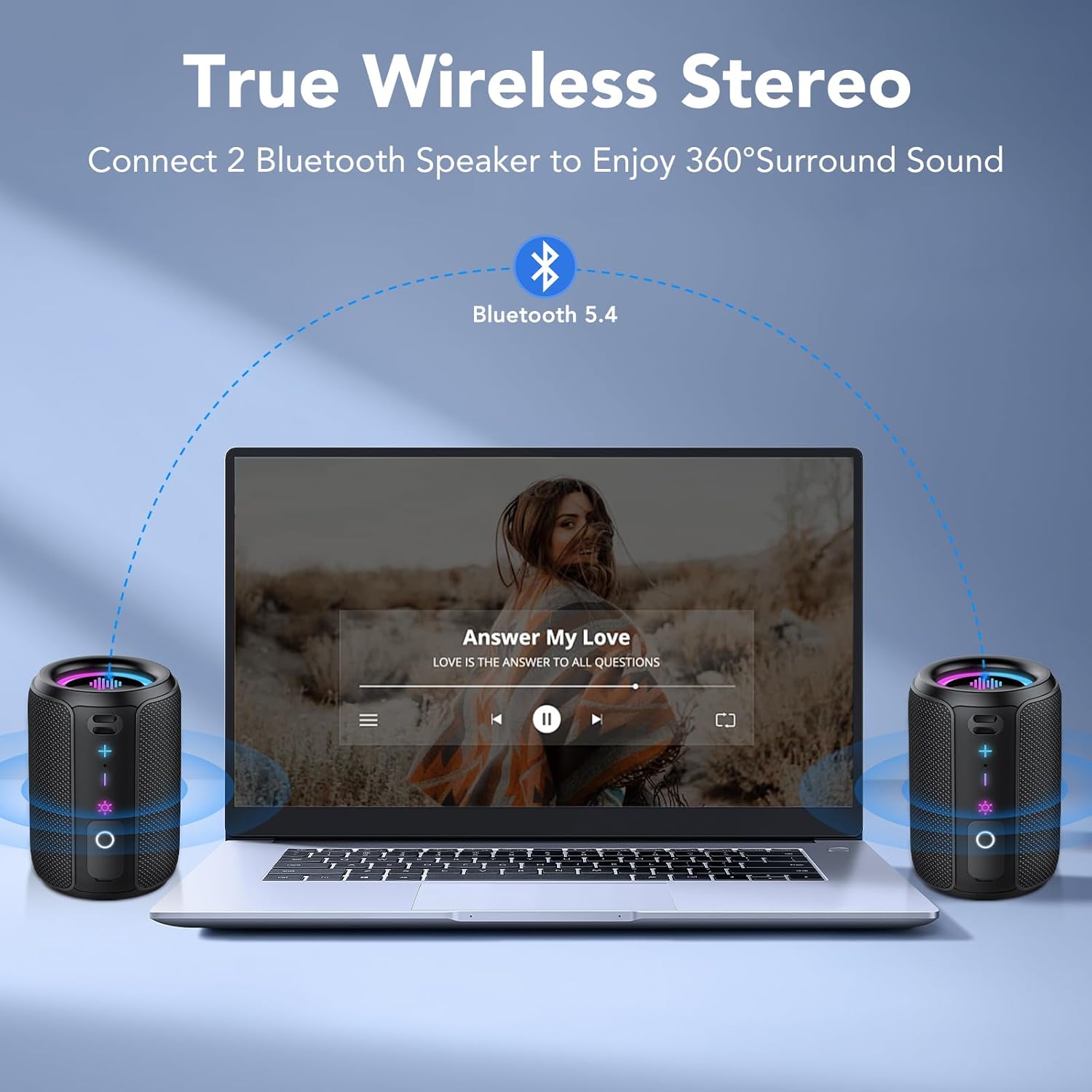
Image: RGB Colorful Lighting. This image displays three S12 speakers showcasing their dynamic RGB lighting, which can synchronize with music.
7. Maintenance
- Cleaning: Wipe the speaker with a soft, damp cloth. Do not use abrasive cleaners or solvents.
- Water Resistance: While IPX7 rated, ensure the charging port cover is securely closed before exposing the speaker to water. Do not intentionally submerge the speaker for extended periods or beyond specified depths.
- Storage: Store the speaker in a cool, dry place away from direct sunlight and extreme temperatures.
- Battery Care: To prolong battery life, avoid fully discharging the speaker frequently. Charge it regularly, even if not in use for extended periods.
8. Troubleshooting
| Problem | Possible Cause | Solution |
|---|---|---|
| Speaker does not power on. | Low battery. | Charge the speaker fully. |
| No sound. | Volume too low; not paired; incorrect audio source. | Increase volume on speaker and device. Ensure successful Bluetooth pairing. Check device's audio output settings. |
| Bluetooth pairing fails. | Speaker not in pairing mode; device Bluetooth off; too far apart. | Ensure speaker is in pairing mode. Turn device Bluetooth off and on. Move speaker closer to device (within 10 meters). Forget "S12" on device and re-pair. |
| Poor sound quality or distortion. | Low battery; device too far; interference. | Charge the speaker. Move device closer. Avoid obstacles between speaker and device. Reduce volume if distortion occurs at high levels. |
| TWS pairing fails. | Speakers already paired to other devices; not in TWS mode. | Ensure both speakers are disconnected from other devices. Double-press TWS button on one speaker to initiate pairing. |
9. Specifications
| Feature | Specification |
|---|---|
| Model Name | S12 |
| Output Power | 15 Watios |
| Bluetooth Version | 5.4 |
| Battery Capacity | 1800 mAh |
| Playback Time | Up to 12 Hours (at 50% volume) |
| Charging Time | 3-4 Hours |
| Waterproof Rating | IPX7 |
| Dimensions (D x W x H) | 8 x 8 x 11 cm |
| Weight | Approximately 382g |
| Bluetooth Range | Up to 10 Meters |
| Frequency Response | 20 KHz |
10. Warranty and Support
For warranty information, please refer to the documentation provided with your purchase or contact your retailer. For technical support or further assistance, please contact Tiksounds customer service through their official website or the platform where the product was purchased.