
Introduction
Thank you for choosing the XDeer Biometric Gun Safe WX001. This manual provides essential information for the safe and efficient operation of your new biometric safe. Please read these instructions carefully before use and retain them for future reference. This safe is designed to provide secure storage for handguns and other valuables, featuring multiple access methods, integrated wireless charging, and a digital display with environmental monitoring.
Product Features
- FCC Qualified Wireless Charging: Equipped with a 15W FCC-certified wireless charging pad and one USB output port for compatible phones and smartwatches.
- Multiple Quick & Secure Access Methods: Three unlocking methods including fingerprint (0.1 seconds response time, FAR ≤0.01%, FRR ≤1%), 3- to 6-digit passcode, and two spare keys.
- Smart Nightstand Safe with LED Display: Real-time monitoring of time, humidity, temperature, battery level, and biometric lock status.
- Larger Capacity: Internal dimensions: 12.8"D x 9.45"W x 3.43"H, providing 0.09 cubic feet of storage.
- Silent Mode & Low-Light Assist LED Lighting: Activate Silent Mode by holding '4' key. Built-in LED light illuminates the interior for quick access.
- Anti-Theft Design & Child Safety: Constructed from sturdy carbon steel with a locking mechanism and includes durable steel cables for anchoring.
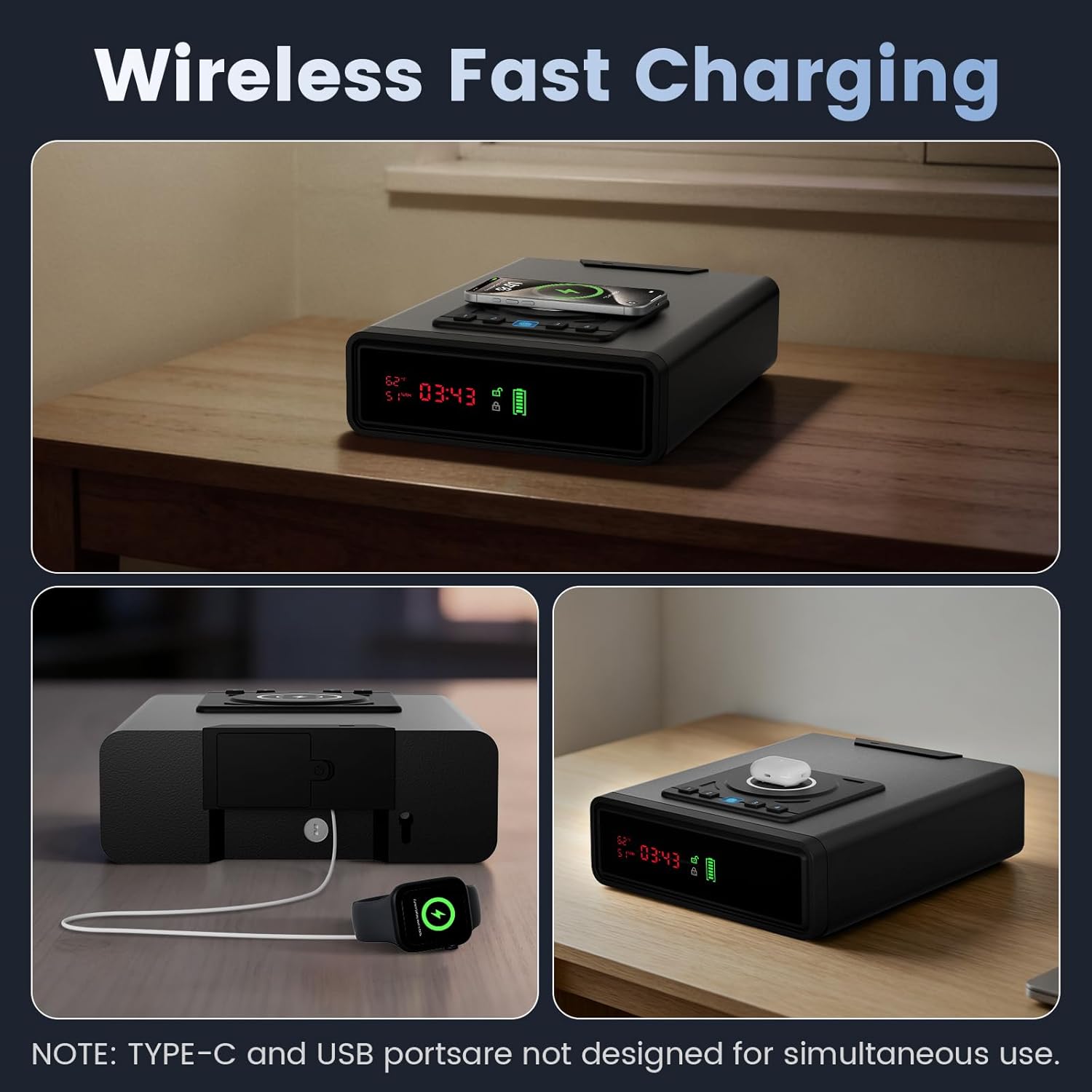
The XDeer Biometric Gun Safe features a wireless charging pad on its top surface, allowing convenient charging of compatible smartphones.

The integrated LED display provides real-time information including current time, internal temperature, humidity levels, battery status, and whether the safe is locked or unlocked.
Package Contents
Verify that all items are present in the package:
- Biometric Smart Safe (x1)
- Keys (x2)
- User Manual (x1)
- Adapter (x1)
- Data Line (x1)
- Security Cable (x1)
- Expansion Screws (x2)
- Hexagonal Screwdriver (x1)

The safe's internal dimensions are 12.8"D x 9.45"W x 3.43"H, providing ample space. It comes with essential accessories for setup and security.
Setup
1. Initial Power-Up
Connect the provided adapter to the DC input port on the back of the safe and plug it into a wall outlet. The display will illuminate.
2. Setting the Clock
To set the time on the digital display:
- Open the safe drawer.
- Locate the 'P1' and 'P2' buttons inside the drawer.
- Press and hold the 'P1' button until the clock display starts flashing.
- Use the 'P2' button to adjust the minutes. Press 'P1' to switch to adjusting hours, then use 'P2' to adjust the hours.
- Press and hold 'P1' again to save the settings and exit the clock setting mode.
This video illustrates how to set up and adjust the digital alarm clock feature on the XDeer biometric gun safe, including time and display settings.
3. Setting a Passcode
The safe supports a 3- to 6-digit passcode. To set your personal passcode:
- Open the safe drawer.
- Locate the setup button (often underneath the '4' key on the keypad, inside the drawer). Press and hold this button until the keypad lights start flashing.
- Enter your desired 3-6 digit passcode using the numbered keys on the top panel.
- Press the setup button again to confirm and save your passcode.
4. Registering Fingerprints
The safe can store multiple fingerprints (up to 30). To register a fingerprint:
- Open the safe drawer.
- Press and hold the setup button (same as for passcode setup) until the keypad lights flash.
- Place your finger on the fingerprint scanner. Lift and place your finger repeatedly (typically 4 times) in different orientations until the safe confirms successful registration (e.g., a green light or specific beep).
- Repeat for additional fingers if desired.
This video provides a comprehensive overview of the XDeer Biometric Smart Safe, demonstrating its features, setup process for passcodes and fingerprints, and various access methods.
Operating the Safe
1. Unlocking with Fingerprint
Place a registered finger firmly on the fingerprint scanner. The safe will unlock and the drawer will automatically open if the fingerprint is recognized.
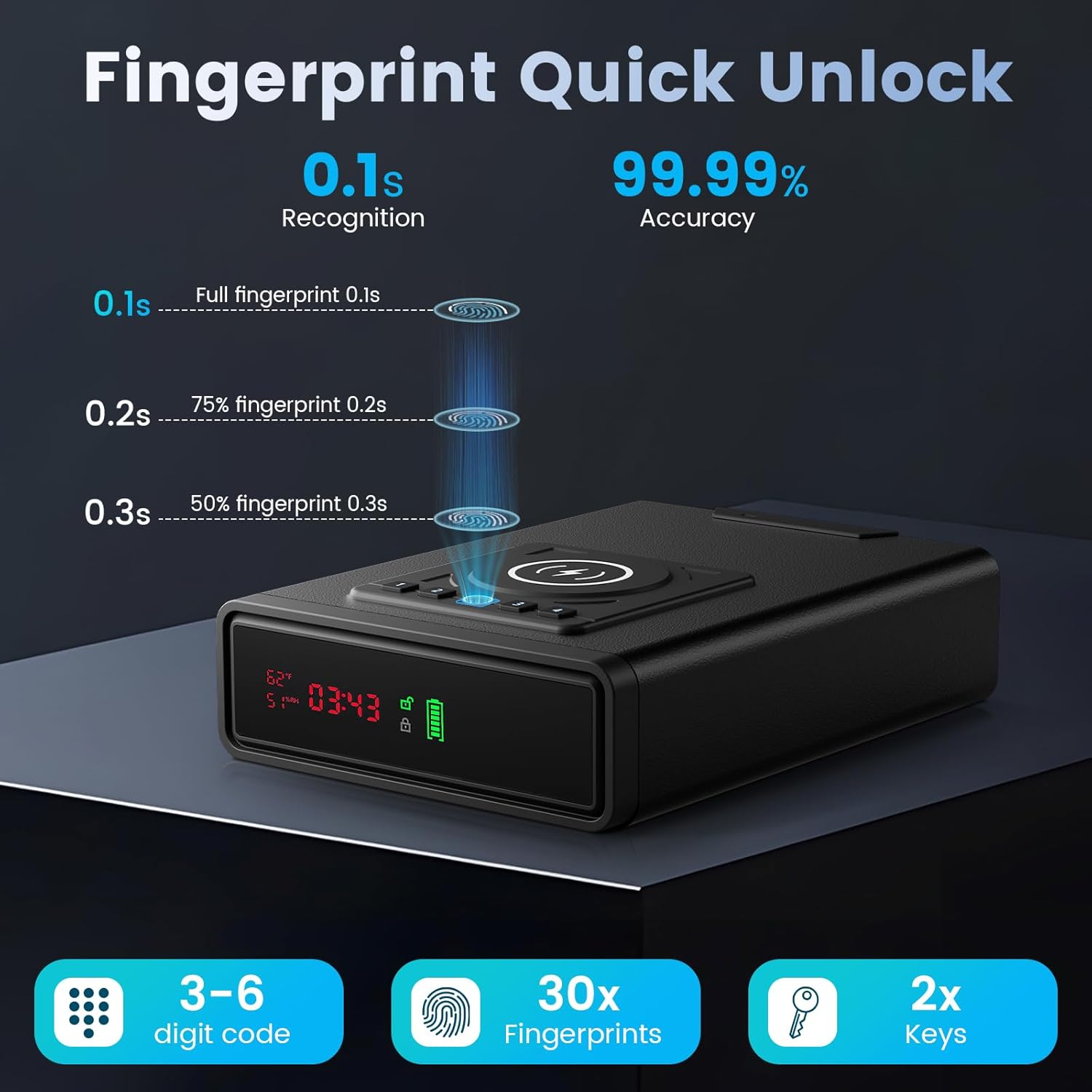
The safe offers rapid access via a high-resolution fingerprint scanner, capable of unlocking in approximately 0.1 seconds with high accuracy.
2. Unlocking with Passcode
Enter your 3-6 digit passcode on the keypad. The safe will unlock and the drawer will automatically open.
3. Unlocking with Keys
In case of battery failure or forgotten codes, use one of the provided backup keys. Insert the key into the emergency keyhole (located on the back panel, often concealed) and turn it to unlock the safe. The drawer will then open manually.

Multiple access options ensure reliable entry: fingerprint recognition, a customizable 3-6 digit passcode, and two physical backup keys.
4. Silent Mode
To activate Silent Mode, press and hold the '4' key on the keypad. This will disable unlock sounds for discreet operation.
5. LED Interior Lighting
The built-in LED light automatically illuminates the safe's interior when the drawer opens, aiding visibility in low-light conditions.
Power Options
1. Wireless Charging Pad
Place your compatible smartphone or other Qi-enabled device on the wireless charging pad located on the top surface of the safe. Ensure proper alignment for optimal charging.
2. USB Output Port
A USB output port is available for charging devices that require a wired connection. This port is not designed for simultaneous use with the Type-C input.
3. Internal Battery & AAA Battery Backup
The safe is powered by an internal rechargeable battery, which is charged when connected to the wall adapter. It also features a backup compartment for AAA batteries to ensure continuous operation during power outages.
4. Emergency Power via USB-C
In the event of complete power loss (both internal and AAA batteries depleted), you can connect an external power bank via the USB-C emergency power port (located on the side, often concealed by a small cover) to temporarily power the safe and gain access.

The safe includes a Type-C receiving jack for power, a wireless charging pad, a battery compartment for backup power, and a clear low battery indicator on the display.
Security Features
1. Anti-Theft Steel Cable
The safe includes a durable steel security cable. This cable can be used to anchor the safe to a fixed object, such as a bedside table or cabinet, preventing unauthorized removal.
2. Lockout Mode
The safe features a lockout mode that activates after multiple incorrect passcode or fingerprint attempts. During lockout, access is temporarily restricted, and an audible alarm may sound. To exit lockout mode, you may need to wait for a set period, use the backup key, or disconnect and reconnect the power supply.
This video demonstrates the lockout mode feature of the XDeer biometric safe and how to reset or regain access after multiple incorrect attempts, including using the emergency power port.
Maintenance
- Cleaning: Wipe the exterior with a soft, dry cloth. Avoid abrasive cleaners or solvents.
- Battery Replacement: If using AAA batteries for backup, replace them periodically or when the low battery indicator appears.
- Fingerprint Sensor: Keep the fingerprint sensor clean and dry for optimal performance.
Troubleshooting
- Safe not opening with fingerprint/passcode: Ensure batteries are not depleted. Try using the backup keys. If in lockout mode, wait for the timer to expire or use emergency power/keys.
- Wireless charging not working: Ensure your device is Qi-compatible and correctly aligned on the charging pad. Check if the safe is powered on.
- Display not working: Check power connection and battery levels. If completely unresponsive, use emergency power or backup keys.
- Drawer not opening smoothly: Ensure no obstructions are blocking the drawer mechanism.
Specifications
| Feature | Detail |
|---|---|
| Brand | XDeer |
| Model Number | WX001 |
| Product Dimensions | 12.8"D x 9.45"W x 3.43"H |
| Internal Capacity | 0.09 Cubic Feet |
| Lock Type | Biometric, Electronic Combination Lock, Key |
| Material | Top Carbon Steel |
| Special Features | Alarm System, Biometric Fingerprint, Combination Lock, Scratch Resistant, Sensor Light, Wireless Charging, Digital Alarm Clock, Temperature/Humidity Display |
| Power Source | AC Adapter, Internal Rechargeable Battery, AAA Battery Backup, USB-C Emergency Power |
| Item Weight | 5.77 Kilograms |
Warranty and Support
For warranty information or technical support, please refer to the contact details provided in your product packaging or visit the official XDeer website. Keep your purchase receipt as proof of purchase.

