
Introduction
This manual provides comprehensive instructions for the safe and efficient operation, maintenance, and troubleshooting of your Water Tech POOL BLASTER MAX Li Gen. 2 Cordless Pool and Spa Vacuum. Please read this manual thoroughly before using the product and retain it for future reference.
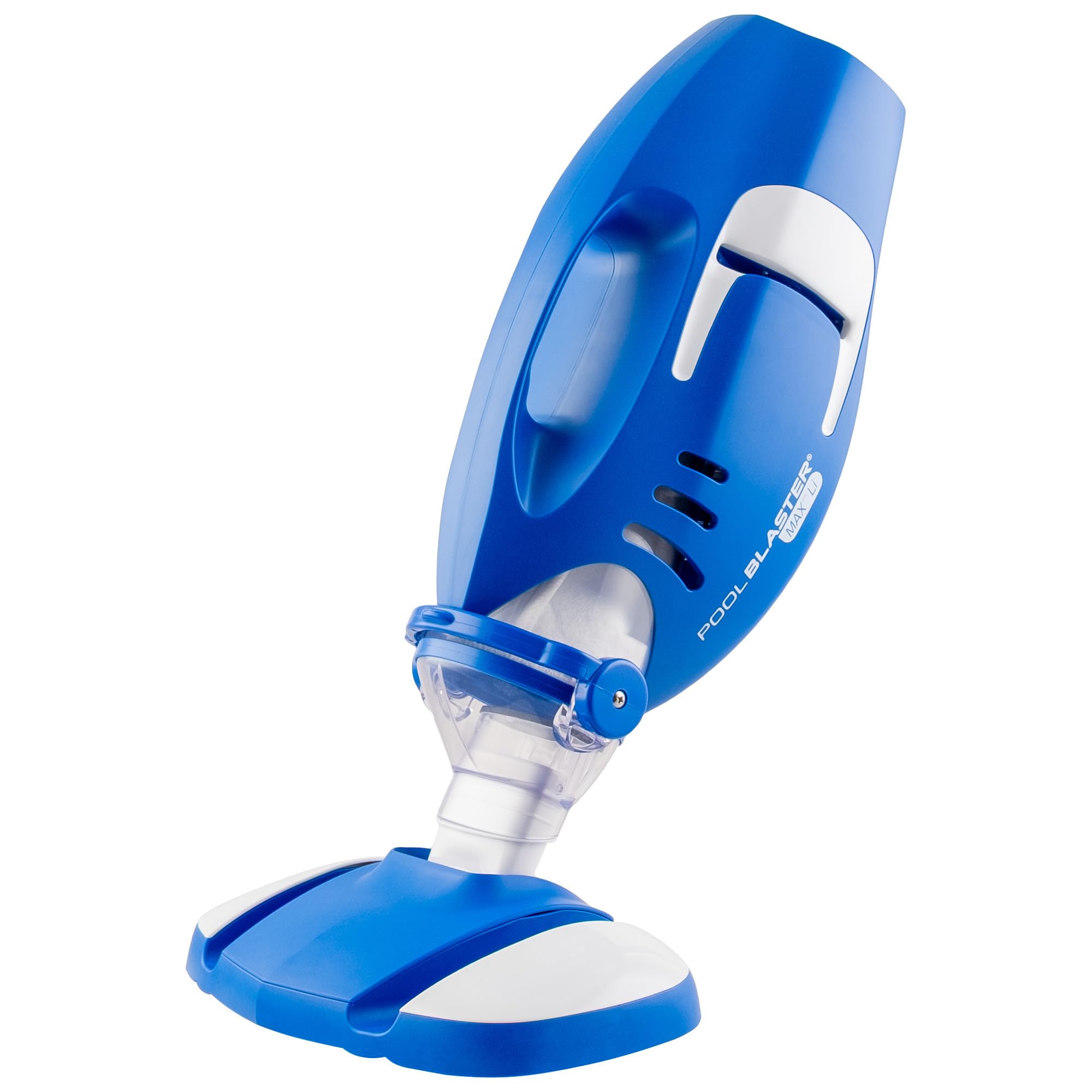
The POOL BLASTER MAX Li Gen. 2 Cordless Pool and Spa Vacuum.
Important Safety Information
Always follow basic safety precautions when using electrical appliances, especially near water. Failure to do so may result in serious injury or death.
- Read all instructions before use.
- Do not operate the vacuum if it is damaged.
- Keep hands, hair, and loose clothing away from moving parts.
- Do not allow children to operate this product.
- Use only the charger supplied by the manufacturer.
- Do not charge the unit near flammable materials.
- Ensure the charging port is dry before connecting the charger.
- This product is designed for pool and spa cleaning only.
Package Contents
Verify that all items are present in the package:
- POOL BLASTER MAX Li Gen. 2 Vacuum Unit
- 10.5-inch Wide Vacuum Head with Brushes
- Xtreme Multilayer Filter Bag
- Crevice Nozzle
- Charger
- Instruction Manual

Included accessories: 10.5" wide vacuum head with brushes, Xtreme Multilayer Filter Bag, and crevice nozzle.
Setup
1. Charging the Battery
Before first use, fully charge the lithium-ion battery. The unit provides up to 60 minutes of runtime on a full charge, which takes approximately 4 hours.
- Ensure the vacuum unit is dry.
- Locate the corrosion-proof 2-pin charging port at the rear of the unit.
- Connect the charger to the port and plug it into a standard electrical outlet.
- The charging indicator light will illuminate. Once fully charged, disconnect the charger.

The one-touch power button and the corrosion-proof 2-pin rear charging port for easy and convenient charging.
2. Assembling the Vacuum Head and Filter Bag
- Insert the Xtreme Multilayer Filter Bag into the debris chamber of the vacuum unit. Ensure it is seated correctly.
- Attach the 10.5-inch wide vacuum head or the crevice nozzle to the main unit. Ensure it clicks securely into place.
3. Attaching to a Pool Pole (Optional)
The POOL BLASTER MAX Li Gen. 2 is compatible with any standard telescopic pool pole (not included) for extended reach.
- Align the vacuum unit's pole adapter with the end of your telescopic pool pole.
- Push and secure the vacuum unit onto the pole.

The vacuum is ideal for both in-ground and above-ground pools, and can be attached to a standard pool pole (not included).
Operating Instructions
1. Powering On/Off
Press the one-touch power button located on the top of the unit to turn the vacuum ON. Press it again to turn the vacuum OFF.
2. Cleaning the Pool/Spa
The POOL BLASTER MAX Li Gen. 2 is designed for quick and efficient cleaning of leaves, sand, silt, and other debris from pools and spas.
- Submerge the vacuum unit into the water. Ensure the vacuum head is fully submerged before turning it on.
- Press the power button to activate the vacuum.
- Guide the vacuum head along the bottom, walls, and steps of your pool or spa. The powerful P30 motor and improved high-flow intake system ensure maximum uninterrupted suction at any angle.
- The smooth glide rollers allow for 360° cleaning without losing suction, making it easy to clean along walls, steps, and corners.
- For hard-to-reach areas, use the crevice nozzle.
- When finished, turn off the vacuum and remove it from the water.

The powerful suction easily picks up heavy debris along walls, steps, and corners with True-Edge and adaptable Flex-Edges.

Smooth glide rollers enable 360° cleaning without loss of suction.

The improved and redesigned high-flow intake system ensures maximum uninterrupted suction at any angle.
Maintenance
1. Cleaning the Filter Bag
Regularly clean the Xtreme Multilayer Filter Bag to maintain optimal suction performance.
- Turn off the vacuum and remove it from the water.
- Detach the vacuum head and open the debris chamber.
- Remove the filter bag.
- Empty any collected debris and rinse the filter bag thoroughly with a garden hose or under a faucet.
- Ensure the filter bag is clean before reinserting it.
2. Cleaning the Unit
Wipe down the exterior of the vacuum unit with a damp cloth after each use. Do not use harsh chemicals or abrasive cleaners.
3. Battery Care
To prolong battery life, store the unit in a cool, dry place and ensure it is fully charged before long periods of inactivity. Avoid completely draining the battery before recharging.
Troubleshooting
| Problem | Possible Cause | Solution |
|---|---|---|
| Vacuum does not turn on. | Battery is not charged. | Charge the battery for approximately 4 hours. |
| Low suction power. | Filter bag is full or clogged. | Clean or replace the Xtreme Multilayer Filter Bag. |
| Low suction power. | Debris lodged in the intake. | Inspect the vacuum head and intake for obstructions and remove them. |
| Short operating time. | Battery not fully charged or aging battery. | Ensure battery is fully charged. If problem persists, battery may need replacement. |
Specifications
- Model Name: MAX Li Gen. 2
- Model Number: 30160ML
- Brand: POOL BLASTER (Water Tech)
- Power Source: Lithium-Ion Battery
- Rated Power: 430
- Runtime: Up to 60 minutes
- Charge Time: Approximately 4 hours
- Vacuum Head Width: 10.5 inches (32.4 cm)
- Minimum Operating Depth: 36 cm (at a 45° angle)
- Filter Type: Xtreme Multilayer Filter Bag
- Product Dimensions: 51.51 x 27.1 x 18.69 cm (20.28 x 10.67 x 7.36 inches)
- Product Weight: 2.42 kg (5.33 lbs)
- Color: Blue
- Material: Plastic
- Control Method: Push Button
- Assembly Required: Yes
- Special Features: Handheld, Cordless, Rechargeable, Hose-free, Suitable for in-ground and above-ground pools.
- Country of Origin: China
Warranty and Support
Warranty Information
The Water Tech POOL BLASTER MAX Li Gen. 2 comes with a 1-year limited warranty from the date of purchase. This warranty covers manufacturing defects under normal use. It does not cover damage resulting from misuse, accident, alteration, or unauthorized repair.
Please retain your proof of purchase for warranty claims.
Customer Support
For technical assistance, warranty claims, or to purchase replacement parts, please contact Water Tech customer support. Refer to the official Water Tech website or your purchase documentation for contact details.
Manufacturer: Water Tech
For more information, visit the POOL BLASTER Store on Amazon.
Product Media
No official product videos from the seller were found for this specific model in the provided data.


