
Introduction
This manual provides comprehensive instructions for the installation, operation, and maintenance of your LeYi Magnetic Case for iPhone 13. This protective case is engineered to safeguard your device while offering enhanced functionality through MagSafe compatibility and included screen protection. Please read this manual carefully to ensure proper use and maximize the lifespan of your product.
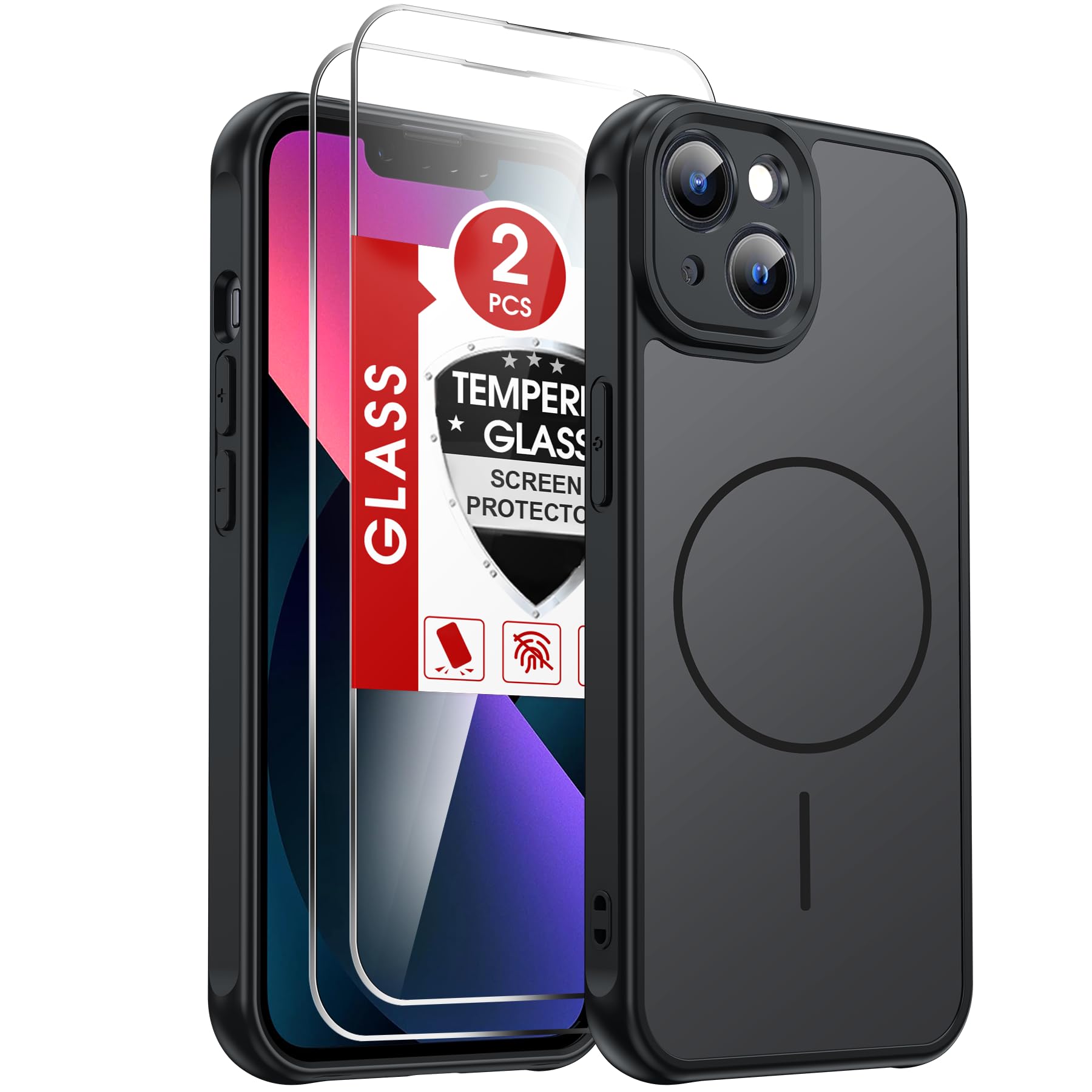
This image displays the LeYi Magnetic Case installed on an iPhone 13, highlighting its slim profile and integrated magnetic ring.
Package Contents
Verify that all items listed below are included in your package:
- 1 x LeYi TPU Mobile Phone Case for iPhone 13
- 2 x Tempered Glass Screen Protectors for iPhone 13
- 2 x Cleaning Cloths for Mobile Phone Displays
- 1 x Assembly Instructions (this document)
Setup
1. Case Installation
- Ensure your iPhone 13 is clean and free of dust or debris.
- Align the top edge of your iPhone 13 with the top of the LeYi case.
- Gently press the phone into the case, starting from the top and working your way down, ensuring all corners are securely fitted. The flexible TPU frame allows for easy installation and removal.
- Verify that all cut-outs for ports, speakers, and buttons are correctly aligned and accessible.

This image illustrates the smooth, matte finish of the case, emphasizing its anti-fingerprint, anti-scratch, and anti-slip properties. A close-up shows the anti-slip texture on the side.
2. Tempered Glass Screen Protector Installation
For optimal screen protection, follow these steps carefully:
- Clean the Screen: Use one of the provided cleaning cloths to thoroughly clean your iPhone 13 screen. Ensure there are no dust particles, smudges, or fingerprints.
- Dry the Screen: Use the dry side of the cleaning cloth or a separate dry cloth to remove any moisture.
- Remove Protective Film: Carefully peel off the protective film from the adhesive side of the tempered glass screen protector. Avoid touching the adhesive surface.
- Align the Protector: Align the screen protector with your iPhone 13 screen, paying close attention to the speaker cutout and edges.
- Apply: Once aligned, gently lower the screen protector onto the screen. It will adhere automatically.
- Remove Bubbles: If any bubbles appear, gently push them towards the edges of the screen using a soft cloth or your finger.
Operating Instructions
1. MagSafe Functionality
The LeYi Magnetic Case features integrated high-performance magnets designed for seamless compatibility with MagSafe accessories. Simply attach any standard MagSafe charger, wallet, or mount to the back of the case for a secure and reliable connection.

This image shows the case's strong magnetic compatibility, with an iPhone 13 securely attached to a magnetic car mount. It also depicts various MagSafe accessories like a wallet and charger.
2. Wireless Charging
The case fully supports wireless charging without the need for removal. Place your iPhone 13 (with the LeYi case installed) on a compatible wireless charging pad. The integrated magnets ensure optimal alignment for efficient charging.
Maintenance
- Cleaning the Case: To clean the case, gently wipe it with a soft, damp cloth. Avoid using harsh chemicals or abrasive materials, as these may damage the matte finish.
- Cleaning the Screen Protector: Use a microfiber cloth to wipe the tempered glass screen protector. For stubborn smudges, a small amount of screen cleaner can be applied to the cloth (not directly to the screen).
- Avoid Extreme Conditions: Do not expose the case to extreme temperatures or direct sunlight for prolonged periods, as this may affect its material integrity and color.
Troubleshooting
- Magnetic Attachment Feels Weak: Ensure that the MagSafe accessory is genuine and properly aligned with the magnetic ring on the case. Remove any foreign objects between the case and the accessory.
- Screen Protector Bubbles: Small bubbles often disappear within 24-48 hours. For persistent bubbles, gently lift the nearest edge of the protector and reapply, pushing the bubble out with a soft cloth.
- Wireless Charging Not Working: Verify that your wireless charger is functional and properly connected to its power source. Ensure your iPhone 13 is centered on the charging pad.
- Case Fit Issues: Confirm that your device is an iPhone 13. This case is not compatible with iPhone 13 Pro or iPhone 13 Pro Max.
Specifications
| Brand | LeYi |
| Compatible Phone Models | iPhone 13 |
| Material | Silicone (TPU frame), PC (scratch-resistant back) |
| Additional Features | Camera protection, MagSafe compatibility, Shockproof, Anti-fingerprint, Anti-scratch, Anti-slip |
| Model Number | EU MF FDCX GL iPhone 13 TC HHB1 |
| Item Weight | 30 g |
| Built-In Media | Screen Protector (Tempered Glass) |
| Drop Protection | Up to 1.5 meters (5 feet) |

This image highlights the case's military-grade shockproof capabilities, indicating protection from drops up to 12 feet. It visually represents impact buffering, dispersion, and absorption compared to industry averages.
Warranty and Support
LeYi offers a 30-day return policy and a 24-month warranty for this product. If you have any questions, concerns, or require assistance with your LeYi Magnetic Case for iPhone 13, please do not hesitate to contact our customer service team via email. We are committed to providing satisfactory service and will respond to your inquiries within 24 hours.
For support, please refer to the contact information provided with your purchase or visit the official LeYi website.