
1. Introduction
This manual provides detailed instructions for the installation, operation, and maintenance of your FONDAIL Solar Security Camera, model snap 26T. This wireless outdoor camera features 2K HD video, 360° view, solar power, Wi-Fi connectivity, color night vision, PIR detection, two-way audio, and motion alerts, designed to enhance your home security.
2. Product Overview
2.1 Key Features
- Solar Powered & 100% Wireless: Equipped with a solar panel and built-in rechargeable battery for continuous operation.
- 2K HD Video & 360° View: Delivers clear 2K resolution with 355° horizontal and 100° vertical rotation for comprehensive coverage.
- Advanced Night Vision: Features full-color night vision, intelligent lighting, and automatic infrared modes for visibility up to 32 feet in low light.
- Smart AI Detection: Utilizes AI for person and vehicle detection with customizable motion zones, reducing false alarms.
- Two-Way Audio: Built-in microphone and speaker allow for real-time communication.
- Sound & Flash Alarm: Activates spotlights and a siren upon motion detection to deter intruders.
- 2.4 GHz Wi-Fi Connectivity: Supports stable 2.4 GHz Wi-Fi networks (5G Wi-Fi is not supported).
- Dual Storage Options: Supports Micro SD card (up to 256GB, not included) and 7-day cycle cloud storage.
- Weather Resistant: IP66 waterproof rating, operating effectively in temperatures from -4°F to 122°F.
2.2 Package Contents
Verify that all components are present in the package:
- 1x FONDAIL Solar Security Camera
- 1x Solar Panel
- 1x Quick Guide
- 1x Screw Package for Camera Mounting
- 1x Screw Package for Solar Panel Mounting
- 1x Power Cable (USB)

Figure 1: Package Contents. Ensure all items are included before proceeding with installation.
3. Setup and Installation
3.1 Initial Charging and App Download
- Before installation, fully charge the camera using the provided USB power cable.
- Download the "FONDAIL" app from your smartphone's app store (iOS or Android).
- Follow the in-app instructions to create an account and add your camera. Ensure your Wi-Fi network is 2.4 GHz.
3.2 Mounting the Camera and Solar Panel
The camera and solar panel are designed for outdoor use and can be mounted separately or together.
- Choose a Location: Select a mounting location that provides a clear view of the area you wish to monitor. For the solar panel, choose a spot that receives at least 5 hours of direct sunlight daily to ensure continuous charging.
- Mount the Camera: Use the camera screw package to securely attach the camera bracket to a wall or suitable surface. The camera can be adjusted for optimal viewing angles.
- Mount the Solar Panel: Attach the solar panel bracket to a surface where it can receive maximum sunlight. Connect the solar panel cable to the camera's charging port.

Figure 2: Camera Mounting Steps.

Figure 3: Camera and Solar Panel Installation Example.

Figure 4: Solar Panel Efficiency. Optimal sunlight ensures continuous operation.
4. Operation
4.1 Live View and PTZ Control
Access the live feed through the FONDAIL app. Use the on-screen controls to pan the camera 355° horizontally and tilt 100° vertically. Digital zoom is also available to view details.

Figure 5: Motorized PTZ Camera with AI Detection.

Figure 6: 4X Digital Zoom for detailed viewing.
4.2 Night Vision Modes
The camera offers three night vision modes:
- Full-Color Night Vision: Provides color images in low-light conditions.
- Intelligent Lighting: Automatically activates spotlights for color vision when motion is detected.
- Automatic Infrared Mode: Uses infrared LEDs for black and white vision in complete darkness.

Figure 7: Day and Night Vision Comparison.
4.3 Smart AI Detection and Alerts
The camera's AI can differentiate between people and vehicles, reducing false alarms from animals or swaying branches. Customize motion zones within the app to focus detection on specific areas. Upon detection, you will receive instant alerts on your smartphone.

Figure 8: PIR Detection for important records.

Figure 9: AI Recognition capabilities.
4.4 Two-Way Audio and Alarms
Use the two-way audio feature to communicate with visitors or deter unwanted guests directly through the app. The camera also features a sound and flash alarm that can be activated manually or automatically upon motion detection.

Figure 10: Motion Detection and 2-Way Audio with Starlight Night Vision.

Figure 11: Alarm Options.
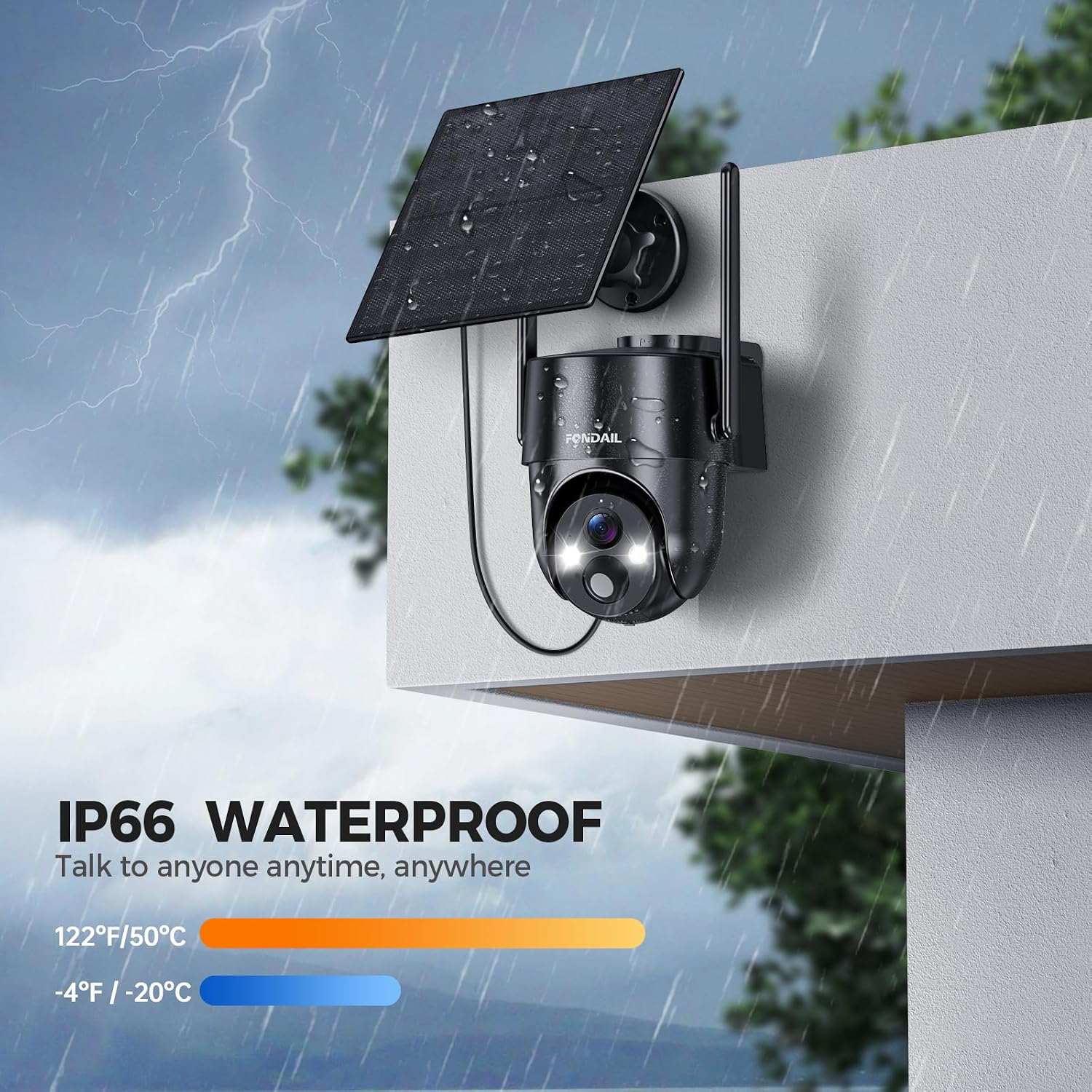
Figure 12: Live View & Two-Way Talk.

Figure 13: Two-Way Talk in action.
4.5 Wi-Fi Connectivity
The camera connects to your home network via 2.4 GHz Wi-Fi. 5G Wi-Fi networks are not supported. Ensure your camera is within range of your 2.4 GHz Wi-Fi signal for stable performance.

Figure 14: 2.4 GHz Wi-Fi Coverage.

Figure 15: Enhanced 2.4 GHz Connection Range.
5. Storage Options
The FONDAIL Solar Security Camera offers flexible storage solutions for your recordings:
- Micro SD Card: Supports up to 256GB Micro SD cards (not included). Insert the card into the designated slot on the camera.
- Cloud Storage: Provides a lifetime 7-day cycle cloud storage for 6-second recordings. A 30-day trial of advanced cloud features (AI recognition, 30-day cycle storage, personalized security) is available, requiring subscription after the trial period.
Note: The camera only supports motion-triggered recording and does not offer 24/7 continuous recording.

Figure 16: SD Card & Cloud Storage Options.

Figure 17: App Interface for Recorded Video Playback.
6. Maintenance
- Solar Panel Cleaning: Periodically clean the solar panel surface to remove dust, dirt, or debris that may reduce charging efficiency.
- Firmware Updates: Check the FONDAIL app regularly for firmware updates to ensure optimal performance and access to new features.
- Battery Health: While solar-powered, ensure the camera receives adequate sunlight. If the battery level consistently drops, check solar panel placement or consider temporary USB charging.
- Environmental Conditions: The camera is IP66 waterproof and operates from -4°F to 122°F. Ensure it is not exposed to conditions beyond these limits.

Figure 18: Weather Resistance in Rain.

Figure 19: IP65 Waterproof and Temperature Range.

Figure 20: Performance in Snow.
7. Troubleshooting
| Problem | Possible Cause | Solution |
|---|---|---|
| Camera not connecting to Wi-Fi | Incorrect Wi-Fi password; 5G Wi-Fi network; camera too far from router; weak signal. | Ensure correct 2.4 GHz Wi-Fi password. Move camera closer to the router. Restart router and camera. |
| Battery not charging | Insufficient direct sunlight on solar panel; dirty solar panel; faulty connection. | Relocate solar panel to receive at least 5 hours of direct sunlight. Clean the solar panel. Check cable connection. |
| Frequent false alarms | PIR sensitivity too high; motion zones not configured; environmental factors (e.g., swaying trees). | Adjust PIR sensitivity in the app. Configure specific motion detection zones. Utilize AI detection for person/vehicle filtering. |
| Poor video quality at night | Obstructions blocking night vision; incorrect night vision mode selected. | Ensure clear line of sight for the camera. Experiment with different night vision modes (full-color, intelligent, infrared) in the app. |
| No recordings saved | No Micro SD card inserted or full; cloud storage subscription expired; motion detection not enabled. | Insert a Micro SD card (up to 256GB) or check its status. Verify cloud storage subscription. Ensure motion detection is active. |
If you encounter issues not listed here or require further assistance, please contact customer support.
8. Specifications
| Feature | Detail |
|---|---|
| Model Name | snap 26T |
| Indoor/Outdoor Usage | Outdoor |
| Color | Black |
| Resolution | 2K (3MP) |
| Pan/Tilt Range | 355° Horizontal, 100° Vertical |
| Connectivity Technology | Wireless (2.4 GHz Wi-Fi only) |
| Night Vision | Color Night Vision, Intelligent Lighting, Infrared (up to 32 feet) |
| Special Features | 2-Way Audio, HD Resolution, Motion Sensor (PIR), Night Vision, Weather Proof (IP66) |
| Storage Options | Micro SD Card (up to 256GB), Cloud Storage |
| Operating Temperature | -4°F to 122°F (-20°C to 50°C) |
| Power Source | Solar Powered, Rechargeable Battery (2 Nonstandard Battery included) |
| Material | Plastic |
| Item Weight | 1.98 pounds |
| Package Dimensions | 8.54 x 6.26 x 6.14 inches |
9. Warranty and Support
FONDAIL provides a refund and exchange service for products with quality problems. For any questions or assistance with your FONDAIL Solar Security Camera, please contact our customer support team:
- Email: support@fondail.com
- Phone: (888) 742-6588
Our online service is available 7 days a week, 24 hours a day.

Figure 21: Customer Care Contact Information.
10. Product Video Overview
Video 1: Overview of the FONDAIL Solar Security Camera's features and functionality. This video demonstrates the camera's 2K HD video, 360° view, smart motion detection, siren alerts, two-way audio, full-color night vision, and weather resistance.