
1. Product Overview
The DeerRun Treadmill is designed for home use, offering a convenient and effective way to engage in cardiovascular exercise. This foldable walking pad treadmill features a robust motor, adjustable incline, and smart app compatibility to enhance your workout experience.
Key Features:
- Powerful 3.5HP Motor: Accommodates users up to 350 lbs, providing consistent performance for walking and running.
- Joint-Friendly Design: Features a 5-layer anti-slip running belt and 8 shock-absorbing pads to reduce impact on knees and ankles, ensuring a comfortable and quiet workout.
- Adjustable 5% Incline: Allows for customization of workout intensity to target different muscle groups and increase calorie burn.
- Smart Device Compatibility: Integrates with smart wearable devices and a dedicated app for an immersive audio-visual experience, virtual landscapes, and real-time competition.
- User-Friendly Monitoring: An LCD display tracks speed, distance, time, and calories burned. A remote control provides seamless setting adjustments.
- AI-Powered Coaching: The companion app offers personalized training sessions and AI-driven coaching for optimized fitness results.
- Space-Saving Foldable Design: Easily folds for compact storage, making it suitable for small living spaces.

Image 1.1: A user exercising on the DeerRun treadmill, demonstrating its use in a home environment.
2. Safety Information
Read all instructions carefully before using the treadmill. Failure to follow these safety guidelines may result in injury or damage to the product.
- Always stand on the side rails before starting the treadmill.
- Keep children and pets away from the treadmill during operation.
- Ensure the safety key is properly attached to your clothing and the treadmill console before beginning your workout.
- Place the treadmill on a flat, stable surface with adequate clearance around it (at least 2 feet on sides and 6 feet at the rear).
- Do not operate the treadmill if it has a damaged cord or plug, or if it is not working properly.
- Consult a physician before starting any new exercise program.
- Wear appropriate athletic footwear and clothing.
- Do not use the treadmill outdoors or in damp areas.
- Unplug the treadmill from the power outlet when not in use or before cleaning and maintenance.
3. Setup and Assembly
The DeerRun treadmill is designed for easy setup. Follow these steps to prepare your treadmill for use.
Unfolding the Treadmill:
- Carefully remove the treadmill from its packaging.
- Place the treadmill on a level surface.
- Lift the console and handlebars into the upright position until they lock securely.
- Ensure all locking mechanisms are engaged before use.
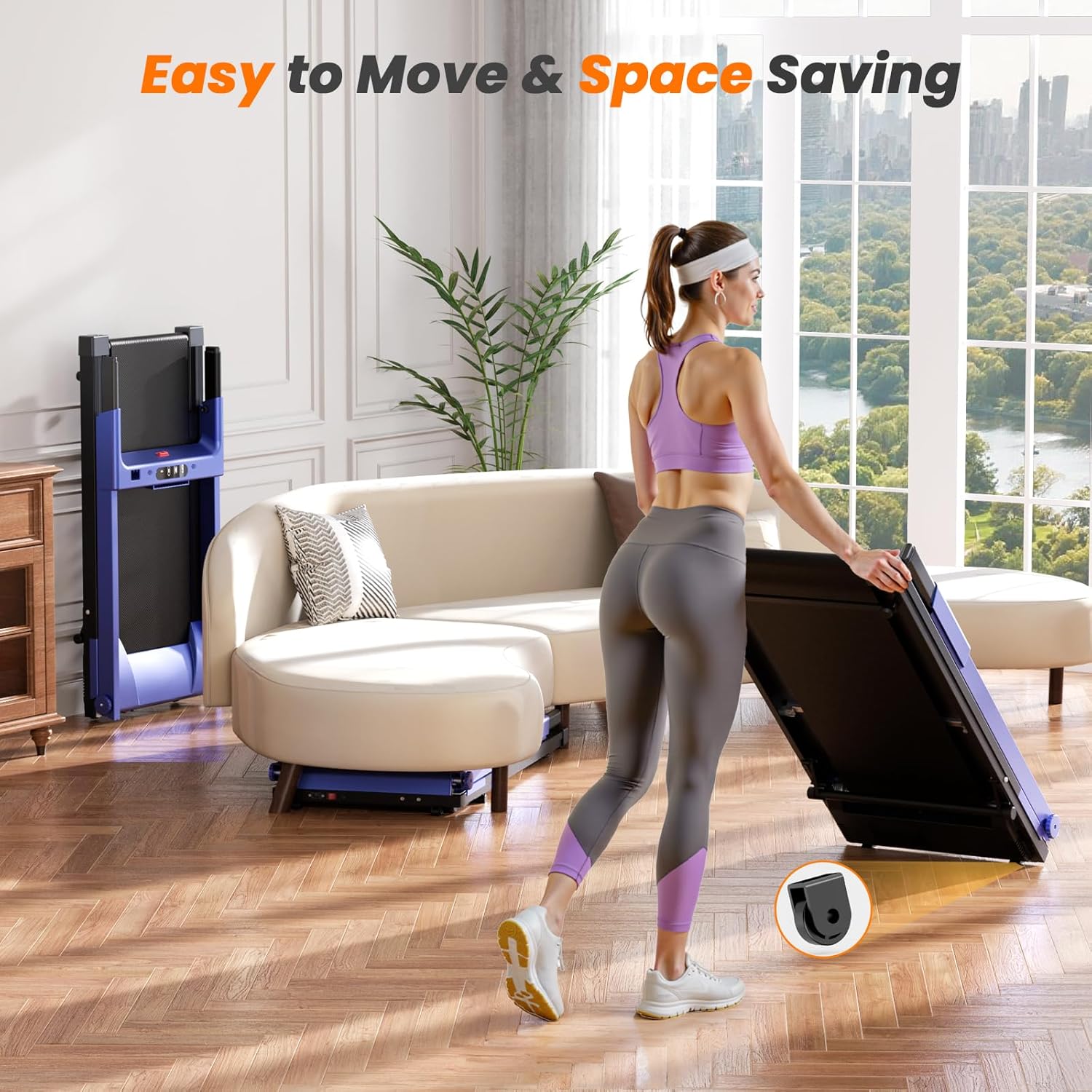
Image 3.1: The treadmill's foldable design allows for easy storage, as shown by a user folding the unit.
Adjusting the Incline:
The treadmill features a manual incline adjustment. To change the incline:
- Ensure the treadmill is powered off and unplugged.
- Locate the incline adjustment pins at the rear of the treadmill base.
- Adjust the pins to the desired incline level (up to 5%).
- Ensure both sides are adjusted evenly and securely before use.

Image 3.2: Detail of the 5% incline feature, allowing users to customize their workout intensity.
4. Operating Instructions
Familiarize yourself with the control panel and basic operations before starting your workout.
Control Panel Overview:
The treadmill features an intuitive LCD display and control buttons for easy operation.
- Start/Stop Button: Initiates and pauses the treadmill belt.
- Speed Adjustment: Use '+' and '-' buttons to increase or decrease speed.
- Program Selection: Choose from various preset workout programs.
- Display: Shows time, distance, speed, and calories burned.
Starting a Workout:
- Plug the treadmill into a grounded electrical outlet.
- Attach the safety key to your clothing and the console.
- Stand on the side rails of the treadmill.
- Press the 'Start' button. The belt will begin to move at a low speed.
- Carefully step onto the moving belt and adjust the speed as desired using the '+' and '-' buttons.
Using the Smart App:
The DeerRun treadmill can connect to a smart app for enhanced features.
- Download the official DeerRun app from your device's app store.
- Ensure Bluetooth is enabled on your smart device.
- Open the app and follow the on-screen instructions to pair with your treadmill.
- Utilize the app for personalized training, virtual routes, and tracking your progress.
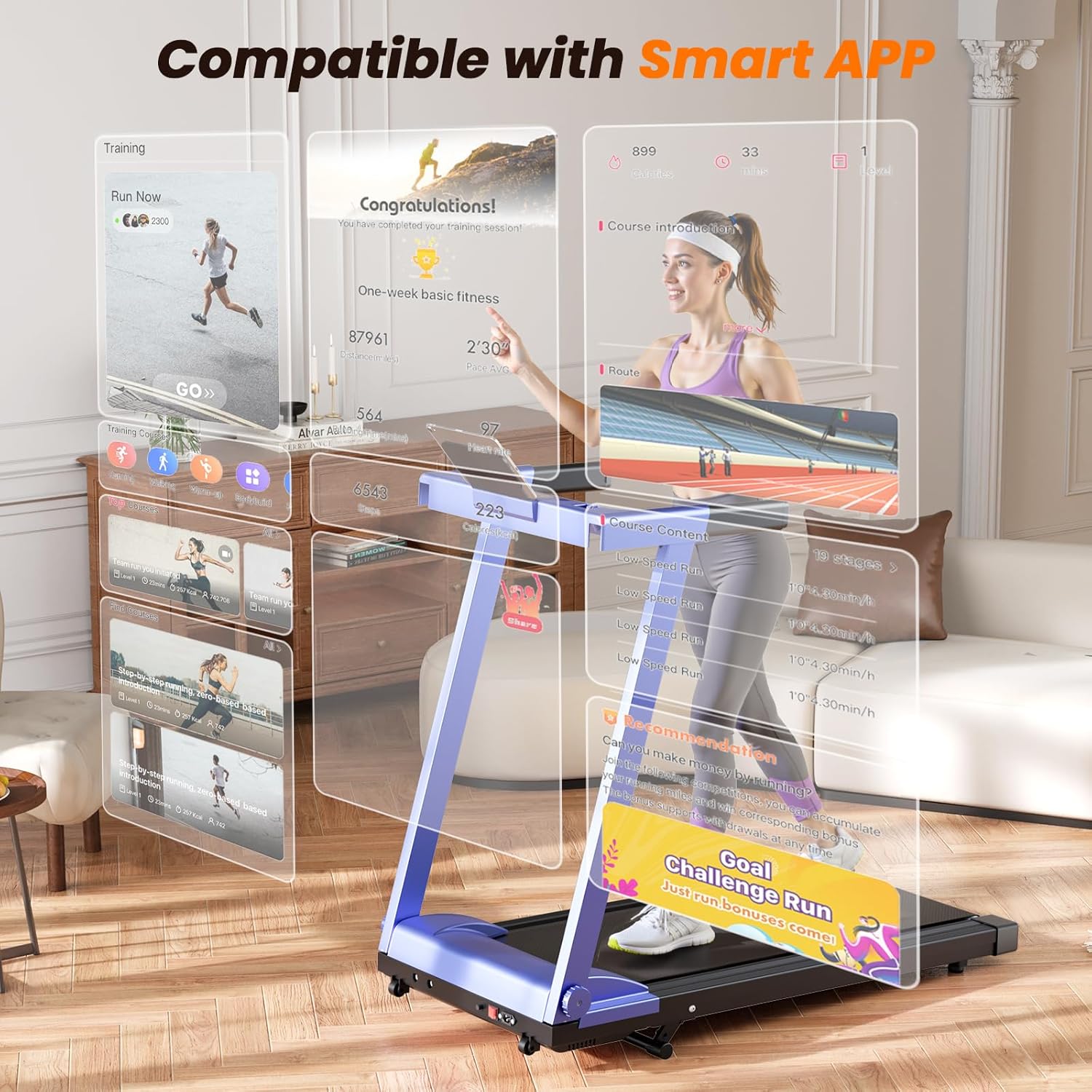
Image 4.1: The treadmill's console and smart app interface, highlighting its digital connectivity.
Instructional Videos:
Video 4.1: Overview of the DeerRun Foldable Portable Incline Treadmill, demonstrating key features and operation.
Video 4.2: Demonstration of the treadmill with its handle, showcasing its design and functionality.
5. Maintenance
Regular maintenance ensures the longevity and optimal performance of your treadmill.
Cleaning:
- Wipe down the treadmill surfaces with a damp cloth after each use to remove sweat and dust.
- Do not use abrasive cleaners or solvents.
- Periodically vacuum underneath the treadmill to prevent dust buildup.
Belt Lubrication:
The running belt requires periodic lubrication to reduce friction and extend its lifespan. Refer to the specific lubrication instructions provided with your treadmill or contact customer support for guidance.
Belt Adjustment:
If the running belt starts to slip or drift to one side, it may need adjustment. Consult the detailed instructions in the full user manual or contact customer support for assistance with belt tensioning and centering.
6. Troubleshooting
If you encounter any issues with your DeerRun treadmill, refer to the common problems and solutions below. If the problem persists, contact customer support.
Common Issues:
- Treadmill does not power on: Ensure the power cord is securely plugged into a working outlet and the main power switch (if present) is in the 'ON' position. Check the circuit breaker.
- Belt stops or slips during use: The running belt may require lubrication or adjustment. Refer to the maintenance section or contact support.
- Unusual noise: Check for loose parts or foreign objects under the belt. Lubricate the belt if necessary.
- Display not working correctly: Ensure all connections are secure. Try restarting the treadmill.
- App connectivity issues: Ensure Bluetooth is enabled on your device and the treadmill. Try restarting both the app and the treadmill.
7. Specifications
| Feature | Specification |
|---|---|
| Product Dimensions (L x W x H) | 135.5 x 61.1 x 113.2 cm |
| Item Weight | 43.7 kg |
| Motor Horsepower | 3.5 HP |
| Maximum Speed | 10 Miles per Hour |
| Maximum Incline Percentage | 5% |
| Maximum Weight Recommendation | 350 Pounds |
| Material | Alloy Steel |
| Running Belt Dimensions | 16.53" x 39.37" |
| Model Number | AS03-B-BlueBlack |

Image 7.1: Key specifications of the DeerRun treadmill, including motor power, speed, and dimensions.
8. Warranty and Support
Your DeerRun treadmill is covered by a manufacturer's warranty. Please refer to the warranty card included with your purchase for specific terms and conditions.
For technical assistance, troubleshooting, or warranty claims, please contact DeerRun customer support. You may be eligible for a return or refund within 30 days of receipt, subject to the retailer's policy.
Keep your purchase receipt and model number (AS03-B-BlueBlack) handy when contacting support.


