
1. Introduction
The ACECONN Pi2 Linux 4K HD Super Box TV Box is a high-performance streaming device designed to enhance your home entertainment experience. Featuring a stable Linux operating system, it supports 4K Ultra HD resolution and a wide range of video formats, ensuring clear and smooth playback. This manual provides essential information for setting up, operating, and maintaining your device.
2. Package Contents
Please check the box for the following items:
- ACECONN Pi2 TV Box
- Remote Control Unit (RCU)
- Power Adapter (EU Plug)
- HDMI Cable
- IR Extender
- User Manual

Figure 2.1: Included items in the package.
3. Product Overview
The ACECONN Pi2 is designed for efficient and reliable media streaming. It features a lightweight Linux 4.9 kernel, ensuring fast boot-up and a clean, ad-free user experience. The device supports 4K HDR output and offers various connectivity options.

Figure 3.1: ACECONN Pi2 TV Box and Remote Control.
3.1 Key Features
- Linux System: Highly customizable with exceptional stability and security.
- 4K UHD Resolution: Supports 4K@60fps with HDR 10+ for high-definition quality.
- Multi-Format Decoding: Compatible with various video formats including MKV, MP4, AVI.
- Versatile Connectivity: Multiple interfaces including HDMI 2.0, USB, Ethernet, Wi-Fi, and Bluetooth.
- Dual-Mode Update: Supports network and USB upgrades for convenient software updates.
- Fast Boot-up: Optimized for quick startup and direct playback.
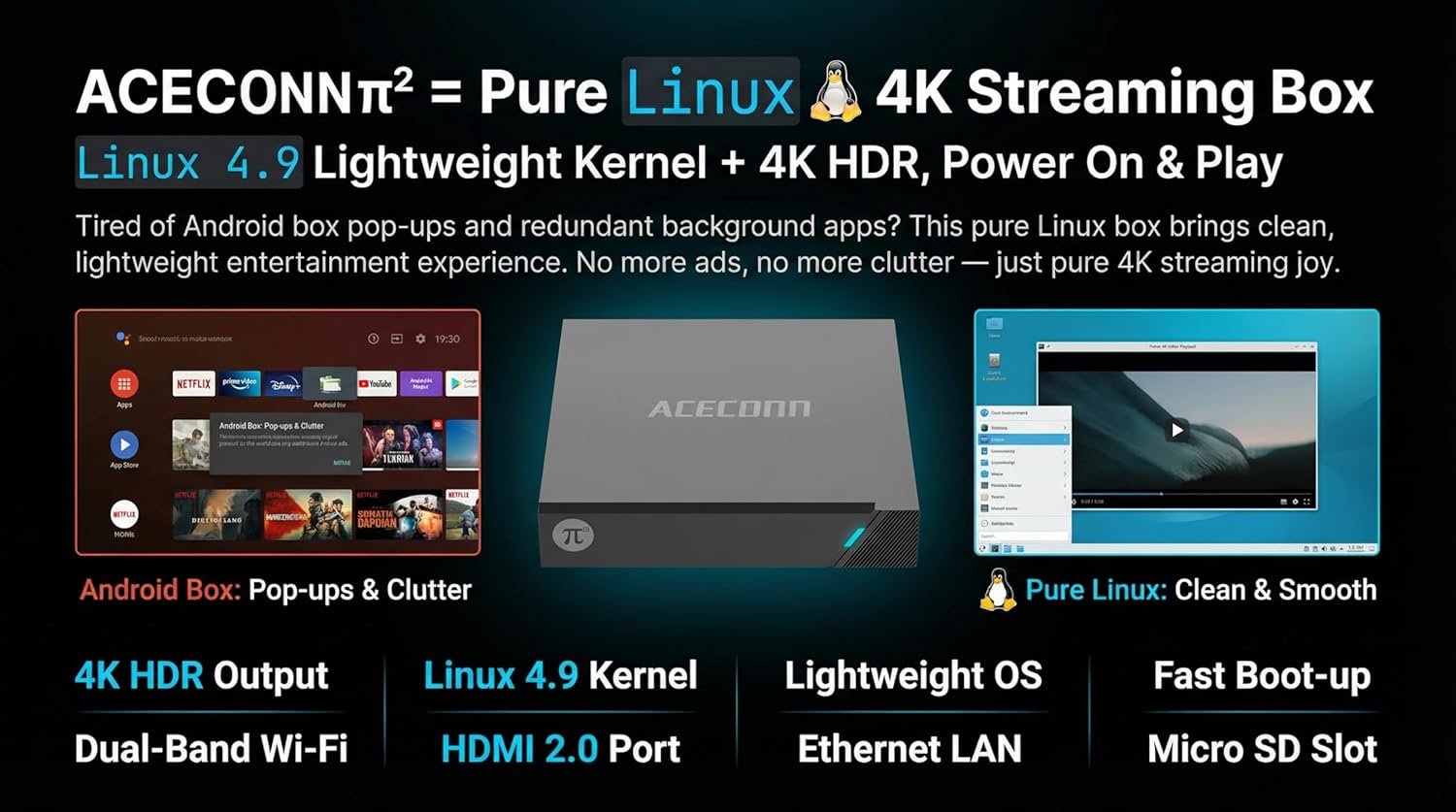
Figure 3.2: Linux OS advantages and connectivity options.

Figure 3.3: Performance and user experience benefits.
4. Setup Guide
Follow these steps for initial setup of your ACECONN Pi2 TV Box:
- Connect to TV: Connect one end of the HDMI cable to the HDMI port on the TV Box and the other end to an HDMI input port on your television.
- Connect Power: Plug the power adapter into the DC IN port on the TV Box, then plug the adapter into a wall outlet.
- Connect to Network (Optional):
- Wired Connection: Connect an Ethernet cable from your router to the LAN port on the TV Box.
- Wireless Connection: The device supports Dual-Band Wi-Fi. You will configure this in the settings after initial boot-up.
- Insert IR Extender (Optional): If the TV Box is out of direct line of sight for the remote, connect the IR Extender to the IR port on the TV Box and position the extender sensor where it can receive remote signals.
- Power On: The device should power on automatically. If not, press the power button on the remote control.
- Select Input: On your TV, select the correct HDMI input source using your TV remote control.
- Initial Configuration: Follow the on-screen prompts to complete the initial setup, including language selection and network configuration.
5. Operating Instructions
The ACECONN Pi2 features an intuitive Linux-based interface. Use the provided Remote Control Unit (RCU) to navigate.
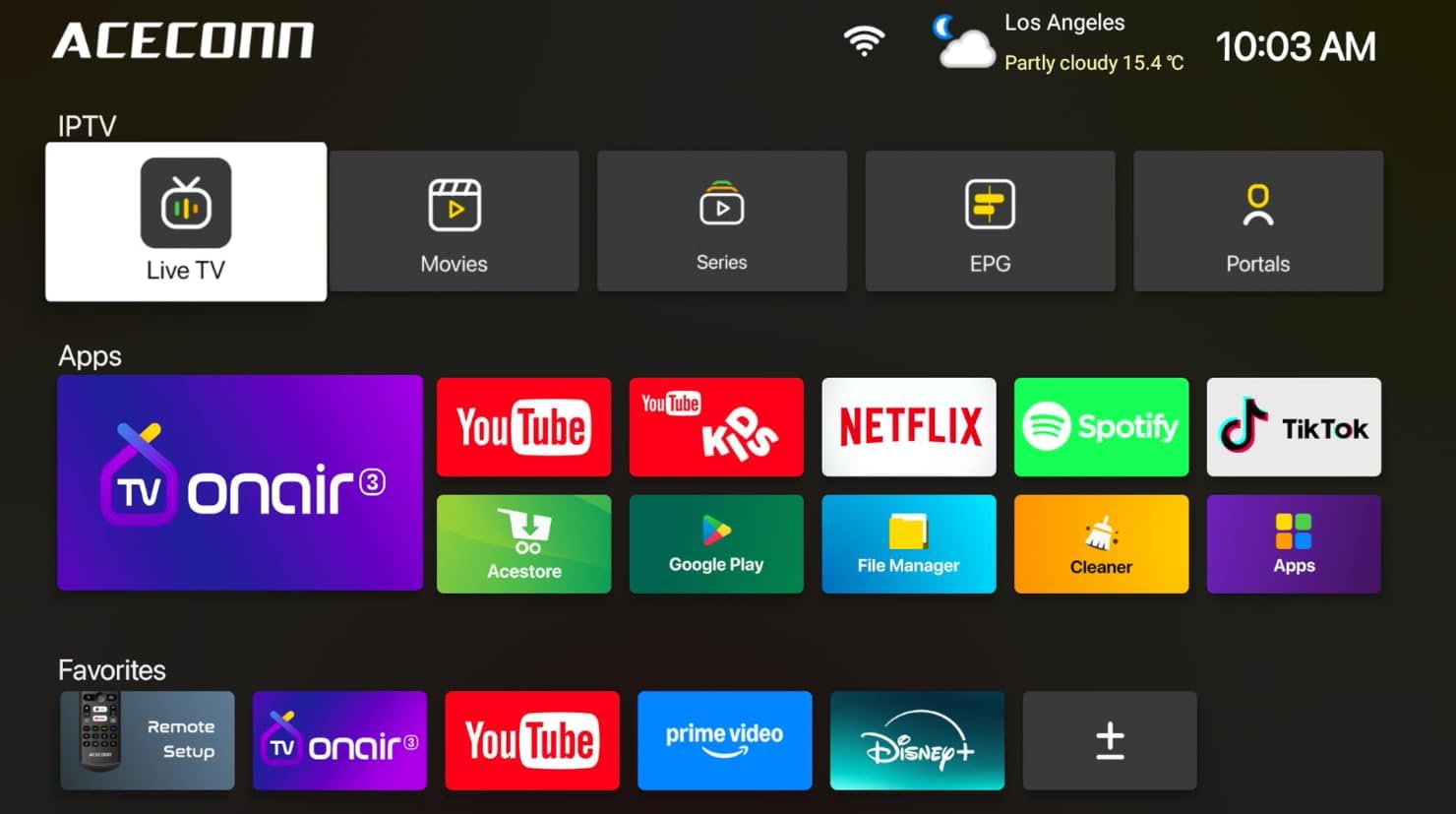
Figure 5.1: ACECONN Pi2 User Interface.
5.1 Remote Control Functions
Familiarize yourself with the buttons on your RCU for easy navigation and control.
- Power Button: Turns the device on or off.
- Navigation Buttons (Up/Down/Left/Right): Move cursor or selection.
- OK Button: Confirms selection or enters menu.
- Back/Return Button: Returns to the previous screen or menu.
- Home Button: Returns to the main home screen.
- Volume Buttons: Adjusts audio volume.
- Menu Button: Accesses context-sensitive menus.
5.2 Media Playback
The device supports 4K@60fps with HDR 10+ and universal format support for a superior visual experience.

Figure 5.2: 4K HDR and Universal Format Support.
You can enjoy media from various sources:
- Streaming Apps: Access pre-installed or downloaded streaming services like Netflix, YouTube, Spotify, and TikTok.
- Local Playback: Connect a USB hard drive or flash drive to play downloaded 4K content directly. The device supports various mainstream formats including MKV, MP4, and AVI.
- Personal Media Library: Utilize applications like Kodi (if installed) to organize and play your media collection.

Figure 5.3: Media consumption scenarios.
5.3 System Updates (OTA)
The ACECONN Pi2 supports Over-The-Air (OTA) updates to ensure your system stays current with the latest features and drivers. You can also update via USB.
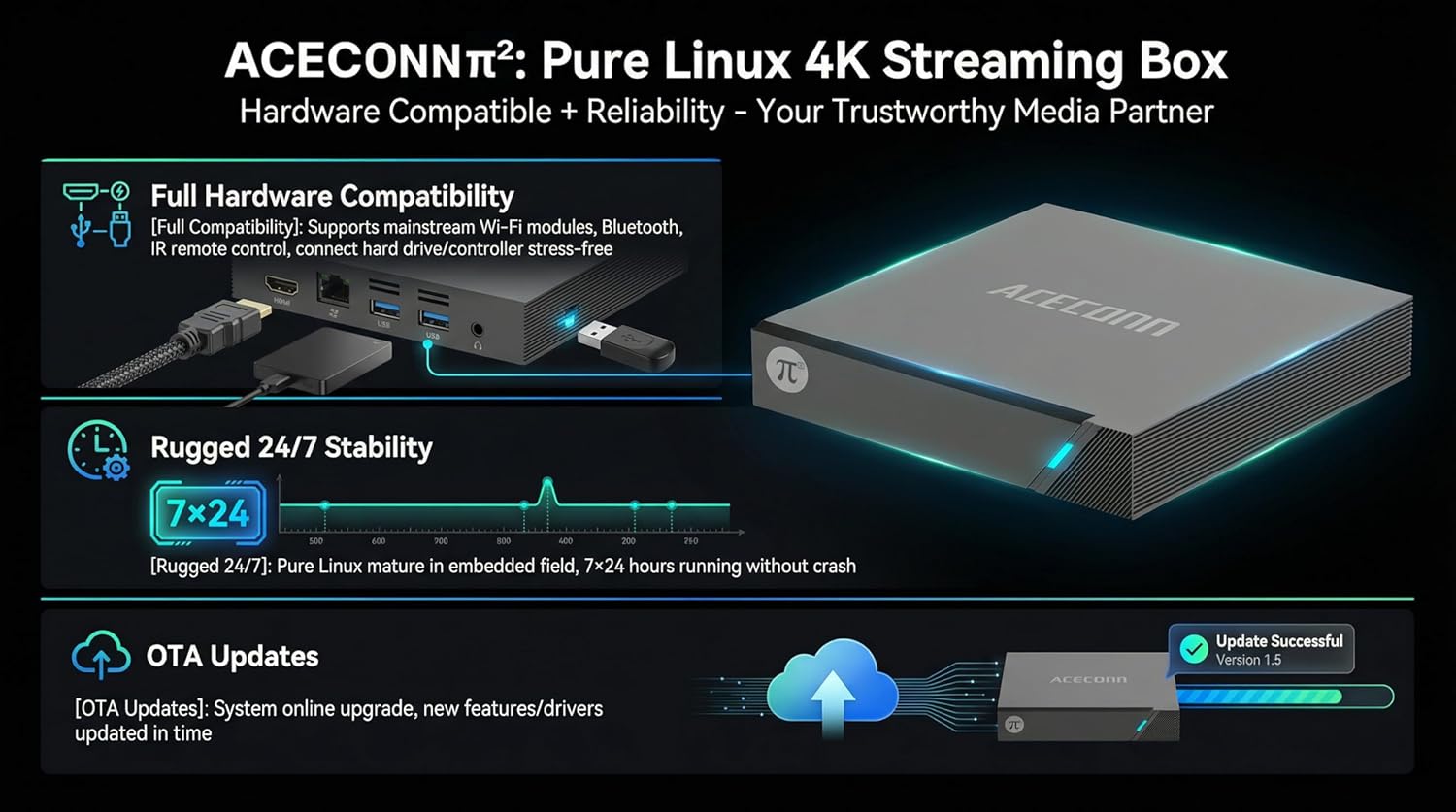
Figure 5.4: Hardware compatibility and OTA updates.
To check for updates:
- Navigate to the 'Settings' menu on your device.
- Look for 'System Update' or 'About Device' options.
- Select 'Check for Updates' and follow the on-screen instructions. Ensure a stable internet connection during the update process.
6. Troubleshooting
If you encounter issues with your ACECONN Pi2, refer to the following common problems and solutions:
| Problem | Possible Cause | Solution |
|---|---|---|
| No power | Power adapter not connected; power outlet issue. | Ensure power adapter is securely connected to the device and a working power outlet. Try a different outlet. |
| No picture on TV | Incorrect HDMI input selected; loose HDMI cable. | Verify the TV is on the correct HDMI input. Check HDMI cable connections at both ends. Try a different HDMI cable or port. |
| Remote control not working | Batteries low/dead; IR sensor blocked. | Replace batteries in the RCU. Ensure no obstructions between the remote and the TV Box (or IR extender). |
| No internet connection | Wi-Fi disconnected; Ethernet cable loose; router issue. | Check Wi-Fi settings and reconnect. Ensure Ethernet cable is secure. Restart your router. |
| Video playback issues (stuttering, freezing) | Slow internet speed; corrupted media file; device overheating. | Check internet speed. Try playing a different media file. Ensure adequate ventilation around the device. |
7. Specifications
| Feature | Detail |
|---|---|
| Brand | ACECONN |
| Model Name | Pi2 |
| Operating System | Linux 4.9 |
| Resolution | 4K (3840 x 2160) @ 60fps, HDR 10+ |
| RAM Memory | 1 GB DDR3 |
| Storage Capacity | 8 GB |
| Connectivity Technology | Bluetooth, Ethernet, HDMI, USB, Wi-Fi (Dual-Band) |
| Connector Type | HDMI, Micro USB, USB |
| Supported Internet Services | Browser, Netflix, Skype, TV ONAIR, YouTube |
| Controller Type | App Control, Remote Control |
| Compatible Devices | Television |
| Item Weight | 0.5 Kilograms |
| Item Dimensions (L x W x H) | 4.4" x 4.4" x 0.8" |
8. Maintenance
To ensure the longevity and optimal performance of your ACECONN Pi2 TV Box, follow these maintenance guidelines:
- Cleaning: Use a soft, dry cloth to clean the exterior of the device. Do not use liquid cleaners or abrasive materials.
- Ventilation: Ensure the device is placed in a well-ventilated area. Do not cover ventilation openings.
- Temperature: Avoid exposing the device to extreme temperatures or direct sunlight.
- Power Off: If the device will not be used for an extended period, disconnect it from the power supply.
9. Warranty and Support
9.1 Warranty Information
The ACECONN Pi2 TV Box comes with a 1 Year Manufacturer Warranty. Please retain your proof of purchase for warranty claims.
9.2 Customer Support
For technical assistance, troubleshooting beyond this manual, or warranty inquiries, please contact ACECONN customer support through the retailer's platform or the official ACECONN website.
