
1. Introduction
The PIKOY Galaxy Projector (Model WH-E13) is a versatile device designed to project dynamic lighting effects onto ceilings and walls. It features integrated white noise sounds, a Bluetooth speaker, and multiple control options, including a remote and on-device buttons. This manual provides instructions for setup, operation, maintenance, and troubleshooting to ensure optimal use of your projector.

Image 1.1: The PIKOY Galaxy Projector in operation, displaying aurora-like light patterns.
2. What's in the Box
- PIKOY Galaxy Projector (Model WH-E13)
- Remote Control
- USB Power Cable
- User Manual (this document)

Image 2.1: The projector and its remote control, highlighting timer and brightness features.
3. Product Overview
The PIKOY Galaxy Projector features a compact design with a clear outer casing. It is equipped with a projection lens, control buttons on the device, and a power input port.
3.1 Device Components
- Projection Lens: Projects light patterns onto surfaces.
- Control Buttons: Located on the device for basic functions (power, mode, volume, etc.).
- USB Power Port: For connecting the power cable.
- Bluetooth Speaker: Integrated for audio playback.

Image 3.1: Close-up of the projector, showing its control buttons and Bluetooth capability.
4. Setup
- Unpack: Carefully remove all components from the packaging.
- Power Connection: Connect the provided USB power cable to the projector's power port and plug the other end into a compatible USB power adapter (not included) or a USB port on a device like a lamp.
- Placement: Place the projector on a stable, flat surface, such as a tabletop, to achieve optimal projection coverage. The projector is designed for tabletop mounting and indoor use.
Video 4.1: Demonstration of the Galaxy Projector for Bedroom, showing its setup and initial operation.
5. Operating Instructions
5.1 Power On/Off
Press the power button on the device or the remote control to turn the projector on or off.
5.2 Adjusting Lighting Effects
The projector offers 144 lighting effects with 8 colors, 4 brightness levels, and 4 rotation speeds. Use the remote control or the device buttons to:
- Change colors (Red, Green, Blue, White, Yellow, Purple, Cyan, Orange).
- Adjust brightness (0%, 20%, 40%, 60%, 80%, 100%).
- Control rotation speed of the projection.
- Select different lighting modes (e.g., static, flashing, fading).

Image 5.1: Examples of multicolor lighting effects projected by the device.
5.3 White Noise Function
The projector includes 15 built-in soothing white noise sounds (e.g., ocean waves, rain, birdsong). Use the remote or device buttons to select and adjust the volume of these sounds.
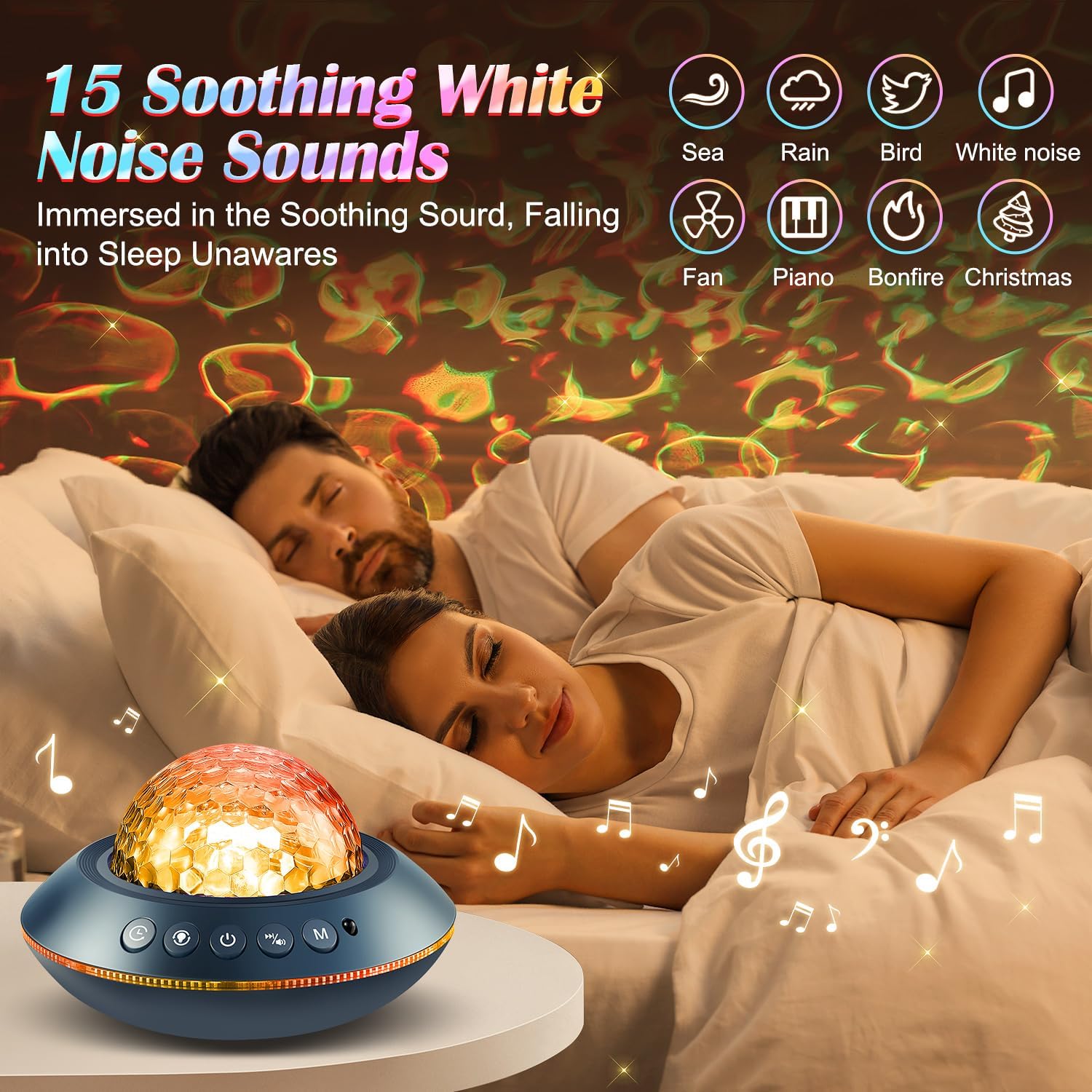
Image 5.2: The projector's white noise feature, illustrating various sound options.
5.4 Bluetooth Speaker Function
To use the Bluetooth speaker:
- Ensure the projector is powered on.
- On your mobile device, search for Bluetooth devices and connect to "WH-E13".
- Once connected, you can play your preferred music through the projector's speaker. The light projection can synchronize with the music rhythm or hand claps if the sound function is activated via the remote control.
5.5 Timer Settings
Set an automatic shut-off timer using the remote control. Available timer options are 2 hours, 4 hours, and 6 hours.
Video 5.3: Demonstration of the Ocean Light Projector's dynamic light patterns and features.
6. Maintenance
- Cleaning: Use a soft, dry cloth to clean the exterior of the projector. Do not use liquid cleaners or abrasive materials.
- Storage: Store the projector in a cool, dry place when not in use.
- Handling: Handle the device with care to avoid damage to the projection lens or internal components.
7. Troubleshooting
| Problem | Possible Cause | Solution |
|---|---|---|
| Projector does not turn on. | No power or loose connection. | Ensure the USB cable is securely connected and the power source is active. |
| Lights are dim or not projecting clearly. | Brightness setting is low or lens is obstructed/dirty. | Increase brightness via remote/buttons. Clean the projection lens. Ensure the room is dark for best results. |
| Bluetooth connection fails. | Device not in pairing mode or too far from projector. | Ensure the projector is in Bluetooth mode. Move your mobile device closer to the projector. Restart both devices. |
| Remote control not working. | Battery depleted or obstruction. | Replace the remote control battery. Ensure no objects are blocking the signal path to the projector. |
8. Specifications
- Model Number: WH-E13
- Brand: PIKOY
- Product Dimensions: 6.81"D x 6.81"W x 3.94"H
- Base Material: Plastic
- Shade Material: ABS+PC
- Light Source Type: LED
- Number of Light Sources: 1
- Connectivity Protocol: Bluetooth
- Power Source: Corded Electric (USB)
- Indoor/Outdoor Usage: Indoor
- Is Waterproof: No
- Efficiency: Energy-efficient
- Manufacturer: TK CO.,Ltd.
9. Safety Information
- This product is for indoor use only.
- Do not expose the projector to water or moisture as it is not waterproof.
- Avoid direct eye exposure to the projection light.
- Keep out of reach of small children to prevent accidental damage or misuse.
- Use only the provided USB cable for power.
10. Warranty & Support
The manufacturer provides a warranty for this product. For specific warranty details and support inquiries, please refer to the contact information provided with your purchase or visit the official PIKOY website.