
Introduction
The Tractive XL Smart Dog GPS Tracker is designed to help you monitor the safety and health of your dog, especially for breeds over 20 kg. This device offers real-time GPS tracking, health monitoring, and various alert features to ensure your pet's well-being. It is 100% waterproof and provides extended battery life.
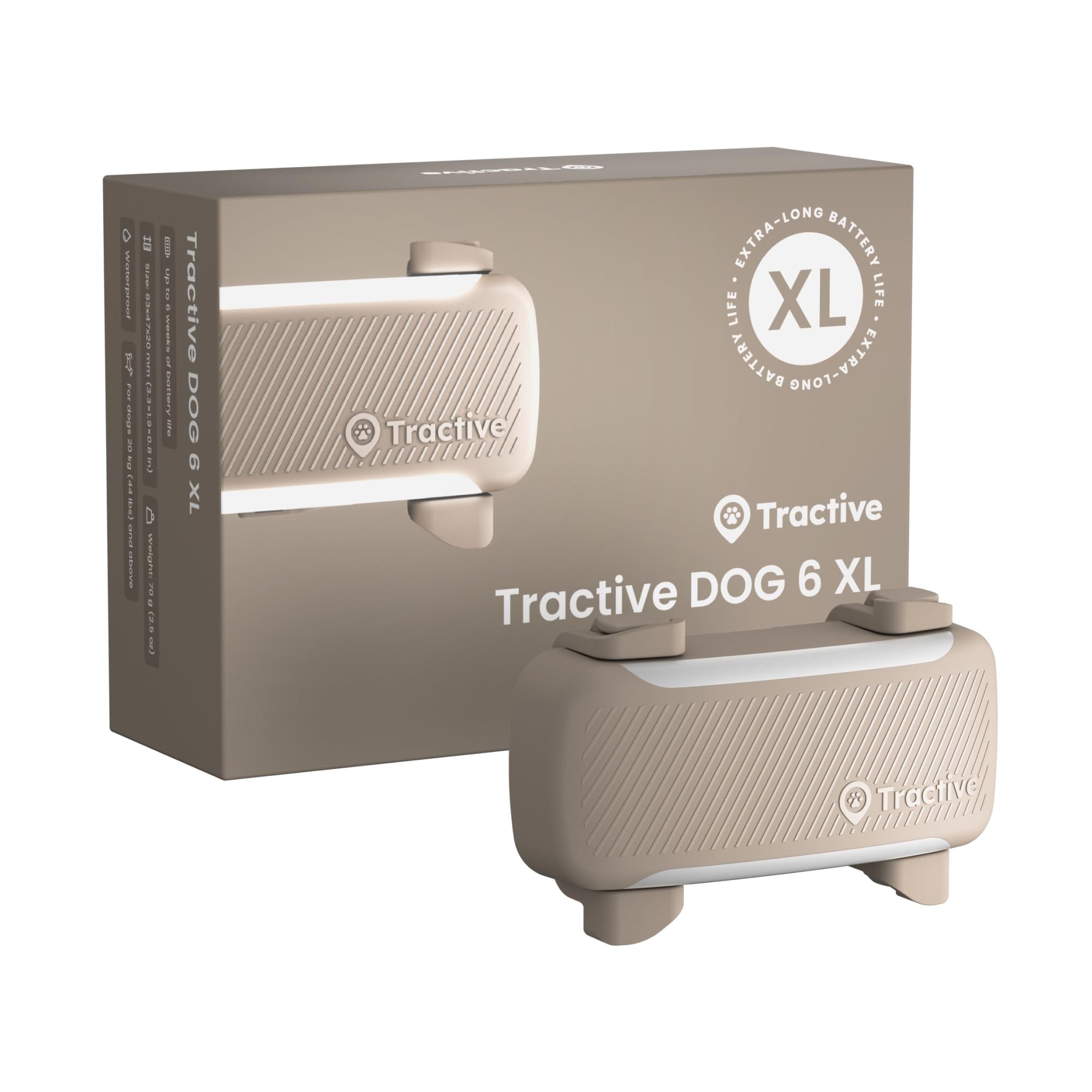
Image: The Tractive XL Smart Dog GPS Tracker, shown attached to a dog's collar, demonstrating its compact design and how it sits on the pet.
Setup Guide
To begin using your Tractive XL Smart Dog GPS Tracker, follow these steps:
- Subscription Activation: A subscription plan is required for the tracker to function, covering the integrated SIM card's cellular costs. Plans start from €5/month, depending on the model chosen. Visit the Tractive website or app to select and activate your subscription.
- Download the Tractive GPS App: Download the free Tractive GPS app from your smartphone's app store (available for iOS and Android).
- Device Activation: Follow the in-app instructions to activate your tracker and link it to your account. This typically involves scanning a QR code on the device or entering its ID.
- Attach to Collar: Securely attach the Tractive XL tracker to your dog's collar using the provided clips or attachment mechanism. Ensure it is snug but comfortable for your pet.

Image: An illustration detailing the subscription requirement and the initial setup steps, including ordering the tracker, downloading the app, and choosing a subscription plan.
Operating Instructions
The Tractive XL tracker offers a range of features to monitor your dog's location and health:
Real-time GPS Tracking
Locate your dog in seconds using the Tractive GPS app. The tracker provides live location updates, allowing you to see your pet's exact position on a map. This feature is active in over 175 countries, requiring mobile phone coverage.

Image: A smartphone screen showing the Tractive app interface with a dog's live location on a map and a history of its movements.
Virtual Fences and Escape Alerts
Set up virtual fences (Geofences) within the app to define safe areas for your dog. You will receive an immediate notification on your mobile phone if your dog leaves or enters these predefined zones.

Image: The Tractive app interface demonstrating how to create virtual fences and view potential hazards marked on the map.
Health Monitoring and Warnings
The tracker monitors vital signs such as heart and respiratory rate, as well as activity and sleep patterns. The app learns your dog's normal behavior and provides alerts for unusual changes, helping you detect potential health issues early.
- Vital Values: Monitors heart and respiratory rate changes.
- Activity & Sleep: Tracks daily activity levels and sleep duration/quality.
- Barking Behavior: Detects changes in barking patterns.
- Health Warnings: Notifies you of significant deviations from normal behavior.

Image: A smartphone screen showing the Tractive app's "Health" section, detailing daily insights on activity, sleep, heart rate, and respiratory rate, along with an AI summary.
Danger Notifications
You can add potential hazards in your area, such as poison baits or unsafe zones, to the Tractive GPS app map. This feature helps warn other pet owners and enhances community safety.
Walking Tours
Use the Tractive app to record the duration and distance of your dog's walks. All adventures are tracked and can be shared, for example, on Strava.
Maintenance
Charging the Device
The Tractive XL tracker features a long-lasting battery, providing up to 6 weeks of operation on a single charge, depending on usage and activity. When the battery is low, connect the tracker to its charging cable and a power source. Ensure the charging contacts are clean and dry before charging.
Cleaning
As the device is 100% waterproof (IP68), it can be rinsed with clean water to remove dirt. For stubborn grime, use a soft, damp cloth. Avoid harsh chemicals or abrasive materials that could damage the device.
Troubleshooting
- No GPS Signal: Ensure the tracker has a clear view of the sky. GPS signals can be obstructed by buildings, dense foliage, or indoors. Move to an open area.
- Tracker Not Connecting: Verify your subscription is active. Check your mobile phone's internet connection. Try restarting the tracker and your smartphone app.
- Inaccurate Location: GPS accuracy can vary. For best results, ensure the tracker is securely attached and not covered.
- Battery Draining Quickly: Battery life depends on usage. Frequent live tracking or poor cellular signal can increase battery consumption. Ensure the tracker is fully charged before use.
- App Issues: Ensure your Tractive GPS app is updated to the latest version. Try clearing the app's cache or reinstalling it if problems persist.
For further assistance, refer to the Tractive support website or contact customer service.
Specifications
| Feature | Detail |
|---|---|
| Model Number | TG6XLC |
| Dimensions | 8.3 x 4.7 x 2 cm |
| Weight | 70 g |
| Battery Life | Up to 6 weeks (depending on usage) |
| Waterproof Rating | IP68 (100% waterproof) |
| Compatibility | Dogs over 20 kg |
| Network | LTE/2G cellular connection (works in over 175 countries) |

Image: A visual comparison between the Tractive Dog 6 XL (selected product) and the Tractive Dog 6, highlighting their respective battery life, weight, and dimensions.
Warranty and Support
For information regarding product warranty, please refer to the official Tractive website or the documentation included with your purchase. Tractive offers customer support for any technical issues or questions you may have about your device or subscription.
Return Policy: This product is subject to a 30-day return policy for refund or replacement, as per Amazon's terms.
For direct support, visit: Tractive Support

