
Important Safety Information
WARNING: Always assemble the chair according to the provided instructions to ensure stability and safety. Do not exceed the maximum weight capacity of 275 pounds to prevent damage or injury. Keep small parts away from children during assembly.
Package Contents
Before beginning assembly, carefully unpack all components and verify that all parts are present and undamaged. If any parts are missing or damaged, do not proceed with assembly and contact customer service.
- Seat Cushion (1)
- Backrest (1)
- Armrests (2)
- Gas Lift Cylinder (1)
- Star Base (1)
- Casters (5)
- Mechanism Plate (1)
- Hardware Kit (screws, Allen wrench)
Assembly Instructions
Estimated assembly time: 15 minutes. It is recommended to assemble the chair on a soft, non-abrasive surface to prevent damage.
- Attach Casters to Star Base: Insert each of the five casters into the holes at the end of the star base until they click securely into place.
- Insert Gas Lift: Place the gas lift cylinder into the center hole of the assembled star base.
- Attach Mechanism Plate to Seat: Align the mechanism plate with the pre-drilled holes on the underside of the seat cushion. Ensure the front of the mechanism plate faces the front of the seat. Secure with screws from the hardware kit.
- Attach Armrests: Attach the armrests to the sides of the seat cushion and backrest using the provided screws. Ensure the armrests are oriented correctly (left and right).
- Connect Backrest to Seat: Secure the backrest to the seat assembly using the remaining screws, ensuring a firm connection.
- Place Seat Assembly onto Gas Lift: Carefully place the assembled seat and backrest onto the gas lift cylinder, ensuring it is centered and stable.

Operating Instructions
Height Adjustment
To adjust the seat height, pull the lever located under the right side of the seat upwards. While seated, the chair will lower. While standing, the chair will rise. Release the lever at your desired height to lock it in place.
Rocking Function and Tension Adjustment
The chair features a rocking function, allowing the backrest to recline between 90 and 110 degrees. To activate the rocking motion, pull the lever (same as height adjustment) outwards. Push it inwards to lock the chair in an upright position.
Adjust the rocking tension by rotating the round knob located under the front-center of the seat. Turn clockwise to increase tension, making the rocking motion stiffer. Turn counter-clockwise to decrease tension, allowing for a looser rocking motion.
Adjustable Lumbar Support
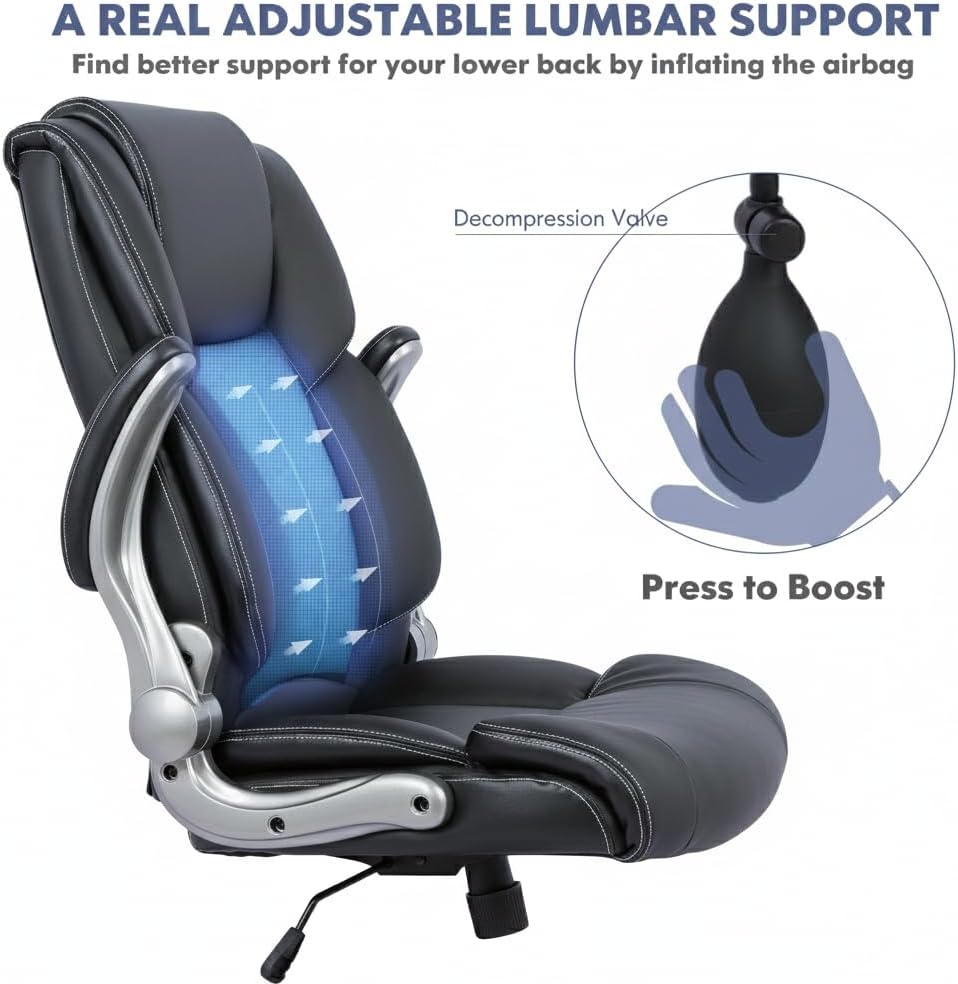
The built-in lumbar support can be adjusted to provide personalized lower-back comfort. To increase lumbar support, repeatedly press the inflation bulb located on the side of the backrest until the desired firmness is achieved. To decrease support, press the small decompression valve next to the bulb to release air.
Flip-Up Armrests
The padded armrests can be flipped up 90 degrees. This feature allows the chair to be pushed further under a desk or workstation, saving space when not in use.
Maintenance
Proper maintenance will extend the life and appearance of your office chair.
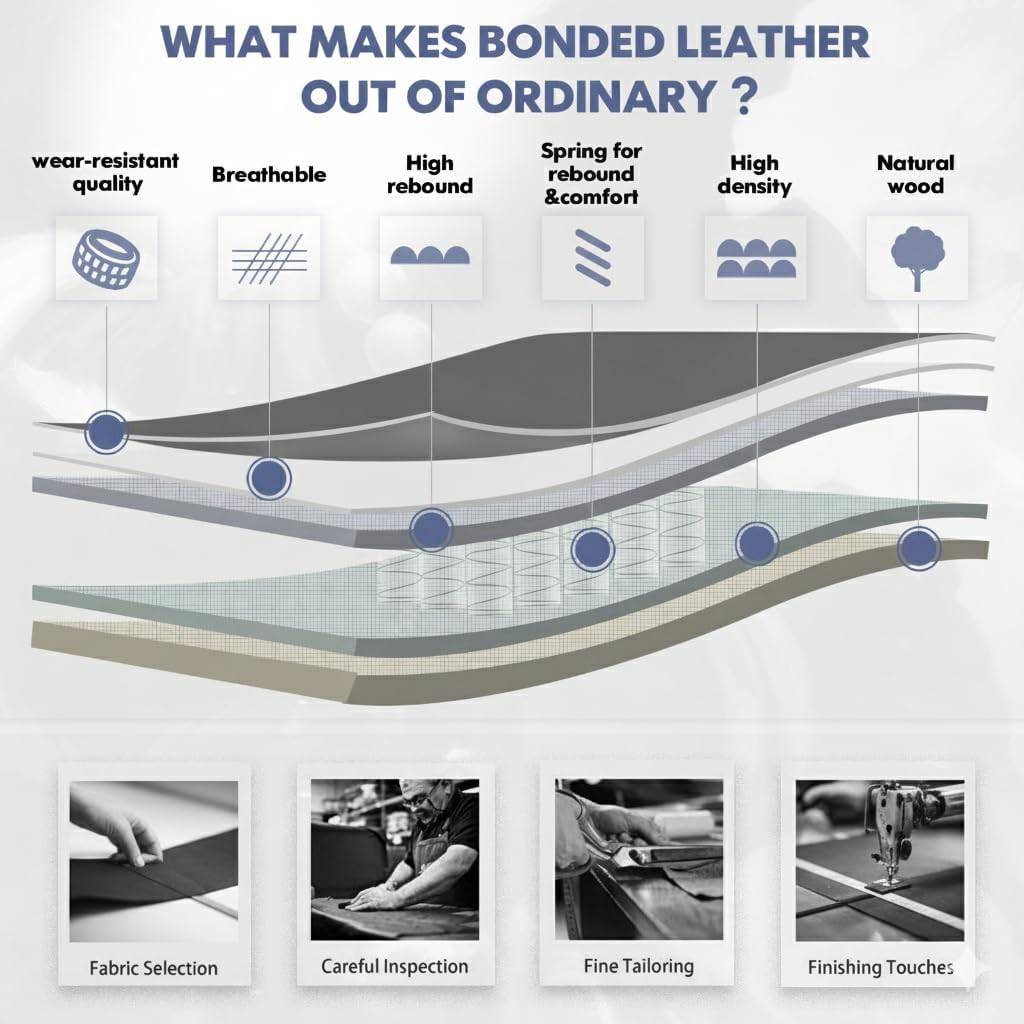
- Cleaning: Regularly wipe the bonded leather surfaces with a soft, damp cloth. For tougher stains, use a mild soap solution and immediately wipe dry. Avoid abrasive cleaners or harsh chemicals, which can damage the material.
- Hardware Check: Periodically inspect all screws and bolts. Tighten any loose fasteners to ensure the chair remains stable and safe.
- Caster Care: Clean the casters regularly to remove accumulated dust, hair, and debris. This ensures smooth rolling and prevents damage to your flooring.
- Environmental Conditions: Avoid exposing the chair to direct sunlight for prolonged periods or to extreme temperatures and humidity, as this can cause the bonded leather to crack or fade.
Troubleshooting
If you encounter any issues with your chair, refer to the following table for common problems and solutions.
| Problem | Possible Cause | Solution |
|---|---|---|
| Chair does not adjust height | Gas lift cylinder malfunction or lever not engaged. | Ensure the height adjustment lever is fully engaged. If the issue persists, the gas lift may need professional inspection or replacement. |
| Chair wobbles | Loose screws or uneven floor. | Check and tighten all assembly screws, especially those connecting the armrests and mechanism plate. Ensure the chair is on a flat, even surface. |
| Casters do not roll smoothly | Debris (hair, dust) in casters or damaged casters. | Turn the chair over and carefully remove any hair or debris from the caster wheels. If casters are damaged, they may need replacement. |
| Lumbar support not inflating/deflating | Airbag or pump malfunction, or valve issue. | Ensure the inflation bulb is pressed firmly and the decompression valve is not stuck. Check for any visible damage to the bulb, hose, or valve. |
Specifications
- Brand: COLAMY
- Model Name: 2822-007
- Color: Black
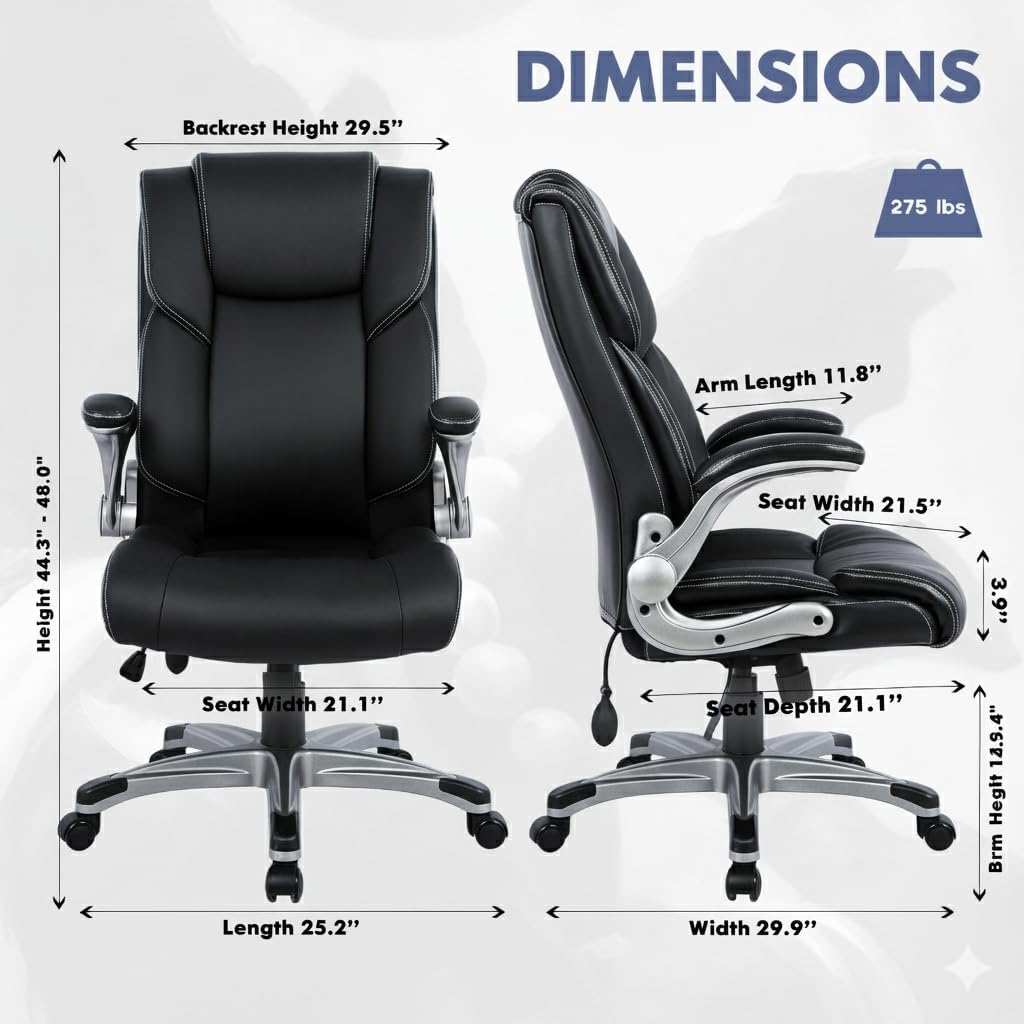
- Product Dimensions (Overall): 30"D x 27"W x 44"H
- Maximum Weight Recommendation: 275 Pounds
- Back Style: High Back
- Special Features: Adjustable Lumbar Support, Flip-up Armrests, Tilt Rocking Function, 360° Swivel, Breathable PU Leather, Sturdy Metal Base, Silent Rolling Casters
- Material: Metal (Frame), Foam (Fill), Bonded Leather (Upholstery)
- Item Weight: 44 pounds
- Seat Depth: 19.3 inches
Warranty and Support
This COLAMY product is covered by a standard manufacturer's warranty. For specific warranty terms, conditions, and duration, please refer to the documentation included with your purchase or visit the official COLAMY website.
For technical support, replacement parts, or any inquiries regarding your chair, please contact COLAMY customer service. Contact information can typically be found on the product packaging or the brand's official website.


