
Introduction
The MINISO MS102 AI Translator Earbuds are designed to provide real-time language translation, high-definition call clarity, and premium audio playback. These earbuds support translation across 135 languages with near-instant response times and high accuracy. They are compatible with both iPhone and Android devices, offering a versatile solution for communication and entertainment.
Key features include an intuitive LCD touchscreen control on the charging case, multiple translation modes, and advanced audio technologies for an enhanced user experience.

Image: The MINISO MS102 AI Translator Earbuds are suitable for diverse translation scenarios, including study abroad, global travel, and multinational team communication.
What's in the Box
Verify that all items are present in the packaging:
- MINISO MS102 Earbuds (2)
- Charging Box (1)
- Charging Cable (USB-C) (1)
- User Manual (1)
- Packaging Box (1)
- Lanyard (1)

Image: The package contents for the MINISO MS102 AI Translator Earbuds, showing the earbuds, charging case, USB-C charging cable, user manual, and a lanyard.
Setup
To utilize the full functionality of your MINISO MS102 AI Translator Earbuds, including translation features, follow these setup steps:
- Download the App: Download the free "Auralntelli" application from your device's app store (available for both iOS and Android). No subscriptions are required for translation features.
- Log In: Open the Auralntelli app and log in or create an account.
- Pair Earbuds via Bluetooth: Take the earbuds out of the charging case. On your smartphone, navigate to Bluetooth settings and pair with "MINISO-MS102".
- Connect within the App: Open the Auralntelli app, and follow the on-screen prompts to connect your earbuds to the application.

Image: A visual guide illustrating the four steps to set up the earbuds: downloading the Auralntelli app, logging in, connecting via Bluetooth, and finalizing the connection within the app.
Operating Instructions
Power On and Connectivity
The earbuds automatically power on when removed from the charging case and connect instantly to previously paired devices. They are compatible with mobile phones, iPads, computers, and other Bluetooth-enabled devices.
Intuitive LCD Touchscreen Control
The charging case features a vibrant HD touchscreen display, providing access to over 15 functions without needing your phone. Tap an item on the screen to access its options.
- Music Playback: Control tracks and volume.
- EQ Settings: Adjust audio equalization.
- Voice Commands: Activate your device's voice assistant.
- Handy Tools: Access features like alarm, stopwatch, and remote camera control.
- Translation: Directly access translation modes.
- Find My Earbuds: Locate misplaced earbuds.

Image: The multifunctional LED full-color touchscreen of the charging case displays icons for various functions, including system settings, music control, camera, power management, equalizer adjustments, translation access, and the 'Find My Earbuds' feature.
Translation Features and Modes
The earbuds support 135 languages with 98% accuracy and a reaction time of less than 0.5 seconds.

Image: A comprehensive list of 135 languages supported by the MINISO MS102 AI Translator Earbuds, demonstrating broad linguistic coverage.
The MS102 offers various translation modes to suit different communication needs:
- Hands-Free Mode: Facilitates real-time conversation flow for natural interactions.
- Touch Control Mode: Allows single-ear operation for quick translations.
- Photo Translate: Capture text from images for instant translation. Useful for menus, signs, and documents.
- AI Chat Mode: An AI assistant for natural dialogue, providing solutions for daily life or work queries.
- Meeting Mode: Designed for multilingual group discussions.
- Hybrid Mode: Enables simultaneous music playback and translation.
- Voice Notes: Automatically transcribes spoken memos.
- Video Subtitle Translation: Generates real-time subtitles for videos in supported applications.

Image: An illustration detailing the nine distinct translation modes available on the MINISO MS102 AI Translator Earbuds, designed for various communication scenarios.

Image: An example of real-time translation in action, showing a conversation translated from English to German, highlighting the seamless cross-language communication provided by the earbuds.

Image: The photo translation feature is demonstrated by a smartphone scanning a street sign, with the text automatically translated from German to English, aiding in understanding foreign text.

Image: A user is shown watching a video on a smartphone while wearing the earbuds, with AI-generated captions displayed on the screen, illustrating the AI video captions feature for real-time subtitle translation.
Audio Features
The MS102 earbuds feature an open-ear design for comfort and studio-quality sound. Advanced Adaptive Noise Cancellation (ANC) technology minimizes background noise, ensuring clear audio for calls and music in various environments.
- Custom EQ Settings: Adjust your audio experience with 5 custom equalizer presets (Pop, Rock, Standard, Classic, Jazz) to match your preferences.
- No Audio Delay: Enjoy synchronized audio with video content, providing an immersive experience.
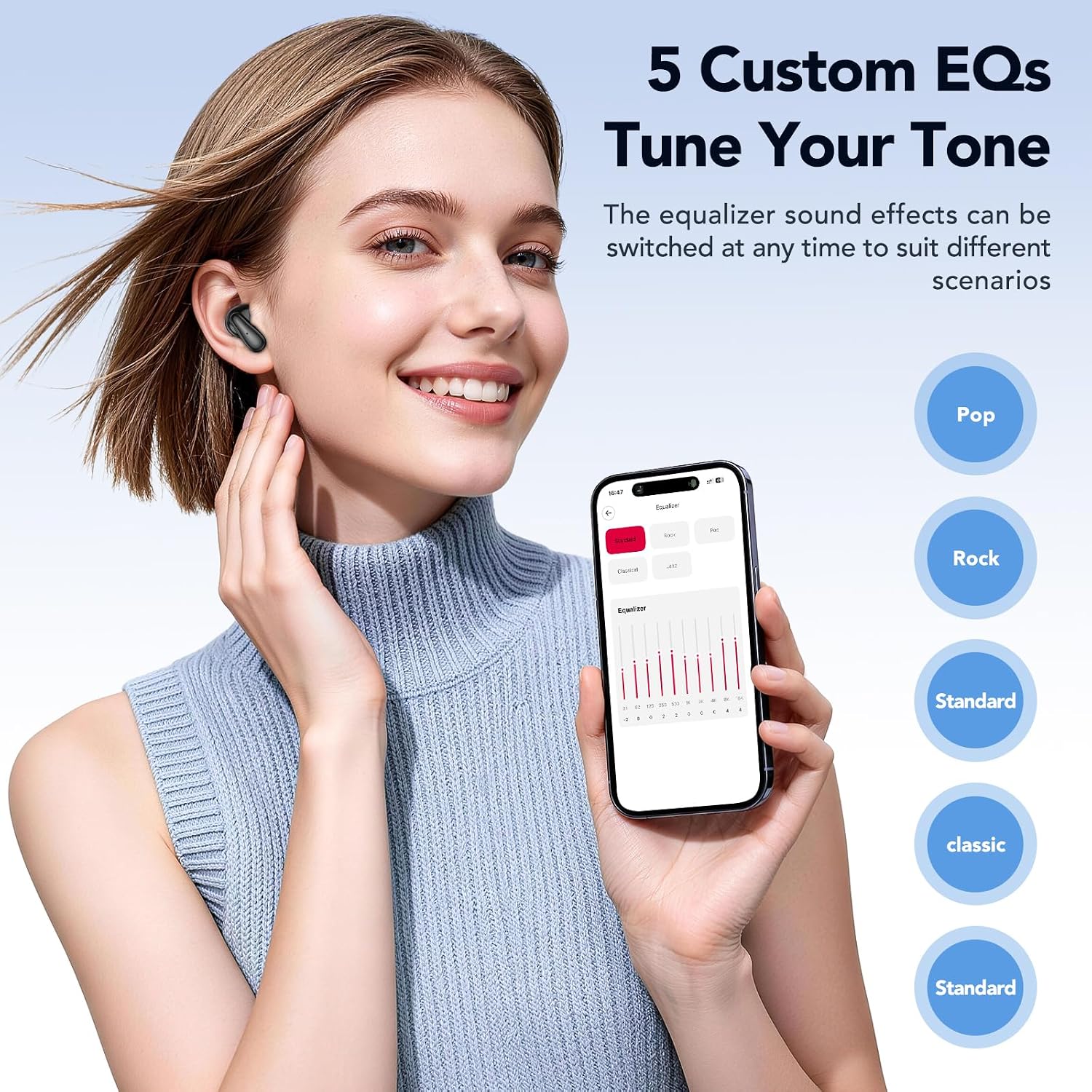
Image: A user adjusting the equalizer settings on a smartphone, showcasing the five custom EQ options (Pop, Rock, Standard, Classic, Jazz) available to tune the audio tone of the earbuds.
Find My Earbuds Feature
If you misplace your earbuds, the built-in tracker, accessible via the companion app, can display their last known location. You can also trigger an audible alert to help pinpoint their exact position.
Maintenance
Proper maintenance ensures the longevity and optimal performance of your earbuds.
- Cleaning: Regularly wipe the earbuds and charging case with a soft, dry, lint-free cloth. Avoid using abrasive materials or harsh chemicals.
- Storage: Store the earbuds in their charging case when not in use to protect them from dust and damage. Keep them in a cool, dry place away from extreme temperatures.
- Battery Care: To preserve battery life, avoid fully discharging the earbuds and charging case frequently. Charge them regularly, even if not in constant use. The earbuds offer up to 50 hours of battery life with the charging case, with a full charge taking approximately 1.5 hours.
- Water Resistance: The earbuds are IPX5 waterproof, meaning they are resistant to splashes and sweat. Do not submerge them in water.
Troubleshooting
If you encounter issues with your MINISO MS102 AI Translator Earbuds, refer to the following common solutions:
- Earbuds Not Charging:
- Ensure the charging cable is securely connected to both the charging case and a power source.
- Verify that the charging case itself has power.
- Clean the charging contacts on both the earbuds and inside the case with a dry cotton swab.
- Poor Audio Quality or Intermittent Sound:
- Ensure the earbuds are properly seated in your ears.
- Check the Bluetooth connection and ensure you are within range of your paired device.
- Restart your paired device and reconnect the earbuds.
- Clean any debris from the earbud speakers.
- Translation Features Not Working:
- Confirm that the "Auralntelli" app is installed and updated to the latest version.
- Ensure the earbuds are connected to your device via Bluetooth AND connected within the Auralntelli app.
- Check your internet connection, as translation features often require online access.
- Earbuds Not Connecting to Device:
- Place the earbuds back in the charging case, close the lid, wait a few seconds, then remove them to re-initiate pairing mode.
- On your device, forget the "MINISO-MS102" Bluetooth connection and attempt to pair again.
Specifications
| Feature | Detail |
|---|---|
| Brand | MINISO |
| Model Number | MS102 |
| Ear Placement | Open Ear |
| Form Factor | Open ear True Wireless |
| Noise Control | Adaptive Noise Cancellation |
| Control Type | Touch Control |
| Audio Driver Type | Dynamic Driver |
| Enclosure Material | Plastic |
| Connectivity Technology | Wireless (Bluetooth) |
| Bluetooth Version | 5.4 |
| Water Resistance Level | IPX5 Waterproof |
| Battery Charge Time | 1.5 Hours |
| Battery Average Life | 50 Hours (with charging case) |
| Compatible Devices | Cellphones, iPads, Computers, Watches |
| UPC | 850073442531 |
Warranty and Support
The MINISO MS102 AI Translator Earbuds come with a 1-year limited warranty from the date of purchase, covering manufacturing defects. Please retain your proof of purchase for warranty claims.
For setup assistance, troubleshooting, or any other product-related inquiries, please contact our dedicated customer service team. Refer to the contact information provided in your product packaging or visit the official MINISO website for support details.


