
Introduction
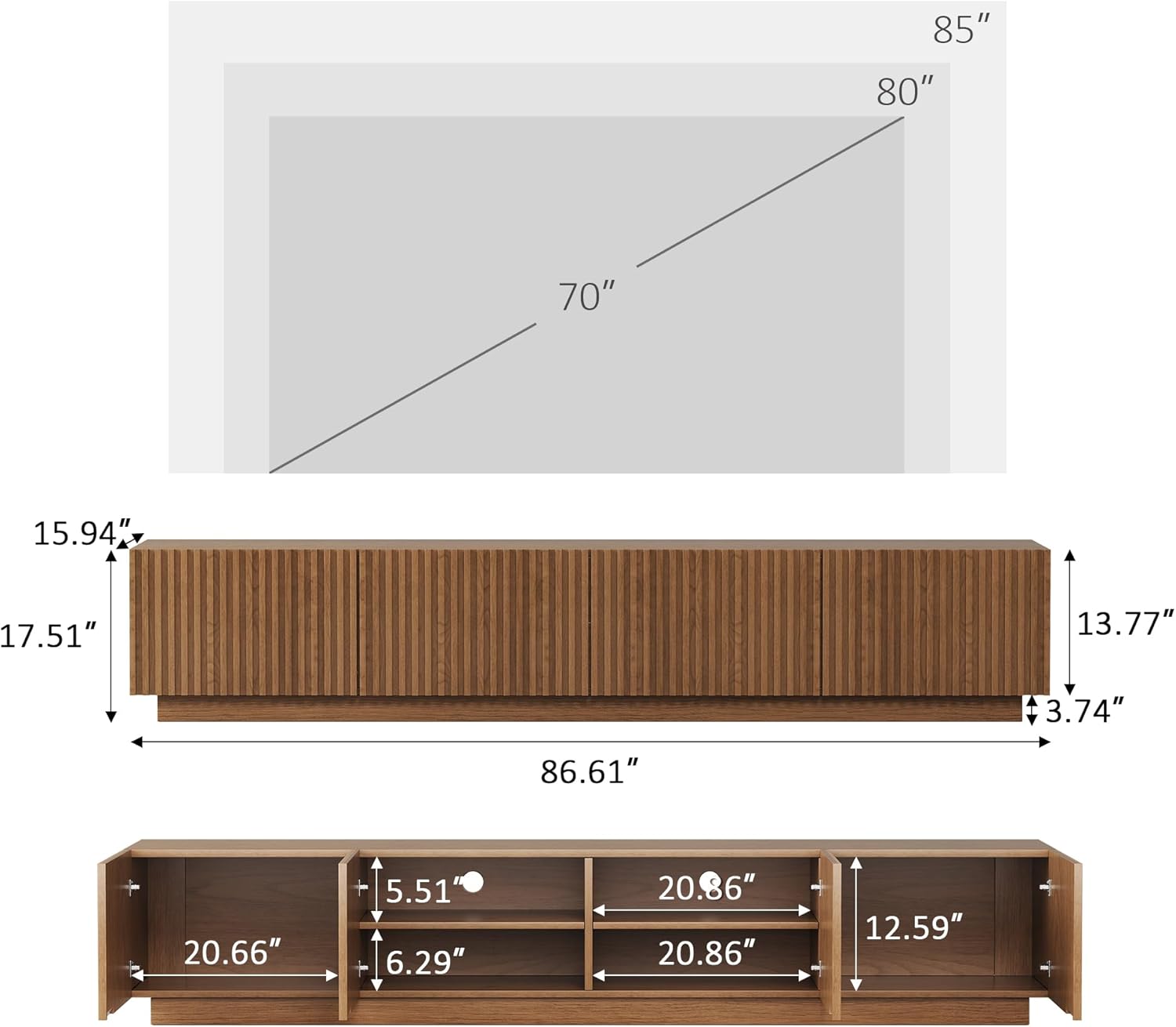
Thank you for purchasing the Generic 86.61-inch Mid-Century Modern TV Stand. This entertainment console is designed to accommodate TVs up to 85 inches, offering ample storage and a stylish walnut finish. This manual provides essential information for assembly, operation, maintenance, and troubleshooting to ensure safe and optimal use of your new TV stand.
Safety Information
Always ensure that the TV and other items placed on the stand do not exceed the stand's weight capacity. Use appropriate mounting hardware and techniques to secure the stand to the wall, if desired, to prevent tipping. Keep the area around the stand clear of obstructions to minimize the risk of accidents.
Package Contents
Before beginning assembly, verify that all components are present and undamaged. If any parts are missing or damaged, please contact customer support.
- TV Stand Panels (various sizes)
- 4 Cabinet Doors
- Adjustable Shelves
- Assembly Hardware (screws, dowels, cam locks, etc.)
- Instruction Manual
Setup and Assembly
Basic assembly is required for this TV stand. Each part is clearly labeled, and step-by-step instructions are included in the package to ensure a smooth and frustration-free assembly process. It is recommended to assemble the unit on a soft, clean surface to prevent scratches. Two people are recommended for assembly.
- Unpack Components: Carefully remove all parts from the packaging and lay them out on a protected surface. Verify all parts against the included parts list.
- Assemble Base Structure: Follow the diagrams to connect the main base panels using the provided hardware. Ensure all connections are secure.
- Install Interior Shelves: Insert the adjustable shelves into the designated slots within the compartments.
- Attach Cabinet Doors: Mount the four cabinet doors using the silent soft-close hinges. Adjust as necessary for proper alignment.
- Final Placement: Position the assembled TV stand in your desired location. Ensure it is level and stable before placing any items on it.

Operating Instructions
The TV stand is designed for versatile use and easy organization.
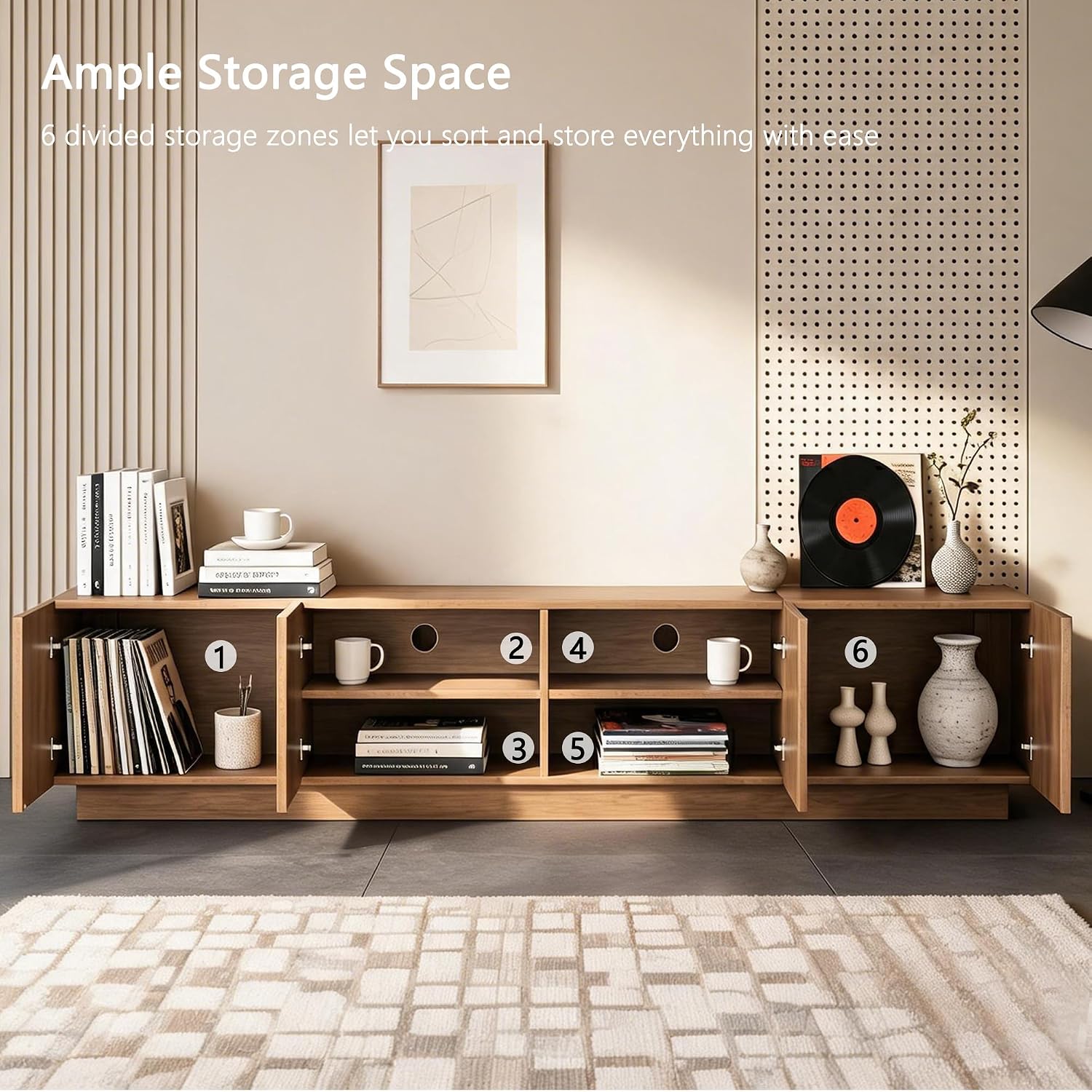
- Storage Capacity: Utilize the four cabinet doors and six interior compartments to store media devices, books, gaming systems, and decorative items. The spacious design helps keep your living area organized.
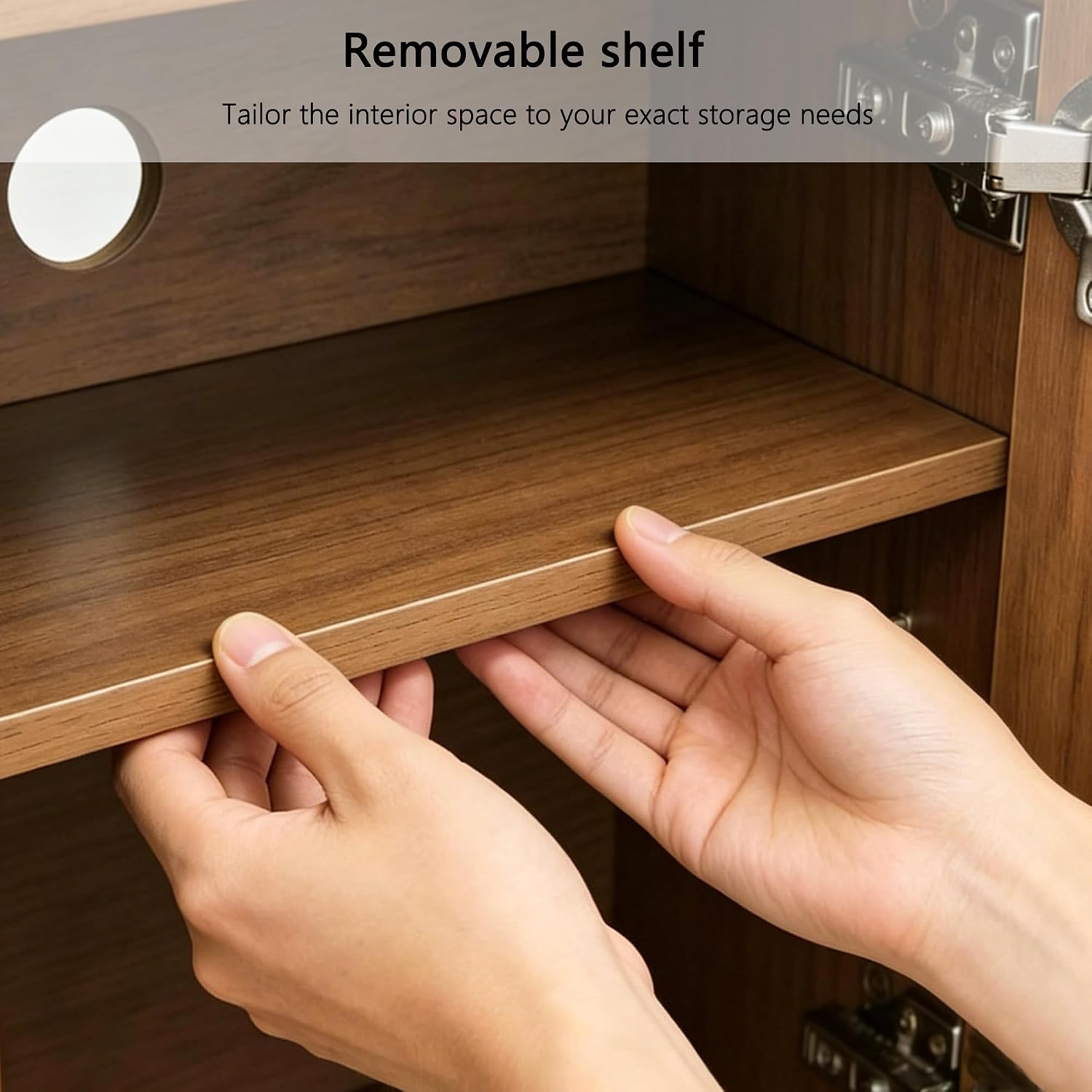
- Adjustable Shelves: The interior shelves are adjustable, allowing you to customize the space to fit items of various heights.
- Cable Management: Built-in cable openings at the back of the unit help route wires neatly and keep them out of sight, ensuring a clutter-free entertainment area.
- Soft-Close Hinges: The cabinet doors feature silent soft-close hinges for smooth, quiet operation, preventing loud slams.


Video 1: Overview of the 86.61-inch Mid-Century Modern TV Stand, highlighting its features and design.
Maintenance
To maintain the appearance and longevity of your TV stand, follow these simple care instructions:
- Cleaning: Wipe the surface with a dry, soft cloth. Avoid abrasive cleaners or harsh chemicals that may damage the finish.
- Spills: Immediately wipe up any spills to prevent staining or water damage.
- Sunlight: Avoid prolonged exposure to direct sunlight to prevent fading or discoloration of the wood finish.
- Heat: Do not place hot items directly on the surface. Use coasters or protective pads.
Troubleshooting
If you encounter any issues with your TV stand, refer to the following common solutions:
- Wobbling: Ensure all assembly hardware is tightened securely. Check that the stand is placed on a level surface.
- Doors Not Aligning: Adjust the hinges on the cabinet doors. Most hinges allow for minor adjustments to align the doors properly.
- Scratches/Dents: For minor imperfections, wood repair kits or markers can be used to touch up the finish.
- Missing Parts: If any parts were missing upon delivery, contact customer support with your purchase details for assistance.
Specifications
| Brand | Generic |
| Model Number | GPJTV0724-A1 |
| Product Dimensions (D x W x H) | 15.94"D x 86.61"W x 17.51"H |
| Item Weight | 109.1 Pounds |
| Material | Engineered Wood |
| Wood Type | Walnut |
| Color | Brown |
| Number of Doors | 4 |
| Number of Compartments | 6 |
| Number of Shelves | 2 (Adjustable) |
| Recommended TV Size | Up to 85 inches |
| Assembly Required | Yes |
| Mounting Type | Floor Mount |
Warranty and Support
For warranty information or customer support, please refer to the documentation included with your purchase or contact the retailer. Keep your purchase receipt for any warranty claims.
