
Halitaa DA0458BS01A
Halitaa Vertical 2-Drawer File Cabinet Instruction Manual
Model: DA0458BS01A
1. Product Overview
The Halitaa Vertical 2-Drawer File Cabinet is designed for home office use, offering storage for Letter and A4 sized documents. Its farmhouse design integrates with various decor styles. This cabinet can also function as a printer stand or be placed under a desk to save space.
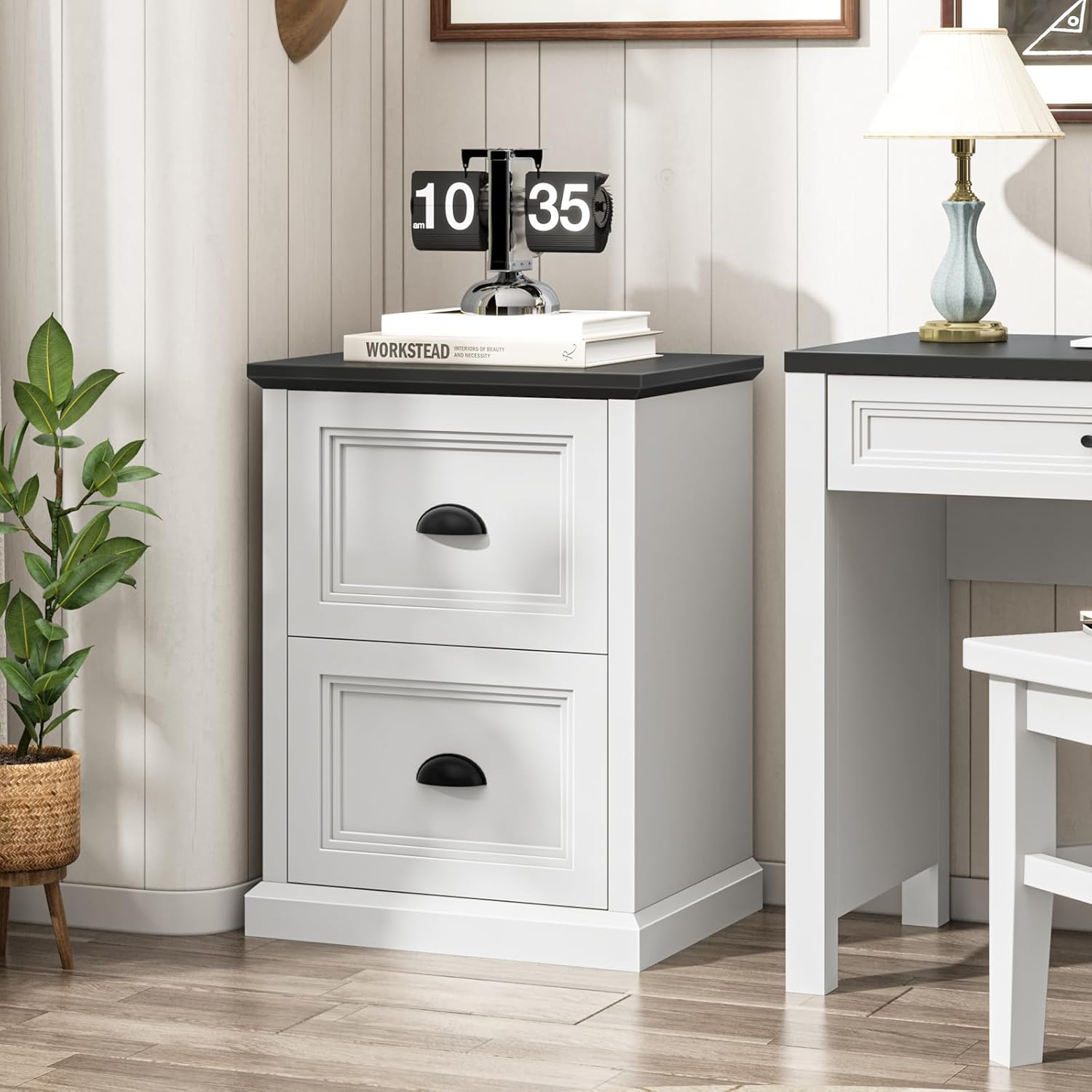
Image 1.1: The Halitaa Vertical 2-Drawer File Cabinet, featuring a white body and black top, positioned in a home office environment.
Product Dimensions:
- Overall Dimensions: 15.75"D x 19.75"W x 26.1"H
- Drawer Interior Dimensions: Approximately 11.81"D x 15.94"W x 11.22"H
- Weight Capacity: Up to 110 lbs (top panel)

Image 1.2: Detailed diagram illustrating the product dimensions and drawer interior measurements.
2. Assembly Instructions
The Halitaa file cabinet requires assembly. All necessary parts are labeled, and step-by-step instructions are provided in the included manual. It is recommended to have a clear workspace and follow the instructions carefully.
Safety Precaution: Anti-Tip System
To prevent tipping and ensure stability, especially in households with children or pets, an anti-tip wall attachment kit is included. It is crucial to install this system as directed in the assembly manual. Secure the cabinet to a wall using the provided hardware.

Image 2.1: Illustration of the anti-tip system design and how to attach the wall attachment kit for enhanced safety.
3. Operating Instructions
Drawer Usage
The cabinet features two file drawers equipped with smooth metal three-section drawer slides for easy opening and closing. Each drawer is designed to accommodate both Letter and A4 sized hanging folders.
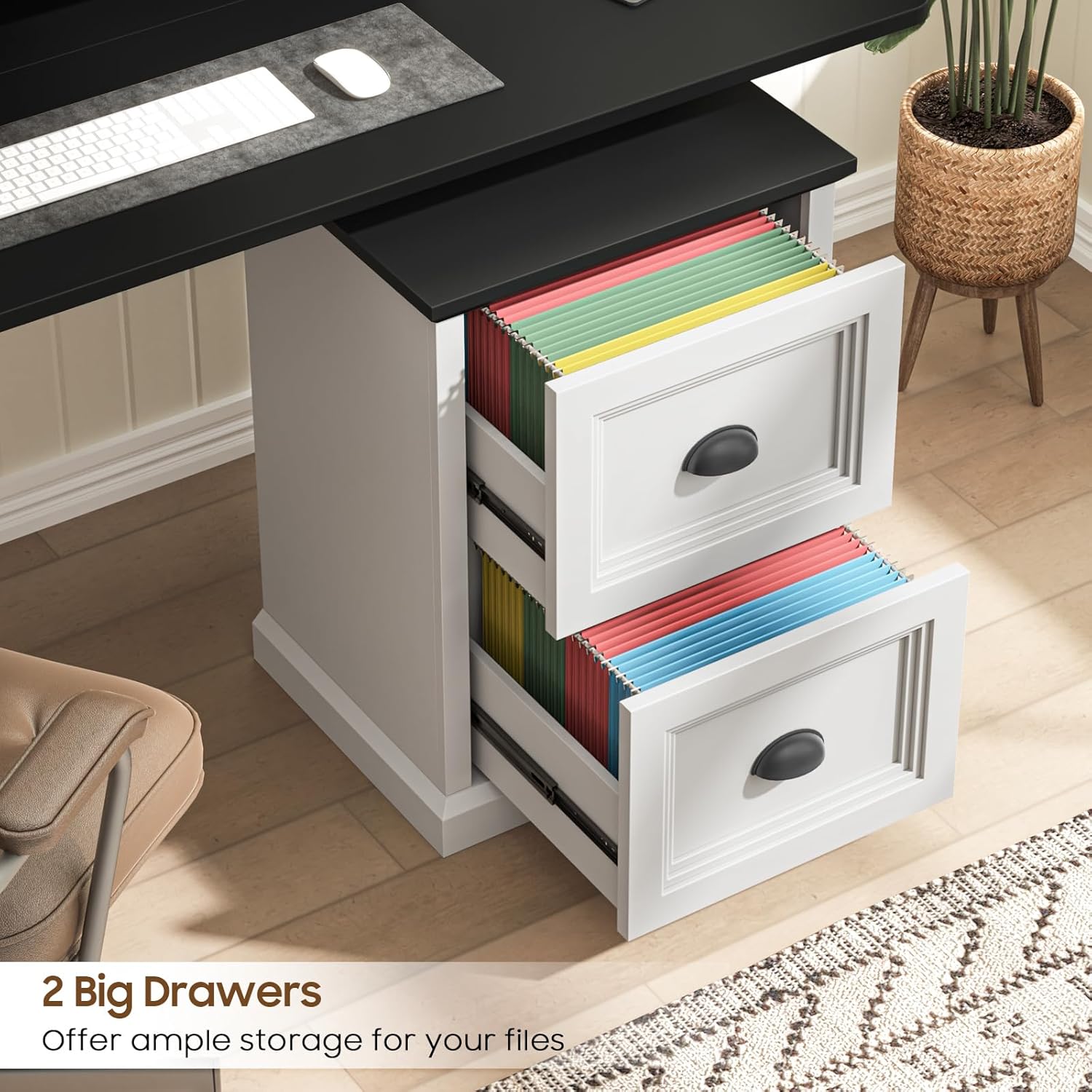
Image 3.1: The two drawers fully extended, demonstrating ample storage space for files.
Adjusting for File Sizes
The internal metal bars within the drawers can be adjusted to fit either Letter or A4 sized hanging folders. Refer to the assembly instructions for details on how to adjust these bars to your preferred file size.

Image 3.2: A close-up view of the drawer mechanism, highlighting the two options for hanging folders: Letter Size and A4 Size.
4. Maintenance
- Cleaning: Wipe surfaces with a soft, damp cloth. Avoid harsh chemicals or abrasive cleaners that may damage the finish.
- Drawer Slides: Periodically check the metal drawer slides for smooth operation. If they become stiff, a small amount of silicone-based lubricant can be applied.
- Hardware: Ensure all screws and fasteners remain tight. Re-tighten as needed to maintain stability.
- Environmental Conditions: Avoid placing the cabinet in direct sunlight or near heat sources to prevent warping or discoloration of the engineered wood.
5. Troubleshooting
Common Issues and Solutions:
- Drawers not sliding smoothly: Check for obstructions in the drawer slides. Ensure the slides are properly aligned and lubricated. Verify that the cabinet is on a level surface.
- Cabinet wobbles: Confirm that all assembly screws are securely tightened. Ensure the cabinet is placed on a flat, even surface. Adjust any leveling feet if present. Re-check the anti-tip system installation.
- Missing parts during assembly: Refer to the parts list in your assembly manual. Contact Halitaa customer support with the specific part numbers for assistance.
6. Specifications
| Feature | Detail |
|---|---|
| Brand | Halitaa |
| Model Number | DA0458BS01A |
| Color | White and Black |
| Material | Engineered Wood |
| Product Dimensions (D x W x H) | 15.75" x 19.75" x 26.1" |
| Item Weight | 41.9 Pounds |
| Number of Drawers | 2 |
| Recommended Uses | Files & Folders, Printer Stand |
| Assembly Required | Yes |
7. Warranty and Support
For warranty information, missing parts, or further assistance, please contact Halitaa customer support. Refer to your purchase documentation for specific warranty terms and contact details.
Online Support: Visit the official Halitaa store on Amazon for product information and support: Halitaa Store
Ask a question about this manual
Ask about setup, troubleshooting, compatibility, parts, safety, or missing instructions. Manuals+ will review the question and use this page’s manual context to help answer it.