
1. Introduction
Thank you for choosing the Thomson Go Plus Pro 4K UHD Smart Display. This 27-inch intelligent touchscreen device combines innovative mobile design with high-performance technology, offering an exceptional experience for streaming, working, and video calls. This manual provides essential information for the safe and efficient use of your new smart display.
Key features include a responsive 4K UHD (3840 x 2160) touchscreen, Dolby Audio with an integrated subwoofer, Android operating system, Google Assistant voice control, Google Cast, Wi-Fi 6, Bluetooth 5.2, a 5MP camera, and a 9000 mAh battery for up to 4 hours of autonomy. Its adjustable stand with five wheels allows for effortless movement and 360-degree rotation.
2. Safety Information
Please read all safety instructions before using the device. Keep this manual for future reference.
- Power Source: Use only the provided power adapter. Ensure the voltage matches the requirements specified on the device.
- Placement: Place the device on a stable, level surface. Avoid direct sunlight, heat sources, and areas with high humidity or dust.
- Ventilation: Do not block ventilation openings. Ensure adequate airflow around the device to prevent overheating.
- Water and Moisture: Do not expose the device to rain, moisture, or liquids. Do not place objects filled with liquids, such as vases, on or near the device.
- Cleaning: Disconnect the power before cleaning. Use a soft, dry cloth. Do not use liquid or aerosol cleaners.
- Battery: The device contains a Lithium-ion battery. Do not attempt to replace the battery yourself. Refer to qualified service personnel for battery replacement.
- Children: Keep the device and its accessories out of reach of children.
- Servicing: Do not attempt to service the device yourself. Refer all servicing to qualified service personnel.
3. Package Contents
Verify that all items are present in the package:
- Thomson Go Plus Pro 4K UHD Smart Display
- Portable Stand with Wheels
- Remote Control
- Power Cable
- User Manual (this document)
4. Product Overview
4.1 Components and Features
- 27-inch 4K UHD Touchscreen: High-resolution (3840 x 2160) display with touch functionality.
- Android Operating System: Access to Google Play Store, streaming apps, and personalized recommendations.
- Integrated Subwoofer & Dolby Audio: Rich, immersive sound experience (20W Basses + 20W Mediums).
- 5MP Built-in Camera: For video calls and conferences.
- 9000 mAh Battery: Provides up to 4 hours of wireless operation.
- Portable Stand with 5 Wheels: Allows for easy movement and 360-degree rotation.
- Google Assistant: Voice control for content search and device operation.
- Google Cast & Hotspot: Share content from your smartphone or tablet.
- Connectivity: Wi-Fi 6 and Bluetooth 5.2 for fast and stable wireless connections.
- Storage & RAM: 64 GB internal storage and 8 GB RAM for smooth performance.
4.2 Device Layout and Ports
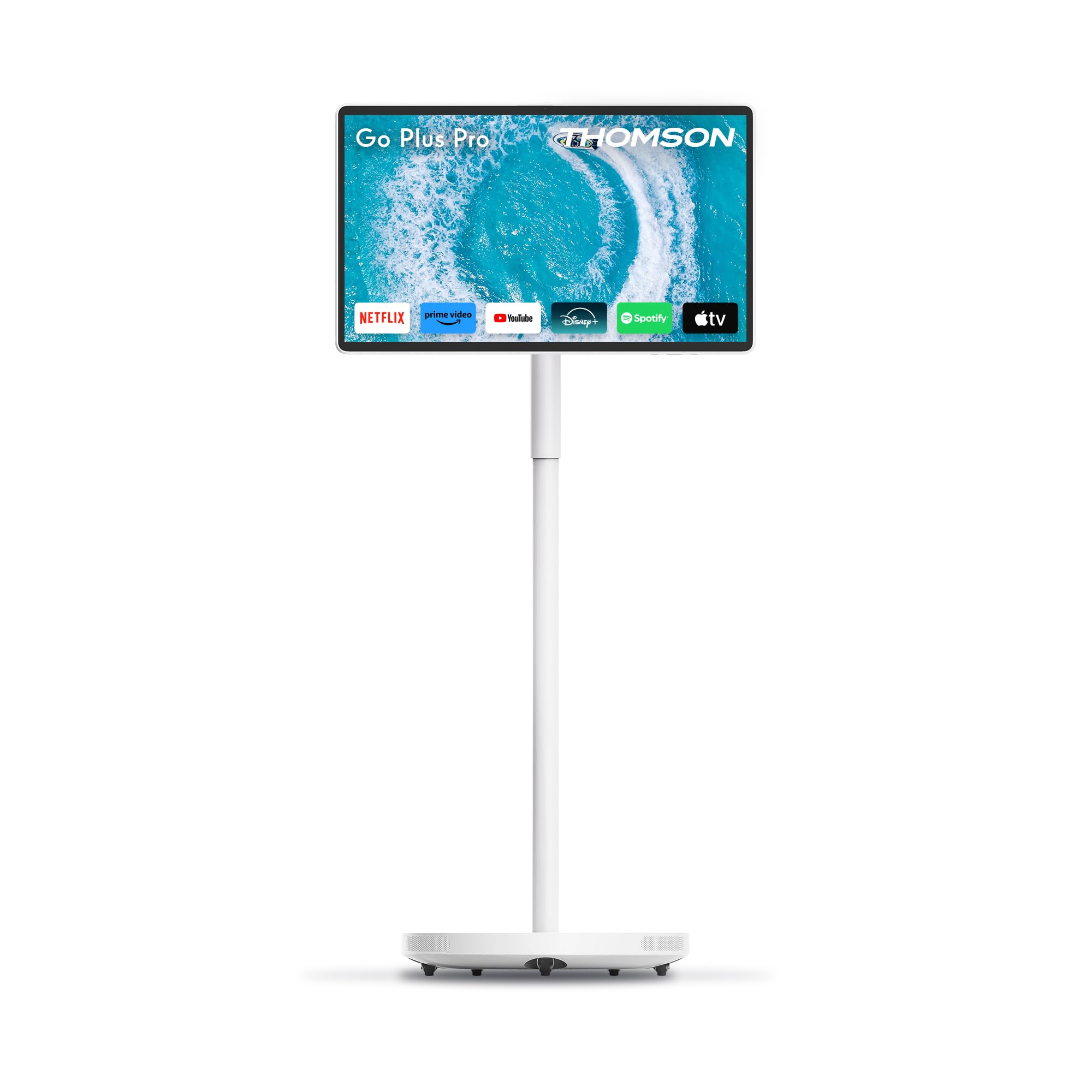
Figure 4.2.1: Front view of the Thomson Go Plus Pro 4K UHD Smart Display.

Figure 4.2.2: Rear view showing connectivity ports.
The rear of the display features the following ports:
- 1x HDMI 2.0: For connecting external video sources.
- 1x USB 3.0: For connecting USB devices like external storage or peripherals.
- 1x Type-C: For additional connectivity options.
- DC IN: Power input for the provided power adapter.

Figure 4.2.3: Base with five integrated wheels for mobility.

Figure 4.2.4: Built-in 5MP camera for video communication.
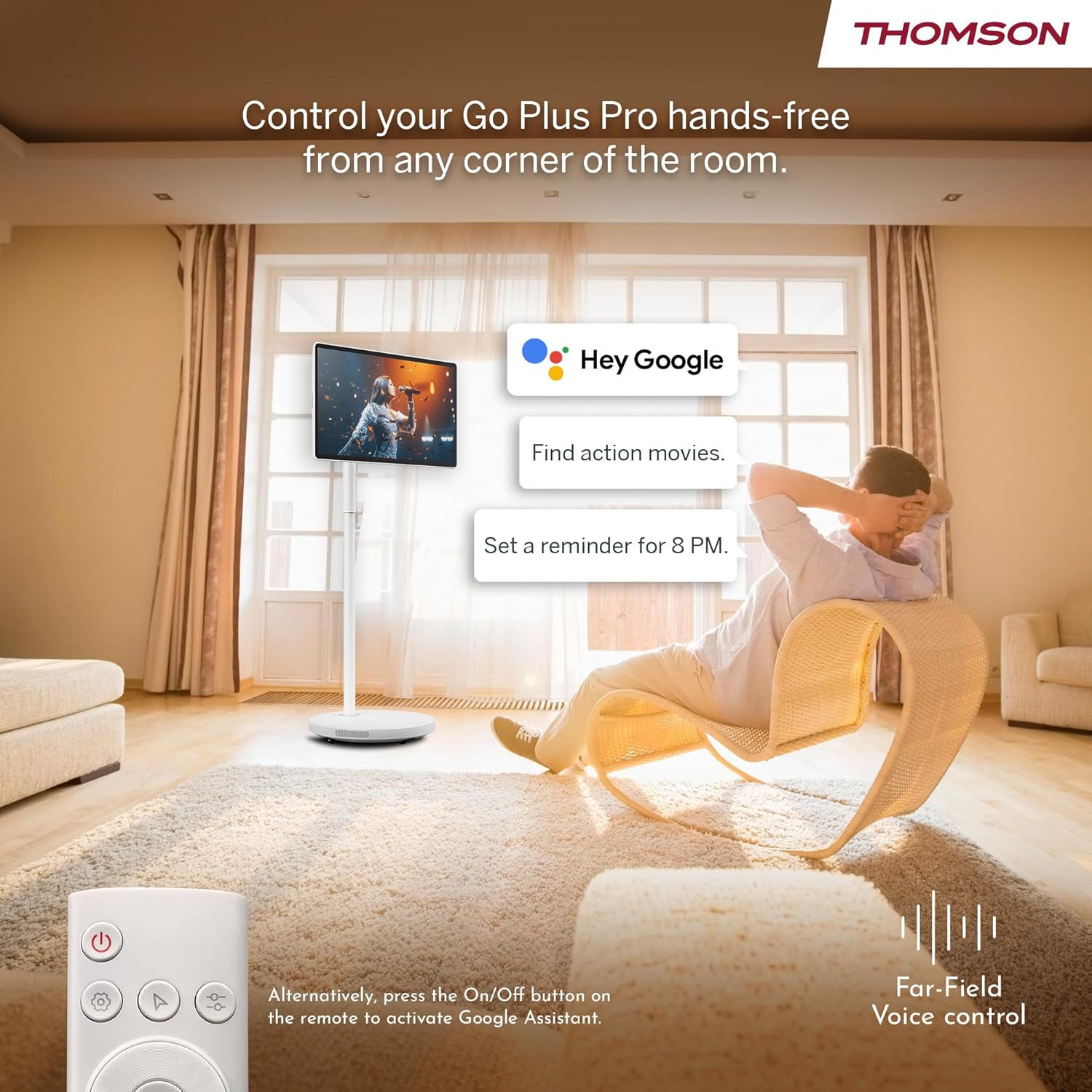
Figure 4.2.5: Location of the integrated subwoofer.
5. Setup
5.1 Assembly
The Thomson Go Plus Pro comes with a pre-assembled stand. No complex assembly is required. Simply ensure the display is securely attached to the stand and the base is stable on a flat surface.
5.2 Power Connection
- Connect the power cable to the DC IN port on the back of the display.
- Plug the other end of the power cable into a suitable power outlet.
5.3 Initial Power On and Android Setup
- Press the Power button on the display or the remote control to turn on the device.
- Follow the on-screen instructions to complete the initial Android setup. This typically includes:
- Language selection.
- Connecting to a Wi-Fi network (Wi-Fi 6 supported).
- Signing in with your Google account.
- Accepting terms and conditions.
- Once setup is complete, you will be presented with the Android home screen.
6. Operating Instructions
6.1 Power On/Off
- To Power On: Press the Power button on the display or the remote control.
- To Power Off: Press and hold the Power button on the remote control, then select 'Power Off' from the on-screen menu. A short press will put the device into standby mode.
6.2 Touchscreen Operation
The 27-inch display is fully touch-enabled. Interact with the interface by tapping, swiping, and pinching as you would on a tablet or smartphone.

Figure 6.2.1: Touchscreen interaction.
6.3 Voice Control (Google Assistant)
Your device integrates Google Assistant for hands-free control.
- Activate: Say "Hey Google" or "Ok Google" to activate the voice assistant. Alternatively, press the dedicated Google Assistant button on your remote control.
- Commands: Use voice commands to search for content, launch applications, control playback, set reminders, and more.

Figure 6.3.1: Hands-free voice control with Google Assistant.
6.4 Streaming and Applications
Access a wide range of entertainment through the Android operating system.
- Google Play Store: Download and install your favorite streaming services (Netflix, Prime Video, Disney+, YouTube, Spotify, etc.) and other applications.
- Navigation: Use the touchscreen or remote control to navigate the Android interface and launch apps.

Figure 6.4.1: Android interface with popular streaming applications.
6.5 Casting and Hotspot
- Google Cast: Wirelessly cast content (photos, videos, music) from your compatible smartphone or tablet directly to the Go Plus Pro display.
- Hotspot: Utilize the device's hotspot functionality to share its internet connection with other devices.
6.6 Video Calls
The integrated 5MP camera allows for convenient video calls.
- Launch your preferred video calling application (e.g., Google Meet, Zoom) from the Google Play Store.
- Ensure you have a stable internet connection.
Figure 6.6.1: Using the built-in camera for video calls.
6.7 Screen Adjustment and Portability
The display offers flexibility in positioning and movement.
- Rotation and Tilt: The screen can be rotated 360 degrees and tilted to achieve the optimal viewing angle.
- Mobility: The five integrated wheels on the base allow you to easily move the Go Plus Pro between rooms.

Figure 6.7.1: Screen rotation and tilt functionality.

Figure 6.7.2: Portability of the smart display.
6.8 Battery Management
The built-in 9000 mAh battery provides up to 4 hours of autonomy.
- Charging: Connect the power cable to charge the battery. The battery indicator on the screen will show the charging status.
- Battery Life: Actual battery life may vary depending on usage, screen brightness, and connected devices.

Figure 6.8.1: Enjoying content with battery power.
6.9 Remote Control
The included remote control allows for convenient operation from a distance.
- Navigation: Use the directional pad and selection buttons to navigate the interface.
- Voice Assistant: Press the dedicated button to activate Google Assistant.
- Power: Turn the device on or off.

Figure 6.9.1: Convenient remote control storage.
7. Maintenance
7.1 Cleaning the Display
- Always unplug the device before cleaning.
- Use a soft, lint-free cloth to gently wipe the screen and exterior surfaces.
- For stubborn marks, slightly dampen the cloth with water or a screen-safe cleaning solution (do not spray directly onto the screen).
- Avoid using abrasive cleaners, solvents, or alcohol-based products.
7.2 Battery Care
- To prolong battery life, avoid fully discharging the battery frequently.
- Store the device in a cool, dry place if not used for extended periods.
8. Troubleshooting
If you encounter issues with your Thomson Go Plus Pro, refer to the following common solutions:
| Problem | Possible Cause | Solution |
|---|---|---|
| Device does not power on. | No power, low battery. | Ensure the power cable is securely connected and plugged into a working outlet. Charge the battery if operating wirelessly. |
| No Wi-Fi connection. | Router issue, incorrect password, out of range. | Check your Wi-Fi router. Re-enter the Wi-Fi password. Move the device closer to the router. |
| Remote control not working. | Low battery, obstruction, pairing issue. | Replace remote control batteries. Ensure no obstructions between remote and device. Re-pair the remote if necessary (refer to Android settings). |
| Poor picture quality. | Low resolution content, network speed. | Ensure you are streaming 4K content. Check your internet connection speed. Some apps may only support FHD quality. |
| No sound. | Volume too low, muted, external audio device connected. | Increase volume. Check if muted. Disconnect any external Bluetooth audio devices if sound is desired from the internal speakers. |
If the problem persists, please contact customer support.
9. Specifications
The following table details the technical specifications of the Thomson Go Plus Pro 4K UHD Smart Display:
| Feature | Specification |
|---|---|
| Brand | Thomson |
| Model Number | 27UE7M45 |
| Screen Size | 27 Inches (69 cm) |
| Display Technology | LED |
| Resolution | 4K UHD (3840 x 2160p) |
| Refresh Rate | 120 Hz |
| Operating System | Android |
| Connectivity | Bluetooth 5.2, Wi-Fi 6, USB, HDMI |
| Ports | 1x HDMI 2.0, 1x USB 3.0, 1x Type-C, DC IN |
| Special Features | Browser, Disney+, Netflix, Prime Video, Google Assistant, Google Cast, Hotspot, Built-in Camera, Built-in Subwoofer |
| Camera | 5MP |
| Battery Type | Lithium-ion (9000 mAh) |
| Battery Life | Up to 4 hours |
| Internal Storage | 64 GB |
| RAM | 8 GB |
| Processor | Quad-Core |
| Aspect Ratio | 16:9 |
| Product Dimensions (DxWxH) | 5.8 x 62.8 x 37.6 cm (Display only) |
| Color | White |
| Manufacturer | STREAMVIEW GMBH |
| Country of Origin | China |

Figure 9.1: 4K UHD Resolution Detail.

Figure 9.2: Energy Label for Model 27UE7M45. For more details, visit EPREL Database.
10. Warranty and Support
Your Thomson Go Plus Pro 4K UHD Smart Display comes with a manufacturer's warranty.
- Manufacturer Warranty: 3 years.
- Manufacturer: STREAMVIEW GMBH
- Website: www.streamview.com
- E-mail Address: contact@streamview.com
- Telephone: +4318900066
For detailed warranty terms and conditions, please refer to the documentation provided with your purchase or contact the manufacturer directly.


