
1. Introduction
The OJW OWS-Mini Open Ear Headphones are designed for comfort and high-quality audio, allowing you to stay aware of your surroundings while enjoying your music or calls. Featuring Bluetooth 5.4 connectivity and an IPX7 waterproof rating, these lightweight earhook earbuds are suitable for various activities, including sports, gym, and daily use. The touch control interface provides easy management of audio and calls.
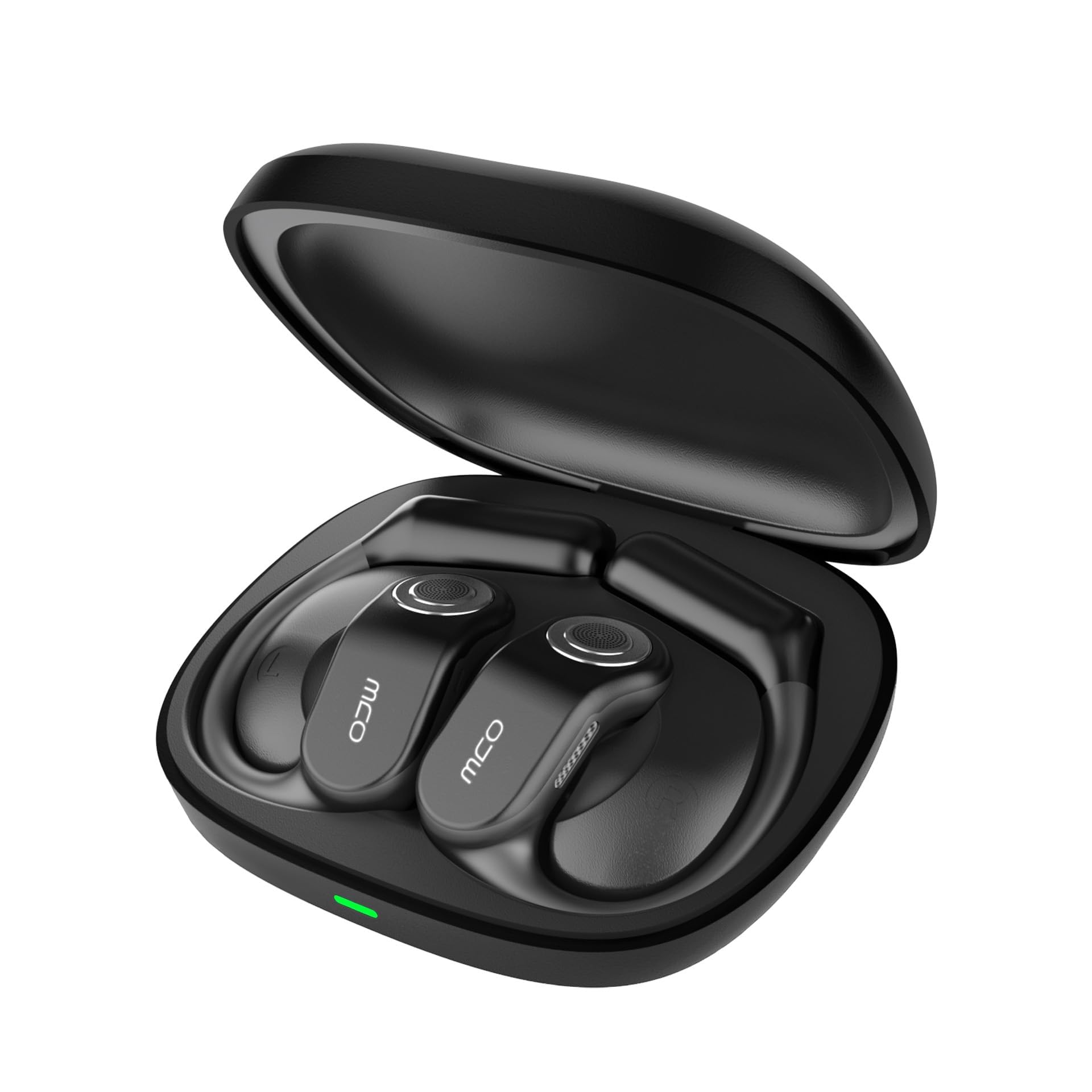
Image: OJW OWS-Mini Open Ear Headphones with their charging case.
2. What's in the Box
Please check the package contents to ensure all items are present:
- OJW Earbuds (x2)
- OJW Charging Case (x1)
- USB-C Charging Cable (x1)
- User Manual (x1)

Image: The complete package contents of the OJW OWS-Mini headphones.
3. Setup
3.1 Initial Charging
Before first use, fully charge both the earbuds and the charging case. This ensures optimal battery performance and prevents issues from potential power drainage during shipping.
- Place the earbuds into the charging case.
- Connect the USB-C charging cable to the charging case and a power source.
- The indicator light on the case will show charging status. Ensure both earbuds and case are fully charged.
3.2 Bluetooth Pairing
Follow these steps to pair your OJW OWS-Mini headphones with your device:
- Ensure the earbuds are charged and taken out of the charging case. They will automatically enter pairing mode.
- On your device (smartphone, tablet, PC), enable Bluetooth.
- Search for available Bluetooth devices and select "OJW-Mini" (or similar name) from the list.
- Once connected, you will hear a confirmation tone, and the indicator light on the earbuds will change.
Multi-Device Connection: To connect to a second device, disconnect from the first device's Bluetooth settings. Then, pair with the second device. When you re-enable Bluetooth on the first device, the headphones will automatically reconnect.

Image: Illustrating multi-device connection capability with a smartphone and laptop.
4. How to Wear
For optimal comfort and sound quality, wear the OJW OWS-Mini headphones as follows:
- Take the earbuds out of the charging case.
- Place the earhook portion above your ear.
- Gently pivot the earbud backward until it fits snugly and comfortably around your ear, with the speaker positioned near your ear canal.

Image: A three-step diagram demonstrating the correct way to wear the OJW OWS-Mini headphones.
5. Operating Instructions
5.1 Touch Controls
The OJW OWS-Mini headphones feature intuitive touch controls on each earbud. Refer to the diagram below for specific functions:

Image: An illustration detailing the touch control functions for the OJW OWS-Mini headphones.
-
Incoming Call During Music Playback:
- Hold for 2 seconds: Mute
- Click once: Answer
- Click again: End Call
-
Tap Either Earbud:
- Pause: Double-tap
- Play: Double-tap
- Restart: Hold for 5 seconds
- Voice Assistant: Quadruple-tap
-
Left Ear Controls:
- Volume Down: Tap once
- Previous Track: Double-tap
-
Right Ear Controls:
- Volume Up: Tap once
- Next Track: Double-tap
5.2 Power On/Off
- Power On: The earbuds automatically power on when removed from the charging case.
- Power Off: Place the earbuds back into the charging case to automatically power them off and begin charging.
6. Maintenance
6.1 Cleaning
Regular cleaning helps maintain the performance and longevity of your headphones:
- Use a soft, dry, lint-free cloth to wipe the earbuds and charging case.
- Do not use abrasive cleaners, solvents, or aerosol sprays.
- Ensure charging contacts are clean and free of debris.
6.2 Water Resistance (IPX7)
The OJW OWS-Mini headphones have an IPX7 waterproof rating, meaning they can withstand submersion in up to 1 meter of water for 30 minutes. This protects them from sweat, rain, and accidental splashes.
- Do not intentionally submerge the charging case, as it is not waterproof.
- After exposure to water, ensure the earbuds are completely dry before placing them back into the charging case to prevent damage.

Image: The OJW OWS-Mini headphones being splashed with water, highlighting their IPX7 waterproof capability.
6.3 Storage
Store the headphones in their charging case when not in use to protect them from dust and damage.
7. Troubleshooting
If you encounter issues with your OJW OWS-Mini headphones, try the following solutions:
-
No Power/Not Charging:
- Ensure the charging cable is securely connected to both the case and the power source.
- Check if the power source is active.
- Clean the charging contacts on both the earbuds and the case.
-
Cannot Pair/Connect:
- Ensure Bluetooth is enabled on your device.
- Make sure the earbuds are out of the charging case and in pairing mode.
- Turn off Bluetooth on other nearby devices that may be trying to connect.
- Forget the device from your phone's Bluetooth list and try pairing again.
- Restart your device and the earbuds.
-
No Sound/Low Volume:
- Adjust the volume on both your device and the headphones.
- Ensure the headphones are properly connected to your device.
- Check if the earbuds are correctly positioned on your ears.
-
Intermittent Connection:
- Ensure there are no obstructions between the headphones and your device.
- Move closer to your device to reduce interference.
- Avoid environments with strong Wi-Fi or other wireless signals.
8. Specifications
| Feature | Specification |
|---|---|
| Model Name | OJW-Mini |
| Connectivity Technology | Wireless (Bluetooth) |
| Bluetooth Version | 5.4 |
| Bluetooth Range | Up to 32.8 Feet (10 meters) |
| Water Resistance Level | IPX7 |
| Noise Control | Passive Noise Cancellation |
| Audio Driver Type | Dynamic Driver |
| Audio Driver Size | 13 Millimeters |
| Frequency Response | 20000 KHz |
| Sensitivity | 128 dB |
| Impedance | 32 Ohms |
| Control Type | Touch Control |
| Battery Life | Up to 96 Hours (with charging case) |
| Item Weight | 5 ounces |
| Product Dimensions | 1.88 x 1.43 x 0.35 inches |
| Compatible Devices | Android, Mac, PC, Smart Watch, iPhone |
9. Warranty and Support
OJW products are designed for reliability and performance. For warranty information, please refer to the documentation included with your purchase or contact the seller directly. If you require technical assistance or have questions not covered in this manual, please reach out to OJW customer support through the retailer's platform or the official OJW website.

