
1. Introduction
This manual provides detailed instructions for the Mingtawn 1.83-inch HD Smart Watch. Please read this manual thoroughly before using your device to ensure proper operation and to maximize its features. This smartwatch is designed to be a versatile companion for daily life, fitness tracking, and communication.
2. What's in the Box
Upon opening your Mingtawn Smart Watch package, you should find the following items:
- 1 x Mingtawn 1.83-inch HD Smart Watch
- 1 x Silicone Strap
- 1 x Magnetic Charger
- 1 x User Manual
3. Product Overview
3.1 Display and Design
The Mingtawn Smart Watch features a vibrant 1.83-inch TFT HD display with a resolution of 240 x 284 pixels, offering clear and crisp visuals. The watch design is sleek and modern, suitable for various occasions.

3.2 Key Features
Your Mingtawn Smart Watch is equipped with a range of functionalities to support your daily activities and health monitoring:
- Bluetooth Calling: Make and receive calls directly from your wrist.
- Message Notifications: Receive alerts for messages from various social media platforms.
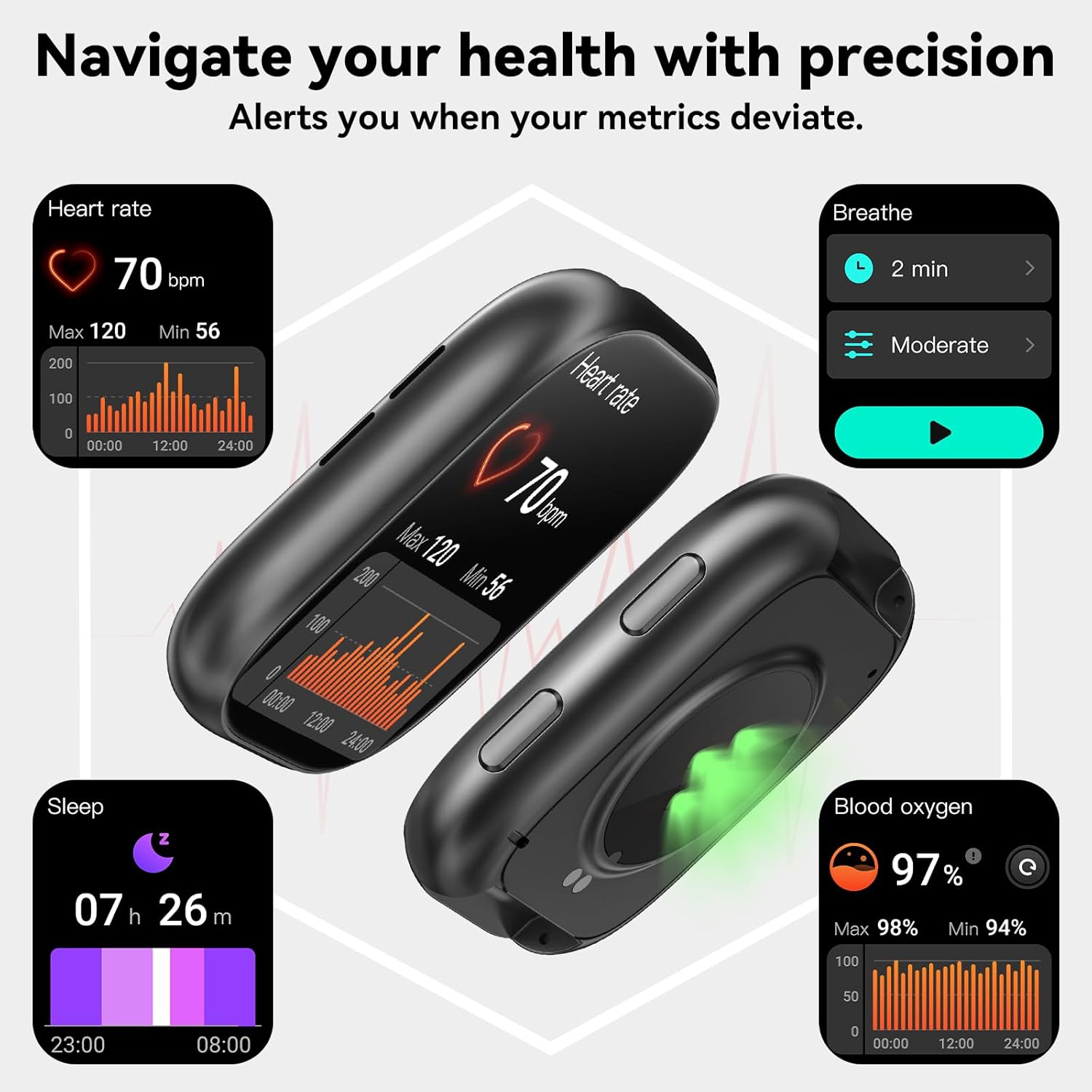
- Health Monitoring: Track heart rate, blood oxygen (SpO2), and sleep patterns.
- Sports Modes: Over 100 sports modes to track your workouts.
- IP67 Waterproof: Suitable for daily waterproof use (not for hot water or seawater).
- Integrated Voice Assistant: Control your watch with voice commands.
- Additional Features: Music control, camera control, weather display, sedentary reminders, alarm clock, stopwatch, and 'Find Phone' function.

4. Setup
4.1 Charging the Device
Before initial use, fully charge your smartwatch. Connect the magnetic charger to the charging contacts on the back of the watch and plug the USB end into a power adapter (not included) or a computer's USB port. The watch display will indicate charging status.
4.2 App Installation and Pairing
To unlock the full potential of your Mingtawn Smart Watch, you need to connect it to its companion application on your smartphone.
- Download the App: Search for the official Mingtawn app in your smartphone's app store (Google Play Store for Android, Apple App Store for iOS).
- Install and Register: Install the app and follow the on-screen instructions to create an account or log in.
- Enable Bluetooth: Ensure Bluetooth is enabled on your smartphone.
- Pair the Watch: Open the app, navigate to the device pairing section, and select your Mingtawn Smart Watch from the list of available devices. Follow any prompts on both your phone and watch to complete the pairing process.
The smartwatch is compatible with Android 7.0 and iOS 11.0 or higher.
5. Operating Instructions
5.1 Making and Receiving Calls
With its built-in microphone and high-fidelity speakers, you can manage calls directly from your watch after successful Bluetooth pairing.
- To Make a Call: Access the dial pad or your favorite contacts list on the watch screen.
- To Receive a Call: When a call comes in, the watch will vibrate and display the caller ID. Tap the green icon to answer or the red icon to reject.
- Call History: View your recent call logs directly on the watch.

5.2 Notifications
Once paired with your smartphone, the watch will provide vibration alerts and display notifications for incoming messages from apps like Facebook, Twitter, Instagram, and WhatsApp. Ensure app notifications are enabled in your phone's settings and the Mingtawn app.
5.3 Voice Assistant
Activate the integrated voice assistant by tapping the designated icon on your watch screen. You can use voice commands for various functions, such as checking the weather or initiating calls.
5.4 Health Monitoring
The smartwatch continuously monitors several health indicators:
- Heart Rate: Monitors your heart rate 24 hours a day.
- Blood Oxygen (SpO2): Tracks your blood oxygen levels.
- Sleep Monitoring: Records your sleep patterns, including deep and light sleep.
- Physiological Cycle Reminder: Provides reminders for women's health tracking.
All health data can be viewed in detail within the companion app, helping you understand your health status and adjust your lifestyle.


5.5 Sports Modes and Fitness Tracking
The watch offers over 100 sports modes to accurately track your physical activity. It records daily steps, distance, and calorie consumption.
- Selecting a Mode: Choose from 20 standard sports modes directly on the watch, or select from over 100 additional modes within the app and transfer them to your watch.
- Data Analysis: View detailed fitness data analysis in the app to help improve your exercise results.


6. Maintenance
6.1 Cleaning
Regularly clean your smartwatch and strap to prevent skin irritation and maintain device functionality. Use a soft, damp cloth to wipe the screen and strap. Avoid using harsh chemicals or abrasive materials.
6.2 Water Resistance
The Mingtawn Smart Watch is IP67 waterproof, meaning it is resistant to splashes, rain, and brief immersion in shallow water. However, it is not suitable for swimming, showering with hot water, or exposure to seawater, as these can compromise the water seal.
7. Troubleshooting
If you encounter issues with your smartwatch, please refer to the following common solutions:
- Watch Not Turning On: Ensure the watch is fully charged. Connect it to the magnetic charger and allow it to charge for at least 30 minutes before attempting to power it on again.
- Cannot Pair with Phone:
- Ensure Bluetooth is enabled on your phone and the watch.
- Make sure the watch is within the Bluetooth range of your phone.
- Restart both your phone and the smartwatch.
- Check if the Mingtawn app is updated to the latest version.
- If using an iPhone, ensure the watch is not already paired in your phone's Bluetooth settings. If it is, 'forget' the device and try pairing again through the app.
- Notifications Not Appearing:
- Verify that app notifications are enabled in your phone's settings.
- Ensure notification permissions are granted to the Mingtawn app.
- Check if 'Do Not Disturb' mode is active on either your phone or watch.
- Inaccurate Health Data: Ensure the watch is worn snugly on your wrist, about one finger's width from your wrist bone. Clean the sensor on the back of the watch.
- Short Battery Life: Reduce screen brightness, disable unnecessary notifications, and limit continuous heart rate monitoring if not required.
If problems persist, please contact customer support.
8. Specifications
| Brand | Mingtawn |
| Model | 1.83-inch HD Smart Watch |
| Display | 1.83-inch TFT HD (240 x 284 pixels) |
| Weight | 130 grams |
| Dimensions | 27.8 x 8.8 x 1.9 cm (packaging) |
| Battery Type | Lithium Polymer (rechargeable, included) |
| Water Resistance | IP67 |
| Compatibility | Android 7.0 or higher, iOS 11.0 or higher |
| Included Components | 1 silicone strap, 1 magnetic charger, 1 user manual |
9. Warranty and Support
Mingtawn is committed to providing quality products and customer satisfaction.
- Warranty: The product comes with a 2-year replacement lifetime service. Please retain your proof of purchase for warranty claims.
- Customer Support: For any inquiries or assistance, our customer support team offers a 24-hour quick reply service. Refer to the contact information provided in the product packaging or on the official Mingtawn website.

