
1. Product Overview
The PowMr 5000W Solar Inverter is a pure sine wave hybrid inverter designed for off-grid solar systems. It converts 48V DC power from batteries or solar panels into 110V/120V AC power for household and office loads. This unit integrates an 80A MPPT charge controller, ensuring efficient charging from solar arrays. It is compatible with both 48V lead-acid and lithium batteries.
Key features include full digital voltage and current double closed-loop control, advanced SPWM technology for high charging efficiency (up to 99.9%), and multiple protection mechanisms to safeguard your electrical system.
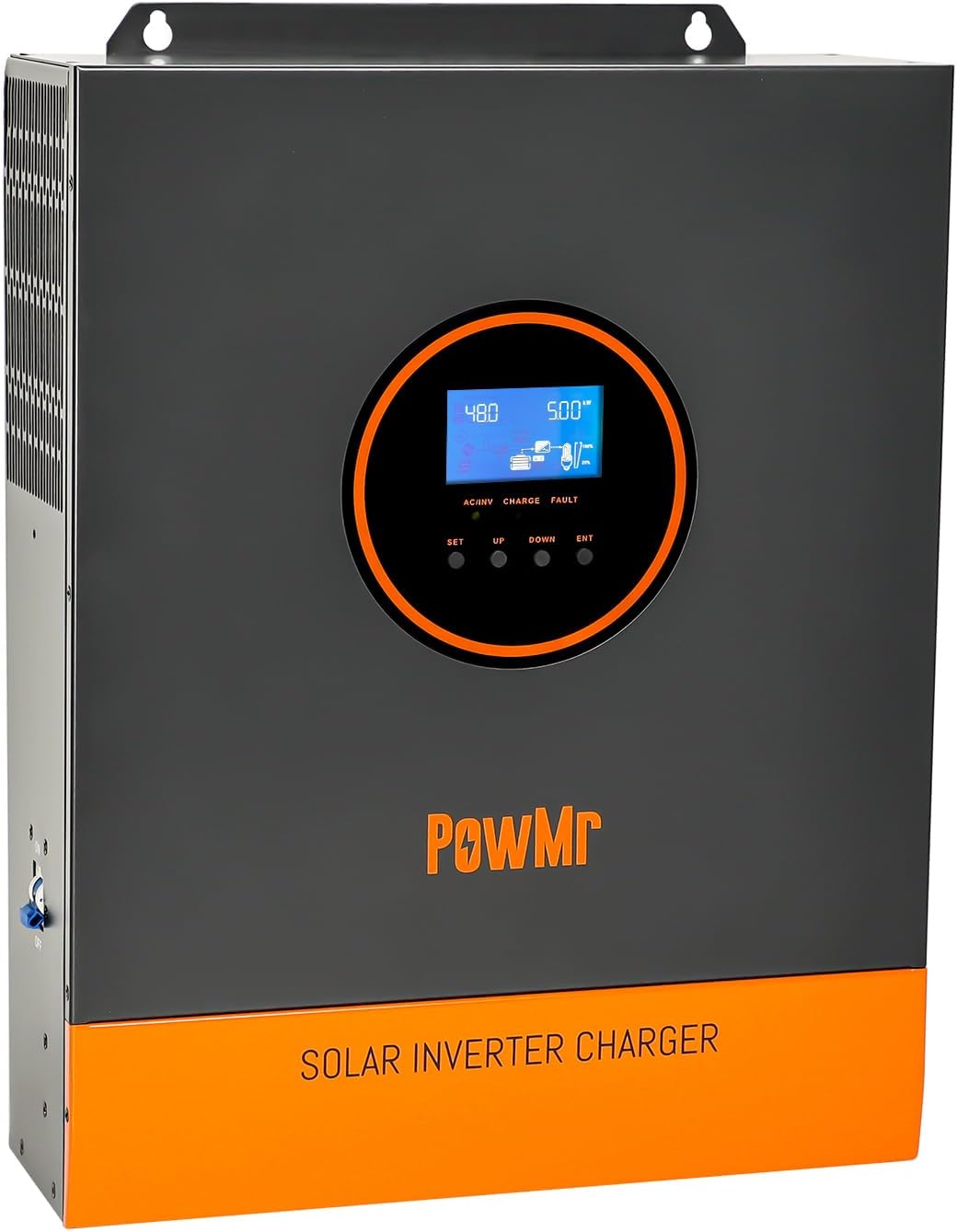
Figure 1: Front view of the PowMr 5000W Solar Inverter, showing the LCD display and branding.
2. Features
- 5000W Pure Sine Wave Output: Provides stable and high-quality AC power suitable for sensitive electronics.
- Integrated 80A MPPT Charge Controller: Maximizes power harvest from solar panels with up to 99.9% charging efficiency.
- Wide PV Input Range: Supports solar arrays with a voltage range of 120-500Vdc and a maximum input power of 5500W.
- LCD Display & LED Indicators: Real-time monitoring of system data, operation status, and fault codes for easy troubleshooting.
- Multiple Output Modes: Configurable for PV priority, utility priority, or inverter mode.
- Four Charging Modes: Supports solar only, utility priority, solar priority, and utility/solar hybrid charging.
- Comprehensive Protection: Includes short-circuit, overload, reverse, overvoltage, undervoltage, radiator overtemperature, and bypass overcurrent protection.
- Lithium Battery Activation: Ensures stable operation with lithium-ion batteries.
- Smart Variable Speed Fan: Adjusts fan speed based on ambient temperature and environmental conditions for optimal cooling.

Figure 2: Overview of the inverter's key specifications, including 80A MPPT, 5500W max input, and 120-500VDC PV operation voltage range.

Figure 3: Illustration of the four safe charging modes (solar, utility, solar priority, solar+utility) and three output modes (PV priority, utility priority, inverter priority).
3. Setup and Installation
Before installation, ensure all components are present and undamaged. Refer to the unboxing video for a visual guide to the package contents.
Video 1: Unboxing of the PowMr 5000W Hybrid Solar Inverter, showing the inverter unit, screw accessories, terminals, user manual, and warranty card.
3.1 Mounting the Inverter
Mount the inverter securely to a wall using appropriate screws. Ensure the mounting surface can support the weight of the inverter and that there is adequate ventilation around the unit.

Figure 4: The PowMr 5000W Solar Inverter mounted on a wall, showing its physical appearance and ventilation grilles.
3.2 Wiring Connections
All wiring should be performed by a qualified electrician. Ensure all power sources are disconnected before making any connections. Follow the wiring diagram carefully.
- Battery Connection: Connect the battery cables to the inverter's battery terminals. Ensure correct polarity (BAT+ to positive, BAT- to negative). The battery must be connected for the inverter to operate.
- Solar Array Connection: Connect the solar panel array to the PV input terminals. Observe the maximum PV input voltage and current specifications.
- AC Output Connection: Connect your AC loads to the AC output terminals.
- AC Input Connection (Utility/Generator): Connect the utility grid or a generator to the AC input terminals if using hybrid charging modes.
- Grounding: Connect the inverter to a proper earth ground.
Video 2: Detailed wiring instructions for the PowMr 5000W Inverter, demonstrating connections for battery, solar array, AC input, and AC output.

Figure 5: A comprehensive wiring diagram illustrating connections for solar panels, battery, AC input (utility/generator), and AC output to household loads.
4. Operating Instructions
4.1 Powering On/Off
After all connections are secure, turn on the circuit breakers for the battery, solar array, and AC input/output. Then, switch the inverter's main power button to the "ON" position. The LCD display will illuminate, indicating the inverter is starting up.
4.2 LCD Display and Settings
The LCD display provides real-time information about the photovoltaic system's operating data, including input/output voltage, battery status, load percentage, and charging status. Use the "SET", "UP", "DOWN", and "ENT" buttons to navigate menus and adjust programmable parameters such as battery type, charging current, and priority modes.

Figure 6: Close-up of the inverter's LCD HD display screen, showing real-time monitoring of photovoltaic system operating data and control buttons.
4.3 Monitoring via SmartESS App
The inverter supports remote monitoring and control via the SmartESS app. A Wi-Fi/GPRS data acquisition module (purchased separately) is required for this functionality. Download the app from the App Store or Google Play.

Figure 7: Illustration of monitoring and controlling the inverter using the SmartESS app on a smartphone, with an optional Wi-Fi/GPRS module.
Download the SmartESS app: Google Play | App Store (Note: Specific app links may vary, search for "SmartESS" in your app store).
5. Maintenance
Regular maintenance ensures optimal performance and longevity of your PowMr solar inverter. Always disconnect all power sources before performing any maintenance.
- Cleaning: Periodically clean the exterior of the inverter, especially the ventilation grilles, to prevent dust buildup and ensure proper airflow. Use a soft, dry cloth. Do not use liquid cleaners.
- Connection Inspection: Annually inspect all electrical connections (battery, solar, AC input/output, grounding) for tightness and signs of corrosion. Tighten any loose connections.
- Ventilation Check: Ensure that the inverter's cooling fans are operating correctly and that there are no obstructions blocking the airflow. The smart variable speed fan helps maintain optimal operating temperature.
- Battery Health: Monitor your battery's health and charge levels regularly, especially for lead-acid batteries which may require periodic equalization.

Figure 8: Rear view of the inverter highlighting the smart variable speed fans, which adjust rotation speed based on ambient temperature.
6. Troubleshooting
If the inverter is not operating as expected, check the following common issues before contacting support:
- No Power/Display Off:
- Check if the main power switch is ON.
- Verify battery connections and voltage.
- Ensure all circuit breakers are engaged.
- No AC Output:
- Check AC output circuit breaker.
- Verify AC output wiring.
- Check for overload conditions on the display.
- No Solar Charging:
- Ensure solar panels are receiving sunlight.
- Check PV input voltage and current on the display.
- Verify solar array connections and polarity.
- Fault Codes on LCD:
The LCD display will show specific fault codes if an issue is detected. Refer to the detailed fault code table in the full user manual for specific remedies. Common protections include:
- Current limiting protection
- Anti-reverse charge protection at night
- AC input over-voltage protection
- AC input under-voltage protection
- Battery overvoltage protection
- Battery low-voltage protection
- Load output short circuit protection
- Radiator overtemperature protection
- Overload protection
- AC reverse flowing protection
- Bypass overcurrent protection
7. Technical Specifications
| Feature | Specification |
|---|---|
| Brand | PowMr |
| Model Number | POW-LVM5K-48V-N |
| Wattage | 5000 watts |
| Peak Output Power | 10000 watts |
| Electrical Output Waveform | Pure Sine Wave |
| Input Voltage (DC) | 48 Volts |
| Output Voltage (AC) | 110 Volts |
| Max. PV Input Power | 5500W |
| PV Voltage Range | 120-500Vdc |
| Max. Input Solar Current | 16A |
| Max. Charge Current | 80A |
| AC Input Voltage Range | 90-140V |
| Display Type | LCD |
| Item Dimensions (L x W x H) | 12.68"L x 4.96"W x 16.77"H |
| Item Weight | 25.35 Pounds |
| Power Source | Solar and Battery Powered |
8. Warranty and Support
The PowMr 5000W Solar Inverter comes with an 18-month warranty. For technical support, warranty claims, or further inquiries, please contact PowMr customer service.
You can also visit the official PowMr store for more product information and support resources: PowMr Store on Amazon.